


|
Rescooped by
Juergen Wagner
from Edmodo in the Classroom
February 20, 2012 1:12 AM
|


No comment yet.
Sign up to comment

 Your new post is loading...
 Scoop.it! No comment yet.
Sign up to comment
Scoop.it!
This guide will give you the ins and outs of Edmodo. It is to be used as more of a reference manual than anything else, but it covers A LOT of material. Read, enjoy, learn, and share. Via Tonya Gilchrist
Scoop.it!
Slides describe the basic Moodle_quickform library, how to use and create and validate the form in Moodle... Via Gisele Brugger
Scoop.it!
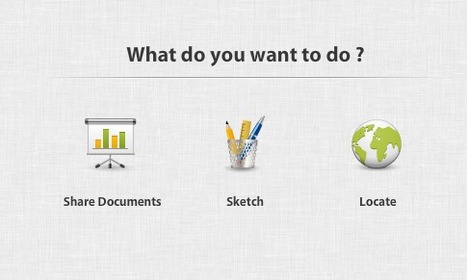
Robin Good: LiveMinutes is a real-time collaboration tool that enables you to leverage the good audio conferencing capabilities of Skype while providing you with an elegantly-designed interface to share and collaborate around documents and presentations.
"When you change page or scroll to a paragraph, your guest's view is automatically updated, so you are always literally on the same page. You can also annotate your documents with sidenotes and drawing tools."
Not only. All your uploaded files are stored in a library where you can organize the according to types. 100MB capacity. (soon to be extended)
Other key features include: Integrated Google Maps collaborationText chatMeeting scheduling systemParticipants rights managementSketching and diagramming toolsWhiteboarding toolsLive minutes reporting including files and chat exchangesOpen API
LiveMinutes is free to use and will soon add additional capabilities including multi-point video conferencing.
I really like whatLiveMinutes offers and would recommend anyone to try it.
Features: http://liveminutes.com/en/features
FAQ: http://liveminutes.com/en/faq
More info: http://liveminutes.com/ Via Robin Good, Petra Pollum
Scoop.it!

As it's sometimes quite difficult to explain how Moodle Courses work to teachers, I've created this handy poster which explains the difference between Standard courses and Meta courses within Moodle. (Although not technically correct with ...
Scoop.it!
"Our students are preparing for a debate with a partner against another two students from our class. Today we created an itinerary for the afternoon block. As part of this, students needed to filming their partner talking about the section they must present on Tuesday." Via John Evans
Scoop.it!

Just made these screencast tutorials for the team I'm working with as eLearning coordinator and thought I would pass them along here on the blog for those in my PLN who are starting out with Moodle and want some tips... Via Gisele Brugger
Scoop.it!
Thousands of Moodle Themes in our gallery. (This looks pretty cool!
Scoop.it!

"Much has been said about how connected devices, whether in college lecture halls or elementary school classrooms, can distract students. GoSoapBox aims to show how such devices can also help keep class on track. The startup, which is launching Tuesday, makes a web-based app that serves as a constant back-channel to classroom discussion. Students can use it to post questions about the lecture, vote up questions their classmates have already submitted, set their statuses to “confused,” and contribute to polls and questions posted by the teacher." Via EDTECH@UTRGV
Scoop.it!

After trialling the new iPads during our French Summer School I have found a number of excellent apps for use in the MFL classroom. Many of these can also be used on an iPodTouch (marked with an *)... Via Yuly Asencion
Scoop.it!
DasErste Mediathek. ARD Sendungen als On Demand Videos. An einer Hamburger Schule nutzen die Schüler als interdisziplinäre Lernhilfe einen Tablet-Computer. Wie verändert das das Lernen und Lehren? Via Martin Ebner |
Scoop.it!
As more and more people become interested in using eportfolios they are looking for information to help them along their eportfolio learning journey. Here are some great places to get started: Via Gary Bertoia, Heinz Krettek
Scoop.it!
Here is a one minute long animated video about Classroom Innovation for my application to Google Teacher Academy UK.
Scoop.it!

Scoop.it!

Flat Classroom Project - application deadline January 23, 2012 for FCP12-1 Digiteen - application deadline February 1, 2012 for Digiteen 12-1 'A Week in the Life...' - application deadline February... ... Via Ana Cristina Pratas
Scoop.it!
The 3rd volume in the highly successful educational technology resource sharing preso. Via Cornélia Castro
Scoop.it!

There are a lot of media formats out there and it is sometimes becomes very difficult for users to choose the format is best suitable for them and their device. Here are some fine media converters for Windows.
Scoop.it!

Social media provides a variety of tools, commonly referred to as Web 2.0, that educators can use to engage students and enhance essential skills (communication, collaboration, creativity, media literacy, technological proficiency, global awareness.
Scoop.it!
After trialling the new iPads during our French Summer School I have found a number of excellent apps for use in the MFL classroom. Many of these can also be used on an iPodTouch (marked with an *)... Via Yuly Asencion
Scoop.it!

This site will highlight the latest Web 2.0 Tools and their usefulness to teacher educators !! Via Ms. Hall |






