Découvrez le projet Paris 3D. Des reconstitutions 3D inédites de monuments de Paris à diverses époques, réalisé par Dassault Systèmes.
Via Pilar_Mun, Mavina Pantazara, Siani Katerina

 Your new post is loading...
 Scoop.it! Découvrez le projet Paris 3D. Des reconstitutions 3D inédites de monuments de Paris à diverses époques, réalisé par Dassault Systèmes. Via Pilar_Mun, Mavina Pantazara, Siani Katerina No comment yet.
Sign up to comment
Scoop.it!

Prezi’s unique slick “zooming” function offers an increasingly popular alternative to the traditional PowerPoint presentations.
Scoop.it!
Edmodo provides a safe and easy way for your class to connect and collaborate, share content, and access homework, grades and school notices. Via joannascarl, Evdokia Roka
Scoop.it!

Here's a useful list of the best web tools for flipped classrooms, complete with what each tool is and how teachers are using it right now! 
SLRE's curator insight,
April 9, 2013 2:40 AM
Overzicht van een 10-tal, overwegend gratis, sites en hulpmiddelen, voor gebruik bij het flipped classroom concept, met korte beschrijvingen van de tool en hoe je dit bij flipped classroom zou kunnen gebruiken.
Scoop.it!

Visual bookmarking made easy. Save shortcuts and bookmarks in a visual and easy to access format; tagged, organized and arranged for you and Discover new bookmarks and links that you never knew existed. Via Nik Peachey, dennis patsos 
Geoffrey Smith's comment,
February 15, 2013 4:20 AM
You should also check out http://www.symbaloo.com they also offer and educational setup as well.
Scoop.it!

Even in the richest countries on the planet such as the U.S., not everyone has easy access to this cornucopia of connectivity, the Internet. The Internet is a tremendous growth ... Via Alazne González
Scoop.it!

Robin Good's curator insight,
April 1, 2013 3:07 PM
If you haven't tried it yet, here is a cool video with Mike McCue from Flipboard, where he showcases all of the new features that make Flipboard 2.0 such a cool new publishing tool. I think anyone who doesn't have an iPad should check this video clip out as to get a basic idea of what FlipBoard now does, when it comes to curation and publishing, and HOW it does it. From my own viewpoint I can't disagree with the fact that there is no easier way today to create and put together a good looking curated magazine. At least if you have an iPhone or iPad. If you listen closely to the things that Mike McCue says, the focus is clearly on creating a cool-looking magazine in the easiest and fastest possible way. This is the critical point. The fad to put together cool looking magazines may not last very long, as we have already seen that the quality of curated publications that require little or no effort to be put together is generally very shallow. Curation requires time, attention to details and no desire to do things in the least possible time. It's like collecting stamps while driving. Something is not right. So the question is open: is FlipBoard going to generate a tsunami of cool-looking image-based "noise", or after the initial rush, these newly mint curated magazines could actually become valuable resources and "points of reference" in their respective industries or interest niches? Original video: http://youtu.be/I9dv5QVs2_c 
Jeff Domansky's comment,
April 1, 2013 6:14 PM
Thanks for this post Robin. Sadly, curation without purpose is just noise. It's not the tool, it's the talent.
Scoop.it!
Prezi’s unique slick “zooming” function offers an increasingly popular alternative to the traditional PowerPoint presentations. Via Luísa Lima, Rui Guimarães Lima, juandoming, Profdoc 
Bijal Damani's curator insight,
April 30, 2013 11:33 PM
A freshing change in Presentation style/tool
Scoop.it!
This video highlights the TinyMCE plugin for Moodle which allows users to add video using Youtube at any text area or resource.
Scoop.it!
MmIT conference - Cloudbusting - Demystifying the Cloud, The University of Sheffield, 5 April 2013. Via Anthony Beal 
Anthony Beal's curator insight,
April 6, 2013 11:07 AM
Slides to accompany my workshop at this year's conference.
Scoop.it!
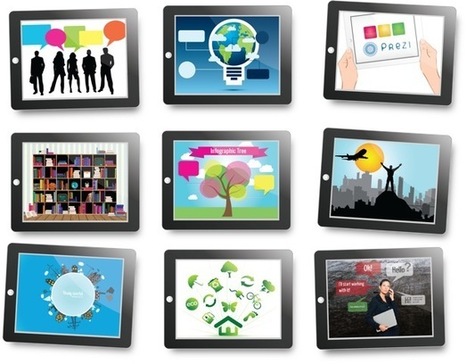
Prezzip offers Prezi presentation templates & more. With mixing and matching our visuals you can optimize your presentations. Via Baiba Svenca, Wilmer Ramírez 
Jo Blannin - The Know Tech Teacher's curator insight,
November 10, 2013 11:44 PM
And try these great templates that are built into the Prezi now...
Scoop.it!

If you're looking to run more effective meetings, make some professional development gatherings more effective, these tips are for you. Via Andrea Zeitz, Rui Guimarães Lima 
Dolly Bhasin 's curator insight,
April 1, 2013 10:58 PM
Great infographics for conducting a Business meeting! 
The Wordcanvas's curator insight,
April 2, 2013 3:14 AM
...And excellent way to advertise your product.
Scoop.it!

From
learni

Top 5 features in Moodle 2.3 - great post by Frederic Nevers. Info geared for teachers. Via Rui Guimarães Lima |
Scoop.it!

Scoop.it!

No matter what the reason, there are times when listening to an entire song is just too much. Via R.Conrath, Ed.D.
Scoop.it!

Content curation is, in a nutshell, picking and choosing content from around the Web, and sharing it with your followers. Running a curated blog is not just about finding interesting content to share. Via Robin Good, Celia Muñoz Baeza
Robin Good's curator insight,
March 26, 2013 4:40 AM
If you are new to content curation and you are wondering how you could use your WordPress or Tumblr account to get your feet wet in selecting and publishing the very best content available in your industry niche, here is a good introductory article by Nancy Messieh on MakeUseOf. From how to identify your niche, to picking your curation platform (though here the advice is quite shallow and tips are pretty limited - no mention of RebelMouse, Scoop.it or Lingospot among others) and keeping yourself up-to-date, this article provides some good basic advice on how to get the ball rolling. Quite useful is the list of seven curated blogs at the end of the article showcased as best examples of good curation at work. Useful for anyone starting out. A few good references. 7/10 Full article: http://www.makeuseof.com/tag/how-to-create-a-successful-curated-blog/ 
Víctor V. Valera Jiménez's curator insight,
March 28, 2013 11:50 AM
Interesante artículo de Nancy Mesias en "MakeUseOf" que puede servir como buena introducción para los que estén comenzando en este apasionante mundo de la Content Curation.
Scoop.it!

The Flipped Classroom is all the rage! The advantages of technology in the classroom can't be denied. Good teachers will know when and when not to use it . Via Marie-Hélène Fasquel-Erhart
Scoop.it!

Planboard helps teachers streamline lesson plans, find resources, and collaborate with others. Align with school's schedule. Integrate and track curriculum standards, such as Common Core State Standards, Ontario Curriculums, TEKS, and more. Via Marie-Hélène Fasquel-Erhart
Scoop.it!

Suffering from sluggish course load time? Here's Part II of our series on boosting Moodle performance. Via Rui Guimarães Lima
Scoop.it!
When constructing effective eLearning courses, follow this simple guide on what to do and what not to do when using visuals.
Scoop.it!

By default, numerical grades in Moodle are selected by the teacher from a range like 0-100. When advanced grading methods are enabled, the grade selection element is replaced with a more complex assessment form provided by the plugin. The plugin contains the logic how to calculate the grade. Such a calculated grade is then passed back to the activity module as if the teacher used the standard grade value selector.
Example: The teacher creates new Assignment in the course with the grade up to 30. She defines a rubric to be used for grading. The rubric itself produces raw score up to 12 (eg it has four criteria with levels 0, 1, 2, 3). So the rubric's score 12 leads to the assignment grade 30, the score 6 leads to the grade 15 etc.
For each activity, a new copy of the assessment form is created. Note that this is different from how scales work. While scales are defined at the site level or course level and then can be used in all activities, advanced grading forms create a new copy of the form definition for every single activity that uses it. So a change in the form definition in one assignment does not affect other places where the same rubric is used.
Example: The teacher defines a rubric for an assignment in the course. Then she re-uses the rubric in another assignment (see below on how to do this). When the teacher modifies the rubric in the second assignment, the first assignment still uses the original rubric.
The grading form definition is part of the activity data. It is included in the activity's backup and it is copied when the activity is duplicated via the "x2" icon or imported from another course.
Via Miloš Bajčetić
Scoop.it!

Are you up to date with all of the latest changes on Pinterest? Pinterest recently made several changes to their site. They modified some features, added new ones and even got rid of a few.
Scoop.it!

Several eLearning professionals wonder "what happens with the eLearning content they create for a company"? Do eLearning developers have the right to maintain copyrights and reuse their eLearning work or their employer is its sole owner? Via Christopher Pappas, Donna Murdoch 
Christopher Pappas's curator insight,
April 1, 2013 4:01 AM
How To Keep Copyright On eLearning Content You Create |