Office 365 for Education - helpful technical information gathered by the U.S. Education Cloud Specialist Team Unit, consisting of Solution Specialists and Cloud Architects. The posts pertain to Office 365 for Education, ...

 Your new post is loading...
 Scoop.it! Office 365 for Education - helpful technical information gathered by the U.S. Education Cloud Specialist Team Unit, consisting of Solution Specialists and Cloud Architects. The posts pertain to Office 365 for Education, ... No comment yet.
Sign up to comment
Scoop.it!

For a while now I have been increasingly interested in using infographics in the design of the learning materials and courses I create for students and teachers. For those of you who haven't encountered the term 'infographic' ... Via Graham Stanley 
sarspri's curator insight,
April 16, 2013 7:18 PM
Visual, visual, visual ... A post by a classroom language teacher and teacher trainer, Nik Peachey.
Scoop.it!

Audrey's comment,
April 18, 2013 4:19 PM
Cold you please let us know the names of these videos. Thanks
Scoop.it!
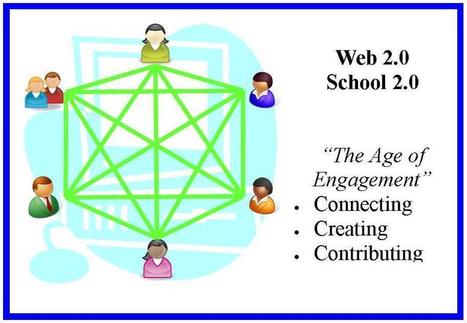
"Schools are doing Education 1.0; talking about doing Education 2.0; when they should be planning and implementing Education 3.0. This post seeks to to compare the developments of the Internet-Web to those of education."
Via Beth Dichter 
Beth Dichter's curator insight,
March 22, 2013 11:06 PM
Gerstein provides an interesting look at where education is and where education is going. She provides a look at research that shows that schools are "living within and functioning through an Education 1.0 model." She quotes an article that states "Essentialists argue that classrooms should be teacher-oriented. The teachers or administrators decide what is most important for the students to learn with little regard to the student interests. The teachers also focus on achievement test scores as a means of evaluating progress." So what defines Education 2.0? "Education 2.0 includes more interaction between the teacher and student; student to student; and student to content/expert." Education 3.0 moves us into a new direction, one that we are beginning to see. Content is free (think open educational resources) and readily available, It is more self-directed with a focus on creativity, problem solving and innovation. As always there is a wealth of resources available in the post. 
Betsy Eubanks's curator insight,
March 23, 2013 10:39 AM
Excellent content, although evaluative testing issue remains unaddressed. 
claudine pierron's curator insight,
April 17, 2013 3:10 AM
Le changement phénoménal de la technologie provoque de nouvelles transformations au sein de l'éducation. Éducation 3.0 arrive avec toutes les répercussions sur "savoir apprendre " comment apprendre"
Scoop.it!
Descripción del sistema de mensajería interna en Moodle (He añadido un vídeo a una lista de reproducción de @YouTube (http://t.co/z1BlflKj6K - Mensajería en Moodle).)...
Scoop.it!


Ricard Garcia's curator insight,
March 4, 2013 4:06 AM
Good helpful article with interesting tips on using 2.0 tools as a way for our students to introduce themselves.
Scoop.it!

Twice in the last week I've been asked for a list of free alternatives to either PowerPoint or Keynote. I've written a couple of these lists over the last five years, but some of the alternatives I've shared in the past have either gone out of business or started charging a fee. Here's my updated list of free alternatives to PowerPoint and Keynote. Via Damián Casado
Scoop.it!
Comparto una guía básica de Prezi, podría llamarse manual básico aunque no tiene características de manual o tutorial. Está en Español y actualizado con las últimas novedades y formatos de la interfaz de Prezi. Como hay muchos y variados materiales de este tipo pero es difícil de encontrarlo con imágenes de las actualizaciones y las opciones que se agregaron últimamente, más otras que se redistribuyeron en la nueva versión de Prezi; creo que puede ser de ayuda para muchos que estén iniciándose en el manejo de este servicio. Via Gumersindo Fernández, Lorena Netzahuatl
Scoop.it!

RT @moodlesites: http://t.co/fO1fFxsSF2 will be down later today (UTC afternoon) for maintenance. We expect service to be restored in a couple of hours.
Scoop.it!

RT @Bulgenen: RT @ivki: Cool things in #Moodle 2.5 in one place, described by @moodlefairy : http://t.co/X8nRG2uuBm
Scoop.it!
#moodle useful post: Re: Is there a simple way to download every course document?: by Heather Williams I don't... http://t.co/PwH8Gg74Ya |
Scoop.it!
Sometimes the hardest part is deciding what to put on your Moodle page. There is no wrong way to create a Moodle page. Your page should fit the needs of you, your students and parents. Below is a list to help you decide what to include on your page. Have fun creating with Moodle!. Via Patric Lougheed
Scoop.it!

Would you be interested in a list of Free Moodle Video Tutorials? In case that you would like to add a Free Moodle Video Tutorial you can do so! Via Javier Sola Aréchaga
Scoop.it!

Finding the best education technology tools is a time-consuming task. It may even be viewed as a chore (for some). Not with this fabulous list, though! Via Evdokia Roka
Scoop.it!

Google+ Community A Google+ community is a forum where people with common interests come together to interact on the Web. This would be an ideal tool for schools who use Google Apps in Education. Via Ana Cristina Pratas 
vananh.com's comment,
April 20, 2013 7:36 AM
Oh, when did you start to use this in your school? Paul ?

carfrasa's curator insight,
April 22, 2013 8:28 AM
Alcuni spunti per usare Google+ nell'insegnamento 
Lily Bolig's comment,
April 23, 2013 1:46 AM
I haven't had a chance to use it yet, but I'm definitely interested!
Scoop.it!

From
moodle

Concept Map Question Type is a web based editor for Concept Maps, that allows teachers to create questions in which the students will submit a Concept Map as their answer.
The features are:
-Allows unlimited concepts and relationships. -Undo/Redo to facilitate usability. -Easy to use drag and drop interface. -Fully compliant with internationalization standards (English and Spanish are provided). -Very simple XML standard for storing the maps. Via Miloš Bajčetić
Scoop.it!
Pasos para dar de alta a usuarios en un aula virtual de la plataforma Moodle (He añadido un vídeo a una lista de reproducción de @YouTube (http://t.co/fDogbpAdXo - Inscripción...
Scoop.it!

No doubt you have already have a classroom website or will be required to create one in the very near future. Here are some best practices and tools to help. Via Ana Cristina Pratas, Let's Learn IT
Scoop.it!

Ana Cristina Pratas's curator insight,
April 9, 2013 8:17 AM
Scoop.it!

From
moodle
This course format displays all sections like a masonry build brick wall. Using YUI, every section is dynamically placed into a fluent style page. Each section can have a different background color.
The order of the topics shown depends on the screensize and can vary from screen to screen. Via Miloš Bajčetić
Scoop.it!

We are pleased to finally introduce the new official cross-platform Moodle Mobile app! |