


"IFTTT is an automation that will enable you to connect 2 services so that, when something happens with one service, a trigger goes off and an action takes place automatically on the other..."
Via Profdoc

 Your new post is loading...
 Scoop.it! "IFTTT is an automation that will enable you to connect 2 services so that, when something happens with one service, a trigger goes off and an action takes place automatically on the other..." Via Profdoc No comment yet.
Sign up to comment
Scoop.it!
Presentation by Kristina D.C. Hoeppner on Mahara 1.8 at the October Mahara User Group meeting online on 8/9 October 2013. Audio also available at https://archiv Via Sigi Jakob 
Sigi Jakob's curator insight,
October 9, 2013 2:24 PM
cool new features of Mahara 1.8 ... we've been waiting for them :-)
Scoop.it!

Staying on top of the latest and greatest web tools can be challenging. Adam Bellow offers tips for selecting which are best for you. Via Mariano Fernandez S.
Scoop.it!

Google Apps are some of the most widely used tools in education today. From Gmail to Calendar to Image Search, they're a big part of the current education technology model. Via Yuly Asencion
Scoop.it!
OPEN BADGES & MOODLE What Why Where When Why but mostly, badges are serious stuff! Gavin Henrick Learning Technology Services http://www.lts.ie Via Maria João, Gisele Brugger, Carola Brunnbauer
Scoop.it!

Did you know that Google Docs has support for QR codes built-in? That's right, if you know the right function, the Spreadsheets app can generate QR codes with whatever inputs you like. Via Timo Ilomäki
Scoop.it!

Learn to use Snagit, a powerful tool for teachers using a computer. (Using Snagit for Teachers http://t.co/hNDImzyz7h via @SamPatue) Via Rafael Scapin, Ph.D.
Scoop.it!
Check out what's new in our latest release of MindManager!
Scoop.it!

Mind maps are a great tool for education. Find out how to improve your memory, take more effective notes and enhance the results of your studying efforts! Via Baiba Svenca 
Say Keng Lee's curator insight,
October 8, 2013 1:32 AM
Mind mapping is useful for student achievement, and this article illustrates many possibilities of usage. 
Christine Bushong's curator insight,
October 28, 2013 12:22 PM
Baiba Svenca's insight:
MindMeister have published a great article on mind mapping with students. The article explains the purpose of mindmapping, describes its uses and benefits, and reminds the teachers that MindMeister's maps can be displayed in Presentation Mode.
See the first part of the topic The Teachers’ Guide to Mind Mapping http://www.mindmeister.com/blog/2013/09/10/the-teachers-guide-to-mind-mapping/ 
Judith Soleil's curator insight, November 20, 2015 6:18 AM
A specific tool for students needs !
Scoop.it!
http://connectlanguage.com/promo - Connect School of Languages is based in Toronto, Canada. We provide English lessons using a modern teaching style that inc... Via Mariam Bellami |
Scoop.it!

From
padlet

The simplest way to create. From any device, with anyone. We give you a blank wall.
Via Baiba Svenca 
Andreas Wåhlström's curator insight,
August 13, 2013 8:55 AM
Mycket bra tjånst för eleverna att samarbeta och vara kreativa i 
Omar Sheikh's curator insight,
May 31, 2015 5:37 AM
An excellent tool for teachers to share ideas with students in an interactive way. Good for starting discussion and promoting thoughts and ideas around a particular topic.
Scoop.it!

Why Your Moodle Site is Slow: Five Simple Settings on tipsmoodle curated by Gisele Brugger (Why Your Moodle Site is Slow: Five Simple Settings | @scoopit http://t.co/uB7J7SDWLx)... Via Rafael Scapin, Ph.D.
Scoop.it!

This year, I started a new job at a brand new school. As the Technology Coach, I was fortunate enough to make key decisions for our school about hardware, software and curriculum. One of those deci... Via Evdokia Roka 
Carmenne Kalyaniwala's curator insight,
October 8, 2013 4:16 AM
Edmodo is a social learning platform that teachers can use to create an online class. You can use it as a CMS, for distance learning or hybrid learning. And the best part is, you have free access to it as an educator. Having used it last year, I love Edmodo. It's great to use in a classroom, great to use outside a classroom, great to share notes with the class, (thus reducing paper wastage), great to keep track of our students' progress, great to connect with our students online, great, simply great!!
Scoop.it!
ContentWhat are Open-BadgesUnderstanding Open Badges SystemHow to Implement an Open Badge SystemBackpack OptionsImplementation TeamOut of the box solution369121 Via Susan Liner Fisher
Scoop.it!
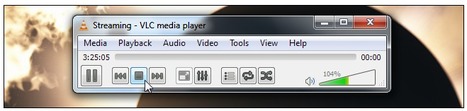
VLC is full of powerful features, including the ability to record your desktop. VLC is great for quick captures, although it doesn’t necessarily have the more advanced features of a dedicated screencasting application. Via Baiba Svenca 
Willemijn Schmitz's curator insight,
October 10, 2013 4:08 PM
Ik zet 'm nu even bij innovatief. Opde ELO zetten om de 1e jaars te laten zien hoe ze een filmpje van hun eigen werk kunnen maken.
Scoop.it!

Following on from an earlier post we now have 2 new methods for managing SCORM content in Moodle 2.6. Selecting a Zip package as an alias from a repository. When adding/updating a SCORM and selecting a Zip ...
Scoop.it!

jmail is an internal mailing tool for Moodle 2
It supports features like: labels(folders), attachments, reply, forward, print, read and unread messages, etc...
Main features:
- Send messages (TO, CC, BCC) - Reply, forward - Attachments in messages - User names auto-completition when composing messages - Bulk user selection - Save attachments directly to your Moodle private files - Drafts support - Moodle HTML Editor integrated - AJAX and Rich User Interface - Quick search tool - Ordering (date, subject, remitent) - Pagination - Labels (like folder, but a message can be linked to more than one label) - Different types of mailboxes - Receive copy of your messages to your profile external email account - Direct access to all your mailboxes - Groups support - Message key shortcouts (reply, forward, delete and print) - Global inbox - Full backup and restore support Via Miloš Bajčetić
Scoop.it!
Presentación sobre la única certificación de Moodle: el Moodle Course Creator Certificate realizada en la MoodleMoot Barcelona 2013. Via LaiaJoana 
LaiaJoana's curator insight,
October 1, 2013 12:12 PM
Información sobre el Moodle Course Creator Certificate (MCCC)
Scoop.it!
Learn how to use Full Screen Presentation Mode in Evernote 5.3 Video recorded by Jeff Bradbury: @TeacherCast For more information about having TeacherCast br... Via Baiba Svenca, Viljenka Savli (http://www2.arnes.si/~sopvsavl/) 
Sigita Vaskevica's curator insight,
September 25, 2013 4:15 PM
Un peu de tempe libre- information creative! 
Viljenka Savli (http://www2.arnes.si/~sopvsavl/)'s curator insight,
September 30, 2013 4:21 PM
Evernote as a presentation tool. 
Alfredo Corell's curator insight,
October 2, 2013 3:28 PM
My preferred notes app now with Full Screen Presentation Mode!!!! awesome!!!
Scoop.it!

Often you just want to send a massive file on an ad-hoc basis. Fortunately, dozens of options exist. Here are some of the best. Via Frédéric DEBAILLEUL 
Glauco Ulises Quesada Ramirez's curator insight,
September 30, 2013 1:32 PM
Interesante aporte de Herramientas útiles para la cotidianidad. Siempre hay problemas con esto y hace falta referenciar la caja de herramientas.

Susan Liner Fisher's curator insight,
September 30, 2013 2:50 PM
This is a great resource to help prevent the proverbial clogged inbox!
Scoop.it!

You may not have considered it. You may have tried but given up. Here's some insight into why teachers should blog and keep learning. Via LGA, juandoming, Adelina Silva, Javier Sánchez Bolado 
AlGonzalezinfo's curator insight,
September 28, 2013 11:33 AM
Excellent article on the value of bloging for teachers adn their students.
Below is my favorite, which reason(s) stand our for you? Promote Engagement Among StudentsTeachers should blog because blogging is a great tool that offers heavy engagement in the students body. Teachers can start a discussion on any topic and ask students to share their open-minded thoughts. They can share their opinions not only during the class session but also outside the classroom. |






