


Chemical Structures and Reactions Editor: by Carl LeBlond. Easily draw and insert chemical structures... http://t.co/HpnCrghka1 #moodle
Via Miloš Bajčetić


 Your new post is loading...
 Scoop.it! Chemical Structures and Reactions Editor: by Carl LeBlond. Easily draw and insert chemical structures... http://t.co/HpnCrghka1 #moodle Via Miloš Bajčetić 
No comment yet.
Sign up to comment
Scoop.it!
It is possible to gamify any Moodle 2 course using out-of-the-box Moodle features. Watch this video to learn how to gamify your Moodle courses in under 20 minutes. This video is aimed at intermediate Moodle users, beginners might find it overwhelming.
Via Miloš Bajčetić
Scoop.it!
Try it out for free on Moodle for Teachers (M4T) http://moodle4teachers.org/course/view.php?id=38 For best viewing, watch in HD mode in full screen. Via AgileBelma
Scoop.it!

Totara LMS, the distribution of Moodle designed for enterprises (Totara LMS - A Moodle designed for Corporate Online Training | @scoopit via @AnaCristinaPrts http://t.co/vAGIfSDmWQ)...
Scoop.it!

Enter Now and Discover the Complete Wordpress Moodle Integration Guide and Ensure You Enhance Your LMS Experience Through the Ability to Blog. Via Juergen Wagner
Scoop.it!

The Moodle Course Administration Block is an exceptionally significant block for the instructors with a number of unique features. Its features provide full access and controls for the management of the course and its structures.
Its features allow you to organise, the enrolments of the students and tutors, enrolment groups, handle as well as manipulate the settings of the course, use the question banks, take course and material backups as well as go through the course books.
In the Moodle Course, at the left of the screen lie all the features of the Course Administration Block in the module under the Settings Section. Via Miloš Bajčetić, Juergen Wagner
Scoop.it!

Not many Moodlers use the Lesson Activity in Moodle. Mostly because it’s neither a brilliant quiz engine nor a replacement for the book module. But when you combine both these elements and spend a bit of time on the design you can create engaging, interactive learning packages that can stand their own against popular content creation tools, and best of all, it’s authored natively in Moodle.
Let’s look at the benefits/features of using the lesson module: Via Miloš Bajčetić
Scoop.it!

Use Shopify to create a simple store front to sell Moodle and Totara courses.
Scoop.it!

With so many installing or creating Bootstrap based themes – I have noticed more and more use the features in course content. You can style quite a bit, and make things look pretty! Styling tables in Moodle with Bootstrap There are a few nice style options for when you lay out table data.
Via Miloš Bajčetić
Scoop.it!

Google Classroom és una aplicación nueva que seguramente ira mejorando con el tiempo y que se añade a los entornos virtuales de aprendizaje. Tiene muchas similitudes con Edmodo aunque tiene alguna peculiaridades pròpias. El hecho que detras este google nos asegura que l'entorno será estable y que la aplicacion está hospedada en un servidor potente. Muchos profesores tienen sus cursos en Moodle, por tanto si desean utilizar google Classroom tendran la necesidad de pasar estos cursos a google Classroom. No se puede hacer por importación de archivos xml por lo que des de aquí os proponemos la técnica que se aconseja en el vídeo. Via Gumersindo Fernández
Scoop.it!

After a brief chat with a colleague I was inspired to see how easy it is to make Moodle look like a corporate brand.
Turns out it’s pretty easy with some CSS love and an amazing boiler plate to work from
Via Miloš Bajčetić
|
Scoop.it!

Learn how to set up classroom session on moodle face to face plung in.Read more › (RT @commlabindia: Preparing #Classroom Session Using #Moodle Face-To-Face plug-in
Scoop.it!
Dinâmicas de MOODLiz@ção num Agrupamento de Escolas de Matosinhos 03|07|2013 © Rui Guimarães Lima
Rui Guimarães Lima's insight:
Dinâmicas de MOODLiz@ção num Agrupamento de Escolas de Matosinhos 03|07|2013 © Rui Guimarães Lima
Scoop.it!
This video will cover the quiz results block for Moodle 2. (Use the 'quiz results' block to motivate competitive students. Via AgileBelma
Scoop.it!
Here’s a quick video (3 minutes) that shows how students can navigate around Moodle as a student. It highlights the various main aspects of Moodle: blocks, forums, courses, etc. Via Miloš Bajčetić, Juergen Wagner, Dorian Love
Scoop.it!

WIRIS provides educators a tool for creating great math notation and using it within platforms like Moodle. While it’s a software as a service, the WYSIWYG math equation editor provides a visual tool for creating math equations right within Moodle questions (or in answer boxes by students).
Their plugins have long been available for Moodle in both HTMLarea and TinyMCE. Their plugin is now available for Atto editor,
Via Miloš Bajčetić
Scoop.it!
WordPress Moodle integration allows users to blog and makes the pages available on the internet.
Moodle, as you know, is a free learning management system. It includes features like news, announcements, online quizzes, calendars, a discussion forum, file downloads, and instant messages. It allows unlimited number of servers to be added with it as it requires n license.
WordPress is a content management system that manages several web pages from a single platform. It simplifies the usage of learning management system by integrating it.
Via Miloš Bajčetić
Scoop.it!

Moodle is a magnificent free product and has the potential to enable schools and teachers to build wonderfully unique interactive online learning courses in which learner interaction can be tracked, measured and responded to. Despite this the vast majority of Moodle courses I see are a long list of Word and PDF documents with at best a few forums that enable a minimum of human social interaction. Via Miloš Bajčetić
Scoop.it!

Some people wonder what they may need to do in order to access interactive
Scoop.it!

There are many ways through which you can use Moodle gamification to improve eLearning. Reliable studies show the gamifying the learning process can add a lot of value a part from enhancing the participation of the learners and teachers alike.
However, apart from the obvious things that people do in order to use this concept, there are those that are likely to yield better results. One thing that you need to know is that this being a totally new concept, there is need to incorporate only the things that are likely to make it more appealing to those for whom it is meant.
Via Miloš Bajčetić, juandoming
Scoop.it!

“Moodle, for those who did not know, is a popular e-learning platform that has a user base of over 50 thousand registered and verified school sites, serving over 60 million users, in over 6 million c” Via Alfredo Calderón, NikolaosKourakos
Scoop.it!

We’re continuing to build the list of integration resources that we provide for Moodle, so that schools, TAFEs and universities can integrate their Moodle platforms more securely with the rest of their existing infrastructure. This is a common goal for central IT teams, where they want to ensure their users (both staff and students) are able to move seamlessly between their different systems, and their data isn’t locked into a single platform. For example, rather than having learning resources locked away within their Learning Management System it’s possible to use the content management of SharePoint, and storage space of OneDrive (the new name for SkyDrive), to ensure that users have access even when they are not using Moodle directly, or to provide content management such as version control for staff. In the past I’ve written about the SkyDrive/OneDrive plugin for Moodle and the Moodle kit for Windows Azure.
The latest plugin from Microsoft integrates Moodle with Office 365 and OneDrive. This allows teachers to create courses and assignments in Moodle that can be read, edited, and submitted by students in SharePoint.
Via Miloš Bajčetić, kallen214, Evdokia Roka

KJ Honkonen's curator insight,
February 24, 2014 2:58 AM
Tarpeeseen, nopeasti tästä tähän... "Viimeisin lisäosa Microsoftilta integroi Off365:n ja OneDriven. Tämä mahdollistaa opettajien luoda kursseja ja tehtäviä Moodlessa, joita opiskelijat voivat lukea, käsitellä ja lähettää opettajalle SharePointissa..." ...
Scoop.it!
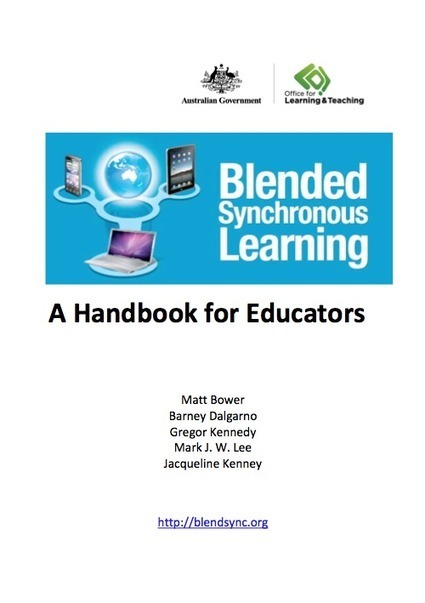
The Blended Synchronous Learning Handbook is the primary output of the Blended Synchronous Learning Project. It includes the summative findings of the Blended Synchronous Learning case studies, a Blended Synchronous Learning Design Framework, and a range of other resources and information to support blended synchronous learning design research and practice. Via Nik Peachey, Jim Lerman, Miloš Bajčetić

Nik Peachey's curator insight,
August 7, 2014 8:27 AM
This free 190 page book looks really well constructed and well worth downloading. 
Fiona Harvey's curator insight,
August 7, 2014 4:06 PM
looks interesting and useful to add to the research on blended learning 
Jamie Ruppert's curator insight,
August 7, 2014 4:49 PM
The Blended Synchronous Learning Handbook is the primary output of the Blended Synchronous Learning Project. |






