Your new post is loading...

|
Scooped by
Jim Lerman
March 2, 2012 4:01 PM
|
From Univ. of Wisconsin - Stout This newsletter features how to use eBooks and electronic publishing to create customized and meaningful content. Explore our list of best resources for helping instructors and learners to create and share digital books.
|
|
Scooped by
Jim Lerman
March 1, 2012 11:44 PM
|
Here's a 7-step how to that flips the delivery of the lesson to homework. Recently I shared lunch with colleague and friend, Mike Gwaltney. He teaches in a variety of blending settings both in class and online. We got into an interesting discussion about ways to deliver instructional content and learning process both in and outside the classroom. The conversation quickly turned to the notion of "flipping the classroom." This is the idea that teachers shoot videos of their lessons, then make them available online for students to view at home. Class time is then devoted to problem solving - with the teacher acting as a guide to teams of students. It's a great approach that flips the delivery of the lesson to homework - it's like a TiVo time shift that can reshape your classroom.
|
|
Scooped by
Jim Lerman
March 4, 2012 11:22 PM
|
From the website While at ULearn11 keynote speaker Simon Breakspear (@simonbreakspear) spoke about the increased personalisation enabled by smart technologies. As a provocative speaker on educational futures and innovation, Simon has a refreshing view on personalisation as a way to increase standardised results, and he takes us through some examples and where this trend is heading.
|
|
Scooped by
Jim Lerman
March 1, 2012 11:25 PM
|
Including people and experiences outside the classroom has become ever more difficult with budget cuts. But with the cyber world and the U.S. mail at your disposal, you can connect your kids in lots of ways that are inexpensive or free. Here are a few ideas to connect your classroom to the outside world
|
|
Scooped by
Jim Lerman
March 1, 2012 11:22 PM
|
Sugata Mitra’s most recent publication Beyond the Hole in the Wall: Discover the Power of Self-Organized Learning (TED Books), available via Amazon as a Kindle e-book, introduces the concept of a Self Organised Learning Environment (SOLE). This document is designed to support the implementation of Sugata Mitra’s SOLE into multiple school contexts. It contains ‘whole school’ related information for Head Teachers and senior staff in addition to teaching and learning support for teachers and support staff. What is a SOLE? In this document, ‘Self Organised Learning Environment’ refers to the adaptation of a school space to facilitate Enquiry Based Learning. A teacher encourages their class to work as a community to answer questions using computers with internet access. The class work around a guiding set of rules:
|
|
Scooped by
Jim Lerman
March 1, 2012 11:11 PM
|
What does wiki usage in the K-12 classroom reallylook like? How are teachers and students using them? And are these online learning opportunities equitably distributed across different socioeconomic populations? We have a better sense of the answers to those questions now thanks to the work of Harvard doctoral student and education researcher Justin Reich, who has just released a report and white paper detailing his investigation into wiki usage in K-12 schools. (His article, co-authored with Richard Murnane and John Willett, "The State of Wiki Usage in U.S. K-12 Schools: Leveraging Web 2.0 Data Warehouses to Assess Quality and Equality in U.S. K-12 Schools" will appear in this month's issue of Educational Researcher.)
|
|
Scooped by
Jim Lerman
March 4, 2012 11:32 PM
|
From the website Learning@School keynote speaker Christian Long (@christianlong) is an educator, designer, school planner, technology expert, educational futurist, and passionate advocate for innovative learning communities. In his keynote he describes some of these projects, and challenges us to design learning that teaches young people to be agile and divergent, regardless of the community they belong to. From 2012
|
|
Scooped by
Jim Lerman
March 1, 2012 10:46 PM
|
This lesson is the second in a series on Gender Expression. The lessons do not need to be used as a series, but they are designed to complement and build on each other. The overall goal of the series is to help students understand how gender stereotypes can lead to teasing or bullying that stands in the way of building a safe classroom community.
|
|
Scooped by
Jim Lerman
March 1, 2012 10:06 PM
|
A database of over 2,500 free, kid-safe online learning resources categorized by subject, grade level, and in some cases, standard.
|
|
Rescooped by
Jim Lerman
from Connected Learning
March 1, 2012 4:43 PM
|
"These days, there are some great apps for students to use to take notes for class, or to use as class planners."
Via Stephanie Sandifer
|
|
Scooped by
Jim Lerman
March 1, 2012 4:31 PM
|
By David Andrade Evernote. I know, you must be getting tired of me writing about Evernote. I can't help it. It is an incredibly useful, easy to use, and once you start you have no idea how you lived without it, free resource that I use for literally everything. Evernote has apps for mobile devices, desktop software, and you can access your notes through any web browser. I talk about it on this blog a lot, I share about it on Twitter and Google+, and I teach other teachers and my students how to use it. Evernote has some great resources for using it and lots of educators have created resources for using it, but Evernote has just announced "Evernote For Schools Site: Resource for Using Evernote in Education."
|
|
Scooped by
Jim Lerman
March 1, 2012 9:57 AM
|
Here’s a first-of-kind formative instruction system from eInstruction designed to simplify and help formative instruction using interactive teaching. Teachers get instant feedback on student learning through mobile devices, software and instructional material. It’s called Insight 360 and it integrates with existing technology and systems, including Smart Notebook and Promethean ActivInspire. The system provides daily data and data over time, it’s content rich and ready to go, and uses interactive devices and apps. A neat feature is you can apply what they call CueTags to any document for instant assessment – it’s aligned with 18,000 state and Common Core items. It also integrates with iPad. There’s a cool explanatory demo of it here.
|
|
Scooped by
Jim Lerman
February 29, 2012 6:30 PM
|
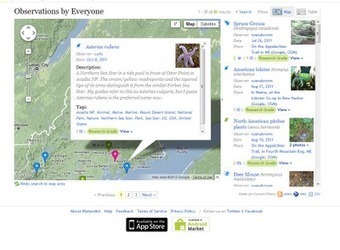
From Richard Byrne iNaturalist is a community website for sharing pictures and observations of plants and animals. To enable easy sharing of observations, iNaturalist offers a free Android app and a free iOS app. Using the apps you can take a picture, geo-locate it, write your observations, and upload to the iNaturalist community. If your observation is incomplete, for example if you're not sure of a scientific name, you can ask the community to add comments to improve the recording of your observation. iNaturalist is a community website for sharing pictures and observations of plants and animals. To enable easy sharing of observations, iNaturalist offers a free Android app and a free iOS app. Using the apps you can take a picture, geo-locate it, write your observations, and upload to the iNaturalist community. If your observation is incomplete, for example if you're not sure of a scientific name, you can ask the community to add comments to improve the recording of your observation.
|
|
|
Scooped by
Jim Lerman
March 2, 2012 3:34 PM
|
You thought the $199 Kindle Fire was a good deal? You thought OLPC was doing the right thing with cheap laptops? Archos is going even further with the announcement of the Child Pad, a seven-inch kid-friendly tabletthat runs Android 4.0 Ice Cream Sandwich right out of the box. Even though the Child Pad is hlearly being targeted toward the younger set, the specs aren’t exactly anemic either. You still get a 1GHz processor and a full gig of RAM, as well as access to a special Kids App Store powered by AppsLib. Like the Kindle Fire, this Child Pad uses Android, but won’t have true access to Android Market. Thankfully, the Kids App Store still has 10,000 apps across 14 categories. It also utilizes a special kid-friendly user interface with color icons, home screen folders, and so on. In line with the kid-friendliness, the Child Pad also gets parental controls and safe web browser features courtesy of Editions Profil. Expect the Archos Child Pad to hit retailers by the end of the month for a mere $129.
|
|
Scooped by
Jim Lerman
March 1, 2012 11:32 PM
|
Web 2.0 sites become more useful as the number of users grow. Fortunately for teachers, there's loads of free educational 2.0 applications that can be utilized in the classroom to help students research, collaborate and share what they've learned. Hats off to British educator, Terry Freedman, who has solicited lessons from 94 teachers from around the world and edited them into a free downloadable book Download Amazing Web 2 Projects 2 online version (2 MB pdf) Hint: If you're not following Terry on Twitter (as I do) here's his Twitter link. The book also includes Twitter links to all the creative contributors to the project.
|
|
Scooped by
Jim Lerman
March 1, 2012 11:29 PM
|
For years, I've posted pdf versions of my lessons and made them available for free. Here's some screenshots of a document based question (DBQ) I'm working on that explores the American Homefront in WWII. To see more of my free pdf lessons click here. I've download iBooks Author and I think it's time to turn some of my PDF lessons into iBooks. Apple's new authoring program, certainly lowers the barrier for doing that. I look forward to the day when a student asks a teacher if it's OK to turn in that project as an iBook. While searching the internet for some how to guides, I found this great video introduction to the process made by Jeremy Kemp.
|
|
Scooped by
Jim Lerman
March 4, 2012 11:18 PM
|
From the website Mark Callagher, 2008 eFellow from Wellington College, talks about his research into using a blended approach to learning. Mark describes his findings, including an increase in engagement, reflective writing, and the transfer to the face to face environment. From 2009.
|
|
Scooped by
Jim Lerman
March 1, 2012 11:15 PM
|
Pinterest is a new network that revolves around pinning photos. If a website or blog does not have a photo, it literally cannot be "pinned" to a pinterest board. (Listen up bloggers and website owners, powerful sharing is going on at Pinterest, if you want to be included, you should have nice graphics.) I'd like to help you get started just like I did with QR Codes, Web 2.0, wikis, etc.
|
|
Scooped by
Jim Lerman
March 1, 2012 11:00 PM
|
By Todd Henry It’s bound to happen sooner or later. No matter how skilled you are and no matter how well you’ve prepared, you’re inevitably going to find yourself stuck on a tough problem without a clear path forward. It’s tempting in these circumstances to keep your nose down and continue cranking on the problem. The problem with this method is that you may be digging yourself deeper into an existing rut. Sometimes it’s valuable to have a set of questions at the ready to help you re-frame, shift, or view the problem through a different window.
|
|
Scooped by
Jim Lerman
March 1, 2012 10:53 PM
|
In just under 20 pages, educator Terry Heick will help you get started down the path of “globalization,” offering strategies that can be immediately implemented in any K-12 classroom tomorrow. This book takes an approach intentionally balanced between thinking and action so that the “how” gets as much attention as the “why.” Ten ideas, 30 strategies, for $2.99 on Amazon.
|
|
Scooped by
Jim Lerman
March 1, 2012 10:38 PM
|
Brothers John and Hank Green are two passionate learners (and teachers) reaching celebrity status on YouTube. Gaining initial success with their Brotherhood 2.0 project, where they ceased all text-based communication for the year and conversed only by video blogs on YouTube, they have moved onto bigger and better things with their latest project – Crash Course. The YouTube channel features very engaging, funny videos from the brothers, where John discusses World History and Hank delves into the details of Biology. Videos are roughly ten minutes in length and are of extremely high quality. Slick animations, interesting locations and neat effects make for informative and captivating veiwing.
|
|
Scooped by
Jim Lerman
March 1, 2012 4:46 PM
|
By Miguel Guhlin Ever wish parents in your school could turn on their smartphone and see a moment by moment update of how their child is learning? Blending social media with web sites, you and your teachers can easily share powerful stories featuring your school’s children with the world. This article provides 5 simple tips you can put into place to provide just in time updates, whether you are a classroom teacher or a campus administrator.
|
|
Scooped by
Jim Lerman
March 1, 2012 4:35 PM
|
By Rob Van Nood When I first started researching options, I was coming across a lot of companies that were really expensive, charging a lot for each student’s use. I also knew that we needed an app for mobile devices that would make it easy to capture and document paperwork and I wasn’t finding that in most of the tools I was evaluating. Evernote was free, had an app for virtually every device, and we could get started right away.
|
|
Rescooped by
Jim Lerman
from Scriveners' Trappings
March 1, 2012 3:49 PM
|
There are many websites designed to help educators teach reading and writing in the classroom, and this article lists some of them. Students can build their own comic strips with the help of Comic Creator, while Essay Map helps students structure their writing with outlines. Another site, Fun English Games, features tongue-twisters that help students master the parts of speech, among other activities.
|
|
Rescooped by
Jim Lerman
from :: The 4th Era ::
February 29, 2012 6:56 PM
|
I love a good infographic! After all, knowledge is power and the visualization of data makes absorbing information all the easier. Well-designed infographics have a way of pulling me into a subject...
Via Ken Morrison, Jim Lerman
|