


Google+ Hangouts is making a splash in education, where teachers and others are transforming the learning experience.
Via Judy O'Connell, tami neuthal

 Your new post is loading...
 Scoop.it! Google+ Hangouts is making a splash in education, where teachers and others are transforming the learning experience. Via Judy O'Connell, tami neuthal No comment yet.
Sign up to comment
Scoop.it!

By Lisa Nielsen
Want to integrate cell phones into learning? You can involve your students with this planning lesson where students will focus on cell phones as learning tools. With an overview of the educational uses of cell phones (the Gr8 8, below), students will determine how they will choose to use their cell phones for educational purposes. Contracts for tools will be developed by students and the result will be a plan for educational uses of cell phones. Via Jeremy Angoff
Scoop.it!
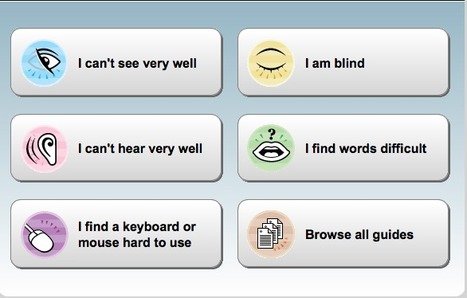
My Web My Way explains the many ways you can change your browser, computer, keyboard and mouse settings to make the web more accessible for the diversity of learners.
Via Kathleen McClaskey, Smaragda Papadopoulou
Scoop.it!

From the website
The Indian Creek Elementary Resources LiveBinder was created out of the need to list interactive whiteboard resources for elementary teachers. As you can see, it has expanded into an amalgamation of technology resources.
Under each tab and subtab you will find many sites, sources, and links specific to the tab heading within the binder. Click on a tab then a subtab for more information. True to its name, this LiveBinder is "live" in that it grows and changes as new resources are frequently added.
If you have any questions, would like to contribute to the binder, would like to set up a binder specific to your classroom, or need help with any of these resources, see or email me: joyce.nichols@omeresa.net.
Scoop.it!

Khan Academy, the wildly popular YouTube lecture series, has launched its free, new iPad app in Apple's store. The enhanced version of Khan Academy includes time-syncing between devices--no Internet connection required--an interactive transcript of the lectures for easy searching, and a handy scrubber for moving between parts of the lectures. Perhaps more importantly, now that more schools have begun adopting Khan's lectures for their own classrooms, the iPad app could possibly replace or supplement textbooks, saving cash-strapped schools and students a lot of money.
Scoop.it!

By Lisa Dabbs
I want to celebrate and share with you ten women in my personal learning network (PLN). These are ten women who inspire, who pour their hearts out and give of their time to this great profession we call teaching. These are women who rock their work, teach many and support new teachers! I want you to get to know them better as you do YOUR work this month to share activities with your students that will help them learn about inspiring women and events in women's history.
Scoop.it!

Description from the Internet Scout Project
Math Interactives is part of a larger site, called LearnAlberta.ca, which is "designed and developed to assist kindergarten to Grade 12 teachers in Alberta locate and utilize digital learning and teaching resources. The design of the site is reflective of how teachers think and work in an online environment." Visitors interested in multiple ways to learn math will love the print and video math activities available on the site.
There are four categories from which visitors can choose, on the left hand side of the homepage: Number, Pattern and Relations, Shape and Space and Statistics and Probability. Each section contains a video and an interactive that encourages students to explore the concept in question. For example, students may learn about linear equations through a video about the costs of feeding animals at the Calgary Zoo, and later come up with their own linear equations to predict the costs, accounting for price of food, amount needed, and delivery fees.
Scoop.it!

By Eric Brunsell
Blending online social learning opportunities, like asynchronous online discussions, into your traditional face-to-face classes can be beneficial to your students. According to Baird and Fisher, in an educational setting, "social software technologies can work together to support learning and foster community and interaction in the online and blended classroom" (2006,p.24).
Many districts provide teachers and students access to a classroom management system (like Blackboard or Moodle) with discussion board capabilities. Additionally, free services like Edmodo provide an easy entrance to engaging in asynchronous online discussions. In an asynchronous discussion, people participate at different times over extended periods, instead of all at once, providing an excellent way to extend discussions beyond the traditional class period.
The following common themes related to asynchronous discussions were found in five different action research projects in blended classrooms.
Scoop.it!
When Scholastic blogger Jeremy Rinkel has to be away from his secondary classroom, he keeps students engaged through the digital substitutes he creates. Rather than pile on the worksheets he recalls with disdain, Rinkel uses technology to provide lessons via PowerPoint, audio, and video that are followed by writing activities.
Scoop.it!

According to her website, Emily Wray is an Associate Course Director for Full Sail University and runs a business development company through el Wray Design.
In October 2011, Wray posted 4 proposals to present at the March 2012 SXSWedu conference in Austin.
Reading through the 4 proposals and following the links within them provides a rich and expansive view of ways in with tech can become seamlessly infused into learning and teaching.
Titles of the proposals:
RISE Model for Meaningful Feedback
I hope she got to present at the conference! -JL
Scoop.it!

By Diane Darrow
In this six-part series, I will highlight apps useful for developing higher order thinking skills in grades K-5 classrooms. Each list will highlight a few apps that connect to the various stages on Bloom's continuum of learning. Given the size and current exponential growth of the app market, I will also assist educators in setting criteria necessary to identify apps that maintain the integrity of teaching for thinking.
Scoop.it!

Free Webinar with Mitch Resnick Tues. March 13, 8 am PST, 11am EST
How can we help young people learn to express themselves with new technologies so they can be active participants in tomorrow’s Creative Society?
|
Scoop.it!

Free webinar (registration required). Wed. March 14, 2012. 11am-12noon PDT, 2pm-3pm EDT
Research shows that teachers who engage in reflective practice improve more quickly along the teaching effectiveness continuum. And video technology can make a big contribution to that reflective practice.
Join Charlotte Danielson, author of the Framework for Teaching, and Mark Atkinson, Teachscape founder and chief strategist in a discussion around the use of video capture in classrooms and how teachers can explore the thinking that lies beneath complex decisions.
Scoop.it!
This is a guide created for teachers on how to establish a professional image while using Facebook as a social networking application. Via anna smith
Scoop.it!

Today marks an important milestone for Visual.ly: the release of our tools for automatic infographic creation. Via WebTeachers
Scoop.it!

By Jackie Gerstein
I am presenting workshops on Experiential Mobile Learning Activities at the Digital Media Literacy Conference 2012 and the Mobile Learning Experience 2012. What follows is the slide deck from and a description of my presentation.
This interactive, experiential BYOD (Bring Your Own Device) workshop has its foundation in two guiding principles: (1) Building a sense of community in the classroom helps address the whole learner including achievement and academic success, and (2) Mobile devices are extensions of young people. As such, they should be leveraged in the classroom.
Scoop.it!

It is no secret, that I enjoy my iPad tremendously. I even proclaimed, now and then, that I love it! From the beginning, I approached the iPad with one goal in mind: I wanted to become fluent in using it.
Fluency on the iPad, like language fluency, does not necessarily come natural to most people. Unless you grow up in a language, as your mother tongue, and you acquire speaking this language unconsciously as a baby and child, it will require an effort (to various degrees) on your part to learn to become fluent in that language. Becoming fluent on the iPad requires a conscious effort and time as well.
Scoop.it!

Extensive and knowledgeable reflection on the differing approaches to teaching and learning taken by David Coleman (chief spokesperson for the Common Core ELA standards) and Doug Lemov (author of Teach Like a Champion and a leader of Uncommon Schools). Focus is on literacy instruction. -JL
Scoop.it!

Description by Internet Scout Project
Created by staff members at the University of Arizona's Center for Recruitment & Retention of Mathematics Teachers (CRR), Do the Math is a weekly cable television show that features mathematics teachers explaining key mathematical concepts.
Recently, the folks at CRR decided to create a "best of" playlist that offers segments from this popular program. Here visitors will find 18 segments that last between 26 and 38 minutes. Some of the subjects covered include geometry, advanced algebra, and calculus.
Visitors may be interested in the materials on the left-hand side of the page, such as an AP Calculus practice exam, information about the related academic programs offered at the University of Arizona, and more. Also, the site contains a listserv for mathematics teachers and information on upcoming conferences that may be of interest.
Scoop.it!

By Jamie Reaburn Weir
On my commute one morning recently, one of the local radio stations was discussing a ban on Ugg boots by a Philadelphia school district because students were hiding their cell phones in the calf-high versions and using them in class. The radio announcers were discussing how cell phones in the classroom are a distraction and that “real learning” doesn’t take place with a mobile device in hand. After listening to the announcers and various other callers lament the student use of cell phones in the classroom, I decided to call in and offer a different perspective.
What did I say? Bring them on!
I am a proponent of BYOD (bring your own device) learning. I very rarely travel anywhere without my iPhone or iPad, and I can’t really blame my students if they do the same. I see the “addiction” students have to their cell phones as an opportunity to engage in learning since I view cell phones as another teaching tool, not a distraction.
Scoop.it!

From the website
Third grade students work independently to solve a math problem three ways and then present their solutions to their class. Teaching method in this video builds student confidence in math problem solving on their own.
Comment from Lynn Meade
I loved the problem! It was realistic, so through the eyes of a student, it is worth figuring out. I also appreciated the fact that you had them show their solution with three methods. Your worksheet was excellent! I like how it included a table and some approaches that students may want to consider. Thank you for sharing! 
Brittany Stevens's curator insight,
September 9, 2013 11:48 PM
This fits perfectly with the standards that I am focusing on with the students I will be teaching. This shows how students should be able to solve problems multiple ways and are able to show how they did it. Students who are able to solve problems in different ways will also have a stronger confidence when working inside and outside of the classroom.
Scoop.it!

An underlying idea that seems to be shaping the direction of several sessions at SXSWedu is that perhaps teachers and administration are being left behind, not students—that the system needs to catch up, not kids.
The reasoning behind that concept is that the current generation of kids in school systems already have the propensity to use technology in an efficient manner, and may even feel "safer" using that technology to interact with the world around them. It's possible that practices and teaching methods must adapt to new waves of digital natives and not the other way around.
Scoop.it!

As iPads turn up in mord and more classrooms, questions remain about how best to use them to transform teaching and learning.
During the session, Carl Hooker, West Lake’s instructional technology director, explained how the school went about adopting a one-to-one iPad program for its 1600 students. He admitted that his teachers didn’t have enough time to be trained on how best to use the iPads, as they only got them a few weeks before the school year, and that some teachers have been slower to incorporate them into their lessons.
Scoop.it!

Description by SmartBrief on EdTech
Teachers in a Florida school that recently expanded a program that allows students to bring their own personal computing devices to class say they believe the influx of devices improves students' learning. One teacher uses the Poll Everywhere website to solicit instant student feedback. An art teacher asks students to look up information or images for class on their devices, and an English teacher allows students to take photos for their assignments, rather than copy information down by hand. |





