 Your new post is loading...

|
Scooped by
Jim Lerman
December 30, 2012 8:44 PM
|
By Craig Snyder "It’s a bit of a shame that the Windows Search experience has been lackluster in recent OS releases like XP, Vista, 7, and even (in my opinion) 8. Luckily, for the savvy user, there are a whole mess of third-party solutions that make searching the Windows file system what it ought to be: simple and effective. "Picking at your brain on this subject, the first alternative that should come to many minds is Everything. This piece of software is to searching your Windows PC as Dropbox is to file synchronization. There are others though, and neglecting those options could mean you’re missing out on something you find to be even better! "Another of our writers, Aaron, recently pulled through with an article that introduces users to seven pieces of software in this class. In the comments, I stumbled across a recommendation by one of our great readers: UltraFileSearch. After checking out the software, I thought it’d be right to feature a full article on it and introduce everyone else to the extensive round of features."
|
|
Rescooped by
Jim Lerman
from Online Video Publishing
December 30, 2012 1:46 AM
|
|
|
Scooped by
Jim Lerman
December 30, 2012 12:49 AM
|
Fred Sitkins explores some of the benefits of using what iTunes U has to offer schools, teachers, and administrators.
|
|
Scooped by
Jim Lerman
December 30, 2012 12:42 AM
|
Posted by Felecia Young "Check out these six iPad apps to create fun, engaging, interactive study guides for your students."
|
|
Scooped by
Jim Lerman
December 30, 2012 12:34 AM
|
By Bryan Miller "I have been wanting to write a post for a while about the amazing tool that we came across last year, that has truly changed the way we use iPads in our classrooms, but haven’t had a venue to do so. Now that I have my new website, I decided it was a must! If you aren’t familiar with this groundbreaking Nearpod iPad app, I want to take a minute to share it with you and explain how it changed our school. "Nearpod is an App that allows teachers to share presentations; but wait, there’s more! It also lets you be a fully engaged participant and interact with the presentation through polls, quizzes, videos, drawing interactivity, website-sharing, self-guided quizzes and more. "Needless to say, it is a presenter’s dream come true. Our faculty use this in a number of different ways, from having students solve math problems, to reading teachers having students underline a text’s main ideas, to drawing the anatomy of plants."
|
|
Scooped by
Jim Lerman
December 30, 2012 12:22 AM
|
From the website "It can be hard to keep up with the ever-growing list of free educational sites out there, much less distinguish which ones will best meet your needs and help you learn skills you really need without shelling out big bucks. New sites are always being launched and even those that have been on the scene for a while sometimes don’t garner enough attention to make it onto your radar, often getting overshadowed by more high-profile sites. As a result, even those who are in the ed tech loop can miss out on some seriously helpful free learning sites. Here we highlight just a few of these under-the-radar free learning sites, that run the gamut from providing full degree programs to simple job-skill training tools, offering a little something for every kind of learner."
|
|
Scooped by
Jim Lerman
December 29, 2012 11:54 PM
|
By Katre Laan "For students, the core aim of project-based learning is to put theory into practice and gain new skills throughout the process. From prioritizing tasks to managing sources and summarizing concepts, they will be developing skills for life. As well as using interactive tools in group project helps students to grasp a better understanding of a concept. "A major advantage of digital tools used is better engagement in the classroom. For students it’s the curiosity, for teachers it’s a great tool to work with, to inspire and grade students work! A major advantage is that digital tools enable students and teachers to see the result immediately and make necessary changes within the tool and the project"
|
|
Scooped by
Jim Lerman
December 29, 2012 12:26 AM
|
By Jackie Gerstein "During Fall, 2012, I taught a Boise State University EdTech graduate course in Social Networking Learning. I wrote about this course in Educators as Social Networked Learners. "I decided to write a separate post about their final assignment, creating a MOOC-Inspired course. The assignment description, some of the group MOOCs produced, the peer assessment, and some student reflections about the project follow:"
|
|
Scooped by
Jim Lerman
December 28, 2012 11:58 PM
|
By Rene Ritchie "Everything you need to know about setting up Siri, and commands for phone, launching apps, text or iMessage, calendar, sports, maps, Twitter, Facebook, restaurants, movies, music, email, weather, stocks, find my friends, notes, the web, Wolfram|Alpha, and the Apple Store." "Siri is the name of Apple's personal digital assistant. It's basically voice control that talks back to you, that understands relationships and context, and with a personality straight out of Pixar. Ask Siri questions, or ask Siri to do things for you, just like you would ask a real assistant, and Siri will help keep you connected, informed, in the right place, and on time. You can even use Siri's built in Dictation feature to enter text almost everywhere by simply using your voice."
|
|
Scooped by
Jim Lerman
December 28, 2012 11:37 PM
|
By Richard Byrne "This post is born out of a request for help from someone that I met at the Teacher 2 Teacher conference in Bow Island, Alberta. She was looking for some free online talking storybooks to use in her grade 1 class. I didn't have anything coming to mind right off, so I searched Diigo and my blog archives to find these three places to find and free online talking children's storybooks."
|
|
Scooped by
Jim Lerman
December 28, 2012 2:56 AM
|
By Med Kharbach "iPad is definitely a gadget of huge potential in education. Many schools in the States and Canada are adopting it as a learning tool within their curriculum. Developers have already started creating e-textbooks with enhanced mobile compatibility. More important, there are now several apps that are easy to use and that enable teachers to create their own teaching content to go on iPad. "Given this growing important of iPad in education, Educational Technology and Mobile Learning deemed it crucial to provide its readers with some of its best guides and posts we have published here during this year. Be it a beginner who has just started using iPad or an advanced user, these guides will definitely help you better understand and use iPad for teaching and learning purposes. Enjoy ::"
|
|
Rescooped by
Jim Lerman
from :: The 4th Era ::
December 28, 2012 1:41 AM
|
By Shelly Terrell "Learn how images can be powerful tools for teaching. Working with images allows students to visualize learning material. Some ideas for working with images in the classroom are book scavenger hunts, visual dictionaries, and class debates. Have students contribute and write about their own photos to a classroom photo-sharing account."
|
|
Scooped by
Jim Lerman
December 23, 2012 12:55 PM
|
From the website "While the iPad is not the savior for learning–or even mobile learning for that matter, if you use one for five minutes it’s easy to see that it is an amazing piece of hardware. "We’ve talked about how to use them in a PBL environment. And how to record ideas with them. And even separated ideas for using the iPad in the classroom by complexity. (Or, see ten of our top iPad posts here.) "But what else can it do? From the whimsical to the interesting, below are 50 things to do on the iPad."
|
|
|
Rescooped by
Jim Lerman
from Teaching in the XXI Century
December 30, 2012 2:34 AM
|
|
|
Scooped by
Jim Lerman
December 30, 2012 12:46 AM
|
Joyce Valenza, one of the school library world's most prolific bloggers and presenters, offers 6 ways to make online or hard copy posters.
|
|
Scooped by
Jim Lerman
December 30, 2012 12:40 AM
|
Posted by Jeff Dunn "When you’re using Facebook, you usually want other people to see what you post, correct? Whether it’s your students, parents, or just friends … it would help to have a ‘Facebook Cheat Sheet’ of some sort to know what to post on Facebook. Well, lucky for you … this infographic has you covered! "It should come as no surprise that image-heavy posts (photos and other images uploaded) get the most interaction. This is why Instagram was sold for a gazillion dollars. But did you know that there are certain emoticons that are more engaging than others? I didn’t and don’t really care … but it’s worth knowing about!"
|
|
Scooped by
Jim Lerman
December 30, 2012 12:26 AM
|
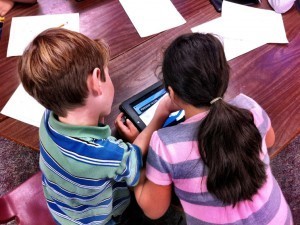
By Johnathan Hardison "More efficient than an overworked teacher! More reliable than a carry-home satchel of ungraded papers! Able to simultaneously curate infinite comments from speedily working students! Look! On the computer screen! It’s an aggregator! It’s a sharing point! It’s Google Drive! "Yes, it’s Google Drive…free application offered by the California-based internet giant with resourcefulness and organization more astounding than some seasoned educators of many years. Google Drive…which can offer students forms to submit comments, make students’ documents easily accessible in one location, and which, disguised as your average that-can’t-be-awesome-‘cause-it’s-free app, helps create an engaging and effective class of proficient learners through reliable and efficient technology.” "All right. I know it sounds cheesy, but the above parody perfectly reflects my excitement and enthusiasm upon conceiving my latest AP Language lesson plan. It is exactly how I felt. Although I have been using Google Drive in the classroom for the past two years, the recent success and simplicity of my students’ last assignments have driven me to identify a superhero in Studio 113. And it is definitely not me.
|
|
Scooped by
Jim Lerman
December 30, 2012 12:16 AM
|
By Terry Heick "New contexts—digital environments that function as humanity-in-your-pocket—demand new approaches and new habits. Specifically, new habits of mind. Persisting. Managing impulsivity. Responding with awe. Questioning. Innovating. Thinking interdependently. "And in an era of distinct academic standards and increasingly brazen technology, they are increasingly relevant."
|
|
Scooped by
Jim Lerman
December 29, 2012 11:34 PM
|
By Josh Miller "A few months ago, my fifteen-year-old sister told me that Snapchat was going to be the next Instagram. Many months before that she told me that Instagram was being used by her peers as much as Facebook. Both times I snickered. "Learning from past mistakes, I took some time over the holiday break to ask my sister many, many questions about how her and her friends are using technology. Below I’ve shared some of the more interesting observations about Instragram, Facebook, Instant Messaging, Snapchat, Tumblr, Twitter, and FaceTime. I hope you’ll find them as informative, surprising, and humbling as I did."
|
|
Scooped by
Jim Lerman
December 29, 2012 12:09 AM
|
From the website "Cloud has become the thing of the present. It’s no longer a technology that you’re only reading about. From iCloud to Dropbox, there’s cloud everywhere. "Apple’s iCloud has been quite a popular and seamless way to store your documents, photos, contacts and much more online but there are several limitations within iCloud. Basically, it wasn’t designed to be a storage like Dropbox where there’s more file-folder control and accessibility of documents and photos that you’ve synced to the cloud. "We take a look at the most popular cloud storage apps currently available on the iPhone (and iPad) which can help you get started with cloud storage. These apps are powerful, great and in a way, get you all the features you’d need from a cloud storage service
|
|
Scooped by
Jim Lerman
December 28, 2012 11:42 PM
|
By Michael Horn & Heather Staker "n the year ahead we will see more public schools adopt blended learning, meaning online learning in physical schools. Blended learning is no longer entirely new or untried, and school leaders are hungry for a way to do more with less. Below are 10 predictions for blended learning in 2013."
|
|
Scooped by
Jim Lerman
December 28, 2012 11:24 PM
|
By Kate Freeman "To ensure your programs and apps are salvageable in the event of a crash, you might want to consider taking an image of your hard drive or cloning it. Instead of having to reinstall your operating system and your applications if your computer crashes (which takes hours), just recover your hard drive from an external source. This way, you only lose what you have installed after you saved your hard drive. "
|
|
Rescooped by
Jim Lerman
from Scriveners' Trappings
December 28, 2012 1:45 AM
|
The buzz around Instagram might have you thinking about jumping ship. Instead, why not consider a few ways to use the app in your classroom?
Via Gust MEES, Ivo Nový, Jim Lerman
|
|
Scooped by
Jim Lerman
December 26, 2012 3:01 PM
|
Best education related books and videos of 2012
|
















Quite thoroughly researched.