 Your new post is loading...

|
Scooped by
Jim Lerman
November 1, 2013 4:53 PM
|
"English teachers from opposite coasts, Cheryl Morris and Andrew Thomasson met via twitter at the FlipCon12 annual conference and spent a year creating videos and sharing lessons for their classes. They finally met face-to-face at FlipCon13. Hear how they work collaboratively from California to North Carolina. Wednesday, November 13 at 4:00 pm ET/1:00 PM Free:
|
|
Scooped by
Jim Lerman
November 1, 2013 1:32 PM
|
description by Scout Project
"If you're a website designer, you are probably very interested in how your site appears on mobile devices. The Page2Images site makes this entire process quite seamless. Visitors just need to type in the desired URL, choose the device, screen size, and orientation and voila: a no-frills but reliable thumbnail of what the site will look like. This version is browser-based and thus compatible with all operating systems."
|
|
Scooped by
Jim Lerman
November 1, 2013 1:23 PM
|
description by Scout Project
"Created through a unique partnership between the Smithsonian Institution and the National Academies in 1985, the Smithsonian Science Education Center is committed to improving "the learning and teaching of science in school districts in the United States and throughout the world." The materials on the site are divided into areas that include Books & Kits, Innovation & Leadership, and Smithsonian. In the Books & Kits area, visitors can browse through a number of lesson plans, fact sheets, and other educational materials designed to help students learn about 20 different topics, including technology, geology, botany, and meteorology. The Innovation & Leadership area provides access to resources on increasing diversity in the science classroom and improving K-8 science education. The website is rounded out by a range of social media links where visitors can keep tabs on new additions to the site."
|
|
Scooped by
Jim Lerman
November 1, 2013 1:17 PM
|
description by the Scout Project
"If you're not scared off by the acronym, the Ecosystems Mobile Outdoor Blended Immersive Learning Environment (EcoMOBILE) is a fabulous learning device. Developed at the Harvard Graduate School of Education with funding from the Institute of Education Sciences, EcoMOBILE is a fairly remarkable initiative that allows students to explore a virtual pond and extend their learning through one or more field trips to a local pond environment. Students can access and collect information and clues about the virtual environment via a mobile device. Then, students can extend their learning to the real world by using environmental probes that allow collection of real-time data. On the site, visitors can learn about the application via a short video, project data, and information about the primary investigators."
Jim Lerman's insight:
Principal Investigator for this project is Chris Dede, the very well known educational technologist from Harvard.
|
|
Scooped by
Jim Lerman
October 31, 2013 11:47 PM
|
by Richard Byrne
"Book Creator allows anyone to create their own books using images, text, videos, free-hand drawings, handwriting, and audio recordings. You can arrange your book in three different formats; portrait, square, or landscape. Each page in your book can include pictures and videos from your iPad’s camera roll and or from your iTunes library. In addition to the pictures and videos you can include as much as text as you can fit on each page. In fact, if you just want to have text on a page you can do that. If you would like to narrate your book you can tap the record button to add your voice to each page of your book. Every page in your book can have a custom color scheme."
|
|
Rescooped by
Jim Lerman
from KOILS
October 31, 2013 11:16 PM
|
Utilizing maps in the classroom is a practice that can increase your students’ cognitive development by enabling them to visualize difficult concepts. However, bringing maps into the classroom isn’t always an exciting experience for students.
Via Paige Brooks-Jeffiers
|
|
Rescooped by
Jim Lerman
from HandyTools For EFL Teachers
October 31, 2013 11:00 PM
|
Dawson College Pedagogical Day – October 12th, 2012The Best Web 2.0 Tools for Teachers - 2012 Edition - Rafael Scapin, Ph.D. Coordinat
Via Lyudmila Anikina
|
|
Rescooped by
Jim Lerman
from Library Web 2.0 skills
October 31, 2013 10:58 PM
|
Check out Edutopia's collection of articles, videos, and other resources on internet safety, cyberbullying, digital responsibility, and media and digital literacy. (Updated 10/2013)
Via Pippa Davies @PippaDavies
|
|
Rescooped by
Jim Lerman
from Technology and Education Resources
October 31, 2013 8:32 PM
|
Movie Lesson Plans Based on Films that will Inspire and Motivate Students; 350+ Movie Lesson Plans for High School, Middle School, Elementary and Home School
Via Ana Cristina Pratas, R.Conrath, Ed.D.
|
|
Rescooped by
Jim Lerman
from Digital Delights for Learners
October 31, 2013 8:14 PM
|
|
|
Scooped by
Jim Lerman
October 31, 2013 8:09 PM
|
The integration of technology in learning is not new. In the 1980s, many schools had fancy calculators, Macintosh computers, and were even teaching students basic coding. This kind of integration often happened at the lesson or activity level, meaning that it was often surface-level, tacked-on, and perhaps a bit superficial. The power of technology is difficult to fully leverage without curriculum-level integration. This means choosing tools, platforms, and policies based on standards, assessment, and instruction. A side benefit to this approach is the possibility of teacher collaboration and “same-pageness.”
|
|
Scooped by
Jim Lerman
October 31, 2013 12:53 PM
|
by Heather Wolpert-Gawron
"In part 1 and part 2 of my series on the tween brain, I covered why teachers need to become brain hobbiests and some key terms when learning about the brain. In this final post on the tween’s crazy cranium, I discuss some activities we can target and teach them that can hopefully help their brains along when potentially stuck in the mires of high-wire emotion or the swampy doldrums of indifference.
"I’ve listed here a number of ways to help each step of the process and the part of the system that it helps the most in transmitting the message where it needs to go:
1. Stay healthy and get rest (RAS)
2. Take breaks and touch base with your emotional state (RAS)
3. Reflect to embed knowledge (Amygdala and Hippocampus)
4. Take breaks and switch modalities (Amygdala)
5. Deep breathing (Amygdala)
6. Review and Practice (Hippocampus)
7. Visualize yourself in a peaceful place (Amygdala)
8. Laugh (Releases Dopamine)
9. Do some physical activity (Releases Dopamine)
10. Be kind to someone (Releases Dopamine)"
Jim Lerman's insight:
Be sure to check the links above for more good suggestions from Wolpert-Gawron.
|
|
|
Scooped by
Jim Lerman
November 1, 2013 1:35 PM
|
description by Scout Project
"The concept behind Feed Sifter is quite simple. Most people subscribe to a number of feeds and it can be difficult keeping track of all this information. Feed Sifter makes this a bit easier by offering a quick and easy filter for looking for specific information in a specific feed. Visitors can type in any permutation or combination of words and receive immediate results. This version is compatible with all operating systems."
|
|
Scooped by
Jim Lerman
November 1, 2013 1:28 PM
|
description by Scout Project
"Monster marshmallows? The science of sugar? And the world of microorganisms? All of these come together on the Exploratorium in San Francisco's website. The site, dedicated to creative activities appropriate for school-age students, includes apps and videos that provide fun explorations of the aforementioned topics and many more. First-time visitors can browse by type of activity, look over the staff picks, and look over the list of topics, which include Human Body, Living Things, and Seeing. The Listening area is a great place to start, as it features 12 different activities, including "Kitchen Sink-o-Pation" and "Dot Mixer." Visitors can sign up to receive notices about updates via a range of social media, including Google+, Twitter, and Facebook."
|
|
Scooped by
Jim Lerman
November 1, 2013 1:18 PM
|
description by Scout Project
"Planting Science is a collaboration of international scientific societies, scientists, educators, and education research organizations that work together to increase young people's interest in science. The community's work includes this website, which is designed to provide access to open education resources for student-centered plant investigations that meet national science education standards. On the site, visitors can look over the What's Happening area to learn about newly added resources and upcoming seminars. The Featured Projects area contains user-generated classroom materials from science educators around the United States. The Teacher tab provides a roadmap for starting investigations and a great Communicating Science area. Here visitors can learn about crafting lab notebooks, making presentations, and sketching in science classes."
|
|
Scooped by
Jim Lerman
November 1, 2013 1:13 PM
|
description by Scout Report
"The world of science is diverse and fascinating, but traditional methods of teaching sometimes don't do it justice. This site from the University of California helps teachers help their students become fascinated by the process of scientific discovery. The site contains several "teachers' lounges" where educators can share information, resources, and also learn about new pedagogical developments and innovations. Visitors shouldn't miss the Guide to Understanding Science 101, which includes answers to questions like What is science? and so on. Moving on, the site also contains other areas, including Correcting Misconceptions, Teaching Tools, and Conceptual Framework, which helps educators identify age-appropriate learning goals."
|
|
Rescooped by
Jim Lerman
from KOILS
October 31, 2013 11:17 PM
|
|
|
Rescooped by
Jim Lerman
from Teaching in Higher Education
October 31, 2013 11:07 PM
|
1. Use Social Media One of the best ways to document collaboration and engage students with technology is use social media platforms like Edmodo. Students can use it to share ideas, you as the teacher can use it to formatively assess where students are in terms of products and content knowledge, and it is a great way to have real evidence of collaboration.
Via Rosemary Tyrrell, Ed.D.
|
|
Rescooped by
Jim Lerman
from Library Web 2.0 skills
October 31, 2013 10:59 PM
|
|
|
Scooped by
Jim Lerman
October 31, 2013 9:02 PM
|
by Richard Byrne
"Curriki's new geometry course features six PBL projects. Each of the projects is aligned to Common Core Standards. The course is not a self-directed course for students. The course is designed to be taught by mathematics teachers who want to incorporate PBL. The projects in the course can be used in sequence or used as stand-alone units. All materials needed for leading the projects are included available on the Curriki site. You will have to create an account and sign-in in order to access the materials. Curriki accounts are free."
|
|
Rescooped by
Jim Lerman
from Technology and Education Resources
October 31, 2013 8:31 PM
|
The Library of Congress offers classroom materials and professional development to help teachers effectively use primary sources from the Library's vast digital collections in their teaching.
Via Ana Cristina Pratas, R.Conrath, Ed.D.
|
|
Rescooped by
Jim Lerman
from Digital Delights
October 31, 2013 8:16 PM
|
One of the 21st Century Literacies Howard Rheingold talks about is Crap Detection. Though I think the need for critical thinking or analysis has been around a long time, it has become increasingly ...
Ana Cristina Pratas's insight: "The CRAP test is a way to evaluate a source based on the following criteria: Currency, Reliability, Authority and Purpose/Point of View. Below are some questions to help you think about how to measure each of the criteria.
Currency - How recent is the information?
- How recently has the website been updated?
- Is it current enough for your topic?
Reliability - - What kind of information is included in the resource?
- Is content of the resource primarily opinion? Is is balanced?
- Does the creator provide references or sources for data or quotations?
Authority - Who is the creator or author?
- What are the credentials?
- Who is the published or sponsor?
- Are they reputable?
- What is the publisher’s interest (if any) in this information?
- Are there advertisements on the website?
Purpose/Point of View - - Is this fact or opinion?
- Is it biased?
- Is the creator/author trying to sell you something?"
Via Ana Cristina Pratas
"Teachers struggle to teach budding minds important concepts, but the fact is that America is lacking in science and engineering. In a video aimed at students called What Most Schools Don’t Teach, Mark Zuckerberg tells students: “The whole limit of the system is there just aren’t enough people who are trained and have these skills today.”
The skills Zuckerberg is referring to are computer science and engineering. The ability to code will contribute an estimated 1.4 million jobs to the American economy, but there may not be enough American students to fill the demand. If you are like the growing numbers of teachers who want to introduce coding to the classroom, read on for tips to get students excited about coding."
Via John Evans
|
|
Scooped by
Jim Lerman
October 31, 2013 1:00 PM
|
"Just what it sounds like: a learning model in which the classic structure does a somersault and lands upside down. Your first thought: that seems painful. Actually no – it provides a welcome new perspective.
"In more concrete terms: Students use digital tools to listen to lectures and review resources on their own time. In class, they work together on activities and concepts – with the help of the teacher – putting what they’ve learned into practice, and oftentimes learning from each other. Getting started with the flipped classroom can be harder than it looks. In this guide, you’ll learn how and why schools are encouraging teachers to give it a try."
Jim Lerman's insight: Register for free download.
|


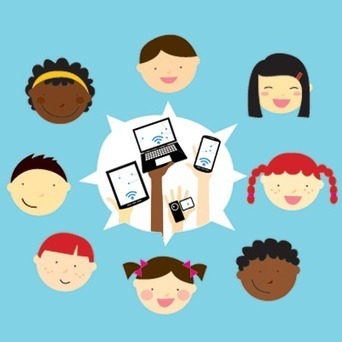














I cannot wait to learn some tips for flipping my classroom. The time is right and so is the price!