



Explore the next evolution of Microsoft’s design system, enabling more seamless collaboration and creativity than ever. Move fluidly from design to development, between apps, and across platforms.
Via Frédéric DEBAILLEUL

 Your new post is loading...
 Scoop.it! Explore the next evolution of Microsoft’s design system, enabling more seamless collaboration and creativity than ever. Move fluidly from design to development, between apps, and across platforms. Via Frédéric DEBAILLEUL 
No comment yet.
Sign up to comment
Scoop.it!

CassetteAI is the first platform to utilize artificial intelligence to generate music by using text. Cassette is your AI powered Music Generator. Via Frédéric DEBAILLEUL
Scoop.it!

https://github.com/paperclip-ui/paperclip 📌 PAPERCLIP propose une approche hybride de la construction d'interfaces utilisateur qui vous permet de concevoir et de coder en parallèle. Il se concentre uniquement sur l'aspect visuel de votre application - juste du HTML, du CSS, que vous pouvez ensuite importer directement dans votre application type VSCODE. PAPERCLIP fonctionne actuellement avec React, d'autres… Via Frédéric DEBAILLEUL
Scoop.it!

Mymind est une application de prise de notes IA qui se souvient de tout à votre place. Un deuxième cerveau pour booster votre productivité. Via Fidel NAVAMUEL
Scoop.it!

Explore thousands of high-quality Stable Diffusion models, share your AI-generated art, and engage with a vibrant community of creators Via Frédéric DEBAILLEUL
Scoop.it!

Via Tice Doc Reims
Scoop.it!

ThinkAny est un moteur de recherche IA d'une nouvelle ère qui utilise la technologie RAG pour récupérer et agréger du contenu de haute qualité, combiné aux fonctionnalités de réponse intelligente de l'IA, répondant efficacement aux questions des utilisateurs. Via Frédéric DEBAILLEUL
Scoop.it!
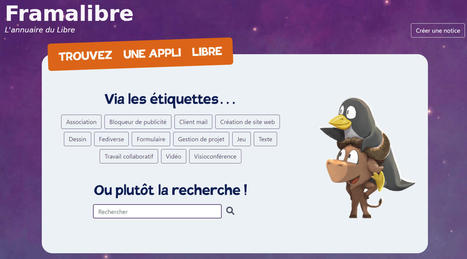
Framalibre est un projet de l'association Framasoft qui vise à recenser et promouvoir les logiciels libres et open source. Sur ce site sont répertorié Via Elena Pérez
Scoop.it!

Researchers find large language models use a simple mechanism to retrieve stored knowledge when they respond to a user prompt. These mechanisms can be leveraged to see what the model knows about different subjects and possibly to correct false information it has stored. Researchers demonstrate a technique that can be used to probe a model to see what it knows about new subjects. Adam Zewe | MIT News Publication Date: March 25, 2024Researchers from MIT and elsewhere found that complex large language machine-learning models use a simple mechanism to retrieve stored knowledge when they respond to a user prompt. The researchers can leverage these simple mechanisms to see what the model knows about different subjects, and also possibly correct false information that it has stored.
Large language models, such as those that power popular artificial intelligence chatbots like ChatGPT, are incredibly complex. Even though these models are being used as tools in many areas, such as customer support, code generation, and language translation, scientists still don’t fully grasp how they work. In an effort to better understand what is going on under the hood, researchers at MIT and elsewhere studied the mechanisms at work when these enormous machine-learning models retrieve stored knowledge. They found a surprising result: Large language models (LLMs) often use a very simple linear function to recover and decode stored facts. Moreover, the model uses the same decoding function for similar types of facts. Linear functions, equations with only two variables and no exponents, capture the straightforward, straight-line relationship between two variables. The researchers showed that, by identifying linear functions for different facts, they can probe the model to see what it knows about new subjects, and where within the model that knowledge is stored. Using a technique they developed to estimate these simple functions, the researchers found that even when a model answers a prompt incorrectly, it has often stored the correct information. In the future, scientists could use such an approach to find and correct falsehoods inside the model, which could reduce a model’s tendency to sometimes give incorrect or nonsensical answers. “Even though these models are really complicated, nonlinear functions that are trained on lots of data and are very hard to understand, there are sometimes really simple mechanisms working inside them. This is one instance of that,” says Evan Hernandez, an electrical engineering and computer science (EECS) graduate student and co-lead author of a paper detailing these findings. Hernandez wrote the paper with co-lead author Arnab Sharma, a computer science graduate student at Northeastern University; his advisor, Jacob Andreas, an associate professor in EECS and a member of the Computer Science and Artificial Intelligence Laboratory (CSAIL); senior author David Bau, an assistant professor of computer science at Northeastern; and others at MIT, Harvard University, and the Israeli Institute of Technology. The research will be presented at the International Conference on Learning Representations. Finding facts Most large language models, also called transformer models, are neural networks. Loosely based on the human brain, neural networks contain billions of interconnected nodes, or neurons, that are grouped into many layers, and which encode and process data. Much of the knowledge stored in a transformer can be represented as relations that connect subjects and objects. For instance, “Miles Davis plays the trumpet” is a relation that connects the subject, Miles Davis, to the object, trumpet. As a transformer gains more knowledge, it stores additional facts about a certain subject across multiple layers. If a user asks about that subject, the model must decode the most relevant fact to respond to the query. If someone prompts a transformer by saying “Miles Davis plays the. . .” the model should respond with “trumpet” and not “Illinois” (the state where Miles Davis was born). “Somewhere in the network’s computation, there has to be a mechanism that goes and looks for the fact that Miles Davis plays the trumpet, and then pulls that information out and helps generate the next word. We wanted to understand what that mechanism was,” Hernandez says. The researchers set up a series of experiments to probe LLMs, and found that, even though they are extremely complex, the models decode relational information using a simple linear function. Each function is specific to the type of fact being retrieved. For example, the transformer would use one decoding function any time it wants to output the instrument a person plays and a different function each time it wants to output the state where a person was born. The researchers developed a method to estimate these simple functions, and then computed functions for 47 different relations, such as “capital city of a country” and “lead singer of a band.” While there could be an infinite number of possible relations, the researchers chose to study this specific subset because they are representative of the kinds of facts that can be written in this way. They tested each function by changing the subject to see if it could recover the correct object information. For instance, the function for “capital city of a country” should retrieve Oslo if the subject is Norway and London if the subject is England. Functions retrieved the correct information more than 60 percent of the time, showing that some information in a transformer is encoded and retrieved in this way. “But not everything is linearly encoded. For some facts, even though the model knows them and will predict text that is consistent with these facts, we can’t find linear functions for them. This suggests that the model is doing something more intricate to store that information,” he says. Visualizing a model’s knowledge They also used the functions to determine what a model believes is true about different subjects. In one experiment, they started with the prompt “Bill Bradley was a” and used the decoding functions for “plays sports” and “attended university” to see if the model knows that Sen. Bradley was a basketball player who attended Princeton. “We can show that, even though the model may choose to focus on different information when it produces text, it does encode all that information,” Hernandez says. They used this probing technique to produce what they call an “attribute lens,” a grid that visualizes where specific information about a particular relation is stored within the transformer’s many layers. Attribute lenses can be generated automatically, providing a streamlined method to help researchers understand more about a model. This visualization tool could enable scientists and engineers to correct stored knowledge and help prevent an AI chatbot from giving false information. In the future, Hernandez and his collaborators want to better understand what happens in cases where facts are not stored linearly. They would also like to run experiments with larger models, as well as study the precision of linear decoding functions. “This is an exciting work that reveals a missing piece in our understanding of how large language models recall factual knowledge during inference. Previous work showed that LLMs build information-rich representations of given subjects, from which specific attributes are being extracted during inference. This work shows that the complex nonlinear computation of LLMs for attribute extraction can be well-approximated with a simple linear function,” says Mor Geva Pipek, an assistant professor in the School of Computer Science at Tel Aviv University, who was not involved with this work. This research was supported, in part, by Open Philanthropy, the Israeli Science Foundation, and an Azrieli Foundation Early Career Faculty Fellowship. Via Charles Tiayon, juandoming

Charles Tiayon's curator insight,
March 25, 2024 10:31 PM
"Researchers find large language models use a simple mechanism to retrieve stored knowledge when they respond to a user prompt. These mechanisms can be leveraged to see what the model knows about different subjects and possibly to correct false information it has stored. Researchers demonstrate a technique that can be used to probe a model to see what it knows about new subjects. Adam Zewe | MIT News Publication Date: March 25, 2024Researchers from MIT and elsewhere found that complex large language machine-learning models use a simple mechanism to retrieve stored knowledge when they respond to a user prompt. The researchers can leverage these simple mechanisms to see what the model knows about different subjects, and also possibly correct false information that it has stored.
Large language models, such as those that power popular artificial intelligence chatbots like ChatGPT, are incredibly complex. Even though these models are being used as tools in many areas, such as customer support, code generation, and language translation, scientists still don’t fully grasp how they work. In an effort to better understand what is going on under the hood, researchers at MIT and elsewhere studied the mechanisms at work when these enormous machine-learning models retrieve stored knowledge. They found a surprising result: Large language models (LLMs) often use a very simple linear function to recover and decode stored facts. Moreover, the model uses the same decoding function for similar types of facts. Linear functions, equations with only two variables and no exponents, capture the straightforward, straight-line relationship between two variables. The researchers showed that, by identifying linear functions for different facts, they can probe the model to see what it knows about new subjects, and where within the model that knowledge is stored. Using a technique they developed to estimate these simple functions, the researchers found that even when a model answers a prompt incorrectly, it has often stored the correct information. In the future, scientists could use such an approach to find and correct falsehoods inside the model, which could reduce a model’s tendency to sometimes give incorrect or nonsensical answers. “Even though these models are really complicated, nonlinear functions that are trained on lots of data and are very hard to understand, there are sometimes really simple mechanisms working inside them. This is one instance of that,” says Evan Hernandez, an electrical engineering and computer science (EECS) graduate student and co-lead author of a paper detailing these findings. Hernandez wrote the paper with co-lead author Arnab Sharma, a computer science graduate student at Northeastern University; his advisor, Jacob Andreas, an associate professor in EECS and a member of the Computer Science and Artificial Intelligence Laboratory (CSAIL); senior author David Bau, an assistant professor of computer science at Northeastern; and others at MIT, Harvard University, and the Israeli Institute of Technology. The research will be presented at the International Conference on Learning Representations. Finding facts Most large language models, also called transformer models, are neural networks. Loosely based on the human brain, neural networks contain billions of interconnected nodes, or neurons, that are grouped into many layers, and which encode and process data. Much of the knowledge stored in a transformer can be represented as relations that connect subjects and objects. For instance, “Miles Davis plays the trumpet” is a relation that connects the subject, Miles Davis, to the object, trumpet. As a transformer gains more knowledge, it stores additional facts about a certain subject across multiple layers. If a user asks about that subject, the model must decode the most relevant fact to respond to the query. If someone prompts a transformer by saying “Miles Davis plays the. . .” the model should respond with “trumpet” and not “Illinois” (the state where Miles Davis was born). “Somewhere in the network’s computation, there has to be a mechanism that goes and looks for the fact that Miles Davis plays the trumpet, and then pulls that information out and helps generate the next word. We wanted to understand what that mechanism was,” Hernandez says. The researchers set up a series of experiments to probe LLMs, and found that, even though they are extremely complex, the models decode relational information using a simple linear function. Each function is specific to the type of fact being retrieved. For example, the transformer would use one decoding function any time it wants to output the instrument a person plays and a different function each time it wants to output the state where a person was born. The researchers developed a method to estimate these simple functions, and then computed functions for 47 different relations, such as “capital city of a country” and “lead singer of a band.” While there could be an infinite number of possible relations, the researchers chose to study this specific subset because they are representative of the kinds of facts that can be written in this way. They tested each function by changing the subject to see if it could recover the correct object information. For instance, the function for “capital city of a country” should retrieve Oslo if the subject is Norway and London if the subject is England. Functions retrieved the correct information more than 60 percent of the time, showing that some information in a transformer is encoded and retrieved in this way. “But not everything is linearly encoded. For some facts, even though the model knows them and will predict text that is consistent with these facts, we can’t find linear functions for them. This suggests that the model is doing something more intricate to store that information,” he says. Visualizing a model’s knowledge They also used the functions to determine what a model believes is true about different subjects. In one experiment, they started with the prompt “Bill Bradley was a” and used the decoding functions for “plays sports” and “attended university” to see if the model knows that Sen. Bradley was a basketball player who attended Princeton. “We can show that, even though the model may choose to focus on different information when it produces text, it does encode all that information,” Hernandez says. They used this probing technique to produce what they call an “attribute lens,” a grid that visualizes where specific information about a particular relation is stored within the transformer’s many layers. Attribute lenses can be generated automatically, providing a streamlined method to help researchers understand more about a model. This visualization tool could enable scientists and engineers to correct stored knowledge and help prevent an AI chatbot from giving false information. In the future, Hernandez and his collaborators want to better understand what happens in cases where facts are not stored linearly. They would also like to run experiments with larger models, as well as study the precision of linear decoding functions. “This is an exciting work that reveals a missing piece in our understanding of how large language models recall factual knowledge during inference. Previous work showed that LLMs build information-rich representations of given subjects, from which specific attributes are being extracted during inference. This work shows that the complex nonlinear computation of LLMs for attribute extraction can be well-approximated with a simple linear function,” says Mor Geva Pipek, an assistant professor in the School of Computer Science at Tel Aviv University, who was not involved with this work. This research was supported, in part, by Open Philanthropy, the Israeli Science Foundation, and an Azrieli Foundation Early Career Faculty Fellowship." #metaglossia_mundus
Scoop.it!

Après moult discussions et 15 années de délibérations, les scientifiques de l’IUGS, l'International Union of Geological Sciences, ont finalement rendu leur verdict. Via Hubert MESSMER
Scoop.it!

AIs are easily acing the SAT, defeating chess grandmasters and debugging code like it’s nothing. But put an AI up against some middle schoolers at the Via Bruno Renkin
Scoop.it!

Four waves in computing have directly touched consumers and reshaped the world: desktop, the web, smartphone, and now AI. At this inflection point, it's imperative to contextualize facts and objectively analyze the costs and benefits of AI. Poor understanding produces poor policy, which limits progress and harms society. Via Nik Peachey

Nik Peachey's curator insight,
March 23, 2024 3:45 AM
This is a very interesting read about AI misinformation - Well worth a few moments to read through to get a balanced view of the real and unreal threats from AI https://hotpot.ai/blog/ai-thoughts
Scoop.it!
"While large language models (LLMs) and generative AI have been all the rage over the past year, the most attention has been given to their intersection — the text generation capabilities of LLMs." Via EDTECH@UTRGV

EDTECH@UTRGV's curator insight,
March 21, 2024 12:38 PM
"There is no doubt that the ability to generate answers to questions is a major value proposition of LLMs. However, there are other uses of LLMs that are both common and valuable. This blog will discuss a few primary uses of LLMs to ensure that you don’t fall into the trap of considering them exclusively for generative purposes." |
Scoop.it!

Découvrez comment tirer le meilleur parti de cette fonctionnalité pour faciliter vos lectures et recherches multilingues. Dans l’univers numérique en constante évolution, la barrière de la langue représente un défi significatif pour les professionnels et les étudiants du monde entier. Microsoft Edge, le navigateur web développé par Microsoft, offre une solution élégante à ce problème grâce à sa fonctionnalité de traduction de fichiers PDF. Cette capacité permet aux utilisateurs de surmonter les obstacles linguistiques en traduisant des documents rapidement et facilement. Dans cet article, nous explorerons en détail comment utiliser cette fonctionnalité, en nous appuyant sur deux méthodes principales de traduction, ainsi que sur des astuces supplémentaires et des alternatives pour enrichir votre expérience de traduction. Sommaire [Afficher] A lire également : Les meilleures souris 2022 Une introduction à la traduction de fichiers PDFLa traduction de documents est une nécessité dans de nombreux contextes professionnels et académiques, permettant une meilleure compréhension et une collaboration sans frontières. Microsoft Edge répond à ce besoin avec une fonction intégrée qui simplifie la traduction de fichiers PDF sans avoir besoin de logiciels tiers.Méthode 1 : Traduction d’une sélection de texte Pour ceux qui ont besoin de traduire des extraits spécifiques d’un document, cette méthode est idéale. Voici les étapes à suivre :
Cette méthode est particulièrement utile pour les utilisateurs qui ne nécessitent que la traduction de sections spécifiques d’un document, permettant une économie de temps et d’effort considérable. Méthode 2 : Traduction du document entierPour ceux qui ont besoin d’une compréhension globale du contenu, traduire l’ensemble du document est la solution. Les étapes sont les suivantes :
A lire également : Qu’est-ce que DOCSIS ? Cette approche est recommandée pour les utilisateurs nécessitant une traduction complète et cohérente du document, garantissant ainsi une compréhension exhaustive du matériel. Conseils supplémentaires et remarques
Alternatives à Microsoft EdgeBien que Microsoft Edge offre une solution intégrée pour la traduction de fichiers PDF, d’autres outils sont disponibles pour ceux qui cherchent des alternatives :
FAQ sur la traduction de fichiers PDF avec Microsoft EdgeQuelle est la qualité de la traduction offerte par Microsoft Edge ?La qualité peut varier selon les langues source et cible, mais Microsoft Edge s’appuie sur Microsoft Translator pour fournir des traductions fiables et de qualité. Peut-on ajuster la langue source et la langue cible ?Oui, vous pouvez modifier ces paramètres à tout moment pour améliorer la précision de la traduction. Existe-t-il des alternatives à la traduction de fichiers PDF dans Microsoft Edge ?Oui, des extensions de navigateur comme Google Translate et des services en ligne comme DeepL offrent des fonctionnalités de traduction alternatives. A lire également : Comment corriger l'erreur 1020 de Cloudflare : Accès refusé A retenirEn conclusion, Microsoft Edge simplifie la traduction de fichiers PDF, rendant les documents accessibles à un public plus large, indépendamment des barrières linguistiques. Que vous ayez besoin de traduire une section spécifique ou l’intégralité d’un document, cette fonctionnalité est un atout précieux pour naviguer dans le paysage numérique multilingue d’aujourd’hui. N’hésitez pas à partager votre expérience avec la traduction de fichiers PDF dans Microsoft Edge ou à discuter des alternatives que vous avez trouvées utiles. Voici un tableau récapitulatif des méthodes de traduction de fichiers PDF avec Microsoft Edge, ainsi que des remarques importantes et des alternatives disponibles : Critère Traduction d’une sélection de texte Traduction du document entier Remarques Alternatives Processus 1. Ouvrir le fichier PDF dans Edge.2. Sélectionner le texte à traduire. 3. Cliquer sur l’icône Traduction. 4. Choisir la langue de traduction. 5. Lire la traduction dans un panneau latéral. 1. Ouvrir le PDF dans Edge. 2. Cliquer sur « Plus d’actions » (trois points). 3. Sélectionner « Traduire le document ». 4. Choisir la langue de traduction. 5. Le document traduit s’ouvre dans un nouvel onglet. La qualité de la traduction peut varier selon la langue source et cible. Les utilisateurs peuvent ajuster ces langues à tout moment. Extensions de navigateur (Google Translate, Adobe Acrobat Pro DC), Services en ligne (DeepL, Reverso) Utilisation recommandée Pour traduire des extraits ou des sections spécifiques d’un document. Pour une compréhension complète et globale du contenu d’un document. Microsoft Edge utilise Microsoft Translator, ce qui peut affecter la précision des traductions pour certaines langues. Les alternatives peuvent offrir des options de traduction plus avancées ou de meilleure qualité pour certaines langues. Fonctionnalités supplémentaires Agrandissement du texte, recherche de termes, vocalisation des termes surlignés dans le panneau de traduction. Visionnement du document dans un nouvel onglet facilitant la lecture et la compréhension. Ce tableau offre une vue d’ensemble des options disponibles pour la traduction de fichiers PDF dans Microsoft Edge, soulignant les différences clés entre les méthodes de traduction de texte sélectionné et de documents entiers, ainsi que des conseils pratiques et des alternatives pour les utilisateurs à la recherche d’autres solutions. N’oubliez pas d’explorer ces options pour trouver celle qui correspond le mieux à vos besoins de traduction. Quelle méthode préférez-vous et pourquoi ? Partagez vos expériences et vos suggestions pour aider d’autres utilisateurs à naviguer dans leurs options de traduction. Via Charles Tiayon, Elena Pérez
Charles Tiayon's curator insight,
March 31, 2024 11:01 PM
"Découvrez comment tirer le meilleur parti de cette fonctionnalité pour faciliter vos lectures et recherches multilingues. Dans l’univers numérique en constante évolution, la barrière de la langue représente un défi significatif pour les professionnels et les étudiants du monde entier. Microsoft Edge, le navigateur web développé par Microsoft, offre une solution élégante à ce problème grâce à sa fonctionnalité de traduction de fichiers PDF. Cette capacité permet aux utilisateurs de surmonter les obstacles linguistiques en traduisant des documents rapidement et facilement. Dans cet article, nous explorerons en détail comment utiliser cette fonctionnalité, en nous appuyant sur deux méthodes principales de traduction, ainsi que sur des astuces supplémentaires et des alternatives pour enrichir votre expérience de traduction. Sommaire [Afficher] A lire également : Les meilleures souris 2022 Une introduction à la traduction de fichiers PDFLa traduction de documents est une nécessité dans de nombreux contextes professionnels et académiques, permettant une meilleure compréhension et une collaboration sans frontières. Microsoft Edge répond à ce besoin avec une fonction intégrée qui simplifie la traduction de fichiers PDF sans avoir besoin de logiciels tiers.Méthode 1 : Traduction d’une sélection de texte Pour ceux qui ont besoin de traduire des extraits spécifiques d’un document, cette méthode est idéale. Voici les étapes à suivre :
Cette méthode est particulièrement utile pour les utilisateurs qui ne nécessitent que la traduction de sections spécifiques d’un document, permettant une économie de temps et d’effort considérable. Méthode 2 : Traduction du document entierPour ceux qui ont besoin d’une compréhension globale du contenu, traduire l’ensemble du document est la solution. Les étapes sont les suivantes :
A lire également : Qu’est-ce que DOCSIS ? Cette approche est recommandée pour les utilisateurs nécessitant une traduction complète et cohérente du document, garantissant ainsi une compréhension exhaustive du matériel. Conseils supplémentaires et remarques
Alternatives à Microsoft EdgeBien que Microsoft Edge offre une solution intégrée pour la traduction de fichiers PDF, d’autres outils sont disponibles pour ceux qui cherchent des alternatives :
FAQ sur la traduction de fichiers PDF avec Microsoft EdgeQuelle est la qualité de la traduction offerte par Microsoft Edge ?La qualité peut varier selon les langues source et cible, mais Microsoft Edge s’appuie sur Microsoft Translator pour fournir des traductions fiables et de qualité. Peut-on ajuster la langue source et la langue cible ?Oui, vous pouvez modifier ces paramètres à tout moment pour améliorer la précision de la traduction. Existe-t-il des alternatives à la traduction de fichiers PDF dans Microsoft Edge ?Oui, des extensions de navigateur comme Google Translate et des services en ligne comme DeepL offrent des fonctionnalités de traduction alternatives. A lire également : Comment corriger l'erreur 1020 de Cloudflare : Accès refusé A retenirEn conclusion, Microsoft Edge simplifie la traduction de fichiers PDF, rendant les documents accessibles à un public plus large, indépendamment des barrières linguistiques. Que vous ayez besoin de traduire une section spécifique ou l’intégralité d’un document, cette fonctionnalité est un atout précieux pour naviguer dans le paysage numérique multilingue d’aujourd’hui. N’hésitez pas à partager votre expérience avec la traduction de fichiers PDF dans Microsoft Edge ou à discuter des alternatives que vous avez trouvées utiles. Voici un tableau récapitulatif des méthodes de traduction de fichiers PDF avec Microsoft Edge, ainsi que des remarques importantes et des alternatives disponibles : Critère Traduction d’une sélection de texte Traduction du document entier Remarques Alternatives Processus 1. Ouvrir le fichier PDF dans Edge.2. Sélectionner le texte à traduire. 3. Cliquer sur l’icône Traduction. 4. Choisir la langue de traduction. 5. Lire la traduction dans un panneau latéral. 1. Ouvrir le PDF dans Edge. 2. Cliquer sur « Plus d’actions » (trois points). 3. Sélectionner « Traduire le document ». 4. Choisir la langue de traduction. 5. Le document traduit s’ouvre dans un nouvel onglet. La qualité de la traduction peut varier selon la langue source et cible. Les utilisateurs peuvent ajuster ces langues à tout moment. Extensions de navigateur (Google Translate, Adobe Acrobat Pro DC), Services en ligne (DeepL, Reverso) Utilisation recommandée Pour traduire des extraits ou des sections spécifiques d’un document. Pour une compréhension complète et globale du contenu d’un document. Microsoft Edge utilise Microsoft Translator, ce qui peut affecter la précision des traductions pour certaines langues. Les alternatives peuvent offrir des options de traduction plus avancées ou de meilleure qualité pour certaines langues. Fonctionnalités supplémentaires Agrandissement du texte, recherche de termes, vocalisation des termes surlignés dans le panneau de traduction. Visionnement du document dans un nouvel onglet facilitant la lecture et la compréhension. Ce tableau offre une vue d’ensemble des options disponibles pour la traduction de fichiers PDF dans Microsoft Edge, soulignant les différences clés entre les méthodes de traduction de texte sélectionné et de documents entiers, ainsi que des conseils pratiques et des alternatives pour les utilisateurs à la recherche d’autres solutions. N’oubliez pas d’explorer ces options pour trouver celle qui correspond le mieux à vos besoins de traduction. Quelle méthode préférez-vous et pourquoi ? Partagez vos expériences et vos suggestions pour aider d’autres utilisateurs à naviguer dans leurs options de traduction." #metaglossia_mundus
Scoop.it!

Can we harness the power of artificial intelligence to solve the world’s most challenging problems without creating an uncontrollable force that ultimately destroys us? ChatGPT and other new A.I. tools can now answer complex questions, write essays, and generate realistic-looking images in a matter of seconds. They can even pass a lawyer’s bar exam. Should we celebrate? Or worry? Or both? Correspondent Miles O’Brien investigates how researchers are trying to transform the world using AI, hunting for big solutions in fields from medicine to climate change. Via Edumorfosis, juandoming
Scoop.it!

From
equals

Query, analyze, and report on live data from your own data sources and 25+ popular SaaS tools, including Snowflake, PostgreSQL, Stripe, and more. Via Frédéric DEBAILLEUL
Scoop.it!

Bypass AI detection effortlessly with our undetectable AI tool. We're an AI bypasser that makes AI text undetectable, allowing it to seamlessly get past AI detectors. Via Frédéric DEBAILLEUL
Scoop.it!

Une édition 2024 du guide de la @CNIL restructurée, avec de nouvelles fiches sur l’IntelligenceArtificielle, les applications mobiles, l’informatique en nuage, etc ... Via Tice Doc Reims
Scoop.it!

Les Français se sentent-ils capables de déterminer si une vidéo est réelle ou générée par une IA ? Sont-ils en mesure d'identifier les deepfakes ? Un sondage à retrouver sur le Blog Du Modérateur. Via Tice Doc Reims
Scoop.it!

Startup Databricks just released DBRX, the most powerful open source large language model yet—eclipsing Meta's Llama 2. Via Bruno Renkin
Scoop.it!
Nvidia vient d'annoncer les GPU Blackwell GB200 avec 30x les performances en inference comparé à la génération précédente.
Scoop.it!

Découvrez le top 50 des applications IA génératives les plus innovantes et populaires en 2024, classées selon leur trafic web et mobile. Des assistants généraux aux outils de productivité en passant par les compagnons IA, explorez les tendances clés et les entreprises émergentes dans le domaine de l'IA générative grand public. Via Philou49
Scoop.it!

Visual insights that go beyond the headlines, from Chartr's newsletter published on Mar 20, 2024. iLobby: Apple, like the rest of big tech, wants to change the rules. Via Bruno Renkin
Scoop.it!

The potential for AI assistance to enhance traditional database searches is apparent, signifying a transformative shift in how researchers can retrieve information. Via Vladimir Kukharenko, LGA
Scoop.it!

Donner aux systèmes d'intelligence artificielle (IA) un "monologue intérieur" les rend beaucoup plus efficaces dans leur raisonnement. Via cdi
|




