


The Resources in This Playlist Contain Hundreds of Tips, Insights, and Suggestions for Getting up to Speed and off to a Good Start Teaching With the iPad. A
Via Dr. Tom D'Amico (@TDOttawa)

 Your new post is loading...
 Scoop.it! The Resources in This Playlist Contain Hundreds of Tips, Insights, and Suggestions for Getting up to Speed and off to a Good Start Teaching With the iPad. A Via Dr. Tom D'Amico (@TDOttawa) 
Scoop.it!

Telegram - is a messaging app with a focus on speed and security. It’s super-fast, simple, secure and free. Telegram is a secure messenger that you can switch to without having to say goodbye to any of your favorite features. With Telegram, you can create group chats with up to 100 people so you can…
Scoop.it!
Scoop.it!

Excellent write up about the SAMR method and iPad implementation by Richard Wells @ipadwells. Great work here to help us understand that it is a transformation of mindset. If these things were easy... Via John Evans
Scoop.it!
"Nailing down exactly what promotes creativity isn’t easy, if for no other reason than creativity looks different depending on what you’re talking about:" Via John Evans, Reucover
Scoop.it!

"I love what the iPad offers young learners.
I’m especially excited about opportunities it gives to create their own content, whether that be in the form of text, images, video and other media, or combinations of these."
Via John Evans

mrsjgarcia's curator insight,
February 3, 2014 8:12 AM
The creation possiblilities are what made me fall in love with the iPad and the sheer enormity of amazing apps for creating content are what keep me from switching to a cheaper tablet for students. 
Jennifer McCarthy's curator insight,
February 3, 2014 5:48 PM
Some great apps for the art classroom. 
Paul Fuller's curator insight,
February 3, 2014 8:01 PM
Too often the iPad is written off as purely a device for a consuming content created by someone else. Here are some easy ways that even the youngest children can create their own content using an iPad (I particularly love the iPad Spy idea!).
Scoop.it!

When the iPad first launched it was pegged squarely as a media consumption device. To create professional art and design, you'd still need a fully-fledged laptop or desktop system running a full-fat operating system like Mac OS or Windows. Via Timo Ilomäki

Linda Bonvillain's curator insight,
February 3, 2014 9:39 AM
Really cool art apps for teachers and students.
Scoop.it!

Murielle Godement's curator insight,
January 31, 2014 3:23 AM
Rien de neuf mais un descriptif associé qui peut être intéressant. J'ajouterais Eklablog, simple et sans pub. 
Gary Harwell's curator insight,
February 3, 2014 12:32 AM
Some great places to get a class or school project going.We use Weebly at our site and have had great success.
Scoop.it!

"Making movies on the iPad is one of those activities that I often see in schools. I love to watch how quickly even very young students can produce a professional looking movie. It is a great way for them to illustrate what they have learnt. Normally I would say that editing movies on the iPad is best done using iMovie but it is not exactly cheap, especially if you have a raft of other apps you want your students to have. Here are a couple of apps for editing movies that do not cost the earth. Many of these apps also contain features found on the more expensive apps." Via John Evans

Jillian Harrington's curator insight,
January 31, 2014 12:32 AM
This is great for junior classes working in a collaborative setting.
Scoop.it!

Coding in the classroom is becoming an increasingly popular thing to do. The Hour of Code helped raise awareness for that, and has brought to light a whole slew of new coding opportunities for teac... Via Timo Ilomäki
Scoop.it!
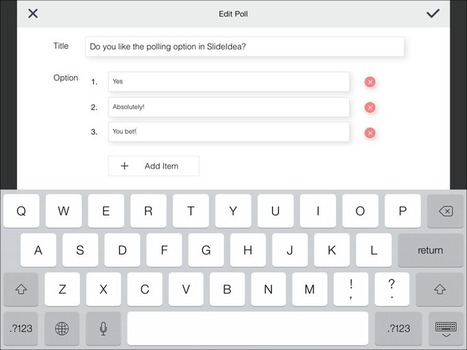
Looking for a different way to present content and engage students in your lessons? Take a look at SlideIdea - a free app for the iPad that sets out to rival Keynote, Nearpod, Haiku Deck, Swipe and... Via Sam Gliksman
Scoop.it!

"To be clear–learning can happen in the absence of technology. Integrated poorly, technology can subdue, distract, stifle, and obscure the kind of personal interactions between learner, content, peer, and performance that lead to learning results.
But increasingly we live in a world where technology is deeply embedded into everything we do. Thinking about it simply in terms of “digital literacy” puts you about 5 years behind the curve. It’s really much more than that–less about being connected, and more about being mobile.
There will be growing pains, and I’m sure educators that have brought in BYOD programs into their school can come up with 50 reasons it won’t work. But most of those 50 are a product of the continued poor fit that exists between schools and communities–the system and the humans it serves."
Via John Evans

Mikko Hakala's curator insight,
January 27, 2014 3:55 PM
"This an argument less about smartphones, and more about meaningfully embracing what’s possible in 2015 and beyond..." 
Colin Sheringham's curator insight,
January 27, 2014 4:16 PM
Will be interesting to see how this works in Our "experience" class this year
Scoop.it!

The Zapier productivity blog shares our passion for customers, business and technology as well as providing tips and tricks for automating your work.
|
Scoop.it!
This presentation offers ideas on how to use comics in the classroom and a list of online comic creators Via Ana Cristina Pratas, juandoming, Gust MEES, Amélie Silvert, Evdokia Roka, Pilar_Mun

corneja's curator insight,
February 8, 2014 1:40 PM
Contiene enlaces para creación de comics. Una presentación muy útil, no sólo para educadores. Gracias.

BookChook's curator insight,
February 9, 2014 4:53 PM
Also check out my free PDF, Using Comic Editors with Kids at http://susanstephenson.com.au/using-comic-editors-with-kids/
Scoop.it!

TubeChop allows you to easily chop a funny or interesting section from any YouTube video and share it.
Scoop.it!

Sandra Carswell's curator insight,
February 10, 2014 11:39 PM
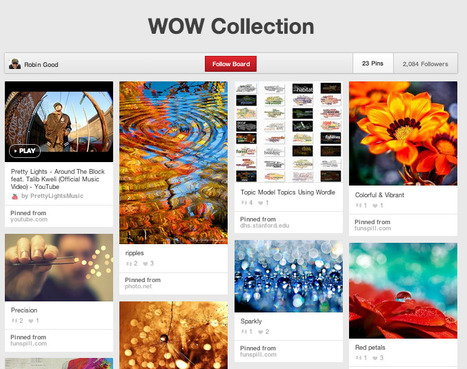
Embed your Pinterest Board onto your library website or catalog home screen. It is sure to grab some attention.
Scoop.it!

Creating Presentations does not have to be hard or frustrating. In five minutes you can create a professional engaging presentation that you can publish and share online and view on any device web or mobile. It's easier than ever before with our new Interface. Via Baiba Svenca

Baiba Svenca's curator insight,
February 1, 2014 1:15 AM
Check out Presenter's new improved interface with lots of enhancements and reduced clutter. Presenter now has a new text editor that uses Google fonts to support different languages, and there are animation and zoom functions to complete your presentation. Presenter is free and worth to explore. 
Payman Taei's comment,
February 1, 2014 10:20 AM
Babia thanks for the mention. We're excited about this new update and in next couple months will be deploying a series of new features that will further improve our visualization capabilities. thanks.
Scoop.it!

by Richard Byrne
"A new version of the eduClipper iPad app was released this week. My favorite feature of the latest version of the app is the option to give your students audio and video feedback. Written feedback is still an option too.
The new version of the eduClipper iPad app brings more of the features of the eduClipper website to your iPad. Your students can now use the iPad app to create presentation portfolios. Just as you can distribute assignments to students through the eduClipper website you can now do the same with the iPad app." Via Jim Lerman, Dean Mantz

Dean Mantz's curator insight,
January 29, 2014 6:06 PM
I have been using EDUClipper with my pre-service students and now the video feedback options blows away Pinterest in the classroom.
Scoop.it!

"Some of the animation links catalogued here will give educators very basic tools and histories of animation while others have the animation already created and set in motion, it’s just a matter of sharing it with students. Via John Evans
Scoop.it!

"Snap Collage is an app that will create attractive collages. It also has significant Photo Editing capability.
When you open Snap Collage, you are presented with a scrolling list of layouts at the top of the screen and a view of the albums on the iPad. As you select photos, the layouts at the top will change to accommodate the number of photos selected. Touch the desired layout to begin creating the collage. Photos can be rearranged and resized in the collage."
Via John Evans
Scoop.it!
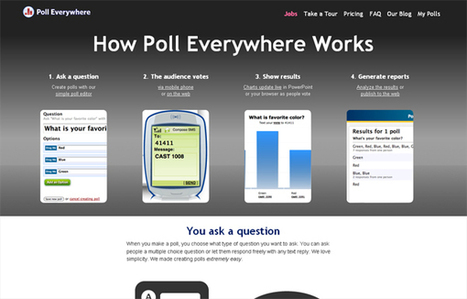
The proliferation of web-based tools seems to be growing with an ever-increasing pace. Teachers have a lot to gain from these new resources that are making their work easier.
Scoop.it!

Susan Oxnevad's curator insight,
January 26, 2014 2:55 PM
instaGrok has just released a free iPad app. The app combines the functionality of the web based version with interactivity to support learning on the touch screen |





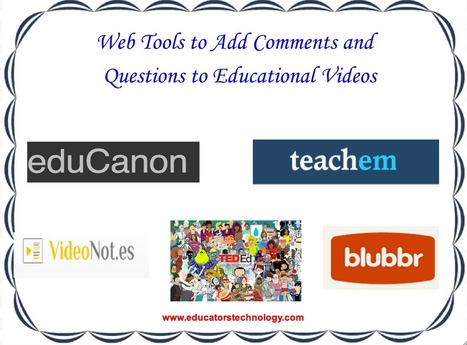





Comment démarrer avec un IPAD ? : des idées , des suggestions, des applications recommandées ainsi que des ressources très riche ...