In this entry, Troy examines why some teachers seem to resist change esepcially when it comes to technology integration in the classroom.
~The Art of Education is a blog by Troy P. Roddy that includes a collection of thoughts, comments, insights, and information concerning education and educational leadership.
Mindbloom Life Game is the fun, simple and effective way for users to improve the quality of their life.
Using a unique combination of behavioral science, personalized rich media, and fun social gaming techniques, Mindbloom takes a deeper approach to personal growth—enabling users to decide what’s important, discover what drives them, and take meaningful action in all areas of their life. Users can focus on any area of life—health, relationships, lifestyle, spirituality, finances, career—even creativity.
Social media is here to stay. Students love it. Teachers love it. But there’s a disconnect in there somewhere. According to a report from ASCD, students are eager to use the latest social media in order to communicate, collaborate, and enhance their learning. But schools have a few big concerns that has led to many students not having adequate access to social media. Schools worry that social media will lead to bullying, it’s hard to monitor what’s happening, and some still view it as a distraction. These concerns are increasingly falling by the wayside as it’s becoming abundantly clear that social media needs to properly integrated into education.
This infographic details some of the biggest details from the report and shows what we already know: students and teachers like social media but administrators are concerned (for now).
It has been said that technology has made the world smaller, but for the blind or those with poor vision, iDevices are opening up a whole new world. This AppList highlights some of the most innovative and entertaining apps available to the vision impaired. Now, with the aid of an iDevice, the blind can virtually see color, light, paper money and much more.
Apps for Children with Special Needs (a4cwsn) is committed to helping the families and carers of children with special needs and the wider community of educators and therapists who support them, by producing videos that demonstrate how products...
Presented by: Brenda Fossett, Ph.D., BCBA-D, University of British Columbia
This presentation will provide an overview of technology and software applications that can facilitate communication and learning for children with autism and other developmental disabilities. Participants will see a number of apps in use for the Apple iPad and will leave with a list of apps that they can use with their children or students. This session will also introduce participants to the Boardmaker Software Family and focus on learning to use this application to create activities to teach vocabulary, sentence construction, math and other concepts.
Locked out of online learning content because the iPad doesn’t support Flash or Java? Rover is the only free education browser for your iPad designed for teachers and students of all ages. Rover brings you the best K-12 online learning content, including access to content ordinarily unavailable on the iPad
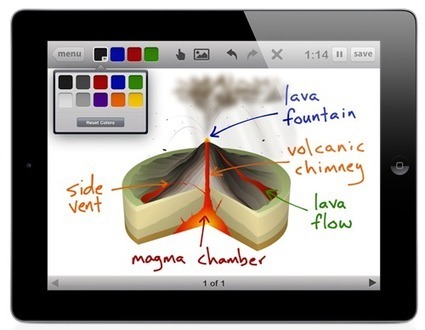
Educreations transforms your iPad into a recordable whiteboard that captures your voice and handwriting to produce amazing video lessons that you can share online. It's as simple as touching, tapping and talking.
~Sounds a lot like ShowMe app. Haven't tried it yet-we'll have to see what it has that ShowMe doesn't! Free download.
A visual Arts teacher who is interested in Computer Integration, Web 2.0 and engaging students in their own learning through innovative technology and collaborative classroom practices.
In a landmark study, a USC professor studied 122 fifth-graders from two schools and four math classes to assess the effectiveness of an iPad app for improving students’ fractions knowledge and attitudes.
GeekDad’s Daniel Donahoo and Launchpad Toy’s Andy Russell have put together the following Top 10 list of our favorite apps for open-ended, creative, constructive, and exploratory play – not just substitutes for plastic toys, but tools that empower kids to create, learn, and share through play.
The Palm Beach School System has an incredible wiki where members of the community share their favorite apps for specific disciplines. List here are the links to the top middle school apps.
CoEd Communications Inc. is a not-for-profit educational communications company, specializing in the production and promotion of free, quality, curriculum-based educational resource material for the Canadian school system. CoEd works in conjunction with Departments/Ministries of Education, school districts/boards, associations, teachers and subject specialists across the country.
Shawn Davids, principal at West Langley Elementary in Langley, BC has the beginning of an interesting blog on iPad education. Look forward to more postings!
Animoto turns your photos and video clips into professional video slideshows in minutes. Fast, free and shockingly simple - we make awesome easy and a great tool for students to be creative and create!
APPitic is a directory of apps for education by Apple Distinguished Educators (ADEs) to help transform teaching and learning. These apps have been tested in a variety of different grade levels, instructional strategies and classroom settings including special ed.
Clear demonstration of the the hidden keys and functions on the iPad keyboard.For example, I discovered that an upward swipe on the exclamation/comma button = apostrophe ... :)
StoryBrick is an iPad based interactive storyboard solution. Using StoryBrick, you can quickly create a storyboard app, which your users can use to create stories and share those with their friends and families.
I really like Symbaloo! A place where you can organize and share your favorite websites. Many of these apps I already know about and/or have downloaded but I am intrigued with the Symballo platform-always looking to simplify and have quick access to information.
iPad storyteller Joe Sabia introduces us to Lothar Meggendorfer, who created a bold technology for storytelling: the pop-up book. Sabia shows how new technology has always helped us tell our own stories, from the walls of caves to his own onstage iPad.
True, apps are not as fun to gift. The tiny, flat iTunes or Amazon gift card pales next to the big wrapped box. But beyond opening the gift, does the experience of playing with the app hold up to playing with the real thing? Your thoughts on this one?!
As a principal, Michael Berry from Richmond Elementary in Richmond, Vermont, tries to connect with students whenever he can. One ah-ha moment he discovered the power of students being able to tell their story using an app called Toontastic.
Young people today are sophisticated users of the Internet, using this medium with ease and enthusiasm. While the opportunities are tremendous, we want to ensure that they understand the impact that these technologies can have on their privacy, and provide them with tools and information they need to make smart decisions.
This is why we developed a video and teaching lessons to encourage young people to learn how to build a secure online identity so they don’t put themselves at risk.
To get content containing either thought or leadership enter:
To get content containing both thought and leadership enter:
To get content containing the expression thought leadership enter:
You can enter several keywords and you can refine them whenever you want. Our suggestion engine uses more signals but entering a few keywords here will rapidly give you great content to curate.


 Your new post is loading...