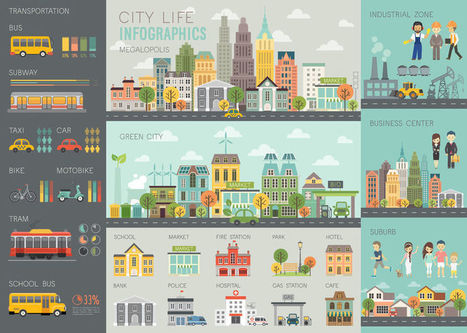
The Internet is full of stock photos, and it’s never been easier finding a good-looking image that goes well with the topic of your learning content.
However, there’s a huge leap from good to great. Content deserves great images. If you’re a bit picky (and here’s why you should be), searching for a perfect image can easily take you more time than writing the content itself (read about writing e-learning content in our LearnHack #3). On top of that, the best images are usually copyrighted or at the very least come with a price tag.
Fortunately, there are some websites that are packed with high-quality creative photos that can be used free of charge.
Before you rush to the list below, don’t forget to bookmark this page; sooner or later it will prove to have been a great—not just good—idea.
Presentations - whether they are made with Powerpoint or other applications, are a great way to support a speech, visualize complicated concepts or focus a
Posters are widely used in the academic community, and most conferences include poster presentations in their program. Research posters summarize information or research concisely and attractively to help publicize it and generate discussion.
The poster is usually a mixture of a brief text mixed with tables, graphs, pictures, and other presentation formats. At a conference, the researcher stands by the poster display while other participants can come and view the presentation and interact with the author.
In this video about how to make a presentation by Visme, we will review all the important design considerations to alignment various elements of design such as
First things first: bullet points are not inherently bad. They can be very useful in written documents. When used in presentations, however, they stop your presentation being as effective. (They often turn presentations into written documents) In fact, your audience engages less, re
Creating engaging visual content doesn’t have to require a financial investment. Sure, at one time graphic designers needed expensive software and even more costly images to craft a winning visual campaign. But thanks to a host of free online resources, anyone can design high-quality visual stories with ease.
Of course, navigating the sea of online images and editing tools is easier said than done. Some require membership, others charge royalty fees, some require advance permission and others charge for high-definition.
Fortunately, we’ve scoured the Web for the most complete, the easiest to use and the most innovative resources to aid even the most amateur designer in crafting stunning visual content.
Check out these 60 totally free design resources for non-designers:
In love with colors, since 2002. A designer tool for creating color combinations that work together well. Formerly known as Color Scheme Designer. Use the color wheel to create great color palettes.
With a seldom seen depth of knowledge and passion for his subject, David Phillips has become the leading Swedish figurehead in the art of making presentations. He is the founder and owner of Sweden's largest resource on the subject: Presentationsteknik.com. He is also author of the ground-breaking book "How To Avoid Death By PowerPoint" published in more than 30 countries.
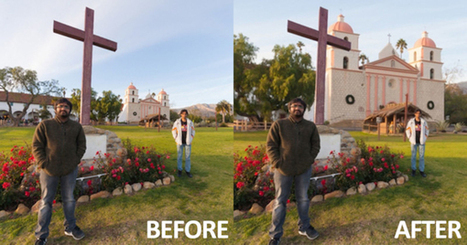
[The tools available to creators allow increasingly sophisticated manipulations of mediated reality; this story from the UC Santa Barbara Current describes an interesting new one; follow the links …
A visual, easy-to-understand explanation of public domain, including a flow chart to help you decide whether you can legally use an online image or not.
What was once a web filled with code and scrolling text, the Internet is now the world’s largest conglomerate of images. And as visual content continues to rule, the number of images available online will only grow. But just because you can Google an image — and technically copy or save it — doesn’t mean the web is a free-for-all of visual data. Photographers and designers need to put food on the table. If every online image was available for free, there would be a lot more starving artists. Fortunately for them, copyrights apply in cyberspace just as in print. And anyone using an image without appropriate rights and permissions can find themselves in plenty of hot water. Understanding the ins and outs of image licensing and usage can save digital marketers, web designers and other content curators from unnecessary penalties, ranging from cease and desist notices to lawsuits and financial demands. Want to be sure you properly use images in your online content? An ounce of prevention is worth a pound of cure. Just follow our five simple steps, and you just might save yourself a load of legal trouble.
Is your slide deck template the wrong dimensions for widescreen video projection? We answer the 4:3 vs 16:9 aspect ratio question, once and for all, here.
Images on webpages are almost a given these days. It is what we have come to expect. Likewise learners don't want to be confronted with page after page of text without any visuals. Whilst these might be images, videos or animations, this post is about images and where to get these without costing a fortune, and still being legal.
Over the last 5 years, the popularity of infographics in marketing has continued to climb. We just can’t resist because….
Infographics are ENGAGING!
According to an article on Venngage, a little over 40 percent of marketers said in a report that infographics and other original graphics were the most engaging:
To get content containing either thought or leadership enter:
To get content containing both thought and leadership enter:
To get content containing the expression thought leadership enter:
You can enter several keywords and you can refine them whenever you want. Our suggestion engine uses more signals but entering a few keywords here will rapidly give you great content to curate.


 Your new post is loading...

















![Can I Use That Picture? How to Legally Use Copyrighted Images [Infographic] | Visual Design and Presentation in Education | Scoop.it](https://img.scoop.it/7T4r4DqzPRPVY-1O9w7ODTl72eJkfbmt4t8yenImKBVvK0kTmF0xjctABnaLJIm9)