Your new post is loading...

|
Scooped by
Kim Flintoff
September 20, 2012 11:07 AM
|
It was rumored last week on TechCrunch and today it is confirmed by Google, you can now create and edit Google Documents using the Google Drive app for iPad. Starting today if you update Google Drive on your iPad you will be able to create new documents and edit documents using Google Drive on your iPad or iPhone. File management just got easier to because now you can create folders and move files into folders using Google Drive for iOS. And although you cannot create or edit presentations you can now view Google Presentations through the Google Drive iOS app.
|
|
Scooped by
Kim Flintoff
September 19, 2012 10:32 PM
|
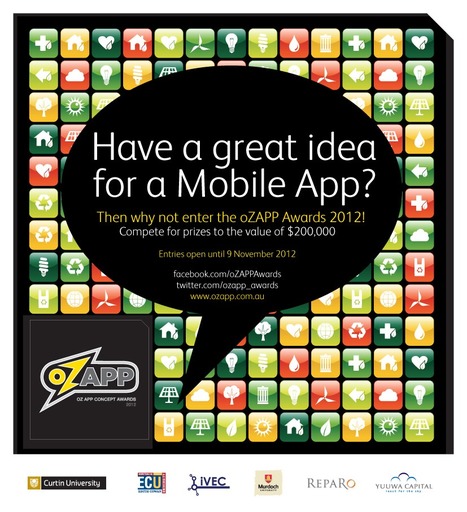
The oZAPP Awards is a competition to identify Australia’s best mobile app concepts, with the winners attracting significant resources to build and launch their apps. This website showcases Australian apps, developers and the companies behind them. There is a prize pool to the value of $200,000 directed towards providing the resources for developers to build and launch their apps. This is based on a competition we ran last year called the WApps. Last year, the competition was won by a Curtin undergraduate for Big Help Mob, a volunteer mobilisation tool.

|
Scooped by
Peter Mellow
September 18, 2012 5:00 AM
|
Tablets are becoming increasingly common tools in schools. There's a wealth of options available, a range of web apps or apps designed for different operating systems and so many choices for teachers and students to make that it is sometimes useful to know the range of ways that they are making a difference across a range of different subject areas. Though this range can't be exhaustive or final, given the early stages of widespread adoption, it will provide a starting point for those aiming to use these tools to enhance learning through appropriate and effective use of the technologies available.
Tablet-gaming is here, and it's a clear and present threat to console gaming...
|
|
Scooped by
Peter Mellow
September 13, 2012 7:21 PM
|
As tablets enter the educational mainstream, universities move to evaluate their impact on teaching and learning.
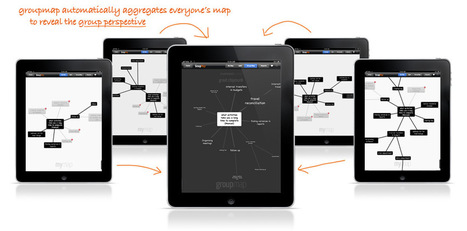
Real time, collaborative brainstorming with a twist. GroupMap shows you what the group is thinking by combining the views and ideas of individual participants. It provides valuable insight for leading a group, collective learning and effective decision making. Solve a problem, learn together or discover common ground...quickly and effectively.
|
|
Scooped by
Kim Flintoff
September 13, 2012 3:02 AM
|
Get Pinnacle Studio on the App Store. See screenshots and ratings, and read customer reviews. KF: Free at the moment (Sept 13, 2012)
|
|
Scooped by
Kim Flintoff
September 12, 2012 11:03 PM
|
It’s really simple–so simple that you’re going to feel silly for not having already known this–and if you tweet this out to a colleague without checking out the stunning simplicity of it all, you’re going to feel crunchy (remember that term?) later when you realize it wasn’t quite the revelation you’d thought it might be.
|
|
Scooped by
Peter Mellow
September 12, 2012 1:08 AM
|
PM - Interesting article but I have to agree with some of the comments that it appears to be a poor implimentation plan rather than limitations of the hardware. Plus, MS have promisied that Word, Excel and PowerPoint Apps will be coming out in November! Fingers crossed! KF: I think the first impression is that somehow the iPads are the problem - but upon creaful reading there seem to be two much more obvious reasons that problems arose: 1. The deployment strategy did not seem to ionclude any professonal development; 2. Teachers using the devices did not modify their practices to ustilise hte affordances of the devcies ina rich way... token adoption of useful apps but no real reflective decisions about changing how they do things.
|
|
Scooped by
Kim Flintoff
September 10, 2012 10:21 PM
|
With the rapid growth of the mobile medium, some colleges and universities are adding specialized undergraduate degree programs in mobile app development. Check out this fabulously useful infographic from Schools.com for more information:
Many of the schools that have introduced iPads in the classroom also use the Google Apps for Education suite. Unfortunately these two do not always mix well together. Using Google Apps on the iPads has always been quite tedious, but today Google updated its Google Drive app that solves many of the problems.
Via John Evans
The rise of the tablet has heralded changes big and small across the tech ecosystem, from a booming market for cloud storage to the fall of Flash.
Via John Evans
|
|
Scooped by
Kim Flintoff
September 9, 2012 11:37 PM
|
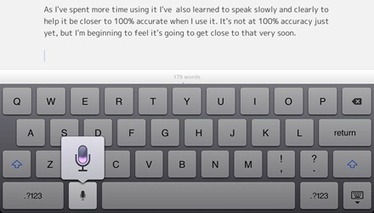
Voice Dictation on the new iPad is getting better and better and is now a favorite feature. Voice Dictation on the iPad has steadily grown on me and is now one of my favorite features on the new iPad. I’ve always felt that it was a more interesting and useful feature than Siri, but when it first came to the new iPad I just didn’t remember to use it often enough to get great benefit from it.
|
|
|
Scooped by
Kim Flintoff
September 19, 2012 10:40 PM
|
If you are like most educators, you’re on an incessant prowl for new ways to engage your students. As someone who doesn’t have a lot of time—and is determined to make good use of what time you do have—it is likely that you’re also looking for ways to streamline your curriculum and stay organized. You may be a “tech-head” already, but you don’t have to be to make any of these 50 user-friendly websites and apps a part of your everyday life.
|
|
Scooped by
Peter Mellow
September 18, 2012 7:59 PM
|
If you’ve owned an iOS device, you’ve probably wanted to print from it at some point. Maybe it’s a file, maybe it’s a webpage or e-mail–sometimes, the people want their paper copies. And so Apple eventually introduced AirPrint, which allows “AirPrint-enabled applications . . . [to] print to an AirPrint-enabled printer,” at least as long as you’re on the same wifi network. Great, right? I wouldn’t know, because I don’t have an AirPrint-enabled printer, even though it is capable of wireless printing. Faced with the same problem, Dave Caolo rigged a solution that marries three favorite ProfHacker technologies: Dropbox, IFTTT (If This Then That), and Automator. In his post, he offers step-by-step screenshots explaining how to do the following...
|
|
Scooped by
Peter Mellow
September 17, 2012 8:23 PM
|
Two years into the tablet experiment, educators talk about what's working in the classroom.
iOS 6 is coming next week. Here are some of the best new iOS 6 features for iPad.
Via John Evans
|
|
Scooped by
Kim Flintoff
September 13, 2012 10:51 AM
|
Get Passport Profile on the App Store. See screenshots and ratings, and read customer reviews.
|
|
Rescooped by
Kim Flintoff
from Libraries, HigherEd on an iPad
September 13, 2012 8:18 AM
|
Six popular uses for iPhones, iPads and other mobile devices in higher education that address teaching, learning, scholarship and classroom management.
Via Cynthia Garrety
|
|
Scooped by
Kim Flintoff
September 12, 2012 11:04 PM
|
Implementing iPads isn’t exactly a just-add-water proposition. While they’re wondrous little devices capable of enchanting learners for hours, to get the learning results you’re likely after will take planning, design, and reflection. It can help to start out by asking yourself some important questions, such as “What can the iPad do that is not possible without it? Put another way, what problems does the iPad solve?” But the learning environment you’re starting with can make a big difference as well. It’s one thing to come up with individual lesson plans high on the wiz-bang factor, but low in terms of sustainability. Below are 4 distinct areas of instruction and instructional design that can help frame the concept of iPad integration. Curriculum, Instruction, Assessment, and Integration. There is more to the conversation, but rather than overwhelm you (not that you couldn’t handle it), it seemed better to simply start your thinker.
|
|
Scooped by
Kim Flintoff
September 12, 2012 10:59 PM
|
Beyond being a media player, a web browser, an expensive organiser and a games console, the iPad has another use, one that’s perhaps more important than any of the others. It is a natural tool for learning and for teaching.
This post discusses my personal best 30 iPad apps for college students, grad students, professors and everybody else in university and academia.
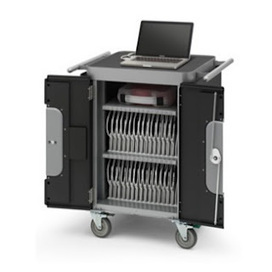
"Syncing 1 iPad may seem like a piece of cake, but setting up folders, restrictions, web links, and iTunes settings on 30 iPads? Not so cake-like."
Via John Evans
There are numerous options for recording a video of one’s computer screen but only a few that allow you to record your iPad's screen. Find out how the Disp Recorder app is providing new opportuinties on the iPad.
Via John Evans
|
|
Scooped by
Kim Flintoff
September 10, 2012 9:47 AM
|
"Some things never change" is not a quote heard very often in the field of educational technology, where we are constantly striving to stay caught up with the development of everything digital. Still, it can be a very true statement in the classroom.
|