 Your new post is loading...
“ As I said yesterday, I will be writing a post every day this week, each of which will focus on 10 things. Today it's iPads.”
Via John Evans, Anne McKay
Lego Education said it would be pairing Mindstorms Education EV3 with the Swift Playgrounds learning platform to allow students to program their Lego Mindstorms robots and other creations with motors and sensors.

|
Scooped by
Kim Flintoff
May 27, 2017 8:34 PM
|
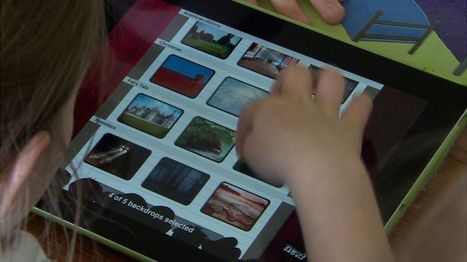
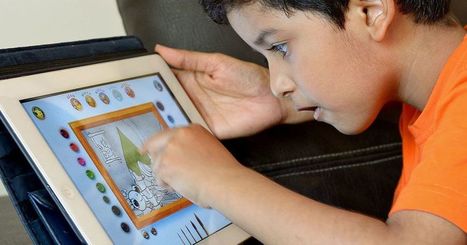
The study - Mobile Devices in Early Learning - was carried out over two years and involved about 650 pupils in five Belfast primary schools and five nursery schools.
Schools which took part were in some of the most deprived areas of the city.
They were each supplied with sets of iPads for nursery, primary one, primary two and primary three classes.
Researchers from Stranmillis University College then assessed how pupils, parents, principals and teachers used them over the course of two years.
Among their key findings were that:
- The introduction of digital technology has had a positive impact on the development of children's literacy and numeracy skills
- Contrary to initial expectations, principals and teachers report that the use of ipads in the classroom has enhanced children's communication skills
- Children view learning using handheld devices as play and are more highly motivated, enthused and engaged
- Boys appear to be more enthused when using digital technology, particularly when producing pieces of written work
IPads helped young children to be more motivated and engaged in class, said Dr Colette Gray from Stranmillis, who was one of the study's authors.

|
Scooped by
Peter Mellow
March 8, 2017 7:19 PM
|
Ninety-four percent of higher education institutions in a recent survey said they use Apple's iPad to enhance learning, while 80 percent use Mac devices.
|
|
Scooped by
Kim Flintoff
February 6, 2017 9:50 PM
|
Mark Lombardi, president of Maryville University, in Missouri, describes some of the interesting changes it has recently made in the education it offers. Technology plays a key role.
Apple's announcement on Thursday that it would be introducing a new iPad textbook experience and iBooks authoring tool presents huge opportunities for technology in classrooms.
Via Educatorstechnology, Dennis Swender
Free resource of educational web tools, 21st century skills, tips and tutorials on how teachers and students integrate technology into education
Via Educatorstechnology, Dean J. Fusto
|
|
Scooped by
Peter Mellow
November 6, 2016 12:40 AM
|
The University of Hull has published its first ever iTunes U Course called: 'Researching and Evaluating iPad in Learning’, along with an accompanying interactive Multi-Touch book by the same title.
These were both commissioned by Apple UK and were written by Professor Kevin Burden and Dr Sarah-Louise Jones from the School of Education and Social Sciences (Faculty of Arts, Cultures and Education).
iTunes U is a completely free set of courses available through the Apple iTunes application on an iPad that enables universities and colleges to offer courses to anyone who wants to study them. Currently over 900 universities and colleges from around the world provide courses and content on the iTunes U platform, including many of the world’s leading academics from universities such as Harvard, Princeton, MIT and Cambridge.
|
|
Rescooped by
Peter Mellow
from The 21st Century
October 16, 2016 6:15 AM
|
Technology Consultant for Grant Wood AEA. Educator, Writer, Blogger & Edtech Trainer. Father of two, husband of one, and an iPad guru!
Via Dr. Susan Bainbridge
|
|
Rescooped by
Peter Mellow
from Digital Pedagogy
October 10, 2016 8:12 PM
|
|
|
Rescooped by
Peter Mellow
from iPad game apps for children
September 20, 2016 7:31 PM
|
Read reviews, compare customer ratings, see screenshots, and learn more about Tinycards - Flashcards by Duolingo. Download Tinycards - Flashcards by Duolingo and enjoy it on your iPhone, iPad, and iPod touch.
|
|
Scooped by
Peter Mellow
September 7, 2016 10:55 PM
|
Everyone Can Code is a new approach to coding that gives everyone the power to learn, write and teach code.
|
|
Scooped by
Kim Flintoff
September 4, 2016 10:19 PM
|
"Our study showed that child and parental anxiety before anaesthesia are equally blunted by midazolam or use of the iPad," Dr. Dominique Chassard said in a statement released in the run-up to the release of the group's research findings.
"However, the quality of induction of anaesthesia, as well as parental satisfaction, were judged better in the iPad group. Use of iPads or other tablet devices is a non-pharmacologic tool which can reduce perioperative stress without any sedative effect in paediatric ambulatory surgery."
|
|
|
Scooped by
Peter Mellow
May 30, 2017 6:35 PM
|
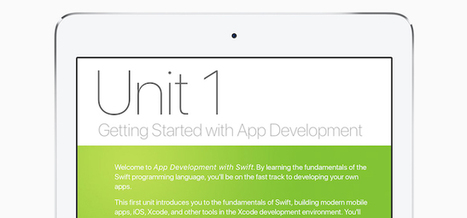
Apple has released its first full-year course to teach college students how to design mobile apps using the Swift programming language.
|
|
Scooped by
Peter Mellow
May 2, 2017 5:58 PM
|
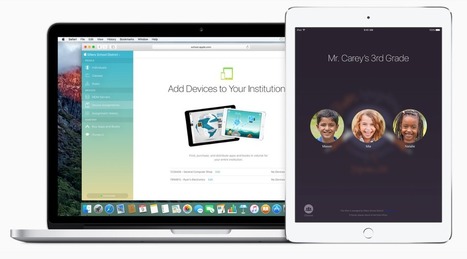
Apple’s new Classroom app for iPad is now available in the App Store. The educational app enables shared iPad experiences, task/group assignment, and much more on iOS 9.3 and beyond. HereR…
|
|
Scooped by
Peter Mellow
March 2, 2017 10:27 PM
|
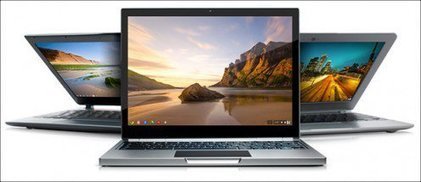
Over the last three years, iPads and Mac notebooks have steadily lost ground to Chromebooks, inexpensive laptops that run on Google’s Chrome operating system.
|
|
Scooped by
Peter Mellow
December 12, 2016 10:12 PM
|
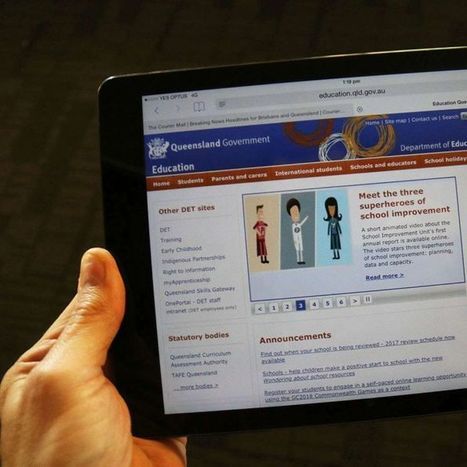
At least 100 iPads owned by Education Queensland are missing, but the department admits it has no idea how many iPads have been distributed through schools across the state.
Free resource of educational web tools, 21st century skills, tips and tutorials on how teachers and students integrate technology into education
Via Educatorstechnology, Dean J. Fusto
|
|
Scooped by
Peter Mellow
November 3, 2016 8:54 PM
|
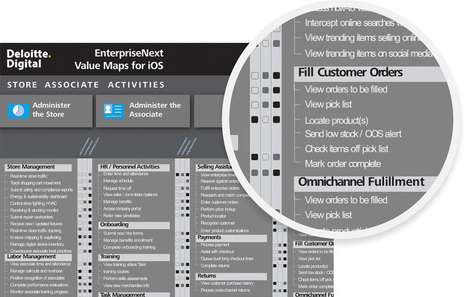
Apple and Deloitte are joining forces to help employees work the way they live in a mobile world. Sharing information. Accelerating ideas. Connecting people, inventory, supply chains and customers, using the iOS devices they know and love. The leader in mobile experiences and the leader in enterprise digital transformation—coming together to reimagine the way we work.
|
|
Rescooped by
Kim Flintoff
from iPad Teachers Blog
October 13, 2016 7:29 PM
|
Assessing iPad Work - December 2015
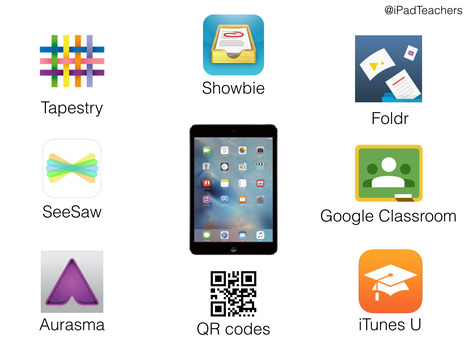
When I first started using the iPad with my students 5 years ago there was not the array of solutions we now have for assessing the work. The first few weeks of using iPads I was writing post-it-notes on the iPads to provide feedback. Schools just starting their iPad deployments certainly have the benefit of hindsight and also have many options for assessing iPad work. However, schools using too many tools can confuse both staff and students of where to put work and resources. Here's what we use: For EYFS, digital profiling can certainly save teachers lots of time. It also allows teachers to quickly capture the children's learning and match with EYFS. iPad apps such as Tapestry http://tapestry.info/ or 2Simple Build a Profile https://www.2buildaprofile.com/ are good examples of this. In Key Stage 1 and Year 3 (Ages 5-8) we have this term been using SeeSaw www.seesaw.me. It is a free app that allows the teacher to, in essence create a private class blog that the children post to. I really like the fact that the students log on by scanning a QR Code which certainly saves time. The app includes simple features that allow the children to reflect on learning by uploading images, videos and drawings then annotating them with text and audio. The teacher can then moderate the work, approve them and comment. Very simple and nice way into using tools such as www.showbie.com We use Showbie with our children aged 8 and above. It is widely used as a way to provide individual feedback to pupils and capture their progress across a task/project. The assignment structure means teachers do not have to create folders for students. We use Showbie to provide resources for students, comment on their work and it is our main iPad assessment and evidence tool. Other features such as the built-in e-reader and annotation tools have also been popular. A problem with iPad evidence is linking the digital media the students create to their exercise books. We have recently started using Aurasma app to embed videos into the books. For example, a science experience could be recorded, edited in iMovie and attached to the physical work in the student's Science books. A similar thing is done using QR Codes where we put them on display with the children's work to link to the digital files. Apps such as My Story Maker and Hopscotch programming app allow the user to create a web-link which can then be attached to QR codes. For example, My Story will display eBooks the students have created on a web-page so parents can view them on any device. We are also looking at Foldr, www.freeyourfiles.co.uk as a way to save iPad work and files from any device at home or school to our school network. iTunes U now has Showbie-esque assessment tools that have really enhanced that solution. Particularly with ability for students to submit in their own work and be graded/receive feedback. http://www.apple.com/uk/education/ipad/itunes-u/ There are now lots of options for assessment and storing iPad work and it is worth testing as many as you can because it is not as simple as one size fits all. We have updated the Assessment and Evidence section of our iPad Teacher Guide app, more details at www.ipadteachers.com
Via iPad Teachers
|
|
Rescooped by
Peter Mellow
from Digital Pedagogy
October 10, 2016 8:10 PM
|
Assessing iPad Work - December 2015
When I first started using the iPad with my students 5 years ago there was not the array of solutions we now have for assessing the work. The first few weeks of using iPads I was writing post-it-notes on the iPads to provide feedback. Schools just starting their iPad deployments certainly have the benefit of hindsight and also have many options for assessing iPad work. However, schools using too many tools can confuse both staff and students of where to put work and resources. Here's what we use: For EYFS, digital profiling can certainly save teachers lots of time. It also allows teachers to quickly capture the children's learning and match with EYFS. iPad apps such as Tapestry http://tapestry.info/ or 2Simple Build a Profile https://www.2buildaprofile.com/ are good examples of this. In Key Stage 1 and Year 3 (Ages 5-8) we have this term been using SeeSaw www.seesaw.me. It is a free app that allows the teacher to, in essence create a private class blog that the children post to. I really like the fact that the students log on by scanning a QR Code which certainly saves time. The app includes simple features that allow the children to reflect on learning by uploading images, videos and drawings then annotating them with text and audio. The teacher can then moderate the work, approve them and comment. Very simple and nice way into using tools such as www.showbie.com We use Showbie with our children aged 8 and above. It is widely used as a way to provide individual feedback to pupils and capture their progress across a task/project. The assignment structure means teachers do not have to create folders for students. We use Showbie to provide resources for students, comment on their work and it is our main iPad assessment and evidence tool. Other features such as the built-in e-reader and annotation tools have also been popular. A problem with iPad evidence is linking the digital media the students create to their exercise books. We have recently started using Aurasma app to embed videos into the books. For example, a science experience could be recorded, edited in iMovie and attached to the physical work in the student's Science books. A similar thing is done using QR Codes where we put them on display with the children's work to link to the digital files. Apps such as My Story Maker and Hopscotch programming app allow the user to create a web-link which can then be attached to QR codes. For example, My Story will display eBooks the students have created on a web-page so parents can view them on any device. We are also looking at Foldr, www.freeyourfiles.co.uk as a way to save iPad work and files from any device at home or school to our school network. iTunes U now has Showbie-esque assessment tools that have really enhanced that solution. Particularly with ability for students to submit in their own work and be graded/receive feedback. http://www.apple.com/uk/education/ipad/itunes-u/ ; There are now lots of options for assessment and storing iPad work and it is worth testing as many as you can because it is not as simple as one size fits all. We have updated the Assessment and Evidence section of our iPad Teacher Guide app, more details at www.ipadteachers.com
Via iPad Teachers, Spice Wang
|
|
Scooped by
Peter Mellow
September 18, 2016 6:48 PM
|
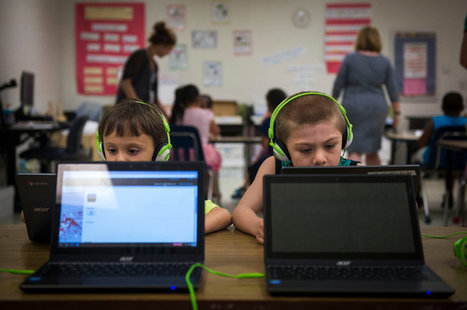
With an increased prevalence of 1:1 iPads in classrooms, schools, and districts across North America, teachers are fielding a common parental concern: What about screen time? Aren’t our children on screens enough?
|
|
Scooped by
Peter Mellow
September 7, 2016 12:58 AM
|
Gadgets can't just work, they have to help teams win.
|














I learned three new things about my iPad from this post. And I joined STAFFRM. Unexpected!