 Your new post is loading...
That noise you hear in the distance is the sound of SEOs polishing the keys on their keyboards, trying to answer what is Hummingbird?
And they’re making big claims about knowing the answer. If you don’t believe me, click on one of the links at the top of this paragraph. Even though there’s enough Hummingbird content to keep you reading well into the night, you shouldn’t bother.
Why not?
Because it’s noise
Rand Fishkin says hummingbird is about longtail.
Danny Sullivan says hummingbird is about conversational search.
Ammon Johns says long-tail optimization is gone, and big brands may have been gifted more leverage than ever.
3 experts. 3 Answers. Let’s cut the BS. What is Google’s Hummingbird?
Animated videos can now be created easily using software. Check out these 5 tools and save a lot of money producing these videos.
The initial idea from this post on animated videos came from Nick from List.ly. I love when people share great ideas for posts!
So here goes, here are 5 animation video tools that we have reviewed.

|
Rescooped by
Jeff Domansky
from Tools for Teachers & Learners
October 15, 2013 2:04 PM
|
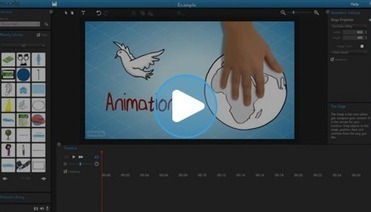
Moovly is an online tool that allows you to create animated videos, tutorials, explainers, presentations, infographics, video clips, display ads or e-cards.
Via Nik Peachey
Browser based presentation platforms are quickly gaining ground as HTML5 has made it possible to create robust presentations online without the need for applications like PowerPoint or Keynote.
Via Baiba Svenca, Jeff Domansky
This evening I received a question from a reader who was wondering what I use to create the annotated screen capture images that you see in the guides that I produce. I create those images by using Jing which I have installed on my Mac and Windows computers. There are other services that I have tried from time to time. Those services along with Jing are described below....
Pinterest’s meteoric rise has spawned a number of tools, services and third-party apps. Many of them have come and gone never to be heard of again. But a few power players have emerged offering complete marketing suites to help brands capitalize on the rise of visual social media.
In this article I will share 12 tools to help you power up your pinning by improving the way you create content, interact with your audience and track your results....
|
|
Scooped by
Jeff Domansky
September 6, 2013 2:01 AM
|
TypeWonder is a useful tool if you want to quickly see what a live site would look like in a different font. Just enter the URL of the target site, then select the font you want to use from the searchable list that pops up. There's a button that gives you the embed code when you find a font you like.It's especially useful if you want to preview lots of fonts in quick succession, as you can switch from one to the next with just a couple of clicks.
This simple functionality alone is great, but you may feel limited by the fact that only one font can be used at any one time - there's no way to try out font pairs by applying different typefaces to different areas....
There are many tools available to make the individual tasks that go into producing a great blog article easier. News sites, social media and other blogs are excellent topic and research resources. Tools like Evernote make pulling together the various strands of research into one place a breeze, and there are any number of very good text editors, word processors, and dedicated blogging applications that help streamline the writing process.
However, it can be inefficient to rely on multiple different tools. Spundge is an online application that can help streamline the blogging process by bringing many of the tools bloggers need into one coherent application.
Spundge can be used for many different workflows, including for journalism and content curation, but we’re going to have a look at one way you could use it to improve your blogging productivity.
|
|
Scooped by
Jeff Domansky
August 17, 2013 5:48 PM
|
List of the best free PR tools: Includes news syndication, free media lists, social sharing apps and methods of sourcing media opportunities.
|
|
Scooped by
Jeff Domansky
August 17, 2013 10:49 AM
|
The key to making the most of social media is listening to what your audience has to say about you, analysing the data and, finally, reaching social media business intelligence; using all these insights to know your customers better and improve your marketing strategy.
If you are a social media rookie, this list of the Top 10 Free Social Media Monitoring Tools might come in handy. When looking for a tool, it’s a good idea to try a couple of them and choose the one that suits your needs best.
However, bear in mind that these tools are not an alternative to Enterprise-level tools, such as Brandwatch, which brought social media monitoring to a new level, offering a much higher variety of services and in-depth analysis. It all depends on your needs. That being said, let’s take a look at some of the best free monitoring tools...
There are fakers among us, at least on Twitter.And although it’s not new news that some Twitter followers are not real, it’s interesting none the less to take a look at the breakdown every once in a while of notable people who might not be as popular as they seem.
Thanks to the tool “Fakers” by Status People, it’s easy to look up the percentage of faker, inactive and good accounts among the followers of any person’s Twitter base.
You might remember when we reported nearly a year ago that 70 percent of President Barack Obama’s followers at the time were fake. It looks like he’s lowered that number a bit but still more than half are considered fake, according to Status People’s tool....
|
|
Scooped by
Jeff Domansky
August 14, 2013 12:58 PM
|
One of my favorite topics to research is ReTweeting. I have several very large (millions and hundreds of millions of rows) datasets that I use to do my analysis. The results of my research with these databases are best practices, generated across many industries, timezones, account types and languages. This data is a great starting point for your experimentation.
The best data is always your data. So I created a free tool, ReTweetLab that allows you to do the same kind of analysis that I conduct on my large datasets on your account (or any other Twitter account you want).
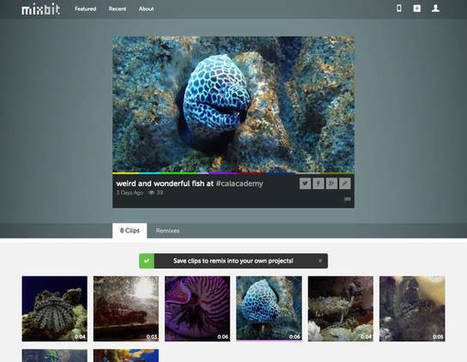
With YouTube Chad Hurley and Steve Chen made publishing videos easy. Now they want to make it just as easy to create them.When Google wanted to boost the quality of YouTube’s content, it gave out $5 million in grants to select creators. YouTube cofounders Chad Hurley and Steve Chen, who sold the service to Google in 2006, are now tackling the same problem, but with a different philosophy.
They hope that a new app they are launching on Thursday, called MixBit, will make shooting quality video scalable and accessible to everyone.“Unfortunately I think YouTube is going down the route of rewarding the select few around content creation, be it with partnerships or with ways of funding original content,” Hurley told Fast Company. “I can understand, it’s great to stimulate the community and make money available to them. But I feel that’s a more traditional approach to solving the problem. It’s basically replicating the studio model...I’m looking for something that doesn’t necessarily alienate any group of people, but gives them all equal access.
”That apparently includes people who never shoot any video. With MixBit, as with Instagram video and Vine, users touch their phones’ screens to take multiple video clips that the app combines into one video. But only MixBit allows other people to use those clips, if they’re public, in their own videos....
|
|
|
Scooped by
Jeff Domansky
October 21, 2013 8:37 AM
|
Managing a pay-per-click advertising campaign can be time-consuming and expensive. Fortunately, there is a wide range of tools available to create efficient ad copy and to optimize your budget.Here is a list of tools and resources for your PPC advertising campaign. There are Google AdWords tools and additional PPC campaign tools. Many of the tools are free resources to help with keywords, ad copy and targeting. There are also premium tools that provide broad PPC campaign management....
Social Media Automation is essential. Here are 7 fantastic social media automation tools that you should be using.
Social Media Marketing is also so frustrating. There is no end to it. You never feel you have done enough. But there is light at the end of the tunnel.
The social media tools are maturing and getting more useful and there is more automation that is available. Here are 7 time saving social media automation tools:
|
|
Scooped by
Jeff Domansky
October 3, 2013 7:14 PM
|
More than 80% of b2b marketers now distribute content on social networks. But are these efforts paying off? If so, which social networks are most productive?
After years of blogging I've learned to love a select assortment of tools that have helped to make blogging easier, quicker, and more fun. Some of these tools may not be "the best", but they are the ones that I love and the ones that I have a strong affinity for; so I figured I'd share in the hopes that they will benefit other bloggers like they did me...
Adobe’s Photoshop is the gold standard when it comes to photo-editing software – the preferred tool for many graphic designers and photographers. But many of the complex features that once only a Photoshop pro could do, can now be achieved using basic, free software that comes with your computer or downloaded from the Web. Think cropping, resizing, color adjustments, filters, red-eye removal, and automatic enhancements.
In fact, a lot of useful photo-editing features are built into online photo-sharing sites like Google+ and Flickr. However, what if you want to quickly apply one or two effects without having to become a Photoshop guru? We’ve found and tested a few online alternatives that won’t require you to fire up any photo-editing apps....
|
|
Scooped by
Jeff Domansky
September 14, 2013 1:31 AM
|
Great tools and great suggestions from Richard Byrne. If you're the "techy" person in your school but you're not in the IT department sometimes your colleagues come to you with their tech help questions before heading to the IT folks.
Sometimes those questions come over the phone and you find yourself trying to explain where to click next or struggling to understand the problem the other person is trying to explain. That's when it's handy to have a screen sharing tool readily available. Here are five that are quick and easy to use.
Quick Screen Share is a free screen sharing service from the makers of Screencast-o-matic. To use Quick Screen Cast just go to their website, select share your screen, and enter your name. Quick Screen Share will then provide you with a URL to share with the person with whom you are screen sharing.
When that person opens the link you he or she will be able to see your screen. Quick Screen Share doesn't require you to install anything (assuming you have Java installed) or require you to register for the service....
|
|
Scooped by
Jeff Domansky
September 4, 2013 11:42 AM
|
Discover the tools social media pros are using today and get more out of your social media marketing....
Are you looking for social media tools to get more out of your marketing?Are you wondering what tools marketing pros are using successfully?We asked fourteen well-known marketers to share the latest social media tools they’ve been using.Discover how you can use these tools to help you to get more out of your social media marketing....
|
|
Scooped by
Jeff Domansky
August 21, 2013 10:04 AM
|
Find cool online business tools to send professionally formatted emails from Gmail, develop optimized landing pages for marketing campaigns and more.
Though the tasks have gotten significantly more complex and intellectual, today’s web tools fall into the same general categories, either enabling new tasks (creating infographics) or performing manual tasks faster and more easily (sharing information across multiple social networks and profiles).
Ever wish you could search for something by sketching it rather than using text? Send professionally formatted emails from your Gmail account? Easily develop optimized landing pages for marketing campaigns?Find tools to accomplish those tasks and many more here in more than 20 of the best cool online marketing tools and reviews of the past year....
Images tend to receive better engagement metrics than regular posts when shared on social networks, so what if you could add underlying content to images in order to further drive brand engagement? Thanks to PassionTag, you can do just that.
PassionTag is a mobile app (currently only for iOS) that essentially allows users to attach content to images via ‘SmartTag’ functionality. The images, along with their SmartTags, can then be shared on Twitter and Facebook, as well as through email and SMS messaging. By leveraging the app, users have the ability to turn static images into interactive photos that contain actionable tags that extend the story they want to tell....
LikeAlyzer helps you to measure and analyze the potential and success rate of your Facebook Pages. It allows you to explore all the possibilities of your presence by evaluating your activity and dialogues to ensure your success on the most popular social network in the world - Facebook.
The free of charge service provides detailed information and explanation of identified issues, tips on how to address these issues and much more....
One of my favorite topics to research is ReTweeting. I have several very large (millions and hundreds of millions of rows) datasets that I use to do my analysis. The results of my research with these databases are best practices, generated across many industries, timezones, account types and languages. This data is a great starting point for your experimentation.
The best data is always your data.
So I created a free tool, ReTweetLab that allows you to do the same kind of analysis that I conduct on my large datasets on your account (or any other Twitter account you want).
The company behind the .co domain has been working to associate .co websites with startups and innovation. Now its founders are trying to make it as easy as possible to start a business online with a new company called Pop.co.
thisBasically, Pop.co is a bundle of online services that should remove any barrier between coming up with a cool idea and building a web presence around that idea. This approach is particularly important in a future where entrepreneurs run “three or four micro-businesses at a time, easy come, easy go, and you don’t have to keep the domain forever,” said CTO Tom Lackner — he suggested you should even be able to set all this up from your smartphone.
Lackner and CEO Juan Diego Calle gave me a quick demo of Pop.co. You just pick the .co address that you’re interested in (assuming it’s available, and if it’s not, Pop.co will suggest alternatives), then the company automatically claims it for you, and you can either use Pop.co’s simple web page editor to create the page with just a little bit of typing, or use its simple DNS editor to point the website to a page you’ve created on another service like LaunchRock or Barley....
|





















This is one of the most thoughtful and sensible articles about SEO that I've read in years. Chase Anderson does a great job of analyzing Google's new Hummingbird algorithm and providing a practical view on how to respond to it and what the future of SEO will look like. Highly recommended reading for SEO newcomers and oldtimers who need a fresh perspective. 9.5 / 10