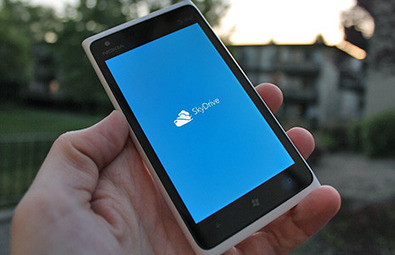
A much requested feature of the native Facebook Messaging integration in Windows Phone is the ability to send messages to off-line contacts, a feature which so far has required the Facebook app to accomplish.
MimovilWindows now reports that some-one must have thrown a switch at Microsoft and Facebook, as users are now able to initiate and send messages to Facebook contacts, even if they are off-line.
The messaging app still complains that the contact is off-line and suggests SMS instead, but the message is still delivered to your Facebook contact when they come online.
Nokia N9 FM Radio application for N9 unlocks FM receiver functionality for Nokia N9 phones.
...New version has 2 different themes and RDS support, it is far most popular radio application in the OVI Store.Previously FM Radio (Retro) was shared for free as Beta version with many users, after testing was done, author gathered a lot of important feedback and made improvements in the backend. For instance, it would be impossible to support so many different headsets without Beta testing. Retro design was recognized by users as well, so new version has got a clear Fallout style theme. FM Radio was the first radio application in the store and after the public release became most popular very fast.
First OVI Store version was obviously lacking RDS support and in despite of good looking UI did not fully fit into Nokia N9 style. But version 1.0.0 change the situation completely. Now user can choose between...
The 4.3-inch screen of the Nokia Lumia 900 makes it a brilliant device for playing games on - many of which are free. At the Windows Phone Marketplace you’ll find hundreds to download. In fact some are so good you’ll be hooked. Here’s our latest top 10 free Nokia Lumia 900 games picks.
Nokia Lumia 900 unveiled: 10 things you need to know ...
The breakthrough camera phone technology in Nokia 808 PureView http://nokia.ly/Lv2cYf inspires you to go and capture images of the most incredible landscape on Earth and beyond. We took the Nokia 808 PureView to Iceland in an attempt to photograph the Earth from space.
This film was made using the Nokia 808 PureView: http://nokia.ly/HStkBx Turn "I wish I had a good camera" moments into beautiful detailed photos and Full HD ...
Nokia's ebook initiative for Windows Phone, Nokia Reading is apparently rolling out, starting now, in six countries, France, Germany, Italy, Russia, Spain and the UK.
..Today is the start of the global roll-out of Nokia Reading, an app and service that serves up the written word in your own language on your Lumia smartphone. This new service takes full advantage of the platform’s design to make reading on-the-go both convenient and visually attractive... The initial version of the service focuses on making it easy for you to find, buy and – most importantly – read a book in your own language. Nokia Reading boasts a wide range of local titles, as well as a large collection of English titles popular across the world, such as The Girl With The Dragon Tattoo; One Day; and The Adventures Of Sherlock Holmes, with more being added all the time.
There are also thousands of international classics available for free. To make it easy to choose what to read, books are organised into lists such as Top eBooks and New Releases and categorized into genres. If you already know what you want, full predictive search makes it easy to find what you want by title or author.
While eBooks are becoming a common sight in countries like the US and the UK, they are still in their infancy – or basically unavailable – in many parts of the world. And this is where the strength of Nokia Reading lies: in local language e-reading content....
We've seen iPhone wallpapers and themes before, but this one's special in that it has had PiZero's full care and attention lavished on it. And iStyleis free for the next five days, should you want to grab it, it's compatible with all Symbian devices from the last six years and it includes a full set of iOS icons. In fact, the only worry is whether Apple's lawyers will be bursting into action, so best download it now rather than later. Screenshots below.You can download iStyle from the Nokia Store here, free for 5 days from today. ...
...The Nokia Lumia 900 has proven its chops once again by putting the Apple iPhone and Samsung Galaxy Sliterally into the shade, thanks to offering the best quality display when being used outdoors in ambient light. Read on to find out why the Nokia Lumia 900 screen is better than iPhone and Samsung Galaxy!You can have all the power in the world at your fingertips but if you can't read what your screen says then it's of little use. That's why having a quality display like the one found on the Nokia Lumia family is vital for every day use.
Nokia Lumia 900: How to boost battery life
You don't have to take our word for it, as the science guys over at DisplayMate have been doing a little extreme testing of their own, pitching the Nokia Lumia 900 against the likes of the Apple iPhone, Samsung Galaxy S and Motorola Droid to see how their relative screens pan out under ambient light conditions.
Now, the AMOLED screen of the Nokia Lumia 900 may not be wholly unique, but the addition of the Nokia ClearBlack Display technology - which is made up of a couple of polarising filters - means that in every day situations you'll find a sharper and clearer image and you won't need to nip into a shaded area like some lesser mobiles out there.
If you want to check out the rest of the testing, nip over to DisplayMate.
Got yourself a Nokia Lumia 900 and found yourself....
The svelte Nokia Lumia 900, although only 0.45-inches thick, still manages to pack in a whopping 16 gigs of internal storage, which is enough to permanently store an impressive range of apps, photos, music and videos.But that’s only the beginning.
Thanks to the rapid emergence of cloud storage services and media streaming portals, you’ll never be short of something to watch, read, play or listen to on your Nokia Lumia 710 or 900 smartphone. With fast 4G and LTE connections, you never have to worry about syncing your data and content ever again.
Here are ten apps and services that’ll bring unlimited media to your phone, at a cost of just of 18 megabytes of precious storage space and a little mobile data. ...
...had the chance to play with an early build of WP8, running on Lumia 900. Here’s how he find it:From a developers stand point it’s horrible, apps will have to be rewritten to take advantage of new APIs.There’s a huge cloud push too! From an end users perspective, there’s a lot of nice touches here & there. It looks mostly unchanged. But there’s a few subtle & welcomed UI changes.No file explorer or browser downloads implemented yet. But that could change. I was on an early release.BT file transfer & USB storage to be added on latter build.Oh WP8 browser renders incredibly fast!!!!I was using an early release. Multitasking was the same. No file management or browser downloads either. Hopefully it makes it.I loved it. Animations are incredibly fast. Keyboard spelling is a lot more flexible.Appears to be fast organized app switching. Kinda like iOS. Doesn’t actually multitask like android or Symbian. Yet.
Clicking on app tiles, some apps reload. Some continue where you last left off.
To make Windows Phone 8 successful, it has to be competitive both in terms of features & UX. I really hope both Nokia & Microsoft are working on bringing the features. Being a Nokia lover, it really has been a long long wait, we waited for MeeGo in 2010, hoping it would be a savior. It’s 2012 & we are counting on WP8 now. Looks like we are on a never ending waiting loop. Hey Nokia, ...
At their simplest, QR codes (the letters standing for 'Quick Response') are two-dimensional bar codes, i.e. a grid of black and white squares representing a pattern of bits of data. With the right software, these can be read and converted back into the original information, often (but not always) an Internet resource address of some kind.
From the QR code Wikipedia entry:
QR Codes storing addresses and Uniform Resource Locators (URLs) may appear in magazines, on signs, on buses, on business cards, or on almost any object about which users might need information. Users with a camera phone equipped with the correct reader application can scan the image of the QR Code to display text, contact information, connect to a wireless network, or open a web page in the telephone's browser. This act of linking from physical world objects is termed hardlinking or object hyperlinking. QR Codes may also be linked to a location to track where a code has been scanned. Either the application that scans the QR Code retrieves the geo information by using GPS and cell tower triangulation (aGPS) or the URL encoded in the QR Code itself is associated with a location.
Of particular note is that there's usually redundancy in each code, in terms of the data bits presented, so that if part of the QR code is obscured, smudged or torn off, the code and its data can still be acquired and deconstructed.
Although traditional ('one dimensional') barcodes are far less sophisticated, they're also far more common than ('two dimensional') QR codes, which is why most of the utilities reviewed here can cope with either form of digital representation.
To test the reader applications here, I selected two 1D codes (on a book and a music novelty) and two QR (2D) codes, a largish one (1") from a web print out and a tiny, challenging one (1cm) fr...
...perfect time to take your cameraphone out into the big wide world and capture some beautiful scenes. Forget those close-up macro shots, though, and instead opt for seeing the wider picture. Whether you’ve got a Nokia Lumia, Nokia Belle or a Nokia MeeGo smartphone, taking panoramics is easy. Nokia has got some home-grown apps for that.Before we dive into the apps, there’s some useful tips you should know before embarking on capturing an amazing panoramic photo.
Tip one Steady your camera: In order to make sure all the shots are lined up correctly and you don’t end up with disjoined sections of the photograph, it’s best to steady your cameraphone on something. This can be a wall, a post or a tripod if you’ve got one.
Tip two Find a quite, still subject: If, for example, you try to take a panoramic photo of a busy highway, the constant movement of vehicles will make for an odd finished panorama. You’ll end up with cars seemingly vanishing into the nothingness – which might look cool, but probably not.
Tip three Take your time: Don’t rush the photo. Once you’ve captured the first image, move slowly into the second position, and the third and so on… Rushed images will look blurry and misaligned.
Tip four Ignore all the rules – as I always do. I never steady myself and I never take my time. I haven’t got time for that. Thankfully, these panoramic apps automatically align your shot in the post-production process. And if that doesn’t work? Just give it another try....
...Nokia Panorama for MeeGo and Nokia Belle – FREE
This is another Nokia-created app and is dedicated solely to taking panoramic photos. As such, upon launching this app you’ll jump straight into the viewfinder.
Line up your shot and press the camera key to capture your first in a long line of still images – with this app you can take up to ten images to make up an extra-wide panorama. This is perfect when you want to capture the entire horizon, rather than just part of it.
One great feature of Nokia Panorama is that you’re not just limited to scanning to the right, you can also pan left if you wish, even half way through the panorama.
Sharing of the image is possible once it’s been saved and by going into your phone gallery and uploading it to Facebook and Twitter. Or via Bluetooth or email. Whatever you prefer....
I have been priviledged to use this magnificient camera phone. It has been a pure joy to shoot pictures and videos with it.
All videos shot using only Nokia 808 and tripod. NO macro lenses or other lenses used. All video samples in this video are straight from the camera. I have not done any processing to the video but only pasted them together using Sony Vegas video editor. The audio is also separately recorded with Nokia 808 phone. I wanted to switch the original audio tracks because they were so noisy because of the wind.
Additional Info: Shooting with Nokia 808 when capturing starts the CAF (Continuous AutoFocus) is on but it can be overridden simply by tapping the screen at point where one wants the focus to be. Most of the scenes I tapped the sceen in the beginning of capturing in order to master the focus where I wanted it to be. (Naturally I edited this part away at editor)
I used automatic mode at the scenes where I switched the focus from near to far away or wise versa. Even with automatic mode it is possible to shoot quite close. The flower scenes were shot at macro mode along with the snail clips. At automatic mode it is not possible to focus far away or to infinity.
Someone commented somewhere that it is possible to rule out those focus transitions since it does not look artistic. Well, I wanted to leave them to the video so that people will get right impression who the focus works. Naturally these transitions can be eliminated at video editor.
...– With multiple email accounts, umpteen social networks, a truckload of apps, old and new contacts swooping in screaming for your attention, things can quickly get pretty messy.
The Nokia Lumia 900, 800 and 710 looks to sidestep the clutter by adding some elegant structure, allowing users to streamline key information so it’s accessible in less prods on the touchscreen. Here are ten ways Windows Phone’s innovative and intelligent approach to creating a sleek and enticing user interface, saves you time and keep you on the move.
1. Neat email Who would’ve thought? While Linked Inboxes helps to keep everything tidy, the real beauty of this feature comes with choosing which email accounts you’d like to bring together under one Live Tile. You can align work and personal accounts in four easy steps, while specific folders can also be pinned to start, where they’ll update dynamically.
2. Night on the Tiles We haven’t been excited about tiles since our better half insisted we spend Easter refitting the kitchen, but Windows Phone has us fired-up. These Live Tiles automatically come alive after missed calls, weather changes, sports scores, new messages, emails, social networking notifications and more. If anything happens you’ll see it in one peek at your Start screen. Glance and go: Because there are more important things to do....
Nokia Mail for Exchange for Asha 302 and Asha 303 http://nokia.ly/IQDhkI is a beta release mobile email application that utilizes widely used Microsoft® Exchange ActiveSync® protocol. This protocol enables Email, Calendar and Contact data synchronization between compatible Nokia Asha phones and Microsoft® Exchange servers.
This release is meant to give you early access to the application under development. We hope to get your valuable feedback to help us improve the software as we mature the software and get ready to release to Nokia Store.
Recent studies show that smartphones are almost at about 50% of all phones sold. Also, we’re more connected than ever before with our entire rolodex at our disposal and contacts available via text messaging, Facebook and on Twitter.Have we become a society of rude people? How do the rules of etiquette apply to the smartphone era?
Dos and Don’ts of mobile etiquette.
Do put your phone away during an important conversation.Do schedule some offline time to connect with your family on a daily basis.Don’t be sloppy – check your outgoing messages for misspellings and out-of-context mistakes.Do remember to turn off your ringer when in a quiet situation. Do respect how others want to get ahold of you – check your voicemails!Don’t jump on others when they misspell a message composed on their phone. Be nice.
Treat face to face experiences as your most important
What’s the most common etiquette sin committed by smartphones owners? To find out, I asked Mindy Lockard, an etiquette expert and consultant. The most abused mistake is leaving your phone on the table during a meal or meeting.
“It’s a matter of priorities”, Lockard says, “when you have your phone on the table you’re communicating to the person in front of you that they are important, until something more important, whether it’s a text message or a Twitter notification, comes up on your phone.”
The key message here is – it’s not acceptable to have your phone visible during a meeting or shared meal, unless in a rare case where you absolutely can’t miss a call (think expectant Dad waiting to hear from his wife who may go into labor at any second).
According to Lockard, you’re constantly communicating your priorities, even when you think the person doesn’t mind, they likely do.
Etiquette rules haven’t been written, yet.
The smartphone era has drastically changed the rules when it comes to etiquette and customs. Lockard said 10 years ago, there was a curriculum for etiquette for landlines which covered how to leave voicemails, customs on calling people back...
This is new version supports Symbian S60 5th (Symbian^1) and Symbian^3 (preAnna and Anna firmwares) phones.
What's new in this version?
We have many new features:
Line information: all the intermediate stops in your journey.Journey details with visual improvements: specific brand icons, colours and more.New Stations Nearby with renewed Departures.Walking navigation with the help of Nokia Maps, walk from and to a transport station.Coverage flow at the first time usage. This flow will help the user to understand what type of coverage is supported in the user's detected location.App is localised: the app is now localised in about 50 languages.
Additionally, the app is now supported in many different cities around the globe. For more details on what type of coverage and where it is available, please go to the below section.
Nokia Public Transport 2.0 Beta helps you navigate by public transportation!
Search for public transport stations/stops, addresses and POIs.Choose from multiple routes and follow the list of directions for buses, trams, underground or trains.Get earlier/later journeys.Have your favourite routes from your current position as a Live tile in the phone Homescreen.See on the map how to walk to/from your station.Find nearby stations, departure times and even types of transit lines available around your location.View detailed line stops and times before you get off.
We support these areas
With time-based information: Atlanta, Auckland, Austin, Baltimore, Barcelona, Berkshire, Berlin & Brandenburg, Boston, Budapest, Chicago, Dallas, Denmark, Denver, Edmonton, Flanders, Halifax, Helsinki, Honolulu, Houston, Las Vegas, London, Miami-Dade county, Minneapolis & Saint Paul, New York City, Philadelphia, Phoenix, Sacramento, San Francisco Bay Area, Seattle, San Diego, Los Angeles, Toronto, Turin, Wellington and Winnipeg.
We also offer worldwide estimated routing information, which uses map data to calculate a heuristic route, based on the likely frequency of lines. Check out the list of cities where estimated routing is available.
As more smartphones are designed with non-replaceable batteries, the potential of getting through a day of heavy use by carrying a spare battery is going away. This has in turn created a market in external batteries. ...
...The DC-16's capacity is rated at 2200mAh, which is equivalent to less than two full charges of most smartphone batteries; it is also guaranteed for 500 charge cycles. Nokia say the output current is 950mA, which is quite high for a battery of this class. Anecdotally, it can quickly recharge our Lumia 800 to full (from empty). Time taken to charge the DC-16 itself will vary depending on your USB charger. If you're only charging from a PC, expect a long wait though. From a 1A wall charger, charging from flat can take up to 3 hours. While charging, the four green LEDs illuminate, with each going from flashing to constant in sequence to indicate the current charge level. For example, three constant lights with one flashing means the charge is between 75% and 100%.
Look carefully at the indicator end, and you'll find an embossed battery icon beneath the Micro USB port. This pinpoints a button, concealed by a flexible surface, which (while not recharging) switches on the LEDs to indicate the current charge level; e.g. four LEDs means the charge level is between 75% and 100%, and so on. The LEDs only stay on for 10 seconds so as to not waste energy....
Published by Rafe Blandford at 12:48 UTC, May 10th 2012
Twabbit is the latest addition the roll call of third party Twitter clients for Windows Phone (other options include Rowi, Carbon, gleek and Mehdoh). With an emphasis on performance and user customisation it's a good choice for power users or those looking for fast twitter interaction.
Twabbit's overall performance in commendable, with fast app start up and speedy timeline and tweet loading. The app's main panorama is divided into three pages: home (timeline), interactions (mentions) and inbox (direct messages). From the main panorama you can drop into profile panoramas (profile, tweets, favorites, followers, friends), tweet details panoramas (tweet, conversations) and quick reply (or quote) pages by tapping (or multi-tapping) on a tweet, a username or profile picture as appropriate.
The UI largely follows Metro guidelines, with the usual emphasis on text size, colours and spacing to create a chromeless layout. There's some nice touches such as the use of mini-icons to indicate the presence of meta data such as associated images, location data, or whether the tweet is part of a conversation. A similar example is the use of mini profile images in the tweet details page in line...
Two of the best things about the Nokia Lumia 900 is its trendy polycarbonate design and large 4.3-inch AMOLED Nokia ClearBlack Display. Another is access to thousands of Windows Phone Marketplace applications. Some of the best are free, such as these. Here’s a selection of top 10 free Windows Phone Marketplace you must download to your Nokia Lumia 900 Windows Phone. Best Nokia Lumia 900 contract deals The selection of Nokia Lumia 900 apps available for free on the Windows Phone Marketplace is such that we were never going to fit them all here. So here’s just ten of the most awesome and essential apps you can download right now.
...o, Mike, what’s on your home screen?Mike Macias:
As a longtime Symbian user who was comfortable with widgets and multiple homescreens, I was a bit reluctant to give Windows Phone a shot. I saw screenshots of the Windows Phone operating system when it first came out and initially felt like a single page of tiles was too restricted and simple.
But once I tried Windows Phone on the Nokia Lumia 800 I was surprised at how useful these squares can be.
Because of my great experience I had with the Lumia 800, I decided to keep Windows Phone as my main device and now I use the Nokia Lumia 900 for AT&T full time....
...it is a great location based augmented reality service, which is expanding our portfolio of Nokia exclusive apps for Windows Phone. If you have a Nokia Lumia 710, Nokia Lumia 800 or Nokia Lumia 900, you can download it now from Nokia Beta Labswhere you can leave your feedback and contribute to improve the app while we are polishing and refining its feature set.What I like the most in this app is that you can keep you head up when you’re using it. Instead of looking for a place on a map and look down on your smartphone, with Nokia City Lens you are actually looking at the world around you through your smartphone. ...
Nokia Battery Monitor 3 is an updated version that takes advantage of the Nokia Belle update to help you get even more from your smartphone battery.
...Nokia Battery Monitor 3 has been developed as one of those neat tools to help you gauge how effectively the battery is working on your Nokia N8, so you can switch of non-essential tools if the needs should arise. You can choose to have the app running in the background on your Nokia N8 or you can select it as a widget to run on one of your homescreens.
Top 10 Symbian Anna and Symbian Belle apps of 2011
If you opt to have the widget on your homescreen then you'll find that it switches between the various main options, such as web usage, average usage, call (2G) and Call 3G). These can be defined from the options within the app itself and give you an 'at-a-glance' idea of how much battery usage you can expect. We think this fine tuning is a neat idea. For example, if you use the camera a lot, or the music player on your Nokia N8, you can choose to have those pop up.Once you launch Nokia Battery Monitor 3 you'll discover the look and feel of the app hasn't been change too much, it just now comes with a more Nokia Belle user-interface. It consists of three homescreens, Estimates, Statistics and Power Save.
Estimates is a more detailed view of the various aspects that flash up on the widget. Tap on any one and you can add it to the homescreen rotation. As with the previous version, Average, Call (3G), Web, Music, Maps and Camera are the options on offer, while a huge battery down the right-hand side of the page details battery level as an overall percentage.
For example, our Nokia N8 was as 96 percent, which breaks down into 2.3 days of average use, 5 hours of web time, of 37 hours and 50 minutes of music.In this way, Nokia Battery Monitor 3 is a great way of seeing how much battery you have before you'll need recharge your Nokia N8, so if you're planning on heavy usage you’ll be prepared.
Statistics remains the tool used for those who like to track usage and breaks down how you've used your Nokia Belle smartphone and those apps and functions that have used the most power. We really like this aspect of Nokia Battery Monitor 3 on our Nokia N8 as it offers you the chance to see Today, Past Week, or even All Time, which is pretty neat for those who need to keep tabs on things long term.
Power Save is what takes Nokia Battery Monitor 3 into a new league of its own as it allows you to tap into powering saving mode with ease. You can set the brightness of the display and also the length of time your Nokia smartphone will stay lit up before going into idle mode. By default it's at 50 per cent for screen brightness, dropping down to 0 per cent when in power saving mode, so
What a great little idea, even if the actual sources are somewhat disguised - TopMusicPro spins you around the world, through 24 different countries, looking at the current top 40 in the music charts.Tapping on any song plays a 30 second sample, presumably sourced from one of the various commercial music stores, and the samples play one after the other, playlist style. So for the internationally obsessed music fans among you, you really can take a whistlestop tour of world musical fashion. In addition to playing through a country's top 40, 30 seconds at a time, tapping a song also brings up its artwork in larger form (not shown below), plus you can tap through to a video search for that track, with matches shown from various online video sources. These, naturally, play the whole song. ...
To get content containing either thought or leadership enter:
To get content containing both thought and leadership enter:
To get content containing the expression thought leadership enter:
You can enter several keywords and you can refine them whenever you want. Our suggestion engine uses more signals but entering a few keywords here will rapidly give you great content to curate.


 Your new post is loading...