


From
roon
Via Nik Peachey

 Your new post is loading...
 Scoop.it! 
We've gone through hundreds of resources to assemble these guides which are meant to help you learn, teach, and share as much as possible. Via Ann S. Michaelsen, Gene Carboni
Scoop.it!

It took some time, but now the Book is available on both of the popular e-book platforms - Amazon Kindle and iTunes. Via AgileBelma
Scoop.it!

Gianfranco Marini's curator insight,
August 27, 2013 6:30 AM
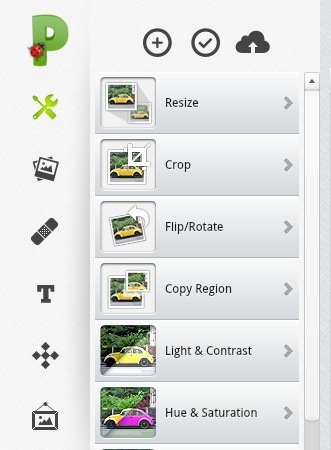
Picadilo è un editor di immagini web based, si tratta di un web eare che possiede finzionalità complete per il trattamento delle imamgini e non richeide lunghi tempi di apprendimento per poter essere utilizzato. La versione libera non consente di usare gli strumenti di selezione più evoluti e di lavorare con i livelli, per il resto offre tutte el altre funzioni: cropping, resizing, rotate, flip, regolazione luminosità, contrasto, saturazione,esposizione, temperatura colore, selezione, ecc. E' possibile salvare il lavoro finito e condividerlo. 
Therese Dristas's curator insight,
October 7, 2013 10:52 AM
This looks like it would be a valuable resource.
Scoop.it!

Selección de siete programas gratuitos para Windows que permiten realizar de forma rápida, sencilla y potente capturas de pantalla... Via Mila Solà Marqués, Javier Sánchez Bolado
Scoop.it!

Moodle lidera los entornos virtuales de enseñanza y aprendizaje (LMS). En estos últimos años se ha convertido en la solución de elearning universal. Via Jairo Acosta Solano
Scoop.it!

Si por esas cosas, ya se venció tu modo de prueba de Microsoft Office (donde viene Word) y no quieres pagar su costoso precio, quédate con nosotros y descubre las 10 alternativas a este programa totalmente gratis. Según el artículo de Investintech, hay cinco alternativas instalables y cinco más online. De cualquier forma, es bueno conocer estas opciones a la hora de trabajar con tipo de programas como Word. Hoy en día todo los trabajos se hacen en este tipo de programas, inclusive algunos por estar en la nube pueden llegar más rápido al profesor. Ahorrando papel, tinta y más. Via Mauricio M. Escudero
Scoop.it!
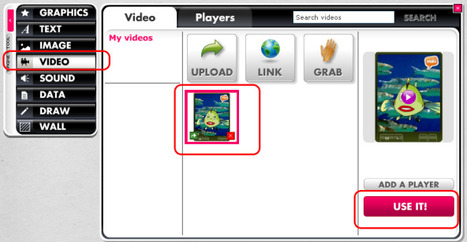
Is there a way to embed a Voki on Glogster? This is a very common question that we get from teachers! Unfortunately, the answer is no, you can’t embed a Voki on Glogster. But, we found a different way... Via Baiba Svenca, Lavinia Ionica 
Baiba Svenca's curator insight,
July 11, 2013 12:55 PM
If you love Glogster for creating presentations and if you wish to insert a Voki "speaker" in your presentation, here is the way how you can do it. The post gives you clear step-by-step instructions how it can be done. This may be particularly appealing to younger students. 
Alfredo Corell's curator insight,
September 2, 2013 5:42 PM
For inserting voice in your Glogster presentations
Scoop.it!

From
infogr
Create infographics and interactive online charts. It's free and super-easy! Follow other users and discover amazing data stories! Via Ángel de Miguel, IES Consaburum
Scoop.it!

Adobe acaba de anunciar un cambio drástico: Photoshop, Ilustrator, Indesign, Dreamweaver, Premiere... dejarán de ser en pago por licencia para ser de suscripción. En la nube. Te contamos ayer los detalles por aquí. Via Angel Acción Lamas, juandoming, cristina prieto
Scoop.it!

There's a lot to know about how you draw your letters. Your penmanship says a lot about you. Through the study of it, you can learn a lot about yourself. Via Alfredo Calderón
Scoop.it!

Drora Arussy's curator insight,
July 29, 2013 4:41 AM
Another wonderful example of a use of the flipped classroom - calculus. By allowing for some lectures to be done on an individual basis while students may repeat, slow down, speed up, pause, review, respond and all that while the teacher is free to work individually with students, incrate th larning t h next level, help facilitate their discussions and intersts. The transfer to language study is so evident- imagine not spending hours in the classroom reteaching the grammar topics in foreign language, but instead answering individual pointed questions and facilitating conversations that incorporate those concepts. many of us went the route of no grammar only to see many students need it, particularly the older students. A flipped classroom allows for the possibility of individual progress while not stopping a whole class. For those using this in history - flipping must free up time and mind space for collaborative thought and projects and some wonderful discussions! 
Ness Crouch's curator insight,
July 29, 2013 4:54 AM
Flipped Classrooms is a big topic of conversation at the moment... what's the best way of achieving that?
|
Scoop.it!
We've gone through hundreds of resources to assemble these guides which are meant to help you learn, teach, and share as much as possible. Via Ann S. Michaelsen, Gene Carboni
Scoop.it!

Todoele's curator insight,
July 31, 2013 6:36 AM
Many newly qualified or inexperienced teachers tend to base their lesson planning on the traditional PPP approach (Presentation, Practice, Production) because it is reliable and it is a valid framework around which to base a series of classroom activities. It is also usually the best way of covering all the lexical areas and grammar points in the course book or syllabus. All good and well. The problem is that PPP serves the teacher’s needs but it is debatable whether or not it fulfills the needs of the learner.
The language presented and practiced does not take into account the particular needs of each learner; the language content is almost always dictated by the coursebook and/or syllabus. For this reason, many teachers, having experimented with the PPP approach turn to more learner-centred approaches where the needs of the learner are central to the lesson content. Two such approaches are TBL (Task-Based Learning) and PBL (Project-Based Learning). 
Miguel Ángel García's curator insight,
August 20, 2014 3:03 PM
Many newly qualified or inexperienced teachers tend to base their lesson planning on the traditional PPP approach (Presentation, Practice, Production) because it is reliable and it is a valid framework around which to base a series of classroom activities. It is also usually the best way of covering all the lexical areas and grammar points in the course book or syllabus. All good and well. The problem is that PPP serves the teacher’s needs but it is debatable whether or not it fulfills the needs of the learner. The language presented and practiced does not take into account the particular needs of each learner; the language content is almost always dictated by the coursebook and/or syllabus. For this reason, many teachers, having experimented with the PPP approach turn to more learner-centred approaches where the needs of the learner are central to the lesson content. Two such approaches are TBL (Task-Based Learning) and PBL (Project-Based Learning)...
See Article: https://www.teachingenglish.org.uk/article/tbl-pbl-two-learner-centred-approaches
Scoop.it!
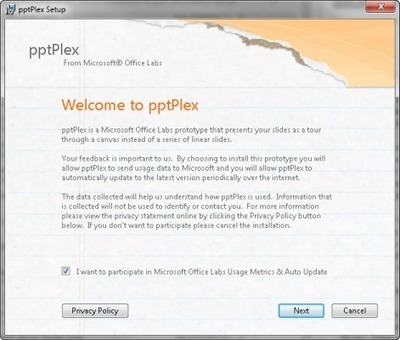
Did you know that Microsoft has a product that is similar to Prezi -- sort of? It's called pptPlex. Via Alexandra Duarte, michel verstrepen
Scoop.it!

"Great instructional videos from Russell Stannard excellent blog, Free Technology for Teachers.
Excellent tutorial on an essential web2.O tool
http://www.teachertrainingvideos.com/edmodo1/index.html http://www.teachertrainingvideos.com/edmodo2/index.html Free online Tricider tutorial for teachers and students. TeacherTrainingVideos.com provides free step by step camtasia screencasts that take you through a whole range of ict and web2.0 tools Via Aulde de Barbuat
Scoop.it!
From
issuu
This is all facilitated by the use of an illustrated guide using actual screen shots taken form his own well establish Moodle for Teachers site E-TeachUK Via LaiaJoana
Scoop.it!
Scoop.it!

Robin Good's curator insight,
July 28, 2013 4:39 PM
Podio offers modular collaborative workspaces that can be customized to your specific needs by adding adn integrating your preferred collaboration apps, available in its dedicated app library. The latest app addition is a free video and audio app which allows you to videoconference in real-time with any other Podio user (1-to-1). From SmallBizTrends: "If you’re still searching for the right video conferencing service to interact with your business partners, your customers, and your suppliers, Podio has added a new Podio video conference feature you may want to consider. Audio and video service was launched this week for Podio at no extra cost for users of the collaboration software whether you have a free or premium account. Anders Pollas, co-founder and product manager at Podio, introduced the new service recently on the official Podio blog. There are at least 200,000 Podio clients already using the business collaboration platform. With the new video chat app, users will be able to interact with each other using video and audio. But that’s not all. The workplace management and social site also recently added instant text messaging to go alongside its suite of other business apps already geared for group input and interaction." Source: http://smallbiztrends.com/2013/07/podio-video-conference-app.html Podio video conferencing features are available to everyone whether you have a free or Pro version of Podio. For now video-conferences support a maximum of two parties only. Podio is free for up to 5 users. More info: http://blog.podio.com/2013/07/09/audiovideopodio/ Free sign-up: https://podio.com/signup Tutorials: https://developers.podio.com/examples App library: https://company.podio.com/team Added to section Workgrouping - Team collaboration workspaces See more online collaboration tools: http://bit.ly/BestCollaborationTools2013 
Marion Mulder's curator insight,
August 2, 2013 9:44 AM
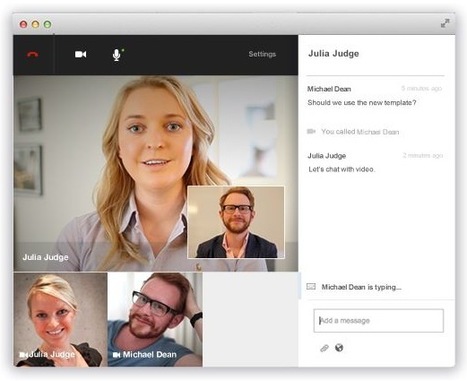
Podio is a very handy tool (web and app based) for collaboration on projects. It now also comes with video chat
Scoop.it!


AgileBelma's curator insight,
July 28, 2013 4:39 AM
Succint, straightforward and synergetic! If you use, or plan to use, apps, read this book first.
Scoop.it!

Word Bucket es una aplicación Android dedicada al aprendizaje de idiomas que nos enseña a aprender cubos de palabras en francés, italiano, portugués, Via Jean-Charles Blondeau
Scoop.it!
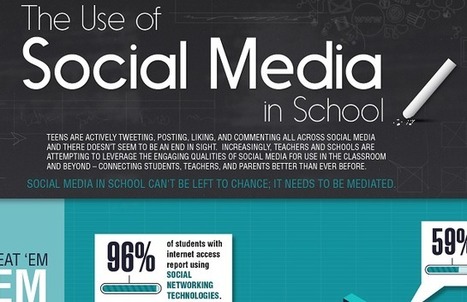
Teachers and schools are attempting to leverage the engaging qualities of social media for use in the classroom and beyond. Via AgileBelma |









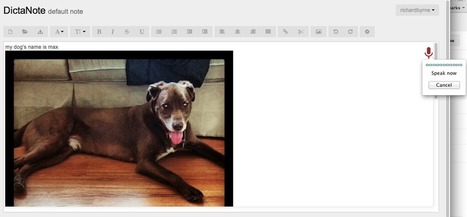




I just tried Roon out and made a post (on my Mac, by the way). I wanted to try it to see if it was something to share with students. It was pretty easy, though figuring out how to change the title of the post from "Untitled" was frustrating (I assumed the "Header" was the title...not so. You just click on it after you save and can change it in the sidebar.).
I'm not sure what the point of giving your blog a title was when it posts as your user name and never shows your blog title. My advice: use your blog title as your user name.
Not sure if I will use this with my students, but it is a simple and easy format. And free. Here's my simplistic post: http://mrsorman.roon.io/untitled