


Presentation in Google Docs, contributed by educators around the world

 Your new post is loading...
 Scoop.it! Presentation in Google Docs, contributed by educators around the world No comment yet.
Sign up to comment
Scoop.it!

Writing with Thinking Maps
Scoop.it!

The Blues: a multi-media project anchored by seven impressionistic and interpretive films that capture the essence of the blues while exploring how this art form so deeply influenced people the world over.
Scoop.it!

This tutorial shows you how to export Mind Map slides from the NovaMind presenter to create a presentation in PowerPoint. Via Baiba Svenca
Scoop.it!

Thanks to immense pre-order demand and a report showing that tablets are going to be a hot item this holiday season, Amazon is building millions more Kindle Fires than anticipated.
Scoop.it!
Oregon SSI sees personalized learning as an essential element in their Small Schools Initiative. In this article they have made a distinction between personalized learning and a personalized environment.
"A personalized environment describes the structures (such as advisories, cohorts and looping) that provide opportunities for students to be known well by their teachers and other school staff. But how teachers gather and apply that knowledge is what makes learning personalized." Via Kathleen McClaskey
Scoop.it!

This is, in my view, what you need to learn in order to be successful. Moreover, it is something you can start to learn this year, no matter what grade you're in, no matter how old you are.
Scoop.it!

Explainers utilize many tools to break down complicated subjects beyond just a block of text, and we’ve collected eight of the best. Some of them are visual, interactive, or entertaining, but all of them help users easily digest intricate topics. Via Darren Kuropatwa
Scoop.it!

While it's great to be able to get some one-on-one attention, a person new to using technology in the classroom often needs some handy digital or print resources to consult when an expert isn't available. For those times here are three good places to look.
Scoop.it!

Goalbook is a collaboration platform for teachers, parents, and students centered around the achievement of individual student learning goals. Via Kathleen Cercone, Kimberly Turley
Scoop.it!

The purpose of this resource is to provide ”Just in Time” training through an online interface for K-12 educators based on the National Educational Technology Standards for Teachers (NETS-T).... Via C.Rathsack
Scoop.it!

In an effort to speed up this adoption process, below you’ll find a boatload of resources on the past, present, and future of Twitter in education as well as some helpful guides to using the tool in the classroom.
Scoop.it!

Teaching ourselves, our students and other educators how to use screenshooting (images) and screencasting (video) tools is a relevant skill to have that integrates in so many areas. |
Scoop.it!

From
ht

But before you do, I have four questions for you. I'd like you to be able to describe and/or explain each of the following, if you would be so kind. 1. Reggio Emelia 2. Campbell's Law 3. Simpson's Paradox 4. The Zone of Proximal Development
Scoop.it!

A Map of Social Enterprises providing Clean Energy to Underserved Markets...
Scoop.it!

Educators say cell phones shouldn't be feared in the classroom.
Scoop.it!

Blogger Maurice Elias writes about significantly increasing students' success with social and emotional character development.
Scoop.it!

Education historian Diane Ravitch, writing about her trip to Finland, explains that the Finnish school system is amazing — even though students there don’t take a standardized test until their last year of high school. Via Jaye Richards-Hill
Scoop.it!
This 6 minutes video presents a powerful approach to personalized learning by a group of Wisconsin school districts in CESA #1. They clearly see that "students need to be at the center of their own learning" and that educators need to become education architects. Follow their progress as they embark on this journey to develop personalized learning as their model at theinstitute@cesa1.org. Via Kathleen McClaskey
Scoop.it!
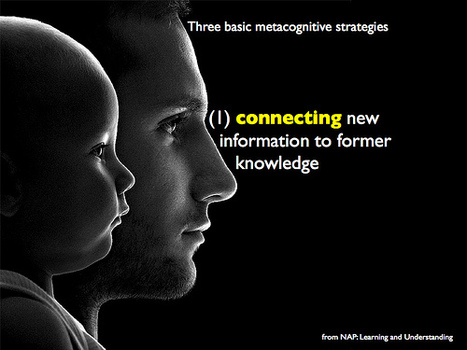
Watch Dylan Wiliam talk about the importance of young people being able to reflect on their learning and how teachers can utilise these insights. Via Darren Kuropatwa
Scoop.it!

Quick and easy ways to integrate Google Docs into your classroom
Scoop.it!

Find all Online tools and applications on one page, get a short description, compare, read reviews, see what people are saying about each one on the web, see screencasts and more... Via C.Rathsack
Scoop.it!

A self-directed program created for Ohio educators to explore and engage in web 2.0 technologies and 21st Century Learning Skills. Via C.Rathsack
Scoop.it!

Screencasting is a quick and easy-to-use tool that can help you create slick demonstration tutorials in any subject area, using any computer application. The software allows you to record a movie of what you are doing on a computer. Along with your movie, you can record voice-over audio to provide a series of instructions. |





