Create tests and help others learn! Share tests with your students and peers to help them improve and accelerate their academic growth. Learn at your own pace by taking tests, quizzes and exercises at your convenience.

 Your new post is loading...
 Scoop.it! Create tests and help others learn! Share tests with your students and peers to help them improve and accelerate their academic growth. Learn at your own pace by taking tests, quizzes and exercises at your convenience. No comment yet.
Sign up to comment
Scoop.it!

This article looks at role playing, an important technique for preparing for difficult conversations and situations.
Scoop.it!

An increased focus on individualization, along with an expansion in the use of mobile devices, improvements in digital textbooks and an increased use of social networking are among the trends to watch in education technology for 2012, says Karen Cator, technology director for the Education Department. Other trends include a push to bridge the digital divide in education, according to predictions authored by the Gilfus Education Group.
Scoop.it!

For those not familiar with Edmodo, in a nutshell it is a microblogging system designed specifically for teachers and students. Using Edmodo teachers can create a microblogging network for their classes. Via Leonardo Ornellas, Juergen Wagner, marydimonaco
Scoop.it!

These videos feature interactive opportunities for viewers. A good selection of basic and intermediate concepts for Moodle using instructors. (Pre-2.0) ~ Dennis
-----------------
The items are divided by topic. Once you find the topic that you are interested in, select the particular video that will help you from within that topic.
You can download this course for your own Moodle server. Just be sure to include the CC License and attribution with the course. Via marydimonaco
Scoop.it!

"Innovative teaching happens more in environments where teachers collaborate. In schools where teachers report more frequent collaboration with one another on teaching practices, innovative teaching scores tend to be higher... Teachers told us that collaboration can be an important mechanism for sharing teaching practices and for mutual support toward improving them." Via Nik Peachey
Scoop.it!

In the first instalment of his brand-new series, Nik Peachey looks at podcasting and how it can be used to help students develop their listening and speaking skills both inside and outside the classroom. Nik provides a comprehensive overview article on podcasting, a downloadable lesson plan, a video screencast tutorial and a printable how-to guide. Via Nik Peachey
Scoop.it!
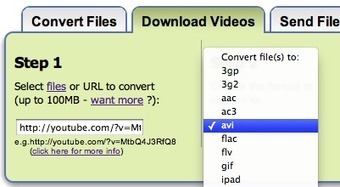
We’re often asked here at Zamzar how you can embed videos into Microsoft Powerpoint presentations, to give them that extra "wow" factor. We decided to put together a step by step guide to take you... Via Baiba Svenca
Scoop.it!
Tired of squinting in front of a small laptop screen for the next videoconference?
The Warpia ConnectHD device provides users with an easy way to stream content wirelessly (up to 1080p HD video quality) from any laptop computer to a television screen or HDTV without any limitation.
ConnectHD integrates a wide-angle HD video camera and a multidirectional microphone, and it provides the perfect technology fit to do videoconferencing from the comfort of your living room, and with the great view offered by your large screen TV monitor.
ConnectHD starts at $129.
Find out more: http://store.warpia.com/product_p/swp400vc.htm Via Robin Good
Scoop.it!
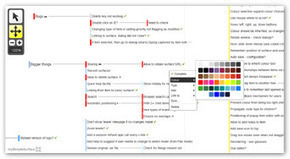
Mysimplesurface is a new kind of visualization and information-organization tool that sits between a mindmap, a project management and a task-list tool.
From the site: "My simple surface is fast and designed to manage lots of things in a semi-structured environment."
"...My simple surface is like a big white board for quickly and easily organising lots of things. When there's too much going on, you need space. You need a surface to put things on. Move things around. Step back. Organise, and re-organise."
Sets of information nodes can be organized into "surfaces", which are logical group of items connected together.
"Capture points quickly onto a surface. Organise, and re-organise later.
Create as many surfaces as you need and link them together. Manage large projects with inter-related surfaces. Organise them in the way that makes sense to you."
Surfaces can be shared with selected team members by inviting them via email through the dedicated Share function.
See an introductory video: http://www.mysimplesurface.com/intro
Start creating your first surface: http://www.mysimplesurface.com/design
More info: http://www.mysimplesurface.com/
(Reviewed by Robin Good) Via Robin Good
Scoop.it!
From the official press release:
Say for example, your Argentinian cousin, Carlos, speaks only Spanish. With Transfire XP, you can now chat with each other in real-time, without any language barrier. Send a message wishing Carlos a "Happy Birthday!", and he will read "Feliz Cumpleaños!" on his phone. Carlos then responds, "Gracias," and you read, "Thank you."
TNT Creations announced today the release of their iPhone application, Transfire XP, free for a limited time.
Transfire XP brings the first chat and instant-messaging app with real-time, translated text. The application features a user-friendly interface, fast message delivery, and supports over 50 languages.
Transfire XP finds contacts on your local phone or device, and supports contacts from Gchat and Yahoo Messenger. Upcoming support for chat on Facebook, ICQ, Baidu is coming next.
The translation is made possible by integrating Google Translate.
Transfire XP is free for a limited time.
Find out more about it: http://www.transfireapp.com/
Available in the AppStore here: http://itunes.apple.com/us/app/translation-fire/id413486753?mt=8&ls=1 Via Robin Good 
David's comment January 5, 2012 11:13 AM
what a great tool!
|
Scoop.it!

Your All-in-One App Platform App developers are under constant pressure to develop, promote, publish and maintain their apps and content on a growing variety of mobile devices. When you factor in all the devices and OS's, that's a lot of work. Conduit Mobile enables content providers and developers to create an app once and distribute it on all leading platforms, without any developing or coding skills. By cutting the technical workload, we allow publishers to focus on the content, delivering apps quickly, simply, and across all mobile devices. What's more, it's all absolutely free. 
Bella's comment January 15, 2012 2:16 AM
you have the wrong website link - it should be: http://mobile.conduit.com/
Scoop.it!

Blogging is one way of linking writing, reading, and connecting information and learning together. It seems the perfect venue to introduce elementary school students to the online world world of networked learning. They need to get acquainted to reading and writing hyperlinked text .
Scoop.it!

Taking the traditional science fair out of the school gymnasium and placing it on the Web, Google launched its 2012 Global Science Fair yesterday, a follow-up to last year’s inaugural event. The fair is open to any student (age 13 to 18) from anywhere who has access to the Internet and to a Web browser.
Scoop.it!

Interesting Q and A with a district tech director on the status of use of Moodle and Edmodo in his district. His answer: teachers and kids will vote with their clicks. For the time being, both will remain in use. -JL
Scoop.it!
David McCandless turns complex data sets (like worldwide military spending, media buzz, Facebook status updates) into beautiful, simple diagrams that tease out unseen patterns and connections. Good design, he suggests, is the best way to navigate information glut -- and it may just change the way we see the world. Via Nik Peachey
Scoop.it!

The iPad app has all the normal software installed that would expect with your IWB, so you can use different modes such as a whiteboard mode that enables you to write on the board from your iPad using your finger or an additional stylus, or surf the internet and interact with the computer native software, or you can mix the two modes and annotate over web pages or software based applications. The app records your annotations too so that you can play them back as video animations. Via Nik Peachey
Scoop.it!

Greenshot allows quick creation of screenshots, easy annotation, highlighting and obfuscating using the built-in image editor and sending the screenshot to a file, the clipboard, a printer or as e-mail attachment. Via Baiba Svenca 
tedcurran's comment January 13, 2012 6:51 PM
I really liked this tool on XP but have been having glitches on Win7. FYI
Scoop.it!

The presentation aid software allows you to highlight, zoom, spotlight, capture and annotate screen that can aid during presentations. Via Baiba Svenca
Scoop.it!

... ideas about ways to use these fun free tools in instructional situations and other academic applications. Via Baiba Svenca
Scoop.it!

"Everyone likes personal cloud services, like Apple’s iCloud, Google Music, and Dropbox. But, many of aren’t crazy about the fact that our files, music, and whatever are sitting on someone else’s servers without our control."
OwnCloud allows you to set up your own cloud server for file-sharing, music-streaming, and calendar, contact, and bookmark sharing project.
“OwnCloud offers the ease-of-use and cost effectiveness of Dropbox and box.net with a more secure, better managed offering that, because it’s open source, offers greater flexibility and no vendor lock in."
OwnCloud enables universal access to files through a Web browser or WebDAV. It also provides a platform to easily view and sync contacts, calendars and bookmarks across all devices and enables basic editing right on the Web.
Programmers will be able to add features to it via its open application programming interface (API).
Read more about it: http://www.zdnet.com/blog/open-source/owncloud-an-open-source-cloud-to-call-your-own/10011
Check the official site: http://owncloud.org/
Try it out now: http://demo.owncloud.org/files/index.php
or download it: http://owncloud.org/releases/owncloud-2.0.1.tar.bz2 Via Robin Good
Scoop.it!
CX (free to $19.99 per month) is a cloud-based syncing and storage back-up solution, similar to the well-known Dropbox, that gives you access to your files from virtually any Internet-connected device.
CX offers free downloadable software that works seamlessly on Windows and Mac, as well as free apps for the iPhone, iPod touch, and iPad.
Where native apps aren't supported—and they're notably missing from Android, BlackBerry, Windows Mobile, and Linux—a straightforward and responsive website, CX.com, stands in just fine.
The free basic account offers 10GB and all of the features.
Read the full review on PC Magazine: http://www.pcmag.com/article2/0,2817,2395993,00.asp
Features: https://www.cx.com/features/
Pricing: https://www.cx.com/plans/
Fid out more: https://www.cx.com/
Via Robin Good |