Google+ unveiled itself to the public amidst a chorus of praise and adulation from techies all over the globe. Unfortunately, it also earned a good amount of scorn from individuals who were not ready to grasp the unique philosophy Google+ was promoting. That philosophy is one of openness.
Unlike Facebook, Google+ is designed to connect strangers, and inspire collaboration and contribution. It has proven to be an amazing platform for promoting ideas, brands and people.
Since its early rollout, Google+ has forced competitors to begin evolving, inspiring platforms such as Facebook and Twitter to develop new ways of thinking about social media and the functionality they offer.
Facebook recently changed the way users interact with content on fan pages: any user, including non-fans, can now post on fan page walls and like/comment/share fan page content. In other words, a Facebook user does not have to first like your fan page before they can interact with your content. This is a good thing!
Since this change, the emphasis has shifted slightly from gaining more likes (fans) to increasing the number of shares on each piece of content. When you craft your fan page updates in a manner that naturally inspires fans and their friends and visitors to your page to share with their networks, you set in motion ripples of viral visibility. Basically, free additional exposure...
After creating content -- whether it's a blog post, an ebook, a webinar, or a video -- it's important to promote that content through social media channels.
And when you do promote that content in social media, you cross your fingers that it generates a ton of shares, tweets, and interaction. For the sake of Twitter, if you follow a few simple best practices, more people are likely to retweet and spread the distribution of your content, giving it a much broader reach and a better opportunity to get found by a new audience of prospective customers beyond your direct followers. Marketers should know how to retweet the right way, but it's also critical for them to learn how to get others to retweet their content, too.
11 Tips for Getting People to Retweet Your Content...
Retweets, you have heard about them, you know what they are but you aren’t gettin’ them.
For some reason you just can’t seem to get the engagement you are seeking, desiring and yearning for in social media and Twitter.
You may be new to Twitter and simply don’t know what the heck you are doing, how to get a retweet or why the retweets even matter. This post won’t teach you what Twitter is but provides good tips for tweetable content which you need regardless if you know what you’re doing or not (joking).
Or you may be a Twitter and social media veteran who just wants to boost your ego, increase your Klout score or simply show off for Grandpa this weekend how popular you are on the social waves?...
With so many Twitter tools out there, it's hard to know which ones to trust with your Twitter account management. So why not take a look at what the social media and industry experts are using!
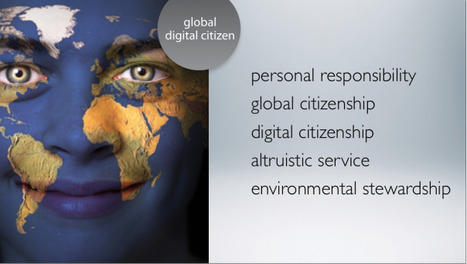
"A couple of weeks ago we started a “series” based on the work of those lovely chaps at the 21st Century Fluency Project – Lee Crockett, Ian Jukes and Andrew Churches"
Do you love Android apps and are interested in testing them on your PC ? You can now try them out on your computer using Bluestacks. Bluestacks is a web tool that will let you run Android apps right from your desktop. This service is completely free and above all very simple and easy to use.
Here are some reflections on using an online noticeboard tool and a collaborative bookmarking tool as part of a learning design process.
21st century tools for teaching and learning is the title of session I run a couple of times a year and I'm running it again on 7th Feb. Its a workshop where teachers in London can come and learn about a various of internet-based tools which they use in their teaching. What I'm doing is aggregating what's out there, making sense of it and then articulating what I've learnt for those in schools.
Comprehensive learning site maintained by the Goodwill Community Foundation, an arm of Goodwill Industries.
Computer and technology training offered for many applications including Word, PowerPoint, Excel, Access, email, cloud services, Google, Facebook, mobile apps, and much more. Instruction takes the form of vidoes, articles, and practice exercises.
Site also offers multiple resources for career development, reading improvement, and math development. -JL
Last fall, without her mother knowing, Ebony enrolled herself in Techbridge, an after-school science and math program geared specifically to girls. She signed up for math tutoring at school because she’s struggling in the subject. And her science teacher, Ken Eastman, says she even came to his science class twice a day for a while.
“Once these girls get that satisfaction from knowing they can do something that most adults don’t know how to do, that knowledge in itself is so empowering.”
Over the past two or three weeks I have noticed something really interesting. I got in contact with or read about at least six startups that were all working on kind of the same project: connecting teachers, students and parents via text messages. Those startups are namely SnappSchool, remind101, ClassParrot, ClassPager, Text2Teach and TruantToday
One of the things many people struggle with in social media are identity issues, and I am no different. Up until yesterday, my main Facebook entities included my personal profile and my fan page for Kikolani. While I love both of these, I found some problems with sharing links to posts I’ve done elsewhere. Specifically…
- Links I’ve posted to my personal profile lately haven’t gotten that much attention compared to plain status updates or photos. - The fan page for this blog is focused on posts from this blog only. Fans didn’t sign up for posts from elsewhere.
So the solution was creating a new Facebook page. This page is specifically focused on my freelance writing and blogging as a whole so it can be a platform where I can share links to anything I have written anywhere...
As part of my on-going work developing social media for business units, I’m often asked about what types of tools I used for tracking all that ‘social media stuff.’
Let me talk about how I go about creating a social media dashboard
The basic answer is that I don’t have one tool (I have dozens, if not hundreds.)
The real answer is that I am not tracking social media. I am tracking key performance indicators (KPI) I don’t care if it is a shipping problem or a viral YouTube video. I simply want to know how I can track it, manage it, and maximize results.
With that said: when I think about creating a social media dashboard or using a platform to track results… I am looking at several unique business identifiers that define what tool I need for the job at hand...
I hope you enjoyed part one of what I learned the first year.
The original post was packed with so much information that I had to break it down into two parts or otherwise risk being labeled as verbose as Nitty.
The following are the remainder of the tips I learned the first year of blogging.
Take action. Do a little bit everyday.
It is easy to get caught up in reading, learning and planning on the internet. Plan away but if you don’t take action then you will get nowhere. If you don’t know where to start, then break your blog down into baby steps.
Take a week to map out your niche, then the next to map out what you want to include in your site? The following to come up with a logo and tagline and so on. You may need less than a week for each task.
You can read all the blogging advice in the world, but none of it matters unless you take action.
To set your blog up to be a massive success, you have to ruthlessly focus your efforts on things that work, and stop spending precious time on things that don’t.
Today I’m going to make it easier for you to take the action you need to take to make your blog better. All you have to do is set aside 10 or 15 or 60 minutes to tackle one of the 21 simple steps below.
The more you complete, the more progress you’ll make.
v
You’ve probably already completed some of these, but I guarantee you haven’t done all of them. If you have completed all of ‘em, please tell me in the comments. Better yet, share one of your own extra tips.
We need to start envisioning our teachers as knowledge generators and creative professionals whom we trust to innovate and implement unorthodox ideas that might transform teaching and learning. The time has come to reward innovation among our best and most creative teachers. They should be given the time and resources to reflect on their practice, experiment with new ideas, and implement strategies to more effectively engage learners.
Edited highlights from Sir Ken Robinson's talk at Learning Without Frontiers recorded March 16th, 2011, London. Title: Creativity, Learning, and the Curriculum
Some days everyone needs a little extra encouragement. The words or lines or colors don’t want to come, or worse, we don’t even want to sit down to create. That’s when we turn to these inspiring manifestos, any one of which is guaranteed to give our uncooperative creativity a sharp kick in the pants. Here are five of our favorite contemporary manifestos that nudge ideas out of your head and into the hands of the world.
To get content containing either thought or leadership enter:
To get content containing both thought and leadership enter:
To get content containing the expression thought leadership enter:
You can enter several keywords and you can refine them whenever you want. Our suggestion engine uses more signals but entering a few keywords here will rapidly give you great content to curate.


 Your new post is loading...