Your new post is loading...

|
Scooped by
Jim Lerman
May 21, 2012 3:12 PM
|
Joyce Valenza is one of my favorite librarians. Her high school library's website (mentioned here before) is just terrific (Springfield Township, PA)...and she presents and blogs all over. This particular post is a sweet missive addressed to the graduating seniors in her school detailing how they can maximize their resarch searches when they go off to their respective colleges in the fall. Lots of good advice here for all of us. -JL
|
|
Rescooped by
Jim Lerman
from Scriveners' Trappings
May 20, 2012 11:48 PM
|
Google Docs Slide Share. A compendium of clever ideas and techniques to stimulate quality, engaging writing...many with web 2.0 enablers. -JL
|
|
Rescooped by
Jim Lerman
from Teaching in the XXI Century
May 20, 2012 11:16 PM
|
From the website "FREE DOWNLOAD FOR A LIMITED TIME!
A comprehensive video guide to using the iPad. When you close the tutorial, it remembers your position and restarts just where you left it! There is also a Mac version of this video tutorial application available from the Mac App Store - just search for SCOtutor. Comprehensive iPad Tutorial
The video tutorial runs for 130 minutes and covers 20 major subjects organised into over 70 topics.
• The iPad Controls
• Managing The Home Screen
• Personalising Your iPad
• Home Button & Gestures
• Installing Applications on Your iPad
• Searching on your iPad
• Notifications on your iPad
• Using Text and the Keyboard
• iCloud and the iPad
• Syncing with iTunes
• Airplay and Mirroring
• Safari Web Browser
• Contacts
• Mail
• Calendar
• Camera and Photos
• Messages
• Music, Video & iTunes Store
• Reminders
• Newsstand
• Maps
• PhotoBooth, Facetime and YouTube"
Via Ana Cristina Pratas, João Greno Brogueira
|
|
Scooped by
Jim Lerman
May 20, 2012 12:51 AM
|
By Melanie Pinola "Earlier this week, Google introduced Knowledge Graph, the company's new search technology that understands "things not strings" and adds rich and relevant details about your query in the sidebar of your search results. Here are five great things you can now do with a quick Google search." "I took the new version of Google Search for a spin to find out just what it can do, and have to say it's pretty useful. To recap, Google now connects your search query with its knowledgebase, which includes Wikipedia and the CIA World Factbook. If you search for a person, place, or thing within that 500+ million object database, Google adds the related key facts alongside the regular search results. (The tech is still rolling out, but you should see it when you're logged into Google sometime in the next few days, if you don't already.)
|
|
Scooped by
Jim Lerman
May 19, 2012 8:14 PM
|
From the website "We're excited to share a series of new professional development videos! We've partnered with Teaching Channel to co-produce nine videos that feature lessons from our digital literacy and citizenship curriculum and show how they can be used to meet ELA Common Core State Standards."
|
|
Scooped by
Jim Lerman
May 19, 2012 12:30 AM
|
By Richard Byrne "This is another post that was prompted by a reader's email. The email was looking for a list of recommended note-taking tools. I've reviewed a lot of note-taking tools over the last five years, but I have never made a list. So here's my list of seven great note-taking tools for students and teachers."
Create awesome videos from your photos, video clips and music. Simply upload your photos and videos, add music and Slidemotion will do the rest... all you need to do is share them.
Via Baiba Svenca
|
|
Scooped by
Jim Lerman
May 18, 2012 8:26 PM
|
By John Paul Titlow "Unlike a desktop computer, the device is designed to allow the user to focus on only one thing at a time. When one needs to focus on stringing together words without the distractions that so easily flood a desktop computer, the one-task-at-a-time nature of the iPad is a blessing. "When you unbox an iPad, it's not necessarily ready for an optimal experience of sustained writing. It's pretty close, though. The native Notes app is fine enough, and the touchscreen keyboard gets the job done, but to really make the most of the device's potential, third-party accessories and writing-specific apps are required."
|
|
Scooped by
Jim Lerman
May 18, 2012 9:47 AM
|
Free webinar Tuesday, May 22, 2012 - 3;30-4:30 pm Eastern Time Presented by Patrick Larkin, Principal of Burllington (MA) HS and NASSP 2012 Digital Principal Award Winner THE SCHOOL THAT LAUNCHED 1,000 iPADS - A LOOK AT MOVING TO A 1:1 ENVIRONMENT "This session will detail Burlington High School's journey in creating a 1:1 environment where each student has a web-enabled device. The session will cover building a case for 1:1 and gaining stakeholder support from school board members, staff, students, parents, and community members. The session will also look at the up-front and embedded professional development that is necessary to ensure the success of this type of large-scale device deployment. Other areas of focus will include: digital citizenship, acceptable use policies, filtering, and classroom management."
|
|
Scooped by
Jim Lerman
May 18, 2012 1:13 AM
|
A gold mine for sharing, learning, discussing (you get the idea). Tons of resources in curriculum, multimedia, applications, and events. The Teaching Writing group has 2764 members as of May 18, 2012. Sign up! -JL
|
|
Scooped by
Jim Lerman
May 17, 2012 3:59 PM
|
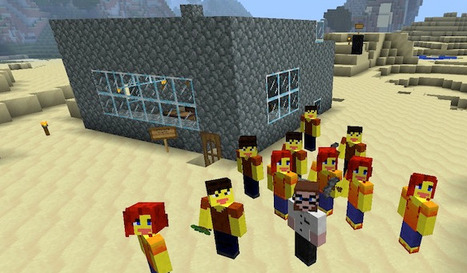
By Katrina Schwartz "Educators have been tapping into the wildly popular online game Minecraft for its potential as a learning tool for a while now — to teach physics, math, and computer science. But until recently, the game was mostly the territory of computer science teachers, and even they were forced to use the commercial version of the online game. "So a few months ago, two teachers, Santeri Koivisto and Joel Levin, decided to make the software more accessible and relevant to teachers. They joined forces to found MinecraftEdu and started offering discounted educator licenses to Minecraft. MinecraftEdu now offers a plug-in, which enables teachers to tailor the software to individual curriculum. And a fresh new wiki is dedicated to sharing ideas with topic suggestions such as “How To Use Redstone, (a fictional mineral) To Teach Electricity.” Teachers can also work with others to co-develop lesson plans within the game software. "Teachers like to use Minecraft because it’s a “sandbox” game — it provides players nearly limitless freedom to build within it. As a player’s skill develops, the game’s complexity increases ad infinitum. In multi-player levels, players collaborate on building complex structures, use programming features to build contraptions, games, or compose music. Meanwhile, beginning players use their problem solving skills to scavenge for materials. They learn to mine stone for building, and coal for making fire."
|
|
Scooped by
Jim Lerman
May 17, 2012 1:16 PM
|
From Google How to use the new Research Tool in Google Docs. -JL
|
|
Rescooped by
Jim Lerman
from Scriveners' Trappings
May 16, 2012 11:44 PM
|
By Dave LeClair "It seems like there is no hobby or topic a person could be interested in that does not “have an app for that.” For poetry, I was shocked in regards to just how many iPhone apps are available and how many different things they can do. There are apps for writing poems, finding words that rhyme, reading other’s poems for inspiration, finding writing prompts and even watching videos of people performing their poetry live. If there is something you want your iPhone to do that is related to poetry, an app can handle it."
|
|
|
Scooped by
Jim Lerman
May 21, 2012 2:59 PM
|
From the website: "With Google Groups, that heavy lift is lightened and it is a snap to add or remove permissions quickly and accurately. The reason why this automagic-ness happens is because Google groups have a public email address attached to them. So, when you create a document, file or a folder with that email address ALL group members immediately gain access. This means that when you add an individual to a group, they automagically gain access to ALL the documents, surveys, presentations, videos, calendars and sites without you having to do a thing. Removing these permission is as simple as removing an individual from a group."
|
|
Scooped by
Jim Lerman
May 20, 2012 11:40 PM
|
"Along with reading comprehension, writing skill is a predictor of academic success and a basic requirement for participation in civic life and in the global economy. Yet every year in the United States, large numbers of adolescents graduate from high school unable to write at the basic levels required by colleges and employers. Writing Next: Effective Strategies to Improve Writing of Adolescents in Middle and High Schools, commissioned by Carnegie Corporation of New York and published by the Alliance for Excellent Education, discusses eleven specific teaching techniques that research suggests will help improve the writing abilities of the country’s 4th- to 12th-grade students." Scroll down on page below the large textbox to find link to this pdf. -JL
|
|
Rescooped by
Jim Lerman
from Teaching in the XXI Century
May 20, 2012 11:08 PM
|
Robin Good: FlashIssue is a web app which allows you to easily assemble a professional-looking newsletter, by bringing together your best content as well as any article available online.
FlashIssue can read your site RSS feed or for that matter any RSS feed you provide it with and you can pick and select from the stream of items in the feed the ones you want to include in your newsletter.
Not only. You can search for any topic via an integrated Google Search or provide the URL of a specific web page you want to integrate.
Once done, you can personalize the newsletter with your banner, text introduction and footer and then send it to all of your contacts in Gmail, or to your subscribers lists inside MailChimp, ConstantContact and other mail delivery services. N.B.: A Google Chrome plugin also allows you to easily clip and grab any content directly from any web page and easily integrate it inside your curated newsletter. See how it works: http://www.flashissue.com/gmail-newsletters/ ; Read more about it: http://www.flashissue.com/curated-newsletters-flashissue-launches-for-mailchimp-gmail ; Chrome plugin: http://www.flashissue.com/gmail-newsletters/ ; Try it out: http://www.flashissue.com/ ;
Via Robin Good, Juergen Wagner, João Greno Brogueira
|
|
Scooped by
Jim Lerman
May 19, 2012 9:16 PM
|
By Zoe Fox "Deanna Jump, a kindergarten teacher from Georgia, has made $700,000 selling her lesson plans on Teachers Pay Teachers, an ecommerce startup where teachers offer their lesson plans to fellow educators. "Paul Edelman, the founder of Teachers Pay Teachers, created the platform following a four-year stint as a New York City public school teacher. “I had an insight that the materials teachers created night after night had monetary value, so I set out to create a marketplace called Teachers Pay Teachers,” Edelman told Mashable. “Teachers are now making a pretty significant supplemental income and creating higher quality materials.”
|
|
Rescooped by
Jim Lerman
from Scriveners' Trappings
May 19, 2012 8:05 PM
|
From the website "Creating presentations and slideshows is one of the needed skills for both teachers and students. Unfortunately many teachers still find it hard to arrange data into a catchy slideshow to share with students. "Below is a list of some of the best free tools teachers and students can use to create awesome slideshow and presentations. I have already reviewed all of these tools and therefore attest to their usability."
|
|
Rescooped by
Jim Lerman
from Startup Revolution
May 18, 2012 11:22 PM
|
Robin Good: Now that SlideShare has significanty restricted its free offerings, limiting the size of presentations that can be uploaded for free, many presenters like me have started looking again for valid alternatives.
Among the many options available, one interesting and feature-rich presentation sharing service is Projeqt, which not only allows you to upload your existing presentations or PDFs, but it allows you to edit, extend and even create new presentations containing also dynamic elements (live tweets or blog feeds, interactive maps, audio notes or video clips). "Projeqt is simple, intuitive and highly social, playing nice with other platforms by allowing you to mesh together text, image, video and feeds within the same Projeqt." Key features include: -> Stacks - build deeper inside a presentation by creating stacks in place of individual slides -> Cross-platform - works on any modern browser, mobile device or tablet. -> Upload PPT, PDF or batches of image files -> Embed everywhere -> Link together and connect as many presentations as you like. -> Multiple display options Features: https://projeqt.com/#features ; Examples: https://projeqt.com/#examples ; More info: https://projeqt.com/ ;
Via Robin Good, Martin (Marty) Smith
|
|
Scooped by
Jim Lerman
May 18, 2012 9:00 PM
|
By Tim Wilhelmus Web 2.0 tools organized by type/task. A very handy reference with numerous categories such as Social Networking, Video Editing, Visualization, Writing, Time Management, Drawing, Curation, Digital Storytelling and much more. Nicely organized and laid out. -JL
|
|
Scooped by
Jim Lerman
May 18, 2012 11:43 AM
|
A new app for the social network wants to turn peer-to-peer into friend-to-friend... By Ellis Hamburger "Pipe, on the other hand, transmits files to friends who are online, hence, these downloads cannot be accessed later by anyone. There’s also no need for storage or bandwidth on servers, since Pipe creates a peer-to-peer connection that lets you take full advantage of your connection and never throttles uploads or downloads. The download progress meter (a bar of light that fills the rim of the pipe) you see on your screen is the same one your friends see. But there is one more thing Hossell wants to avoid: data security drama. “People are starting to look much more closely at the privacy policies of Dropbox, Google, and Microsoft,” he said, “and are realizing that through innocuous language these companies ask users to give them all sorts of permissions for what to do with their content. If you're sending files from browser to browser, you don't have any of those issues about privacy without being snooped on.”
|
|
Scooped by
Jim Lerman
May 18, 2012 1:17 AM
|
A useful list, but some of the links are broken. If you search for the broken ones by name, you can usually locate them. I found some here I had not heard of before. -JL
|
|
Scooped by
Jim Lerman
May 18, 2012 12:48 AM
|
This was a really enjoyable experience. Quite inspiring and lots of good ideas and resources. Well worth the time. The first slide in the archived presentation is about 45 min of music. If you want to go directly to the preso, skip to slide 2. Very well done. -JL
|
|
Scooped by
Jim Lerman
May 17, 2012 1:32 PM
|
From the website: "The Knowledge Graph enables you to search for things, people or places that Google knows about—landmarks, celebrities, cities, sports teams, buildings, geographical features, movies, celestial objects, works of art and more—and instantly get information that’s relevant to your query. This is a critical first step towards building the next generation of search, which taps into the collective intelligence of the web and understands the world a bit more like people do. "Google’s Knowledge Graph isn’t just rooted in public sources such as Freebase, Wikipedia and the CIA World Factbook. It’s also augmented at a much larger scale—because we’re focused on comprehensive breadth and depth. It currently contains more than 500 million objects, as well as more than 3.5 billion facts about and relationships between these different objects. And it’s tuned based on what people search for, and what we find out on the web. "We’ve begun to gradually roll out this view of the Knowledge Graph to U.S. English users. It’s also going to be available on smartphones and tablets—read more about how we’ve tailored this to mobile devices. And watch our video (also available on our site about the Knowledge Graph) that gives a deeper dive into the details and technology, in the words of people who've worked on this project:" I don't have it yet. Can't wait. -JL
|
|
Rescooped by
Jim Lerman
from Scriveners' Trappings
May 17, 2012 1:03 PM
|
This could be a nice way for your students to keep a brief diary...only 280 characters a day. -JL
|