Your new post is loading...

|
Rescooped by
Jim Lerman
from :: The 4th Era ::
August 6, 2012 2:12 PM
|
By Mary Beth Hertz Summary by ASCD SmartBrief "More and more schools are investing in one-to-one technology solutions, writes K-6 computer teacher Mary Beth Hertz, but not all schools can afford them. If you're a teacher trying to integrate technology while sharing a single school-computer lab or laptop cart, Hertz in this blog post offers six ideas for making the most of your time and resources."
|
|
Scooped by
Jim Lerman
August 5, 2012 5:35 PM
|
By Almetria Vaba "Summer can be a great opportunity to leverage a child’s interest in specific subjects, like science or history, with their fascination for digital games. PBS LearningMedia, launched a year ago, has a robust collection of free interactive games to experiment, manipulate, and investigate."
|
|
Scooped by
Jim Lerman
August 5, 2012 4:42 PM
|
By Diana V. Faustmann "A popular post on this website is “How to Record Lectures with Your iPhone’s Microphone.” Though that post is about a year old, it remains valid because neither the Voice Memos app nor the iPhone mic have changed much since. "In the meantime, two app-enhanced iPhone recorder accessories have emerged to help you record lectures with your iPhone with greater clarity and quality, and then share them with ease. One is a compact microphone appcessory for audio recordings and the other is a swiveling tripod appcessory for video recordings . Though these iPhone recorder appcessories won’t produce studio quality recordings of the lectures that you either give or attend, they generate significantly better audio and video recordings than you would get using the iPhone mic and an iPhone recorder app."
|
|
Rescooped by
Jim Lerman
from Teaching in the XXI Century
August 4, 2012 10:58 PM
|
|
|
Scooped by
Jim Lerman
August 4, 2012 8:33 PM
|
Links to two collections of Photoshop tutorials from a graphic arts student (and President of the Photography ClubO) at Baruch College in NYC. She says they're rather helpful. -JL
|
|
Scooped by
Jim Lerman
August 3, 2012 6:53 PM
|
By Matt Levinson Summary by SmartBrief on EdTech "As students increasingly use social media websites, such as Facebook and YouTube, the issue of online safety has been in the spotlight. Now, YouTube is offering online courses on cyberbullying and other topics, and Facebook and other groups are working to develop a social media policy that could serve as a guide. Meanwhile, schools are working to develop their own policies that regulate communication online."
|
|
Rescooped by
Jim Lerman
from Scriveners' Trappings
August 2, 2012 3:04 PM
|
There is nothing much rewarding for students than to see their accomplished work being published and celebrated with others. This is very much motivating and is a strong impetus for them to achieve more and work harder. Can you imagine how happy a student would be to share his classroom work with his parents in a neat and clean online platform that they access anywhere and anytime ?
There are several online tools that you as a teacher can use to host your students work and share them with the whole class and as well as parents .Below are some tools that can help you do that. Check them out :
Via Heiko Idensen, Jim Lerman
|
|
Scooped by
Jim Lerman
August 2, 2012 9:33 AM
|
From the NY Times Learning Network By Katherine Schulten "The U.S. Department of Education has declared August Connected Educator Month, and since we’d be nothing without the teachers we’ve connected with over the years, we’re enthusiastically on board. "To celebrate, we asked every educator who has written a guest post for us, been featured in a Reader Idea, or collaborated on one of our features to answer two simple questions: "What is one important thing you’ve learned from someone in your Personal Learning Network (P.L.N.), however you define that network? "What one person, group or organization would you recommend every educator add to his or her P.L.N.? "Reading their responses, below, is a crash course in how to be a “connected educator.” By our count, together they’ve recommended more than 100 people, organizations, sites and other resources you can learn from right now, as well as shared insights on how to learn from them. "So read what they have to say, follow the links to their work both within and outside The Learning Network, and, when you’re done, tell us how you’d answer those two questions yourself. Like the connected educators we are, we’ll then share some of our favorite responses on Twitter, via @NYTimesLearning."
|
|
Scooped by
Jim Lerman
August 1, 2012 6:02 PM
|
Description from American Assn. of School Librarians "Collaborate, create, organize, and share content on Stixyboards, a flexible Web-based bulletin board. Customize and design an unlimited number of digital bulletin boards by uploading files, drag ‘n’ dropping photos, notes, images, documents, or to-do lists. Tip: Use this site to help students organize information in a way that make sense to them to collaboratively create and share projects."
|
|
Scooped by
Jim Lerman
August 1, 2012 5:48 PM
|
The title of this post is absolutely correct. If you delight in trolling for web 2.0 tools, this list will keep you busy for a long, long time. -JL
|
|
Rescooped by
Jim Lerman
from :: The 4th Era ::
July 31, 2012 6:29 PM
|
Great projects from wonderful teachers! Be inspired by them. -JL From the website "Today we are excited to announce the official list of educators for the Microsoft Partners in Learning 2012 US Forum. This is the 8th annual Partners in Learning Forum, a global program that last year attracted more 250,000 educators from over 70 countries. The Partners in Learning 2012 US Forum focuses on showcasing and celebrating educators and the work they are doing in classrooms across the United States. A select few will go on to represent the U.S. at that Partners in Learning Global Forum in Athens, Greece in November. "This summer we are inviting 102 educators from 25 states to showcase their projects (here is the official press release). Educators will travel to Microsoft’s worldwide campus in Redmond, WA (July 31-Aug 1) to share their work, collaborate with like-minded educators and participate in professional development activities. Each project will be carefully evaluated by judges who are education leaders from professional associations and non-profits, school and NBCT leadership, and master teachers. Finalists from the 2012 US Forum will go on to represent the U.S. at the Global Forum in Athens, Greece this fall for a unique opportunity to engage with educators from around the world."
|
|
Scooped by
Jim Lerman
July 31, 2012 5:31 PM
|
By Catherine Gewertz Summary by ASCD SmartBrief "A program that relies on primary-source documents rather than textbooks is getting a new look as teachers prepare to implement Common Core State Standards. "Reading Like a Historian" is a set of 75 U.S. history lessons in which students use letters, articles, speeches and other documents to understand and interpret historical events. The free lessons require teachers to change the way they prepare for class and to find class time for deeper exploration of events and concepts, proponents say. According to a 2008 study, students using the program outperformed those in a control group in factual knowledge, reading comprehension and "historical thinking." Link to the complete, free program "Reading Like a Historian": http://sheg.stanford.edu/?q=node/45
|
|
Scooped by
Jim Lerman
July 30, 2012 6:01 PM
|
From the website "We are pleased to announce the Learning 2.0 Conference, a worldwide virtual event, August 20 - 24, 2012. This free conference is being held online, in multiple time zones, over the course of five days. It is being held in conjunction with Connected Educator Month, and will include an all-day virtual unconference (SocialEdCon online!) as well as a special educational start-up "pitchfire" event." "Keynote sessions: Heidi Hayes Jacobs, Sugata Mitra, Marc Prensky, Audrey Watters." This conference is free and has always presented a tremendous amount of excellent ideas. -JL
|
|
|
Rescooped by
Jim Lerman
from :: The 4th Era ::
August 6, 2012 2:07 PM
|
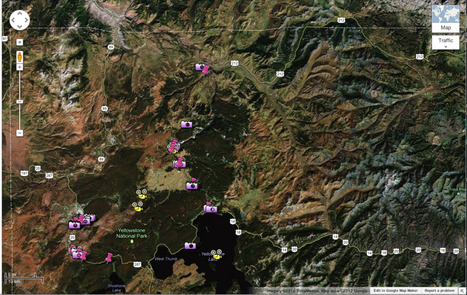
By Almetria Vaba Map-making with Google "This summer at ISTE (an international tech education conference held in San Diego), curious about the current craze over maps in the classroom and in order to check out my colleagues in action, I attended a session on making maps. I learned that making maps is easy and engaging and can even serve as an assessment tool. Here is the recording of the KQED presentation Enhance Science Learning with Online Mapmaking, a guided step-by-step, hour-long workshop on creating maps."
|
|
Scooped by
Jim Lerman
August 5, 2012 4:47 PM
|
By Diana V. Faustmann "To improve your search results for the best iPad and iPhone apps for kids, you must first do a little homework. I’m happy to share mine with you below. It’s a list of more than 100 kids app review sites compiled over time for and in behalf of a little girl named Maya. She’s a three-year-old whom I grandparent (and spoil) long-distance with FaceTime chats and the best iPhone and iPad storybooks, games and learning apps for kids. So far, so good. "Ironically, the challenge of finding the best iPad and iPhone kids apps begins in the App Store, where the label of “Kids” applies generically to toddlers, tweens and teens. So to make truly discriminating kids app choices — appropriate to your child’s age, needs and preferences — you definitely need the guidance of kids app reviewers. You’ll find app-smitten parents, grandparents, aunts and uncles among them, as well as “appstute” teachers, educators, psychologists, therapists, app developers, professional tech reviewers and more. This list should help you identify a few good ones, well suited to you and your children."
|
|
Rescooped by
Jim Lerman
from Teaching in the XXI Century
August 5, 2012 12:21 AM
|
Wixie is the award winning online authoring tool students can use to construct knowledge and communicate ideas. Today’s learners need a tool that is accessible whenever and wherever they are ready to learn! Students can use Wixie’s paint tools, text options, clip art, and voice recording to develop online storybooks, curriculum projects, and so much more.
- Wixie is a great tool for self-expression
Combining artwork with text and voice recording makes Wixie the perfect canvas for today’s digital learners.
- Wixie motivates a wide range of learners
Wixie helps all students produce high-level work, providing a sense of pride in their abilities and fostering the determination to achieve.
- Wixie helps students learn
Creating with technology encourages thinking, creativity, and communication skills.
- Wixie helps students develop collaboration skills
Wixie supports team-building and organization skills through real-time collaborative projects.
- Wixie supports strong school-to-home connections
Everything created in Wixie is stored in the cloud and can be shared as easily as sending a URL by email. Released July 27, 2012 -JL
Via Ana Cristina Pratas, João Greno Brogueira
|
|
Rescooped by
Jim Lerman
from :: The 4th Era ::
August 4, 2012 8:44 PM
|
The material that you can access through this website is intended to help students develop their use of digital technologies in their studies. The materials have been selected from the best OER available and cover the following learning topics: *Developing Digital Literacies *Using Multimedia Creatively for Learning *Learning Collaboratively Online *Referencing and Avoiding Plagiarism *Finding Information Online Learning with Social Media *Ethics, Rights and Intellectual Property Explore more here: http://www.digitalscholarship.ac.uk/ A very useful collection of resources for K-20 educators and students. Kudos. -JL
Via Anne Whaits, João Greno Brogueira, Jim Lerman
|
|
Rescooped by
Jim Lerman
from :: The 4th Era ::
August 4, 2012 12:47 AM
|
By Heather Wolpert Summary by MiddleWeb SmartBrief "When considering whether classroom assessments have value, middle-school teacher Heather Wolpert-Gawron writes that she first asks herself whether the assessment has value to the students who are taking it. She then considers whether the assessment allows for project-based learning, critical thinking and student autonomy. Wolpert-Gawron recommends assessing students in some way every day and always considering the four Cs: creativity, collaboration, critical thinking and communication." I add a fifth "C" to Wolpert's list: Character. In my opinion, these 5 Cs constitute the foundation of so-called 21st century education: Critical thinking, Communication, Creativity, Collaboration, and Character. -JL
|
|
Rescooped by
Jim Lerman
from :: The 4th Era ::
August 2, 2012 4:42 PM
|
From the website "Perhaps you have a special skill, talent, or knowledge-base that you want to share with others, and maybe you’ve heard that teaching online courses can make you a little extra money. The resources below will help you discover how to combine both what you have to offer and what you wish to gain by guiding you through creating and establishing an online course. No matter what age of student, subject you want to teach, or size of the class, you will find resources and information to bring your class online."
Via Ana Cristina Pratas, Gust MEES, Jim Lerman
|
|
Rescooped by
Jim Lerman
from Scriveners' Trappings
August 2, 2012 2:24 PM
|
By Kerri Flinchbaugh Summary by ASCD SmartBrief "An object-writing exercise can be a powerful educational tool for engaging in personal reflection while interacting with a community of writers, offers writing program administrator and former teacher Kerri Flinchbaugh, who recently participated in a collaborative object-writing activity. In this blog post, Flinchbaugh provides a step-by-step guide for a classroom object-writing lesson, from selecting the object to involving students in creating the assessment rubric." This is a great idea on so many levels. -JL
|
|
Scooped by
Jim Lerman
August 2, 2012 1:24 AM
|
What a fabulous lesson (using Happy Birthday). Depending on the age of the kids, they could write (blog) or video record what they learned from this activity and then comment on classmates' reactions (Voicethread anyone?). Such a smart idea to use the glitter. What other concepts could be taught using this stragey of substituting a visual for things invisible to the naked eye? The old iron filings to demonstrate magnetic fields comes to mind. What else? -JL
|
|
Scooped by
Jim Lerman
August 1, 2012 5:58 PM
|
Description by American Assn. of School Librarians "Tell stories with graphics, text, and audio with this visually compelling application on desktops, iPads and iPhones. Network socially without sidebars, ads, or logos in this online environment that focuses on the content you create with photos, video, and slideshows.Tip: Use this tool to share daily life in your dynamic library with the school community using video, photos, and text."
|
|
Rescooped by
Jim Lerman
from Scriveners' Trappings
August 1, 2012 1:42 PM
|
By Gregory Ciotti This blog post is generally aimed at a marketing audience, but within it is much wisdom regarding the power of storytelling and how to do it well. It also contains numerous links to relevant research. Very nice job. -JL
Via Dennis Richards, Jim Lerman
|
|
Scooped by
Jim Lerman
July 31, 2012 6:02 PM
|
By Barbara Cervone Summary by SmartBrief on EdTech "A group of 27 students from impoverished Perry County, Ala., spent a week this summer learning how to use the power of technology to change their world. Participants at the Youth Converts Culture Summer Camp created a website, a Facebook page, a Twitter hashtag and a daily vlog -- or video blog -- to share their ideas about the culture and learning environment they hope to create. "We wanted to bridge the gap between technology and humanity by making our students content creators, not just audience members of the Internet," said social studies teacher and camp co-founder Beth Sanders."
|
|
Rescooped by
Jim Lerman
from Alive and Learning
July 31, 2012 2:57 PM
|
|