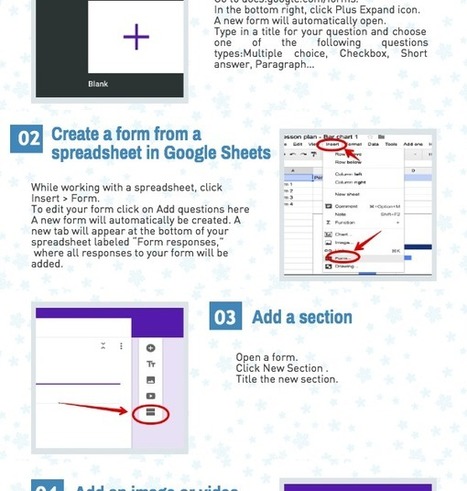
Many schools are starting remotely in the Fall and this is going to necessitate getting some materials into Google Forms. Google Forms is an amazing way
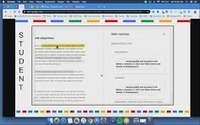
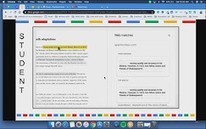
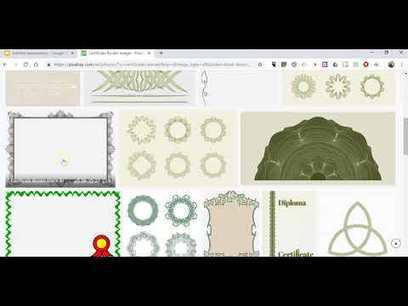
Remote learning tips for teachers. This video tutorial will show you how to take your worksheets or pdfs and turn them into an editable worksheet online using Google Slides. I then will show you how to use Google Classroom to hand out this worksheet. This will help while students are learning online.
DISCLAIMER: This video and description contains affiliate links, which means that if you click on one of the product links and end up purchasing it, I’ll receive a small commission. This helps support the channel and allows us to continue to make videos like this. Thank you for the support!
This was a great tutorial to make your wokrsheets fillable to other people of students. I have been using this technique for a while though. It was very informative.
An excellent instructional video that can help young students begin learning how to use simple tools in Google Slides while completing as assignment. The process is easy to setup and can be saved for future lessons.
This is good information for those just beginning to learn GForms. One thing I think is beneficial to use is having the option to turn off the response notifications.
Google Sheets Insert a Checkbox One of my absolute favorite things is inserting checkboxes into a Google Sheets spreadsheet. I really don’t know how I lived my life without this feature. It’s so easy and useful! When using a Google Form make sure you go to the Responses tab and have your Google Form results …
Create a Default Google Form The assignment was to answer the multiple choice questions at the end of the chapter. I cringe to think of teachers spending their valuable time grading this. We can’t do everything, so I choose to give up grading things robots can grade. However, it seems unfun to type up the …
Use Google Forms for Learning Google Forms is the best thing since sliced bread. I cringe every time I still have to fill out a paper form. I’m thinking… someone has to try to read my handwriting and take the time to enter my data. Google Forms saves us from more than just doing data …
Related Alice Keeler blog posts: Self Reflection Reading Goals @JSerravallo Google Apps Script: Make Row Taller on Form Submit 1st Graders Making a Spreadsheet Google Classroom: A Guide to Reusing Old Assignments
Google Forms is the best thing since sliced bread. In this webinar we look at how to use the SAME Google Form each day for taking Attendance. Great for remote learning or in person learning or hybrid.
To get content containing either thought or leadership enter:
To get content containing both thought and leadership enter:
To get content containing the expression thought leadership enter:
You can enter several keywords and you can refine them whenever you want. Our suggestion engine uses more signals but entering a few keywords here will rapidly give you great content to curate.


 Your new post is loading...