iGeneration - Humane Use of Technology in an AI world (Pedagogy & Digital Innovation)
1.2M views | +48 today
Follow
iGeneration - Humane Use of Technology in an AI world (Pedagogy & Digital Innovation)
Teaching and learning in the Digital Age - meeting the pedagogical challenges of digital learning and innovation for the iGeneration.
Your new post is loading...
Scooped by Dr. Tom D'Amico (@TDOttawa)
August 10, 2014 2:27 PM
Scoop.it!

Google Form that emails parents about missing homework - YouTube

No comment yet.
Scooped by Dr. Tom D'Amico (@TDOttawa)
July 25, 2014 5:11 PM
Scoop.it!

What to do when district mistakes go viral

What to do when district mistakes go viral | iGeneration - Humane Use of Technology in an AI world (Pedagogy & Digital Innovation) | Scoop.it
At one point or another, school districts find themselves in the glare of a harsh media spotlight. Sometimes a well-intentioned decision backfires. In other cases, an employee’s inappropriate or illeg
No comment yet.
Scooped by Dr. Tom D'Amico (@TDOttawa)
June 14, 2014 4:36 PM
Scoop.it!

Top 10 Ways to Improve Your Communication Skills

Top 10 Ways to Improve Your Communication Skills | iGeneration - Humane Use of Technology in an AI world (Pedagogy & Digital Innovation) | Scoop.it
Effective communication is one of the most important life skills we can learn--yet one we don't usually put a lot of effort into. Whether you want to have better conversations in your social life or get your ideas across better at work, here are some essential tips for learning to to communicate more effectively.
No comment yet.
Scooped by Dr. Tom D'Amico (@TDOttawa)
May 20, 2014 9:06 PM
Scoop.it!

Free and easy ways to connect with your staff & parents!

Free and easy ways to connect with your staff & parents! | iGeneration - Humane Use of Technology in an AI world (Pedagogy & Digital Innovation) | Scoop.it
There are a variety of ways that teachers and administrators can communicate with their class, staff, and parents. Effective communication is vital to a schools success. Not just the typical teache...
RESENTICE's curator insight, May 21, 2014 10:09 AM

Des exemples d'apps comme aide aux personnels de direction pour contacter leurs équipes et les parents ..

Scooped by Dr. Tom D'Amico (@TDOttawa)
May 11, 2014 7:56 PM
Scoop.it!

The Communication Apps Collection by Louisiana Assistive Technology Centers

The Communication Apps Collection by Louisiana Assistive Technology Centers | iGeneration - Humane Use of Technology in an AI world (Pedagogy & Digital Innovation) | Scoop.it
A collection of education technology by Louisiana Assistive Technology Centers
No comment yet.
Scooped by Dr. Tom D'Amico (@TDOttawa)
May 11, 2014 7:52 PM
Scoop.it!

Proloquo2Go reviewed on edshelf -The most expensive app used in our Board

Proloquo2Go reviewed on edshelf -The most expensive app used in our Board | iGeneration - Humane Use of Technology in an AI world (Pedagogy & Digital Innovation) | Scoop.it
Information and reviews about Proloquo2Go
No comment yet.
Scooped by Dr. Tom D'Amico (@TDOttawa)
April 1, 2014 4:30 PM
Scoop.it!

Remind101 Attach - Send Photos, Assignments and Presentations to Your Students and Parents Phones - YouTube

With Remind101 Attach, you can now send the most important documents right to your students and parents cell phones. Get the photos, assignments and presenta...
No comment yet.
Scooped by Dr. Tom D'Amico (@TDOttawa)
February 16, 2014 7:10 PM
Scoop.it!

Connecting and Communicating - iPad apps

Connecting and Communicating - iPad apps | iGeneration - Humane Use of Technology in an AI world (Pedagogy & Digital Innovation) | Scoop.it
Educators are always learning, and the iPad provides a convenient platform for finding resources, sharing ideas and collaborating with colleagues both near and far. Many of the same tools used for...
No comment yet.
Scooped by Dr. Tom D'Amico (@TDOttawa)
February 3, 2014 7:07 AM
Scoop.it!

Class Messenger reviewed on edshelf - Direct, private 2-way messages between school and home

Class Messenger reviewed on edshelf - Direct, private 2-way messages between school and home | iGeneration - Humane Use of Technology in an AI world (Pedagogy & Digital Innovation) | Scoop.it
Information and reviews about Class Messenger
No comment yet.
Scooped by Dr. Tom D'Amico (@TDOttawa)
October 7, 2013 7:12 AM
Scoop.it!

How Parents can Help their children succeed at school

No comment yet.
Scooped by Dr. Tom D'Amico (@TDOttawa)
September 18, 2013 5:47 PM
Scoop.it!

5 Free Digital Tools for the No Budget Classroom

5 Free Digital Tools for the No Budget Classroom | iGeneration - Humane Use of Technology in an AI world (Pedagogy & Digital Innovation) | Scoop.it
Something has changed in education content delivery, thanks to companies like Google, Khan Academy, MIT. When these industry leaders (and others) started offering high-quality educational tools for...
No comment yet.
Scooped by Dr. Tom D'Amico (@TDOttawa)
August 27, 2013 9:42 PM
Scoop.it!

How Tablets Can Enable Meaningful Connections for Students and Teachers

How Tablets Can Enable Meaningful Connections for Students and Teachers | iGeneration - Humane Use of Technology in an AI world (Pedagogy & Digital Innovation) | Scoop.it
In the best learning environments, sharing work doesn’t just mean posting on the Internet, it means building connections with a wider community, so that sharing becomes part of a set of relationships and patterns of exchange.
No comment yet.
Scooped by Dr. Tom D'Amico (@TDOttawa)
August 24, 2013 4:41 PM
Scoop.it!

5 Ways To Use Technology To Engage With Parents - Edudemic

5 Ways To Use Technology To Engage With Parents - Edudemic | iGeneration - Humane Use of Technology in an AI world (Pedagogy & Digital Innovation) | Scoop.it
Technology can be used to engage with parents like you may have never dreamed. Here are a few kick-butt tools to try!
No comment yet.
Scooped by Dr. Tom D'Amico (@TDOttawa)
August 2, 2014 8:22 PM
Scoop.it!

Communicating with parents in the digital world

Communicating with parents in the digital world | iGeneration - Humane Use of Technology in an AI world (Pedagogy & Digital Innovation) | Scoop.it
This post was written by Erin Dye, a ClassDojo Thought Partner who works in professional development at Green Light Learning


Gone are the days when you only had access to parents via one-way monthly newsletters or twice-a-year parent teacher conferences. Thanks to technology you can easily keep in touch with your students’ parents all year-round.


Here are some tips to get your communicating with parents in the digital world: 


Keep a Class Blog


Rather than sending home a monthly or weekly newsletter to parents that might never make it out of the bottom of your students’ backpacks, try starting a class blog. Set a schedule for posting and share that schedule with parents. Allow moderated comments on the posts to get parents involved with the classroom.


Have your students do most of the blogging. Assign one student a week to be the class chronicler. Have that student take photos, record interviews with other students, and summarize what the class learned. Weebly is an easy platform for students of all ages to use.     


Get your class blog linked to your school’s homepage to show all the exciting work your class is doing!


Use a Messaging Service


Sending individual texts or emails to parents is time consuming and not very private. Let a messaging service, such as ClassDojo Messenger, do all the work for you. Once students and parents opt into the system, it allows you to easily send text message blasts to update all parents at once, or you can privately message them to keep them up-to-date on their child’s progress. You don’t see their phone numbers and they don’t see yours. This is a great option for families who may not have home Internet but do have smartphones.


Set Up a Class Social Media Account


If parents don’t want to have their phones buzzing all the time, consider starting a class Twitter account or Facebook page. You can use the page to share updates, photos, and links to student work. If your students are under 13, be sure to set the account to private. To view the page, all parents will need to have Twitter or Facebook accounts (many of them probably already do). Before setting up any class social media accounts, review your school’s Privacy Policy and check with administrators.


Make Parents Feel Welcome


Let parents know that your classroom is a welcome space for them. Consider inviting parents to your classroom on days when students are giving presentations or sharing projects. Working parents can use Skype or Google Hangouts to visit virtually.
Audrey Menard's curator insight, August 3, 2014 5:20 PM

Great ideas!

Colette Cole-Saner's curator insight, August 4, 2014 9:53 AM

For beginners, many good suggestions are offered to optimize communication.

Michael Ramirez's curator insight, January 31, 2021 12:50 PM
These are some great tips on communicating with parents. Setting up a class social media account interests me of the topic since nearly every parent has social media. It's how we connect with family members and build relationships. Hosting student work and achievements on social media can engage the parents in the class social media account. 
Scooped by Dr. Tom D'Amico (@TDOttawa)
July 17, 2014 7:42 AM
Scoop.it!

5 Ways to Provide Parents a Window Into Your Classroom

5 Ways to Provide Parents a Window Into Your Classroom | iGeneration - Humane Use of Technology in an AI world (Pedagogy & Digital Innovation) | Scoop.it
When I attended my daughter's kindergarden Back-to-School Night two years ago, I was delighted to see a video of the classroom playing on a television in the corner. As a parent, it was exciting to see my child in the context of the classroom. My daughter's teacher had simply videotaped the
No comment yet.
Scooped by Dr. Tom D'Amico (@TDOttawa)
June 1, 2014 11:28 AM
Scoop.it!

Moving Beyond the Newsletter: Communicating Through Social Media

Presentation at the BC Confederation of Parent Advisory Councils (BCCPAC) annual spring conference in Richmond, BC. Working with parents and families to bec...
No comment yet.
Scooped by Dr. Tom D'Amico (@TDOttawa)
May 16, 2014 9:27 AM
Scoop.it!

19 Proven Tips for Getting Parents Involved at School

19 Proven Tips for Getting Parents Involved at School | iGeneration - Humane Use of Technology in an AI world (Pedagogy & Digital Innovation) | Scoop.it
Experts agree that parent involvement in their children's education is one of the biggest predictors of student success. This guide offers 19 proven strategies for increasing family engagement and str
No comment yet.
Scooped by Dr. Tom D'Amico (@TDOttawa)
May 11, 2014 7:54 PM
Scoop.it!

Picto4me reviewed on edshelf - Share communication Boards in Google Drive

Picto4me reviewed on edshelf - Share communication Boards in Google Drive | iGeneration - Humane Use of Technology in an AI world (Pedagogy & Digital Innovation) | Scoop.it
Information and reviews about Picto4me
No comment yet.
Scooped by Dr. Tom D'Amico (@TDOttawa)
April 24, 2014 9:13 PM
Scoop.it!

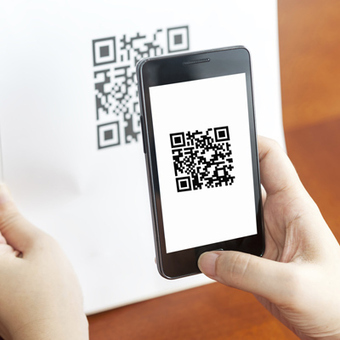
3 Ways to Use QR Codes to Connect School and Home

3 Ways to Use QR Codes to Connect School and Home | iGeneration - Humane Use of Technology in an AI world (Pedagogy & Digital Innovation) | Scoop.it
Print communications can be enhanced with this digital barcode-like technology.
No comment yet.
Scooped by Dr. Tom D'Amico (@TDOttawa)
February 28, 2014 7:12 AM
Scoop.it!

Remind101 reviewed: Free and Safe Text Messaging for Educators

Remind101 reviewed: Free and Safe Text Messaging for Educators | iGeneration - Humane Use of Technology in an AI world (Pedagogy & Digital Innovation) | Scoop.it
This week in Tools of The Modern Educator we take a look at Remind101. Remind101 is a simple service that allows educators and students to communicate via text messages without revealing any phone numbers. How cool is that! What Is It? Remind101 is in that class of application that solves a problem many educators didn’t …
No comment yet.
Scooped by Dr. Tom D'Amico (@TDOttawa)
February 15, 2014 5:32 PM
Scoop.it!

10 Tips For Teachers To Connect With Parents Via Social Media

10 Tips For Teachers To Connect With Parents Via Social Media | iGeneration - Humane Use of Technology in an AI world (Pedagogy & Digital Innovation) | Scoop.it
10 Tips For Teachers To Connect With Parents Via Social Media
Sandra Guerra's curator insight, June 22, 2016 11:22 PM

Excellent tips for teachers that are struggling with the integration of social media and classrooms. Connecting with parents. 

Scooped by Dr. Tom D'Amico (@TDOttawa)
January 25, 2014 11:06 AM
Scoop.it!

Training the Brain to Listen: Teaching students to focus and listen

Training the Brain to Listen:  Teaching students to focus and listen | iGeneration - Humane Use of Technology in an AI world (Pedagogy & Digital Innovation) | Scoop.it
Editor's note: This post is co-authored by Marcus Conyers who, with Donna Wilson, is co-developer of the M.S. and Ed.S. Brain-Based Teaching degree programs at Nova Southeastern University. They have
No comment yet.
Scooped by Dr. Tom D'Amico (@TDOttawa)
September 19, 2013 11:03 AM
Scoop.it!

How social media helps bridge the gap between home and school

How social media helps bridge the gap between home and school | iGeneration - Humane Use of Technology in an AI world (Pedagogy & Digital Innovation) | Scoop.it
Social media helps parents and teachers keep in touch, but anonymous postings can encourage cyberbullying. Rebecca Ratcliffe writes
No comment yet.
Scooped by Dr. Tom D'Amico (@TDOttawa)
September 17, 2013 8:27 PM
Scoop.it!

4 Video Apps To Create a Parent/Classroom Connection

4 Video Apps To Create a Parent/Classroom Connection | iGeneration - Humane Use of Technology in an AI world (Pedagogy & Digital Innovation) | Scoop.it
Videos can be a great way to connect and capture moments, don't be afraid to use that camera app to your advantage!
No comment yet.
Scooped by Dr. Tom D'Amico (@TDOttawa)
August 25, 2013 2:17 PM
Scoop.it!

Safe. Simple. Free. That's Remind101 - Stay in touch with your parents this year

Remind101 is a free, safe, way for teachers to text message students and stay in touch with parents. Learn how here: https://www.remind101.com
No comment yet.