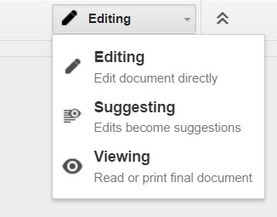

If you assign writing assignments to your students, then be sure to learn how to use "suggested edits." Suggested edits is similar to "track changes" in Microsoft Word. To turn it on, simply click on the Pencil (with the words "editing" next to it) and select "suggesting." The menu will turn from grey to green.…


 Your new post is loading...