


Over the past few years, Khan Academy has grown from a few simple YouTube videos into a fully-featured, interactive educational system that allows students to learn and measure their progress at their own pace.

 Your new post is loading...
 Scoop.it! Over the past few years, Khan Academy has grown from a few simple YouTube videos into a fully-featured, interactive educational system that allows students to learn and measure their progress at their own pace. 
No comment yet.
Sign up to comment
Scoop.it!
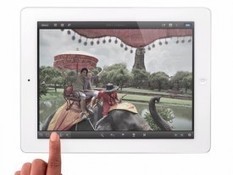
Whether you are using a brand new device, or still relying on an original iPad, there are tips that can help maximize your iPad’s battery life
Scoop.it!

Greg Kulowiec's thoughtful response to why the iPad is neither bad nor good for education: Fundamentally I believe that an iPad can neither be good or bad. All it can ever be is an iPad. I argue instead, that when used effectively and with specific goals in mind, iPads can have a positive impact on education.
Scoop.it!

The ultimate debate in the tech world is iPad vs laptop. Read this article to see how they compare ipad vs laptop against each other.
Scoop.it!

Science can advance quickly, rendering existing textbooks obsolete. Now new digital textbooks are emerging intended to better engage students and keep them up-to-date on the latest research. These e-books will cost (and weigh) less than the average printed tome.
Scoop.it!

Teaching Appz is a place to find apps for different mobile devices and other platforms (iOS, Android, Playbook and web) that can be used in the classroom. All apps are organised into subject areas, making them easy for teachers to browse through and each app has background information, as well as ideas for using them with children.
Scoop.it!

Jeff Dunn's adapation of tweets on iPad usage in the classroom.
Scoop.it!

From
edapps

Is there an app for that? Well, chances are there are dozens of apps for anything you want to do, but sometimes you find one app that is robust enough to have multiples uses for you and your students. For me, iMovie is that app. Use it for everything from slow motion videography to documentation, to presentations and everything in-between.

Hilary Munchel Thompson's curator insight,
February 9, 2014 10:08 PM
So many creative ways to get students engaged. Love new ideas for students to express learning.
Scoop.it!

Lovely 'snapshot' from the Tauranga Primary School in New Zealand on their use of iPads in a primary class
Scoop.it!

Google Doc on 103 Interesting Ways to use an iPad in the Classroom
Scoop.it!
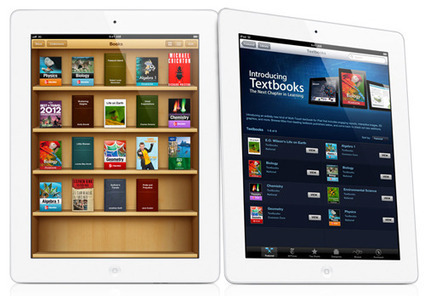
Vineet Madan, McGraw Hill Education vice president of new ventures, believes the new iPad in concert with Apple’s textbook initiative will indirectly change the way students learn. It’s not the new iPad’s host of features that has Madan excited; however, instead he believes the iPad 2 $100 price drop allow more schools to purchase iPads for their students.
Scoop.it!

What can you expect from this new app? A few features that aren’t available on the main Khan Academy website: - Downloadable videos: take individual videos or entire playlists to watch offline at your own pace
|
Scoop.it!

There are numerous sites that are now offering Tutorials and how-to guides for creating ebooks in iBook Author. As teachers are now comfortable with the idea of creating their own e-textbooks more and more people are looking for resources to learn how to build touch enabled books that take full advantage of the iPad capabilities.
Scoop.it!

Here are seven great apps for book lovers from PadGadget.
Scoop.it!

‘Amazing, revolutionary, a new era in technology’. The iPad may be all these things but in James McConville's humble opinion it is bad for education and schools. Here are some of his reasons.
Scoop.it!
Simply Zesty presents some top iPad tips and tricks on YouTube to help improve your workflow and get the most out of your tablet.
Scoop.it!

Looking for fun games that require critical thinking skills? Cool apps that exercise creative muscles? Engaging websites that encourage vocabulary building through collaboration? We've sifted through the vast sea of products out there and rated and reviewed each one based on its learning potential so you can find engaging and fun apps, games, and websites that help equip kids and teens with the skills they need to thrive in tomorrow's world.
Scoop.it!

If you want to see Las Vegas, Paris, and Rome, all in one day, you either need to be a billionaire with a private jet or have an iPad. Of course, if your case fits the latter, you won't actually be able to visit them in person. What you can do, though, is use the Maps panoramic view feature.
Scoop.it!

From
edapps
The autor has created a short video introduction to using iMovie on the iPad. This first video is a short (less than 5 min) tutorial on using iMovie for iPad from start to finish.
Scoop.it!

From
edapps
A big issue with school mobile devices is that they are often shared, and don’t have full profile accounts like a computer does. This means that any user has access to any app or information from any other user. Here's a great little poster that talks about some of the basic things students should consider when using shared mobile devices to keep themselves safe and to respect others they are working with.
Scoop.it!

Summary of printing solutions for the iPad. Three options - AirPrint printers, computer programs and iPad apps. Links to resources to support printing from the iPad.
Scoop.it!
Teaching Guide~iPads for Learning: Getting Started~from Victoria New Zealand School District
Scoop.it!

A range of emotions courses through anyone opening up the box with a shiny new iPad for the first time. As exciting as the device is, a brand new iPad is a lot like a newborn baby: even though they are small they both need a lot of stuff.
Scoop.it!

If you own a first generation iPad, it’s likely you were disappointed with the release of the new iPhoto and iMovie for iOS, both of which are designed for newer devices, leaving your poor cameraless 2010 tablets in the dust. There’s good news though – while the new iPhoto and iMovie can’t be purchased on an original iPad, you can still install the apps using Apple’s iPhone Configuration Utility.
|





