With Apple’s update to version 5.1, iOS users are now able to send images to all of their compatible devices, including computers, automatically. When you take a picture of little Adriana’s piano recital, it will immediately head for “the cloud” and be safe and easy to find from anywhere.
Toby Yeung is a Hong Kong-based multimedia designer who is just exceptionally obsessed with characters design. He represents the passion of graphic, characters and figure design and publish artworks under the name tobyhk. He was awarded "40 Under 40" given to the 40 "most influential and outstanding designers in Greater China.
Smartphone apps are useful because they can integrate intimately with our personal lives. But that also puts our personal data at risk. What can you do about it?!
Turn your iPad into a small Smart table with this quiz game, for up to four players at once. The game is fully customizable allowing for teachers and even students to add their own pictures and questions to gameplay.
Possible Classroom Uses:
Introduce students to important concepts and encourage them to preview a topic using questions within the game. Use the app during a unit or lesson as an effective way of checking understanding and informally test students’ comprehension. When a lesson or unit has been completed and students are preparing to take a quiz or exam, Futaba is a fun and stress-free way to encourage students to study. Challenge pupils to make their own questions to test themselves and others within the game.
Little Speller is an application that teaches how to spell your first words in an exciting and engaging style. Adjustable game modes make it flexible to use and program.
If you feel like your hundreds of gigabytes of music in your music library is not enough, or if you just want to find out about music so your niece will think you’re cool, we’ve got a list of apps that will expand your musical horizon.
Ever wondered what the top Educational App is in iTunes? What's the most popular subject? Well look no further. They've put together an Infographic about the educational apps in the ITunes store for August 2012.
Here are two excellent case studies produced by the Joan Ganz Cooney Center, an independent research laboratory that supports research and development in educational digital media technologies.
The first case study shows Joel Levin, a school technology integrator, using MinecraftEDU with second graders at Columbia Grammar and Preparatory School in New York City. Joel leads his class through structured game-based scenarios that emphases self-directed learning, collaboration between students, and positive social interactions.
The second case study shows how Ginger Stevens, a 6th grade special-education teacher at Quest2Learn in New York City, utilizes the intentionally game-like environment of her school to maximize learning for students with special needs.
From the Weekly App Series we’ve found great apps to add to your iPad collection. We have included seven essential apps for cyclists and runners in this week’s bundle.
Take notes, organize ideas, build outlines, prioritize actions and share your thoughts seamlessly. With 10+ years experience in enterprise software and user experience design, they decided to build a note taking and outlining app for the iPad that cuts through the clutter of other iPad apps, and enables you to visualize, create and share information in organized, structured and beautiful way, the way you think.
We love coming across new research that reports on educational technologies, and a new ebook on iPads in the Classroom by Sabrina Huber contains some excellent insights into the didactical integration of the iPad in classrooms. Download the ebook or you can purchase the hard copy on Amazon.
Quick Pitch: Create and share digital portfolios of students’ work quickly and easily.
Genius Idea: Three Ring allows teachers and students to digitize student work by snapping pictures or videos with their mobile or tablet devices. It keeps student work at the center of the conversation and ensures work isn’t reduced to a rote grade or forgotten in a filing cabinet
Earthworms are really tasty,” according to Franklin frog, the star of Rounds: Franklin Frog. This universal kid’s edu-app is the first in a planned series of non-fiction apps that British developer Nosy Crow has created for three to six-year-old children.
Readers will find all of Nosy Crow’s usual style and clarity as they learn about the lifecycle of a frog. Before the story begins the main screen lets readers choose between read-and-play mode or read-to-self mode.
Every Thursday the Featured area of the iPad App Store gets a refresh and adds some new and often topical featured sections. This week one of these is titled ‘Education Collections’ and it’s one of the best and most complete sections of this type that I’ve seen.
Just in time for the back to school period, this featured section is packed with very good, curated selections of educational apps across a wide range of categories.
Compiled here are almost 40 free iPad spelling Apps for kids. Each Spelling application has titles and links. You will be directed to the Apps Store in iTunes after clicking any of the links. Did I mention that it is absolutely free?
This is a frequently asked question and rightly so, as purchasing apps in volume can be a costly exercise. The choice of an app is very specific and needs to be carefully linked to the pedagogy (PK) (teaching) and the content (CK). When pedagogy, content and the technology are considered we are working in the zone advocated in the TPACK model.
Whether you’re sitting behind the home plate or way out in left field, baseball is a sport that can be enjoyed on any level. Watching the action from the third row at third base is just as exiting as lounging in the lawn seats is relaxing. If you are itching for some pitching (thank you, I know), than we’ve got a couple of baseball games that are sure to be a home run in your iPad’s game folder.
The summer is quickly winding down & a number of teachers will be returning to their classroom with new mobile devices (iPads). Throughout the summer I have been conducting workshops on iPad integration with EdTechTeacher and I thought it might be helpful to pull together a back to school list of apps structured around specific classroom goals. While many schools may already have an Apple VPP program already in place, I know a number of teachers will also be purchasing the apps themselves. Therefore, I will do my best to include both a pay & free app for each objective.
As the name suggests, Explain Everything is an easy-to-use screencasting iOS app that allows users to annotate, animate, and narrate anything and everything! No kidding! This “cool tool” takes screencasting to a new level! Import photos, PDF, PPT, XLS, RTF, Pages, Numbers and Keynote from Dropbox, Evernote, email, the iPad photo library or the iPad 2 camera and then have at it!
Explain Everything can also simulate an interactive whiteboard with the iPad 2 and 3 video display. How sweet is that?
Apps offer a unique way to help elementary students practice math skills. By turning math into a game or combining it with technology, even your struggling students will enjoy building their math skills using a smartphone or tablet.
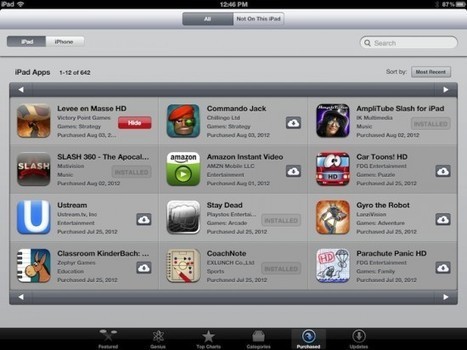
We app reviewers have literally hundreds of apps in our account. Sometimes even thousands. We download, play with, update, and delete apps from our iPads every single day. Sometimes, an app account may seem overwhelming. What do you do if your app has been removed from the app store, but you don’t want to lose it? How do you know what apps need updates? We’ve got a couple of tips for how to manage your apps that might make your account seem a little less daunting.
To get content containing either thought or leadership enter:
To get content containing both thought and leadership enter:
To get content containing the expression thought leadership enter:
You can enter several keywords and you can refine them whenever you want. Our suggestion engine uses more signals but entering a few keywords here will rapidly give you great content to curate.


 Your new post is loading...