


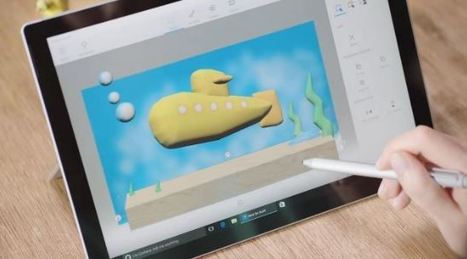

I just want to start off by saying how excited I am about this Paint 3D tutorial. As you may know, I’m always on the lookout for new trends with presentation technologies – and this is going to be …

 Your new post is loading...
 Your new post is loading...
Your new post is loading...
 Scoop.it!
I just want to start off by saying how excited I am about this Paint 3D tutorial. As you may know, I’m always on the lookout for new trends with presentation technologies – and this is going to be … 
No comment yet.
Sign up to comment
Scoop.it!
![20 Motivational Posters to Get You Through a Slump [with Free Templates] | Digital Presentations in Education | Scoop.it](https://img.scoop.it/q-_yfF4_4XlX9KAyZk2IoTl72eJkfbmt4t8yenImKBVvK0kTmF0xjctABnaLJIm9)
Motivational posters that will get you pumped — with free templates you can add your own favorite quotes to!
Baiba Svenca's insight:
A great choice of motivational posters which you can customise and download, by Canva.
Scoop.it!
A foreign language teacher provides her ideas and examples for using infographic timelines in the classroom, both as assignments and visual aids.
Baiba Svenca's insight:
Great tips for students who need to create timelines. Experience shared by a foreign language teacher. Thanks for the suggestion to April Alen Abion.

Gianluca Pirraglia's curator insight,
January 2, 2017 6:23 AM
Great tips for students who need to create timelines. Experience shared by a foreign language teacher. Thanks for the suggestion to April Alen Abion. 
Ruth Reynolds's curator insight,
January 26, 2017 7:00 PM
And the basic Visme program is free!! You can try and see how it goes. Learning to do timelines is so important in teaching History.

Coconut Curator's curator insight,
April 30, 2017 10:28 AM
Keen to use timelines for geography and history (HASS). Looks at Visme as a timeline tool.
Scoop.it!

Webinar Your Way! Run custom webinars to educate, engage, and convert your audience with ClickMeeting. Try the best webinar software for free!
Baiba Svenca's insight:
Great webinar software that lets you conduct webinars professionally. Show your presentations and engage your audience with your content. View and export webinar statistics.
Gianluca Pirraglia's curator insight,
January 2, 2017 6:27 AM
Great webinar software that lets you conduct webinars professionally. Show your presentations and engage your audience with your content. View and export webinar statistics.
Scoop.it!

A list of visual content types you probably haven't tried yet, from cinemagraphs and progress GIFs to interactive sliders and mixed-media infographics.
Baiba Svenca's insight:
Fantastic visuals + tips how to create them.
Scoop.it!
Work more efficiently within PowerPoint with these keyboard shortcuts. We've compiled a list of the best PowerPoint keyboard shortcuts that we use daily
Baiba Svenca's insight:
Shortcuts = time savers! Learn at least some, the ones you use most often.
Scoop.it!
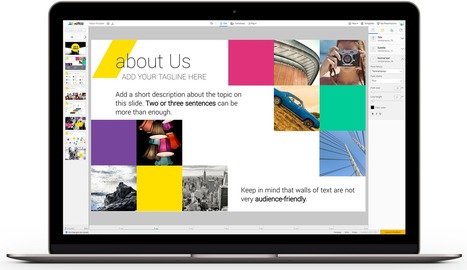
Designer-made templates, mobile device as a smart pointer, improved Q&A sessions and in-app analytics are just a few benefits that come with using Niftio.
Baiba Svenca's insight:
A new presentation platform for making stunning presentations using photos, shapes, charts, animation, and watch them on any device. The best thing is you can download your presentation and not be dependent on the internet connection. Free at present.

António Leça Domingues's curator insight,
October 2, 2016 5:37 PM
Plataforma para criação de apresentações profissionais.

Rosemary Tyrrell, Ed.D.'s curator insight,
October 3, 2016 12:45 PM
A new platform that incorporates audience response. Looks interesting. 
La pluma digital's curator insight,
October 26, 2016 5:26 AM
Niftio es una plataforma totalmente gratis en la actualidad. Sirve para crear plantillas de diseño a medida, presentaciones originales a través de fotografías, gráficos, animaciones... Descubre Niftio para mejorar tus tareas!
Scoop.it!
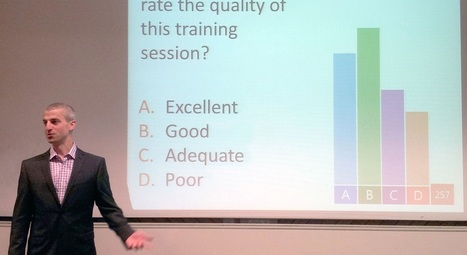
A comprehensive list of tips and tricks for creating and delivering great PowerPoint presentations.
Scoop.it!

“Good design is good business.” – Thomas Watson, Jr. In design, photography is only growing in importance, after all pictures can say a thousand words. Imagery
Baiba Svenca's insight:
Great list of sites where you can find images for your presentations.

Sue Alexander's curator insight,
September 16, 2016 12:45 PM
Always happy to find more free stuff. O Commons License.
Scoop.it!
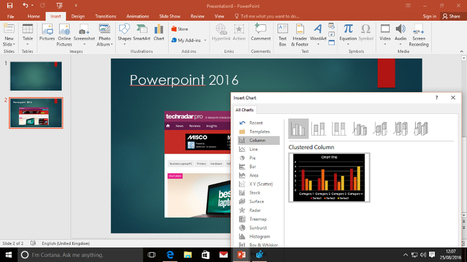
Make an impact with your presentations and save time while you're at it.
Scoop.it!
A guide to creating accurate and effective charts and graphs, with a checklist of the most common errors and how to avoid them.
Baiba Svenca's insight:
Excellent tips for making charts that look professional.

Jim George's curator insight,
September 1, 2016 9:59 AM
Some excellent tips to spruce up the old visuals!
La pluma digital's curator insight,
October 31, 2016 10:12 AM
Una guía para elaborar gráficos no solo fáciles de leer, sino también atractivos para el usuario.
Scoop.it!

It has never been easier to create your own explainer video. mysimpleshow transforms any text into an animated video you will love.

Monica Lilleland's comment,
November 13, 2016 3:42 AM
What´s the difference between this and Videoscribe? Which one is best?
Scoop.it!
See it with animations! https://vimeo.com/179236019 It’s impossible to win over an audience with a bad presentation. You might have the next big thing, but if …

Alex's curator insight,
August 30, 2016 3:26 AM
Really agree on the point of giving too much information. Presentations need to find a balance where they give valuable information, but do not overload the audience with content, to the point where they don't absorb anything.

deniseroberts's curator insight,
October 12, 2016 3:44 PM
Yes. This sums up my pet peeves perfectly. How was your last pd? Please share.
|
Scoop.it!
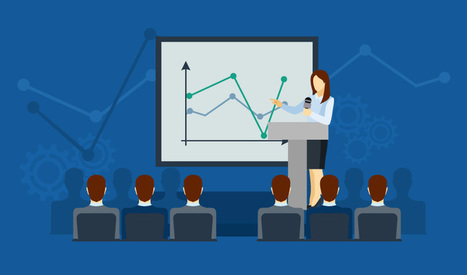
The best PowerPoint presentations shouldn’t be remembered. Instead, they should fall into the background to support you and the message you’re trying to get across.What does stand out a...
Baiba Svenca's insight:
A number of useful tips, some classical, some new.
Gianluca Pirraglia's curator insight,
January 2, 2017 6:18 AM
A number of useful tips, some classical, some new. 
Willem Kuypers's curator insight,
January 24, 2017 3:48 AM
Tout à fait d'accord avec les remarques pour faire une bonne présentation.
Scoop.it!
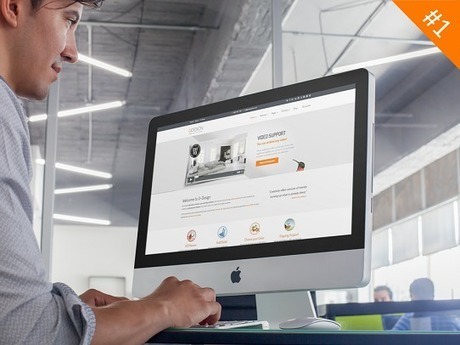
Rather than adding "plain" screenshots to your PowerPoint presentation like 99% of people do (yawn!) follow these simple tips to make your screenshots stand out

Trevor Corso's curator insight,
November 2, 2016 9:20 AM
Very good tips! I will definitely start using some of these in my presentations to make my screenshots stand out.

AvizorMedia's curator insight,
November 13, 2016 2:26 PM
Cómo conseguir capturas de pantalla atractivas para tu próxima presentación en Power Point.
Scoop.it!

Genial.ly is the best web tool to create engaging interactive visual content (pictures, posters, presentations, etc) for people without programming skills.
Baiba Svenca's insight:
Use Genial.ly to create presentations with interactive effects and animation, add content from YouTube, Google Maps, Spotify. Monitor performance in real time. Share or embed your creation. Works in 7 languages. Looks awesome!

Rebecca Scriven's curator insight,
November 10, 2016 3:30 AM
I've been trying Genial.ly out today, it is really easy to use. I think it would be great for students to use it for presentations and interactive mind maps, also interactive infographics! Great tool.
Scoop.it!
There are many taboos linked to neglected PowerPoint presentations. Avoid them and start making effective presentations today.
Scoop.it!

Most computers come with some form of preloaded software that includes a package for creating presentations. There are however a range o
Baiba Svenca's insight:
Nik Peachey has compiled a list of the most popular presentation tools that are widely used today.
Scoop.it!
Audience polling and digital Q&A straight from PowerPoint
Baiba Svenca's insight:
Plugin for PowerPoint 2013 (Windows 7) that lets you involve the audience by polling and real-time Q/A features.
Scoop.it!
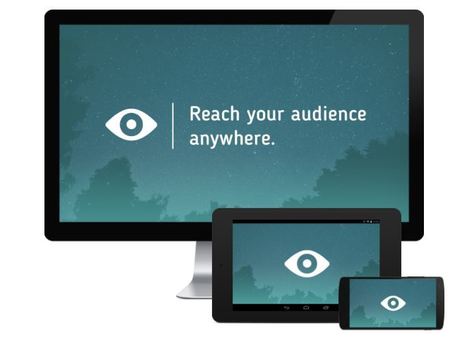
Share PowerPoint presentations with Slideflight ▶ Upload with a single click ✓ Presentations are immediately downloadable ✓ Free smartphone and tablet app
Baiba Svenca's insight:
Add-in for PowerPoint that sends your presentation to every device in the room. Free of charge for students.
Scoop.it!
![6 Types of Presenters: Which One Are You? [Quiz] | Digital Presentations in Education | Scoop.it](https://img.scoop.it/KbPT9ApD-4ngbsm-neha7Dl72eJkfbmt4t8yenImKBVvK0kTmF0xjctABnaLJIm9)
A review of the different schemes for categorizing types of presenters, with a description of each and a short quiz to find out which one best fits you.
Baiba Svenca's insight:
An interesting article that will lead to reconsidering your own presentation style.
Scoop.it!
Most people suck at PowerPoint because they don't know what a good presentation looks like. Learn 10 reasons your PowerPoint may suck and how to make it rock!
Scoop.it!
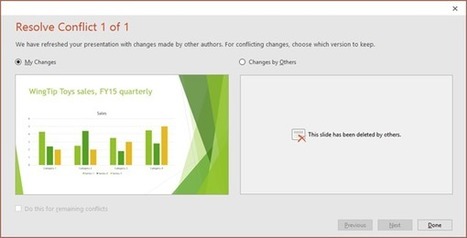
Learn about co-authoring and editing PowerPoint presentation at the same time as other people and how to resolve conflicting changes in PowerPoint 2016.
Baiba Svenca's insight:
A great option for student collaboration in PowerPoint 2016.
Scoop.it!
Do you want slides to be perfectly synchronized with your speech? Here’s how to rehearse timings in PowerPoint 2013 and customize your slide transitions.
Scoop.it!
New Haiku Deck Classroom makes it fast, easy, and affordable for educators and students to create beautiful presentations with the full power of Haiku Deck
|







In spring Microsoft is going to launch “3D for everyone” based on updated Paint program, and it will let you create 3D presentations and objects.