


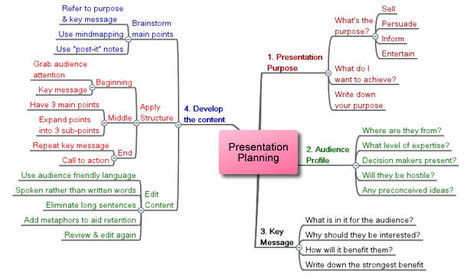
The best way to create a clear, succinct and well designed presentation is to take a structured approach to planning and writing it. And this is one of the key steps to achieving excellent presentation skills.

 Your new post is loading...
 Your new post is loading...
Your new post is loading...
 Scoop.it!
The best way to create a clear, succinct and well designed presentation is to take a structured approach to planning and writing it. And this is one of the key steps to achieving excellent presentation skills.

No comment yet.
Sign up to comment
Scoop.it!

Make your own customized movie poster. Be a star, spoof your family and friends. You're the director and executive producer of your very own super-blockbuster and you'll have the poster to prove it.
Scoop.it!
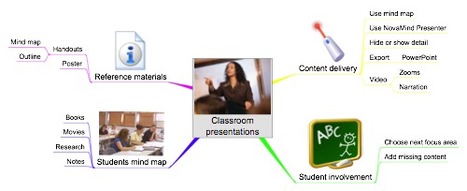
This article describes how to give excellent presentations to teach your students more effectively using Mind Mapping techniques.
Scoop.it!

Upload an image from your computer and choose how many sheets wide you would like your poster to be once printed...
Scoop.it!
![[How To]: Convert PowerPoint Presentations To Video Files Online | Digital Presentations in Education | Scoop.it](https://img.scoop.it/8nEWI5CrisE5MEcT0rmO3Tl72eJkfbmt4t8yenImKBVvK0kTmF0xjctABnaLJIm9)
Sometimes it becomes quite troublesome to view PowerPoint presentations and you just wish that you could simply watch the p...
Scoop.it!
You can share your presentations online on the web through authorPOINT Lite, by uploading to authorSTREAM (see how), a free online presentation sharing platform, and to WiZiQ (see how), a free online education platform. authorPOINT Lite is Microsoft® Windows® Vista® compatible and Microsoft Office® 2007 compatible. You can also directly share your PowerPoint's on these servers, using aP Lite's PowerPoint plug-in, for which the conversion to flash outputs is done on these servers.
Scoop.it!
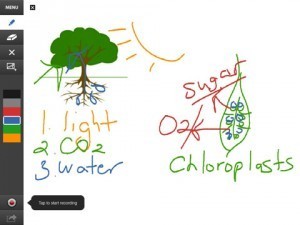
The Interactive Whiteboard meets the iPad. There's an app for that one, too.
Scoop.it!

Terrified of presenting in front of an audience? Or just a little shy? How to take your public speaking ability and slide presentations from uncomfortable to awesome.
|
Scoop.it!
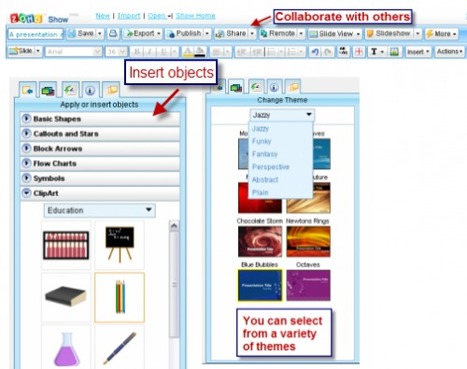
Zoho Show can be used to create presentations and like PowerPoint, its uses and misuses are primarily in the hands of the user not the tool.
Scoop.it!

Microsoft PowerPoint is one among the popular offline presentation tool mostly used by students and professionals, but did you know that there are many emerging online tools right now that you can use to present your reports to your co-students and...
Scoop.it!
Six design and delivery principles for educators.
Scoop.it!

From
present

Present.Me is a really easy way to record and share your presentations using your webcam...
Scoop.it!
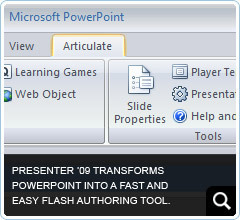
PowerPoint to Flash - Eliminate all the time, complexity and cost of creating professional-quality Flash presentations and e-learning courses.
Transform PowerPoint into powerful Flash content Articulate Presenter '09 makes it easy for anyone to add interactivity and narration to PowerPoint slides. Just click a button to turn your presentation into a compelling Flash course.
Scoop.it!

Students of all ages can create multimedia presentations using Microsoft PowerPoint. Teach them how using this fun-filled, online tutorial.
Scoop.it!

18 Best Web Tools to Impress Your First BossTom's GuidePump up the project with Stixy-- an online white board tool that allows you and your collaborators to brainstorm and share ideas, images, links and much more.
|




