


Replace your video's soundtrack for free with a song from our library of thousands of tracks. To try it out, go to your Video Manager, select Edit, select Enhancements, then select Audio.

YouTube Tips and Tutorials
46.7K views |
+0 today
http://YouTube.com/user/MsIleaneSpeaks | Anything to help you succeed on YouTube. Get the YouTube Rankings Assault Kit http://basicblogtips.com/tips
Curated by
Ileane Smith
 Your new post is loading...
 Scoop.it! 
Excerpted from the article:
"Today we’ll explore four ways to optimize your YouTube channel to ensure your videos are being discovered, watched and shared.
1. Optimize Your Videos Metadata: In terms of YouTube, the metadata makes up the title, descriptions and tags of your videos. Optimizing these key sections of your video content will help rank your videos in both Google and YouTube.
- Write a concise, descriptive title using key phrases that people would search to find your video, but also incorporate YouTube’s Keyword Suggestion Tool.
- Each of your videos should have a lengthy description of what the video’s content is all about. Always include a relevant URL to your website.
- Adding ten to twenty tags per video is an ideal way to make use of keywords relevant to your video but that couldn’t naturally fit in your title or description.
2. Use Descriptive Playlists: There are a few benefits in using playlists to organize your video collections on YouTube when it comes to achieving greater visibility to your channel’s content.
- Begin grouping videos of a similar topic into playlists. - Use keyword focused titles for your playlists. - Write a keyword focused, accurate description for the playlist.
3. Make the Most of Annotations: YouTube annotations are a way of adding interactive commentary to your videos. They act as a call to action on your content to help drive a viewer to complete a certain task, such as subscribing to your channel, watching more videos, pausing the video, adding a comment, following your brand on Twitter or Facebook and among many others.
There are six different types of annotations: - The Speech Bubble... - The Note... - The Title... - The Spotlight... - The Label... - The Pause...
4. Brand Your Page Consistently: Branding is important no matter the marketing channel. Many features for branding your YouTube channel are free and should be taken full advantage of. - Upload a Custom Background... - Showcase Your Other Social Channels Everywhere... - Custom Banners and Layout as a Brand Channel..."
In the article each element is analyzed with useful information and many examples. Read full interesting article here: http://j.mp/IJj4Im
Via Giuseppe Mauriello 
Scoop.it!

As your Youtube Partner account is associated with Adsense account, you can track your Youtube earnings in Adsense. After participating in the program, you will see one more Adsense product added to your Adsense stats, that is the Hosted AdSense for Content. You can also check the stats in Performance Reports tab -> Products. For instance, here is my Adsense homepage: However, the disadvantage of this way is that you can't track the earnings of individuals Youtube video. What you can track is just the overall earnings for all your videos. To solve the issue and get more insights of your Youtube videos, you can check the Youtube Analytics page to track earnings of each video you have uploaded.
Scoop.it!
YouTube now allows MOST people to become a partner. You get custom thumbs, ability to add ads to videos, and even a banner!
Scoop.it!
YouTube Partner Program
Scoop.it!

...I am always figuring out just the perfect screen resolution for my software applications. Another challenge is that most screencasts are recorded at a higher resolution than used in the elearning courses. You may record a full screen demo and then have to squeeze it down to something like 1024×768. And any time you scale a screencast down you’ll run into some image degradation. Via Pete Mella
Scoop.it!

The poll, conducted between Mar. 22-26, which surveyed 2,211 adults at least 18 years of age, found that 51% of online video viewers between the ages of 18-44 would look up a new product or brand if they saw it mentioned in an online video. 39% of viewers at least 55 years old also answered affirmatively. Additionally, 58% of consumers aged 18-34 that follow brands on social media would watch a video if a brand they follow posted a video. The poll found that gender was a significant factor for consumers aged 55 and above. For instance, 44% of women within that age group were likely to look up a brand after seeing an online video, compared with 34% of men.
Scoop.it!

Now that you've started recording YouTube videos to promote your website or small business, you can take your video marketing to the next level by enhancing those videos with interactive applications powered by Viewbix.
Scoop.it!

With the proliferation of video marketing it becomes more important than ever to make yourself, your company and your product visible to this booming market....Be sure to post a link back to your website from the video hosting website you choose to use. Websites such as OneLoad (Formally known as TubeMogul) can help you to post to several different video hosting websites at the same time, after having set up and linking those accounts. Here are step by step instructions to get you started.
Scoop.it!

If you upload a video that’s shaky or dark, we’ll automatically offer to fix it for you, creating an updated version of your video on YouTube.
Scoop.it!

Using Free Software To Record Your PowerPoint Presentations When it comes to creating videos there are two things holding people back in my opinion, Cost and Confidence.
Scoop.it!
We recently created EZVID, which is a super cool video creation solution for Windows. It’s an extremely elegant and dare-i-say beautiful piece of software, which provides only the necessary elements to make a great video. Ezvid is a free video maker for YouTube
Scoop.it!

1. Screen-capture videos This is a biggie: screen capture videos can bring in huge amounts of search traffic. Why? Because people are constantly searching for “How-To” videos on YouTube, and nothing beats the good old-fashioned screen capture in a tutorial.
Scoop.it!

Viewbix is a tool that takes any YouTube or other video that you upload to video channels and enables you to add in a ton of apps, calls to action and make your videos interactive. By logging in to the Viewbix Studio you can select from YouTube, Vimeo, etc… and find the video you want to make interactive. Then you have the option to change the colors of the player, add in numerous calls to action in any color, include a banner ad on the player, add in apps, etc… all within a couple of minutes and with no programming or coding knowledge needed. What’s even better is that when you share the video from your site on social sites like Facebook or Twitter, all functionality stays in tact. If you are concerned with mobile devices because you are a local business and have local search traffic, Viewbix is mobile device and tablet friendly because it is in HTML5 so mobile users can watch videos and find your stores from virtually any smart device. So what are some of the features and apps you can add?
Scoop.it!
Not sure what to Pin? Why not Create a board of your own videos? It's a great way to get more exposure for your YouTube Channel!
Scoop.it!
Outsource Your Video Marketing: http://www.jameswedmore.com/freebook In this video, I break down the six steps to "letting go" of your video creation work an...
Scoop.it!
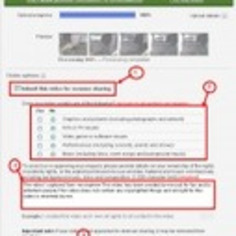
This article will explain you how you to enable Adsense ads on uploaded videos on YouTube. Monetize YouTube video and earn with Adsense.
Scoop.it!

If you have active account,you can directly associate with youtube by adding your adsense information in monetisation option.It is four step procedure.In first step,you will see guidelines,on 2nd information about Adsense association.You need to add your adsense account information in this step.In 3rd step,it will show you Terms of Service message and 4th step is confirmation.After doing that,you need to grant access to YouTube from your adsense account in 3rd party access option.You will see the green colored congratulation message in your youtube account after successfully associating adsense with YouTube.
Scoop.it!
http://BasicBlogTips.com in this episode I share my YouTube Video SEO Checklist which includes Keywords in title, tags and descriptions, YouTube annotations and video playlists.
Scoop.it!
http://BasicBlogTips.com set up a YouTube channel, upload some valuable, funny or interesting videos and use this strategy to get backlinks and send traffic to your blog or website. Read the full blog post http://basicblogtips.com/traffic-from-youtube.html
Scoop.it!
http://adriennesmith.net YouTube is listed as the 3rd largest search engine. You want people to subscribe to your channel so learn how to make it easier for ...
Scoop.it!
I recently sat down with Definition 6's own Al Leach and Drew Keller from StoryGuide.net at the Ragan Communications conference where they provided some guidelines that will help you stay on the right track.
Scoop.it!

Learn 8Tips for Selling Art On Youtube 1. Make a video that’s fun to watch. I used the Kodak zi8 and a simple lamp for directional lighting to get started. Smile, show some personality and show off your work. Your art is your passion, so let it shine through! 2. Make it easy to find your videos. Youtube is a giant search engine. More than 25% of all searches on the web happen on Youtube – that’s more than Yahoo, Bing, or any search engine besides Google. Search Engine Optimization rules apply. Pay attention to your video title and description, links, tags.
Scoop.it!
http://www.ted.com Kevin Allocca is YouTube's trends manager, and he has deep thoughts about silly web video. In this talk from TEDYouth, he shares the 4 rea...
|

Curated by Ileane Smith
Blogger, Podcaster, YouTuber, Social Media Diva! Get ready to learn with Ms. Ileane http://learn.ileanesmith.com
#blogtips #youtubetips Other Topics

Basic Blog Tips
Keep up with tools and tips to help improve your blog and expand your audience! http://BasicBlogTips.com/tips download the Basic Blog Tips Android app here: https://play.google.com/store/apps/details?id=com.basicblogtips.blog

Blogging Contests
The hottest blogging contest around

Podcasts
Tips for creating effective podcasts and podcasting services and equipment curated by Ms. Ileane Smith from http://ileanesmith.com Helping you create "meaningful" content!

STEM Advocate
Science, Engineering, Technology and Math

YouTube Tips and Tutorials
http://YouTube.com/user/MsIleaneSpeaks | Anything to help you succeed on YouTube. Get the YouTube Rankings Assault Kit http://basicblogtips.com/tips
|





