Quelques conseils pour éviter les erreurs encore trop fréquentes dans les diaporamas.
Via Thot - Cursus
Your new post is loading...
From
cursus
Quelques conseils pour éviter les erreurs encore trop fréquentes dans les diaporamas. Via Thot - Cursus No comment yet.
Sign up to comment
Learn how to create an infographic without a designer using PowerPoint.
blasco IA's curator insight,
January 4, 2013 1:50 PM
Logiciel gratuit Dropcenter 2013 Fr script licence gratuite pour webmaster - Multi Langage . DropCenter Fr est un programme développé en PHP/Javascript (garanti sans flash) qui ne nécessite aucune base de données et qui vous permet d’envoyer un ou plusieurs fichiers en ligne (upload) d’un simple glisser-déposer du bureau vers votre navigateur.
As publishers rethink their digital strategies around mobile (and social as well), many are taking a fresh approach to their websites. Via THE OFFICIAL ANDREASCY
Whoa! SO COOL!! Cleverlize - Mobile Learning app. maker. No programming required. Free in Beta! http://t.co/QTDur9Eg #edtech #THATCamp Via Rory Chalcraft
Implementing the principles of universal design in online learning means anticipating the diversity of students that may enroll in your course and planning accordingly. These ten key elements will ... Via Ramon Aragon, juandoming
This is a great writing tool for creating interactive (branching) stories. Readers can choose different options as the work through the story and find their own route through the materials. Via Nik Peachey, Roxane Harrison, Fabiana, Mariann, Roselink
Martijn Koops's curator insight,
January 5, 2013 6:15 AM
Tool voor het schrijven van branches stories, lezers kunnen keuzes maken in het verhaal en zelf hun route kiezen. Biedt misschien mogelijkheid voor interactivce storytelling achtige spellen? Ik heb het nog niet geprobbeerd moet ik erbij zeggen.
Lino's curator insight,
January 7, 2013 8:31 AM
inklewriter es una herramienta gratuita diseñada para permitir que cualquiera pueda escribir y publicar historias interactivas. Es perfecto para los escritores que quieran probar la interactividad, pero también para los profesores y estudiantes que buscan combinar conocimientos de informática y escritura creativa.
Permite Exportar a Kindle Puedes incluso, conseguir que tu historia se convierta en Kindle. Lee esta página para saber más! http://www.inklestudios.com/inklewriter/create-an-ebook
Y no se ha terminado aún ... inklewriter está siendo constantemente desarrollado y mejorado, y van agregando nuevas características.
Tamra Dollar's curator insight,
July 19, 2013 9:01 PM
I'm going to use this in my creative writing studio this fall. It gives students voice and choice and taps into all elements of the writing process. Engaging and fun!
The Open Source Media Framework (OSMF) is an Adobe-led, open-source ActionScript 3 coding framework for loading, playing and displaying media. Just as Adobe created the Flex Framework to standardize and expedite the creation of applications on the Flash Platform, OSMF is a means to standardize media handling in your Flash Platform experiences. With video, audio, and image playback handled so differently in AS3, OSMF succeeds at creating a simplified, standard way to work with all media inside Flash. In this DZone Refcard you will learn about Strobe Media Playback, Flash Media, key events, streaming, composite elements, and more. Via Nicolas Weil
VideoScribe.tv is a new exciting way to demonstarte learning or just make a very creative eye catching video! It includes all the drawing animations to wow your colleagues, classmates or students. ... Via John Evans, Linda Nitsche
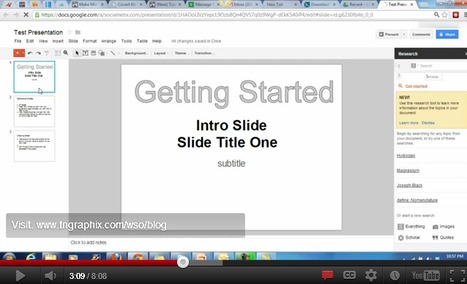
Watch this short 8:00 video to learn how easy it is to create presentation videos using FREE software available online! Via Baiba Svenca
Baiba Svenca's curator insight,
December 30, 2012 10:07 AM
A video tutorial on how to create an online presentation combining the use of Jing software and GoogleDrive (Presentation). Suitable for students as these tools are free and easy to use.
Dolly Bhasin 's curator insight,
December 30, 2012 10:40 PM
Requires Dot Net framework to be installed in your local machine!
In this tutorial we are going to learn how to use the Geolocation API to get your current latitude and longitude, from these results we can then connect to the Google Maps API to display your location in the browser.
Let’s be honest, we don’t like to read big pieces of text. Text-heavy graphs are rather difficult for understanding, especially when we deal with numbers and statistics. That is why we ... Via OlgaG Ph.D. |
I often receive a lot of questions about how to make online quizzes for free. Here is a collection of 12 free online quiz making applications I collect after Via R.Conrath, Ed.D.
I often receive a lot of questions about how to make online quizzes for free. Here is a collection of 12 free online quiz making applications I collect after Via Ana Cristina Pratas, Jean-Charles Blondeau
GERARD CASANOVA's curator insight,
June 4, 2013 6:09 AM
quelques (12) outils de quizz en ligne gratuits a tester !
How do you make a video game? Sometimes the answer seems simple: you don't. Via Pippa Davies @PippaDavies , FEED THE TEACHER
Robin Good's curator insight,
January 4, 2013 12:13 PM
Jessica Meher at Hubspot has put together a really valuable collection of 15 home page designs to look up to. While the selected designs may not represent your ideal taste or style, they all integrate some of the key critical elements for a home page to be successful. Namely: a. States clearly what the site is about, what problems it offers, who does it talk to b. Uses visuals, possibly representing the object/focus of our interest or some "humans" that are doing what we are interested into c. Provides info bursts that detail what the site is about, what it offers and more. Excellent choices. 8/10 Full guide: http://blog.hubspot.com/blog/tabid/6307/bid/34006/15-Examples-of-Brilliant-Homepage-Design.aspx
Florence Foënix's curator insight,
January 24, 2013 11:43 AM
On n'a pas de seconde chance de faire une bonne première impression... D'où l'importance de la page d'accueil pour un site de marque. Celle-ci doit : - exprimer clairement, dans le langage de sa cible, l'utilité du site : qui on est, ce que l'on fait, ce que l'on peut faire pour vous, visiteur - faire rester les visiteurs et les diriger dans le tunnel de conversion : une ergonomie épurée et une navigabilité optimisée grâce à des boutons d'actions - changer régulièrement soit grâce à de l'A/B testing, soit grâce à des contenus dynamiques
Article complet : http://blog.hubspot.com/blog/tabid/6307/bid/34006/15-Examples-of-Brilliant-Homepage-Design.aspx
Technology is a powerful tool for learning that can be used effectively to support the Common Core and help students develop the skills for success. Via Heather Peretz
Dans le monde de la pensée visuelle, on constate un intérêt croissant autour de la facilitation graphique. Cette pratique vise à utiliser le dessin et des modèles graphiques pour favoriser les échanges et les réflexions au sein d’un groupe, lui permetant de construire une vision commune (source: http://www.facilitationgraphique.com). Via Marco Bertolini, JP Fourcade
Marco Bertolini's curator insight,
January 1, 2013 5:06 AM
Un outil de visualisation complémentaire du mindmapping le sketchnote ou croquinote.
Une association d'images - croquis - et de mots qui rappelle également les fameux carnets de Léonard de Vinci.
La grande différence avec le mindmapping est l'absence de structure hiérarchisée - les branches.
Les deux techniques se complètent parfaitement pour animer une réunion, prendre des notes rapides, etc.
La vidéo présente aussi quelques-uns des conseils techniques présents dans le livre de Mike Rohde.
FrancoisMagnan's comment,
January 1, 2013 1:03 PM
Ca me fait penser à un outil - hélas que pour Mac - Scapple, qui permet aussi faire des cartes sans structures hiérachiques.http://www.macg.co/news/voir/257458/scapple-l-editeur-de-scrivener-se-met-aux-cartes-heuristiques
Robin Good's curator insight,
January 1, 2013 6:13 AM
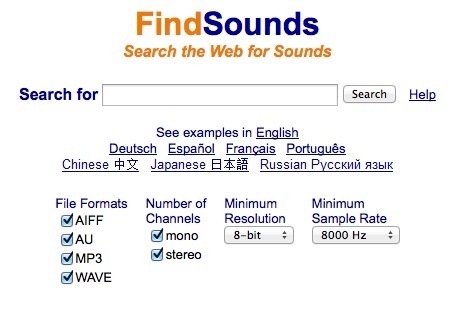
For those who are looking for sound clips for their presentations or video soundtrack, FindSounds is an excellent web resource. This audio search tool is available both as a free web-based audio search engine as well as a commercial downloadable Windows software that specializes in finding, creating, editing and organizing sound clips. The web-based version, can search any type of audio file on the web and it provides also a categorized repository of sounds that makes it easy to find some common sound types: http://www.findsounds.com/types.html The downloadable software version, FindSoundPalette, can search for audio files by name, description, category, genre, source, copyright, format, size, number of channels, resolution, sample rate, duration, key, and tempo.It is also possible to search "by sound", a feature which allows you to automatically find similar sounds on the Web and in your sound collection. You can also record your own sounds with the built-in audio recorder and edit sounds using the built-in audio editor. Useful is also the colorful Comparisonics waveform display which helps you "see" visually what you are editing. N.B.: FindSounds is a long-time provider of this sound search technology which has been available online since the year 2000. More info: http://www.findsounds.com/ and http://www.findsounds.com/palette.html FindSounds for Android: http://market.android.com/details?id=com.comparisonics.fsa FindSound for Mobile: http://m.findsounds.com/ Free 15-day trial FindSoundsPalette (for Windows): http://www.findsounds.com/FSPalette_2.31_setup.exe
A free e-learning video tutorial exploring the role of video in organisational learning. We explore video design for 4 kinds of video - conceptual, procedural, expertise & recordings. Via Mayra Aixa Villar
vgpascal's comment,
January 15, 2013 5:16 AM
Podcast 30 is the second of a series of three videos exploring the role of video in organisational learning. In this video the author explores video design for four kinds of video – conceptual, procedural, expertise and recordings.
Podcast also available also from iTunes.
So I started doing some research to compile what I could on making apps for the connected TV platform. I tried to find all the API guides and docs I could find as well as some basic tips on creating a good user experience for the platform. I figured some of you could really use a single location to get all of this information and now you've got it.
First off, this is not about connected TV ad platforms, I already wrote that up. This is more about creating video + data experiences for consumers to view through their TV. Via Nicolas Weil
blocknote.net (blocknote for the net) is easy to use html wysiwyg editor and word processor.
Martin (Marty) Smith's curator insight,
December 30, 2012 9:29 AM
Since the 4th web revolution may be all about contest, games and our need for constant stimulation (who has free time anymore really), there is a new revolution in town - The Contest and Games Revolution.
Create infographics and interactive online charts. It's free and super-easy! Follow other users and discover amazing data stories! Via Nikos Amanatidis |
Your new post is loading...