In order to create and use only good color combinations it is essential to understand the nature and the features of each color.
The Internet is full of resources to master your skills in any web design field, and certain web applications can make the process of selecting a color combination much easier.
Find these resources and more information on color theory at the link.
Here’s a little something many of us dread – webcam meetings. It’s one thing to chat with friends and family using Skype or Google Hangouts, but it’s another thing completely to try to look good and maintain a professional image for a webcam meeting. The same sense of dread can apply to anyone who has to record video for a presentation or for a show they’re hosting. Even if you’re really confident, you might not look that great on the webcam, which completely ruins the whole take.
So, how does one look good for a webcam? Well, it’s two-parts this, one part that and a shake of something undefinable, really. But, no matter how elusive the goal seems, there’s always a few good tips anyone can follow which will at least get us looking our best for the camera.
Voici une infographie regroupant les nouveaux tags HTML5, ceux en commun avec le HTML4, ceux non supportés ainsi que les attributs et le support des différents navigateurs. Une flopée d'infos que pourront bookmarker les développeurs Web.
Free Online jQuery Slider, jQuery Slideshow Gallery. Fancy transition and visual effects, templates. No coding, no image editing, no learning curve, no software to download, no jQuery conflict.
Simply upload your photos, select a template and our service will do it's magic!
*fancy transition and visual effects, fancy templates,
*online creating, anytime updating and maintenance of your slideshow,
*fully customizable text/HTML description,
*very easy integration into any web page with simple copy&paste of a single HTML/JS source code or download it and use it on any web page with no limits,
*based on "non conflict" jQuery engine, supporting multiple usage on single web page,
My Cousin Sonia Diaz is currently suffering from one of the most fear diseases in America. Head and Neck Cancer! Doctor's state " No hope" unless she finalizes Chemo/Radiation or a miracle from GOD!
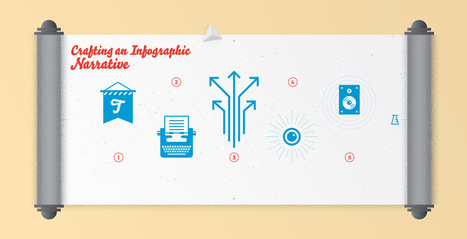
Crafting an infographic narrative is an art. We detail the five elements of an editorial infographic's narrative and what each element aims to accomplish.
The best infographics are created when a story comes first. In a completed piece, every data point, piece of copy, and design element should support that story. This does not mean, however, that the story an individual or organization wants to tell will intuitively translate to the infographic medium.
Even in instances where all information and data exists on paper, the story may still require adaptation—crafting an infographic narrative to effectively communicate the story. While specific needs vary across applications of infographics, for editorial pieces, this process typically involves writing titles, introductory paragraphs, callouts, and conclusions—the pieces that weave the story together.
You have probably heard about the growing interest in WebGL, the technology that allows for real-time 3D graphics in the browser. For a few years, talented peop
This series walks you through building a native HTML5 video player with flash fallback for unsupported browsers. Official website http://phpacademy.org Suppo...
For a long time JavaScript functions have existed that allow us to create drag and drop interfaces, but none of these implementations were native to the browser (RT @oxyd75: How to use HTML5′s drag and drop http://t.co/joCJrTXb04...
Here are over 50 online software and applications for creating interesting infographics. These tools range from visualization tools to data sources, etc.
Don't have hours to spare crafting something beautiful in Photoshop? Sarah James of The Infographic Design Company selects 8 tools that won't cost you a penny...
Avec Internet, nous retenons moins bien les informations, surtout si elles prennent la forme de mots. Bonne nouvelle : notre cerveau enregistre bien plus vite les images.
This is a superb site and download where you can make 3D animated cartoons by selecting your props, characters and locations and then use blocks to programme how things move and interact in a similar way to MIT's Scratch. You can upload your creations to the website to share. There are a set of challenges to try and you can even remix animations designed by other users. Discovered via http://twitter.com/@mberry
Articulate Rapid E-Learning Blog - Compliance training proves no match for the Sharknado. One of the easiest things you can do to make your course look good is to find a great background. The background is the largest ...
SlideDog presentation software seamlessly switches between multimedia presentation files such as PowerPoint, PDF, Prezi, movies, images, web pages and more SlideDog lets you create playlists for all your presentation files and media. Just drag your files into Slidedog, arrange them in the order you want, save the playlist and you’re set. Playlists of presentations/media can be useful in many cases, for instance:
When you have a lot of different media to display and want to easily switch back and forth. When you have multiple speakers, such as in meetings or at conferences, and want to switch between their presentations seamlessly. When doing demonstrations or sales pitches where you often switch between a slide deck and a website. When doing timed presentations with different file types (you can configure SlideDog to auto-advance).
In addition to adding files from your desktop computer, SlideDog offers you the power of the Internet. Easily integrate content from free public web resources like YouTube to extend functionality and quickly add pre-formatted content to your slides.
How to make any Minecraft item 3D in blender Here's an image you can use if you're having trouble searching one: http://goo.gl/TLXyie (I liked a @YouTube video from @bulldozerhw http://t.co/LtwzJumbLW...
In this article we'll demonstrate methods to identify how people interact with a website differently on mobile devices, and the design decisions that can be made based on this understanding.
Here are over 50 online software and applications for creating interesting infographics. These tools range from visualization tools to data sources, etc.
Step by step tutorial on how to take the shots and edit in photoshop to make circle photographs. 360 Pano! In Australia I recommend Digital Camera Warehouse:...
To get content containing either thought or leadership enter:
To get content containing both thought and leadership enter:
To get content containing the expression thought leadership enter:
You can enter several keywords and you can refine them whenever you want. Our suggestion engine uses more signals but entering a few keywords here will rapidly give you great content to curate.


 Your new post is loading...















Quite an important thing for Graphics Designers like me..