


Watch hundreds of animated explanations, interactive tutorials, animations and instructional videos, and feel free to embed them on your own web pages.
Via Dr. Susan Bainbridge, Jenny Pesina

 Your new post is loading...
 Scoop.it! Watch hundreds of animated explanations, interactive tutorials, animations and instructional videos, and feel free to embed them on your own web pages. Via Dr. Susan Bainbridge, Jenny Pesina 
No comment yet.
Sign up to comment
Scoop.it!
impress.js is a presentation tool based on the power of CSS3 transforms and transitions in modern browsers and inspired by the idea behind prezi.com.
Via @jimmygreer
Scoop.it!

Il existe aussi sur le web des banques d’images libres de droits. Vous êtes donc autorisé à utiliser ces images. Certaines sont gratuites, d’autres sont payantes. Parce que “libres de droits” ne signifie pas “gratuits”! Voici quelques liens vers des banques d’images libres de droits: Via Frédéric DEBAILLEUL
Scoop.it!

PicMonkey is a feature-rich, free online photo editor that works right in your browser; no downloads necessary. Touch-up tools like Teeth Whiten, Blemish Fix, Weight Loss. Effects like Orton, Cross Process, Color Boost, with drag and drop ease. Via Patty Ball
Scoop.it!
Scoop.it!

Screenr | Instant screencasts: Just click record. Screenr’s web-based screen recorder makes it a breeze to create and share your screencasts around the web. Just click the record button, capture your screen & voice, and share the link. Via Tracy Parish
Scoop.it!
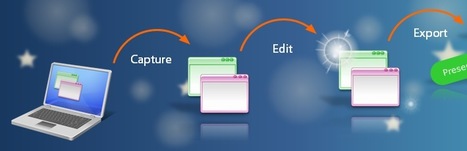
Robin Good: For Windows PC users ActivePresenter may prove to be an interesting alternative, with lots of useful features at a price that can't be beaten.
And when you want more options, like extra export formats, or the ability to produce PowerPoint presentation as final output, the Standard and Pro editions come to the rescue.
With ActivePresenter, not only you can record your computer screen along with your own audio narration, but you can also capture screenshots automatically with mouse clicks or key presses and automatically generate appropriate annotations for each action.
Even the free version has no watermarks or time limitations.
Other features include: - Attractive callouts - Annotations for explaining each action - Make it interactive by adding application simulations, branching scenarios, and quizzes
Three editions available: - Free Edition: Can create video (AVI, MP4, WMV, WebM)
Demo recordings: http://atomisystems.com/demo/ ;
Compare different editions: http://atomisystems.com/activepresenter/features-comparison/ ;
More info: http://atomisystems.com/activepresenter/free-edition/ ; Via Robin Good
Scoop.it!

Garder le style et les traits d'un dessin papier dans un fichier avec fond transparent. Via Barbara Laurent
Scoop.it!
Technology Tidbits: Thoughts of a Cyber Hero: 15 Sites for Finding Images and Clip Art for Education
"A while back I did a top 10 sites for finding images and clip art for education. However, a lot of things have changed since then and a few of those sites no longer exist. That being said a handful of new and exciting sites have been developed for education for finding images which led me to creating a new list. *Keep in mind when searching for images for students it is always a good idea to have adult supervision/filtering solution. ** The following list is in alphabetical order..." Via Beth Dichter
Scoop.it!

Wolfram CDF (Computable Document Format) provides a way to create interactive demonstrations as part of text material. Via Jean Jacoby
Scoop.it!

Information graphics or infographics are graphic visual representations of information, data or knowledge. These graphics present complex information quickly and clearly,[1] such as in signs, maps, journalism, technical writing, and education. With an information graphic, computer scientists, mathematicians, and statisticians develop and communicate concepts using a single symbol to process information. In this article you will find 15 useful infographics for designers and developers. Via Lauren Moss
Scoop.it!

Screenbird. Free Simple, Sharable Screen Recording. No Downloading Executables. Works through Java in your browser.
Features Quick, no sign-in screen recording Via Ana Cristina Pratas
Scoop.it!
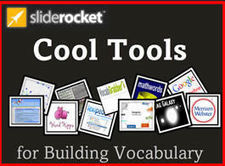
"As someone who creates and shares presentations frequently, I'm excited to add SlideRocket to my tech toolkit of cloud-based presentation tools. It's slick, collaborative and available for free with a Gmail or Google Apps for Educators account..." Via Baiba Svenca, Timo Ilomäki
|
Scoop.it!

Sonic Foundry Live Webinars: "Are All Classroom Capture Systems the Same ...MarketWatch (press release)After two years of research on what their audience liked and disliked about online training, staff at Hunter Douglas Window Fashions reached a...
Scoop.it!

Ardora is a computer application that allows all the teachers to create their own activities in html format, in order to be used by the students in a very simple way.
Scoop.it!
Creating a game is super simple: Just draw the in game objects, play around with the customization options and before you can say "Sketch Nation Studio," you will be enjoying your own self-created game! If that’s not enough, you can also: Via Ana Cristina Pratas, Martin (Marty) Smith
Scoop.it!

Le Mit a repris App inventor et en a fait quelque chose de très simple et convivial. A essayer absolument. Via Ticeman, Sophie Bocquet
Scoop.it!

Novelty is a tool for creating your own visual novels and 2D games. Via @EmilieVT1
Scoop.it!

Easily combine your voice, pictures, videos and more into a beautiful, interactive experience describing anything. Via Fernando Seijo
Scoop.it!
From
golang

Go is an open source programming environment that makes it easy to build simple, reliable, and efficient software.
|






