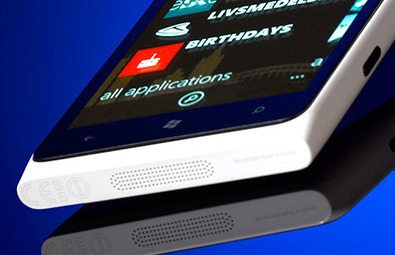
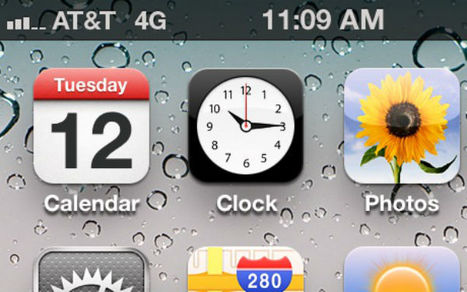
First time I saw leaked screenshots of the Belle FP2 update I could barely believe it. FP1 did not hit all devices yet and Nokia was ready to deliver FP2.
...All Symbian fans outthere know that the input method has been one of the biggest hickups in our beloved OS. At first there was only a T9 keypad working in fullscreen and a QWERTY working in landscape. Then Anna came and we had a decent portait QWERTY but still shakey splitscreen support and the keyboard was still far behind the best in class, and then came Belle. Belle was supporting, for the first time in Symbian history, input method switch between Swype and default keyboards without any reboot, and Swype splitscreen support. Belle FP1 changed nothing as far as input is concerned, but every OS has to grow up and Belle FP2 finally adopted the same keyboard layout as Swype for the default input method. So now we have a competitive keyboard that looks and behaves like any other good keyboard outthere, and this in my opinion is the biggest step forward Nokia made with the FP2 update. I do hope this keyboard finds it’s way to the Nokia Belle Refresh update that is comming to the first generation Symbian devices.
Lockscreeen
The default one button unlock screen has been replaced with a WP/MeeGo-like lockscreen that you just swipe away. I have to say that not only once did I end up with my N8 unlocked in my pocket. The static unlock button is very easy to get pressed if you hold your phone in your pocket facing you leg. Swiping away the lockscreen removes that hazard because it’s easier to touch an area like the unlock button when you walk than it is to swipe in one direction on 10 centimeters of glass. ...
Nokia Reaction Bluetooth Headset http://nokia.ly/LYY0RS is a high quality headset with truly intuitive user experience. It features the further improved version of Nokia's innovative AlwaysReady technology that allows automatic audio transfer between phone and headset.
Now with ear detection, user can answer calls simply placing headset on ear. The headset is extremely easy to pair with NFC and it has automatic volume control that adjusts the volume based on surrounding noise. This is complemented by easy to use touch sensor for volume control and battery display.
In addition to intuitiveness, Nokia Reaction Bluetooth Headset features excellent voice quality: it has three microphones with background noise reduction and special acoustic design. It is a pleasure to both carry and charge.
Nokia unveiled Nokia Reaction Bluetooth headset...
The Nokia Reaction can be paired to phones through NFC technology and it features the further improved version of Nokia’s innovative AlwaysReady technology that allows automatic audio transfer between phone and headset.
Now with ear detection, user can answer calls simply placing headset on ear. The headset is extremely easy to pair with NFC and it has automatic volume control that adjusts the volume based on surrounding noise, it has three microphones with background noise reduction and special acoustic design.
I know I promised I was going to talk about Windows Phone 8 until Microsoft or Nokia make official announcements (which probably will be next week on June 20th at the Dev Summit in San Francisco, CA) regarding the OS.
But I got some screenshots from an anonymous source who goes by the name DarkRiver (lol, you gotta love that name) which claims to be from a windows phone 8 device running via RDA.
First off, he says this is the integrated skype on WP8 and how it looks, this is a much awaited feature and we will definitely see it on the next major upgrade to windows phone, from the images you have the option to answer a Skype call with or without video, you can also initiate Skype chat from the user’s profile, pretty awesome! ...
It has been a long time since I allowed a Symbian utility to have auto-start privileges on my phone, but Extra Buttons is so elegant in concept and implementation that I'm prepared to go out on a limb for it. ...
Traditionally in Symbian, the bottom toolbar was reserved for left/right soft key descriptions, so a few words of English (or another localisation language), all of which usually took up most of the width of the bar. We then moved to Symbian Nokia Belle and icons to represent common functions or actions. All very international and efficient, but because icons take up a lot less space than their descriptive text, we've been left with some 'wasted' space in the toolbar in many apps and UI screens. In some cases, extra icons are inserted (e.g. one extra in Contacts, Calendar and Messaging, and two extra in Web), but on the Belle homescreen and the main application launcher, we're stuck with 'Back', 'Call/Search' and 'Menu', with acres of space in between.
This is obviously where Extra Buttons comes in, adding a potential four extra icons to these last two toolbars, as shown in the screenshots below. It's up to you, there are four extra slots and you can choose what goes where - if only one icon slot is used on each side, then it's centred appropriately rather than leaving a gap....
In fact, there are two extra related functions, as listed below (1st and 4th in the list), assigned to a long press of the appropriate Extra Buttons icon:
-Lock/Restart - lock the screen (saves using the side toggle switch, which can sometimes be hard to fully pull back, depending on hand position), restart is obvious but shouldn't be necessary very often on a Symbian phone.
-Task switcher - brings up the standard multitasking carousel - yes, this is available by long pressing the physical 'home/menu' button on the phone, but this is much faster and arguably more elegant(!)
-Brightness - I normally leave my Symbian phones on maximum auto-brightness, with the caveat that I can't stop the 'auto' bit kicking in - its built into the OS. Extra Buttons appears to be able to override this, allowing low, half and maximum brightness, along with an 'auto' setting that seems to be roughly equivalent to halfway on the Symbian 'auto' scale. Anyway, very handy to be able to toggle brightness modes without having to dive deep into Settings each time.
-Battery/Energy saving mode - this icon works slightly differently, in that there's no need to press it - the icon will always reflect the current charge state as a percentage - a great improvement on the rough and ready 'gauge' on the Symbian top status bar. This readout even works when the phone's being charged, so you can see the number slowly rising. Long pressing the icon toggles 'power saving mode' on and off, which (again) is easier than messing around with Settings or using the power button menu. ...
Here's our interview with the Chris Weber President of Nokia Inc. (US) and Head of Markets, North America. We discuss The Lumia 900 data problem, Windows 8, what's wrong with Windows Phone, Android, Microsoft, the future of Symbian, Navteq and life after Windows Phone.
The Nokia Lumia 900 boasts one of the most identifiable, innovative and critically acclaimed smartphone looks of recent times. With that in mind, we called upon Nokia’s Head of Industrial Design, Stefan Pannenbecker to discuss some of the considerations behind the hardware intricacies that have made this phone sexier and your life easier.
“We execute to the minutest detail and crafting each part of the phone so it becomes what you’d expect from a beautiful watch, or a pair of sunglasses,” Stefan tells us.
Every detail counts A prime example of this attention to detail is Lumia 900’s earpiece, so slim that it’s barely visible. Unless you’ve really studied your Lumia 900, you may have missed it.
“We really drive the idea of miniaturization,” says Stefan. “Within the Lumia 800 and Lumia 900 we were determined to maximize the screen space available within the footprint. We wanted the earpiece to take a seat in the second row without compromising performance.”
The device’s tiny earpiece sits at the meeting point between the ClearBlack LCD display and the Polycarbonate unibody – a one piece premium plastic casing with varying matte or high gloss finishes depending on your chosen color; cyan, black or white.
“For the black and cyan finishes, we felt that the matte really supported the idea of premium plastics. It works very well within the context of the sculpture. When it came time to look at the white version we had a rethink and opted for a high gloss finish, because it created an almost ceramic feel. It’s more refined.”
Keep it simple Beyond the color and the finish, the Lumia 900’s body also has a seamlessly integrated camera lens meaning it does not impose on the smoothness of the device and won’t get caught in the lip of your jeans pocket as you scramble to capture the shot
“Generally,” Stefan says, “We work towards integrating all of the elements as seamlessly as possible. We made quite an effort in the case of the Lumia 800 and Lumia 900’s camera as we felt it was a better fit with the unibody. It fits in with our ideas of creativity and simplicity.
“Sometimes we do other things. In the PureView 808 we’re dealing with a much bigger component (a 41-megapixel sensor) so we make it feel right. The camera module is quite large so it’s used to give the device character.”
With so much contained within the unibody, some things have taken to the exterior of the device; like the top-loaded SIM card slot. What was behind the decision to place it on top of the device?
“It has to do with the internals of the product and how we can create the best overall design. We call that designing inside out. The designers spend a lot of time with the electrical and mechanical engineers to discuss what is the best product arc we can achieve.“We wanted to maintain a very sealed overall appearance which meant it had to be on the top or the bottom. It ended up on the top because a big part of the antenna is at the bottom and it would have interfered its performance. ...
Much has been said about the Nokia Lumia and its entertainment and social capabilities, but did you know that it’s also a great fit at work?Here are five reasons why:
1) Outlook Mobile
It’s no secret that many of us are obsessed with our email accounts. The first thing I do when I get a new phone is set up my email – all three. And thankfully, it takes mere seconds on the Lumia. It doesn’t matter if you have one or more accounts – Lumia smartphones support multiple POP/IMAP and ActiveSync accounts.
Just enter your email address and password, and in some cases your username and domain, and you’re good to go. You don’t have to stare at the phone while waiting for your mailboxes to synchronize. Let the phone take care of that while you move on to more exciting things like setting up Facebook, Twitter and LinkedIn, or downloading apps.
To make your life easier, you can link your email accounts so that you don’t have to click on separate tiles to read your emails. Everything’s behind one tile, and in the same conversations view. Appointments from different accounts are also packaged in one view and can be colour-coded, freeing you from the pain of dealing with multiple calendars.
2) Apps
Immediately after setting up my email accounts, I move onto apps, because let’s face it, a smartphone isn’t much without apps. Apps favoured by business users in genres such as messaging, productivity, document management and viewing, news and information, CRM and field force automation are starting to grow in number in the Windows Phone Marketplace.
Business-relevant apps for Windows Phone that were announced just last month (May 2012) include LinkedIn, with some functionality (companies and jobs) better than the apps for iOS and Android, and Prontoforms, a mobile forms app that eliminates costly, slow and error prone paper form processes.
Good Technology’s Good for Enterprise app, bringing secure access to corporate email, contacts, and calendar, went live in April. And the list goes on. With Windows Phone gaining in popularity, expect to see more of the world’s leading business apps appear in Marketplace.
3) People Hub and Live Tiles
No man is an island… Not even if you’re a one-man or one-woman operation. You have clients, agencies and other sorts of teams to deal with. That’s where the People Hub comes in handy. ...
I take a long detailed look at the 808 PureView, the 41 Megapixel camera phone from Nokia. The elements in focus are the design, the camera, its UI, and general specs. Also of note is Nokia Belle Feature Pack 1 that the 808 PureView will ship with. More at http://thehandheldblog.com
We're thoroughly enjoying the hardware improvements on the Nokia Lumia 900, but almost as important are the improvements made to the Windows Phone software....
Windows Phone OS was already in pretty good shape before the Nokia Lumia 900 hit, but it's just gotten even better with the new phone's arrival. Here are a couple of key improvements we've noted.
Internet Sharing
The headline addition to the new Windows Phone 7.5 refresh is Internet Sharing. This little beauty allows you to hook your laptop up to the internet through the Nokia Lumia 900. It's completely wireless, and it simply allows you to use your phone as a portable modem - with a standard broadband connection replaced by a mobile network connection.
New Marketplace icon
Okay, so it's not a big thing, but the fact that the Marketplace icon has taken on the Nokia 'n' shows how there'll be more and more personalisation going forward.
Video messaging
You can now attach video clips to your text messages. Why would you want to do this? Perhaps you want to send a special recorded message to someone rather than relying on impersonal old text. It works in much the same way as a picture message, really.
Extra background tasks
We use back-button multitasking a lot on all of our Nokia Lumia phones, so the increase from five live tasks to eight is a welcome one. It means that your Nokia Lumia 900 will remembe...
The Nokia Lumia 900 is a 4.3-inch smartphone, which means the screen is fantastic to use as a viewfinder in conjunction with the 8-Megapxiel camera. Here we take a look at the top 5 photo apps for your Nokia Lumia 900, adding panoramic shots, Instagram features and good old editing skills. Check them out with our guide to the Best photo apps for Nokia Lumia 900.Now, we wouldn't say we were professional photographers by any stretch of the imagination, but we love the fact the Nokia Lumia 900 comes with a versatile and easy to use 8-Megapixel camera. The Gorilla Glass and Nokia ClearBlack Display technology mean you can use it in pretty much any lighting condition and still frame the perfect shot. ...
Reviewing The Marbians HD for All About Symbian...
Physics is fun! No really it is, think of all those pool games, Angry Birds, Worms – they're all physics simulations. Next along in the realm of physics-based action puzzle games is The Marbians HD. You're in control of 'Martians', who have crash landed and you have to bounce them around inside marbles (yes, really) to get them back to their flying saucers. If you like pool games, Martians and the 1950s, then you should read our review.
I'm not sure how many Symbian users will also use Microsoft's SkyDrive, but with Windows still dominant on the desktop and with some Symbian users at least thinking of transitioning to Windows Phone, the appearance of this third party SkyDrive...
Good news N8 owners! Today Nokia has released a much awaited update for our beloved phones.
...Please read carefully before trying to install as this update requires a temporary 45MB of internal phone memory. Probably after the installation you’ll still lose 20MB of internal memory, but that’s not too much considering what you’re getting. A full editing office suite that includes OneNote, Word, Excel, PowerPoint, Lync and PowerPoint Broadcast. I have one tip for you guys that you can follow prior to installing the MS Office suite on your N8′s: uninstall QuickOffice, it will give you 10MB more internal memory space which can prove handy while installing the new update, plus there is no point in having two office suites installed on your phone.
Another plus you get with this update is the Mail, Arrivals widget as part of the updated email client. The email client has now improved Exchange support and a quicker HTML rendered for complex emails. You will also find a new plus button on the email client toolbar allowing you to quickly compose a new email. ...
We have already seen the Nokia 808 Pureview camera defeat the iPhone 4S and HTC One X, but now CNET has put the camera up against the a 10 megapixel point and shoot camera, the Panasonic Lumix DMC-LX5, a camera which won a dpreview silver award.They found both cameras had under one second shutter lag and they found both devices had reasonable colour accuracy, but the LX5 handles white balance more accurately.
The Nokia 808 Pureview was however clearly superior to the LX5 in terms of low-light performance, retaining much image detail and better noise performance at 5 megapixels (the shot above).
They concluded:
Overall, we think that the Nokia PureView is capable of replacing your regular compact camera, where image quality is concerned. The smartphone impressed us with its excellent low-light performance and image detail which we attribute it to its large 41-megapixel image sensor. However, don’t discount the LX5 yet as it provides manual controls and more accurate white balance. Shutterbugs who prefer the ergonomics and the speed of using a conventional camera’s physical button interface–in terms of dedicated buttons and custom settings–should still turn to a dedicated digital camera. ...
New betas aren't always news worthy, but when the application in question is Gravity, a flagship title for Symbian, we make an exception. In this case, beta 2.70 (7158), for Symbian^3 and S60 5th Edition class phones, brings a flexible full-screen mode wherein the top bar and toolbar auto-hide and auto-appear, depending on whether you're swiping up or down respectively, plus a total revamp of the main 'view settings' dialog.
The bottom half of the dialog, showing the new 'Auto Hide Controls' system. This works surprisingly well - the rationale is that when you're swiping up you're scanning down tweets just posted and thus you want to read as much as possible, so the controls auto-hide. When you're swiping down it's to find a tweet that you'd already skipped past, in order to respond to it, in which case you'll need the toolbar back. ...
The Nokia N8 was the first Symbian device released as a sealed unit and with non-replaceable battery. This enabled the designers to create a striking design, but power users were out of luck if they wanted to get inside their device.Besides replacing the battery, another reason to open your N8 is to replace the antenna cap, for which there is a trend to break over time and come away from the screws securing it. Sure enough, that's just what happened to me. So, if you can't bear to be parted from your Nokia N8 while it's at a repair centre or your warranty has expired, here's my guide on how to replace the Nokia N8's antenna cap. ...
How hard should a puzzle game be? Hard enough to take you a few hours to play through? A few dozen hours? Or a few hundred?
...The interface is simple and pretty, with pseudo-3D-rendered cars to swipe backwards and forwards. A sound effect plays and a visual indicator appears when you tap or swipe, to show the currently selected car. ...
What's the difference between 4G and LTE on AT&T, T-Mobile and Verizon networks? LTE networks are 10 times faster than 3G counterparts.
...Today, AT&T, T-Mobile and Verizon all advertise their networks as 4G, and this confuses a lot of people, including their own employees. While LTE is the true 4G network, the HSPA+ networks operated by AT&T and T-Mobile are noticeably faster than their 3G counterparts, prompting them to proclaim them to be “4G.”
After AT&T finally woke up last year and noticed that Verizon’s rapidly expanding LTE network was substantially faster than its HSPA+ network, the company decided to build its own LTE network while still calling its HSPA+ network “4G.” Sprint and T-Mobile followed suit, announcing they too are developing LTE networks.
The most notable change you’ll experience when moving from a 3G to a LTE device is a dramatic speed upgrade. LTE networks are on average 10 times faster than their 3G counterparts. Sites load faster, Netflix doesn’t pause every five seconds, and apps download at greater speed. ...
...In fact, augmented reality is here and, as evidenced by the launch of Nokia City Lens beta for Nokia Lumia, you don’t even need specialist eyewear to enjoy its many advantages.
All you need for augmented reality is an app on a phone but it really is a new dimension in the way we view information. It ticks a lot of boxes in a game of buzzword bingo: it’s location-aware, context-sensitive and operates dynamically in real time. But more importantly, at least for non-techies, augmented reality offers all of us a way to get more out of the moment, discovering the name and history of buildings and objects around us and leading us to interact with our environment in a very different way. Offices, bars, galleries, museums become labelled so we know when we have reached them, or we can discover something new and interesting without being an expert on the locale.
Augmented reality will change the way we interact with the real world, providing at-a-glance views of the world around us, what’s open and what’s on offer. It will provide a new way to examine what is around the corner and it will act as a magnet for suppliers that buy into it and compete for our attention. Augmented by a new layer of information we’ll see the world in more detail and be amazed by how much is going on around us.
In a recent blog post for Fast Company, Kit Eaton is providing a very similar analysis, stressing how augmented reality true value lies in the discovery it helps enable:
Once you’ve used Nokia City Lens to take you to a post office to send a postcard home, wouldn’t you perhaps consider visiting a nearby cafe to grab a drink and a bite to eat – one you’d never otherwise have found? Or how about if you follow the app’s advice when you’re visiting Paris and instead of eating in your usual touristy haunts in the Left Bank it takes you to a place to eat in the Marais… where you discover a whole new nightlife you didn’t know about before?...
Voddler, Another Nokia Lumia Exclusive App Now In Windows Phone Marketplace related to with Another Nokia exclusive app just landed in Windows Phone Marketplace. Its the movie rental service Voddler. You can now watch movies and TV-series on your Nokia Lumia devices. You can rent or watch movies with ads from Hollywood, Europe, etc,. Voddler for Nokia Lumia devices comes with an exclusive feature called “Movie Night” which allows you to set up movie nights with your friends and sync your viewing both online and offline.Nokia Lumia users will also get a 4 months of Voddler Plus service valued at € 7.90 / month 2 Tickets for the service Lumia Voddler Movie Night feature. Enjoy the new movie experience on your Lumia device!
The Nokia Asha 305 is a Dual-SIM feature phone aimed at those on a budget but still looking for the greatest array of apps and features and a full touchscreen...
The Nokia Asha 305 Asha Touch phone looks set to deliver on all fronts. Read on to find out more about the Nokia Asha 305 Dual-SIM.Young, urban users are being targeted by the Nokia Asha 305, as it delivers a spanking smartphone lite experience at an amazingly aggressive low-cost to the end user. The Nokia Asha 305 comes with an Easy Swap Dual SIM function that means if you need to share your phone with another family member you can keep your personal life private and so can they with dedicated homescreens, ringtones and separate Contact books.
Nokia Asha 311 delivers smartphone looks and lifestyle
The true advantage of Easy Swap is that you can swap SIM cards without needing to switch off the Nokia Asha 305, or even restart it, how cool is that?
The Nokia Asha 305 is based around a 3-inch WQVGA resistive touchscreen display and looks as though its rocking a neatly re-worked version of the Series 40 OS called Asha Touch that has been optimised to make the most of the touchscreen display.
The Nokia Asha 305 weighs 98.3g when loaded with battery and measures 110.3 x 53.8 x 12.8mm, making it a slim and light phone. With 10MB of internal memory free for the user, you'll need to add a micro-SD card, but with support for up to 32GB cards, storage isn't really an issue.
When it comes to other features, you'll find a 2-Megapixel camera as well as Music Player and FM Radio, while the Nokia Browser is 3x faster than older versions, making it 90 per cent cheaper to use mobile internet, essential when you're on a tight budget but still want to stay in touch with the wider world.
Fancy a little kick-back time? Then 40 Free EA games to download and keep forever, titles include Tetris, Bejeweled, Need for Speed The Run and Fifa 2012 should make life a little more fun. Then there are the standard social networking apps, Facebook and Twitter preloaded to keep you in touch with friends.
Connectivity is handled by GPRS/EDGE, 2.0 mm Charger Connector, Bluetooth 2.1, Micro USB 2.0 connector, 3.5 mm AV connector and USB charging.
The Nokia Asha 305 looks set to launch in four flavours, with Red, Blue, White and Grey being the first available.
When it comes to pricing, the Nokia Asha 305 looks set to cost around 63 Euros, before tax, which is a bargain price for such a great looking smartphone lite device.
It took a while to make it to UK shores, but now that Monster Island has stomped its way onto our Nokia Lumia 800, was it worth the wait?
...If Monster Island were a monster, it would be some kind of elusive predator. Not only did it hit the UK Marketplace unexpectedly (considerably after the initial US release), it also doesn't play anything like you might be expecting.
While you do take control of any one of a selection of monsters here, you won't be doing anything particularly monster-y in the game. There's no scary rampaging, no eating hapless victims and no close-quarters destruction. Instead, your monster is a bit of a crack shot with a rock. Monster Island is closer to a genteel game of cricket than the blood and guts arcade spectacular we were anticipating.
Scratch that - the game it's closest too is another Windows Phone game from Miniclip, Fragger. In fact, the controls and mechanics of play are nigh-on identical.
By dragging on the screen, you can adjust your aim via a handy arrow. Dragging away from your monster, meanwhile, will increase the power of your throw. Once you're happy with the firing calculations, simply release the screen and a grenade will be lobbed. It'll only detonate once it's come to a complete stop.
You want to know how much like Fragger Monster Island is? That last paragraph was copied and pasted directly from our Fragger review, with a couple of minor contextual tweaks.
Okay, so there are differences. Of course, the universe is completely different, with Fragger's cartoon militarism replaced by a wacky and colourful monster-filled world. In fact, it's a little too abstract and lacking in a clear personality for our liking, so we prefer Fragger on this count.
More positive is the increased range of ammo at your disposal, from plain old rocks to sticky projectiles. The latter in particular don't do any damage at all, but simply allow you to affix subsequent projectiles in place. The way the developer applies this - not just letting your set C4-like charges, but also letting you move objects with the sheer weight of the attachments - is also a nice touch.
Indeed, Monster Island's levels seem more outlandish and imaginative than Fragger's in general. Which is good job, as there are hundreds of the things!
We'd hesitate to call Monster Island good value though. Not only is there a not inconsiderable £2.29 initial outlay, you're also prompted at every turn to unlock new monsters, levels and solutions. There is an in-game currency for this, which can be earned from simply doing well in the game, but in order to unlock the bigger things (like new worlds) you'll have to do a ridiculous amount of grinding - or else submit to the in-game purchase system using real money (well, Microsoft points).
We're not too fond of this method of not-so-gentle persuasion, and to...
When it comes to catching up on some news, or listening to your favourite radio show, nothing quite beats a podcast app. It’s the perfect tool to use when you’re out-and-about – on a morning commute, for example. Here are a handful of podcast apps that’ll have you tuning in for more, on your Nokia Lumia smartphone.TuneIn Radio – Free
TuneIn Radio is more than just a podcast app; it’s an all-inclusive radio app capable of tuning into local and global radio stations from wherever you are in the world. However, sometimes you have something very specific you want to listen to and a radio just won’t do that job.
In the podcast section of the app you can browse for podcasts by different categories, or just type in what you’re looking for in the search bar at the top.
There’s a multitude of podcasts to choose from a huge library of stations and channels. If you’re into sport, there’s the ESPN channel. If it’s entertainment you’re after, the Chris Moyles Show is just one option. Or, maybe you want something a little more energetic? Try the Rock/Metal section in the music channel.
Whatever it is you’re into, TuneIn Radio offers over 50,000 stations and 1.2 million on-demand streams for you to choose from. All of which can be pinned to your home screen for easy access at any point.
BBC Podcast Lounge – Free
If it’s just BBC podcasts you like to listen too, then this app will have them all. It’s an amalgamation of the many different radio stations from the BBC, including Radio 2 – the most popular British domestic radio station, and BBC Radio 4 – the home of thought provoking discussion and spoken-word programmes.
With full integration to the Music + Video hub, background audio playback, programme homescreen pinning and over 350 unique programmes in its catalogue, BBC Podcast Lounge is great app for all those BBC fans.
Simply Podcast – Free
Once loaded, this app will automatically subscribe you to a selection of podcasts ranging from WPCentral Podcast, Onion News Network or Daily Bacon (that’s Richard, not the cured meat) to get you started.
To add more podcasts to your subscription list, you’ll need to press the add button at the bottom and then enter URL of the rss feed of the podcast. While this might seem like hard work for those who prefer a point and click interface, this does allow you to sign up for the more niche, obscure podcasts that you might not always find in the usual catalogues.
Podcasts! – Free
With Podcasts! you can search for video podcasts as well as audio podcasts, which separates this app apart from some the others mentioned above. There’s also the added bonus of being able to download the podcast onto your Nokia Lumia for easy listening, or watching, later on when you haven’t got an Internet connection. Something not all podcast apps offer.
Podcasts! plays the audio in the background – as well as downloads selected episodes – while you’re performing other tasks. Deep OS integration means that you can access your podcasts right from within the Music + Video hub, too.
These podcast apps are available for the Nokia Lumia 610, Nokia Lumia 710, Nokia Lumia 800 and the Nokia Lumia 900...
Rather a novelty, but you may be able to fool your friends or achieve a particular effect with Harald Meyer's latest camera add-on for Symbian. Although NightVision Camera is pretty obviously just applying an effect to the standard camera picture, the results look surprisingly authentic. The main downside is that captured snaps in this free version are limited to 1 megapixel. Rather strangely, there's no sign of a commercial version yet, so this free one will have to do. Here's NightVision Camera at work:
To get content containing either thought or leadership enter:
To get content containing both thought and leadership enter:
To get content containing the expression thought leadership enter:
You can enter several keywords and you can refine them whenever you want. Our suggestion engine uses more signals but entering a few keywords here will rapidly give you great content to curate.


 Your new post is loading...