Your new post is loading...

|
Scooped by
David Anders
September 6, 2012 9:45 AM
|
Analyzing e-mail message headers can help pinpoint message delivery problems, but a full message header can be confusing to interpret. Fortunately, there's an easy way to analyze them. E-mail messages weren't always as reliable as they are today, but problems can still occur during delivery. Reading message headers can help pinpoint delivery issues, like delays. But if you've ever tried looking at a full message header, you know that it can be a bit confusing to read. Fortunately, there's a Web-based message header analysis tool that reads the header data for you and outputs it into a format that's much easier to analyze. To use Message Header Analyzer, first copy the full message header from an e-mail message. If you need help figuring out where to extract the header, take a look at Google's tutorial for finding headers from different e-mail clients. Next, paste the message header into the large text box in the Message Header Analyzer Web app, then click the Analyse button.
|
|
Scooped by
David Anders
September 6, 2012 9:41 AM
|
With the Gmail Attachments to Drive extension for Google Chrome, you can add files to Google Drive directly from the Gmail messages they're attached to. Many of the files I receive attached to Gmail messages end up in my Google Drive account. Previously this required downloading or viewing the file, saving it to a drive of the PC I'm using, signing into and opening Google Drive (formerly Google Docs), and uploading the file. That's a lot of mileage for a file to travel just to get from one Google service to another. Last month, Jason Cipriani of CNET's Blog Network described a technique developed by Amit Agarwal that automatically adds Gmail attachments to Google Drive. As Jason explains, the process entails copying a document from Agarwal's Google Drive account to yours, and then granting the document permission to monitor your Gmail account. (Your private data is never accessible to the author of the shared document or anyone else, according to Agarwal.) You then create a Gmail filter that applies a specific label to messages you receive that have attachments. You can also create filters to prevent attachments from specific people from being sent to your Google Drive account automatically. Otherwise, Agarwal's approach is an all-or-nothing affair: every attached file is added. As much as I appreciate friends and associates sharing with me everything from pumpkin-carving tips to corporate quarterly reports, most of the attachments sent to my Gmail account don't belong on Google Drive. That's why I prefer the selective approach to transferring Gmail attachments to Google Drive made possible by Josh Sullivan's free Gmail Attachments to Drive extension for Google Chrome.
|
|
Scooped by
David Anders
September 6, 2012 9:36 AM
|
The Internet company plans to let go of its open-source e-mail software, with hopes that other people will keep the T-bird alive, according to a leaked letter obtained by TechCrunch. Surprised to find out that Mozilla's Thunderbird isn't dead yet? Well, have we've got news for you. Mozilla is just now (sort of) pulling the plug on its open-source e-mail software, TechCrunch reported today. The company is looking for feedback and plans to share a final action plan in September. In a "confidential" message sent to "Mozillians" prior to an official announcement this coming Monday, Thunderbird Managing Director JB Piacentino said Mozilla is moving its resources away from further developing the software with hopes that Thunderbird's vocal fans will take over that responsibility. The information was suppose to accompany a blog post from Mozilla Foundation Chair Mitchell Baker on Monday afternoon. It seems the post, which focuses on the Thunderbird's stability and community, was published today (after TechCrunch's report was published). The news release is expected to be posted here on Monday.
|
|
Scooped by
David Anders
September 5, 2012 2:18 PM
|
We pick our favorite hardware, software, and Web sites from the past year... DiskWarrior 4 DiskWarrior turns ten years old in fall of 2008, and in the past decade, no other utility has come close to challenging its prowess at repairing disk-directory problems. DiskWarrior 4 () is no exception. The long-awaited Intel-native version of the utility adds features for ferreting out corrupted preference files, repairing OS X permissions, repairing and rebuilding access control lists, and repairing more types of disk problems than previous versions could handle. DiskWarrior remains as valuable today as it ever was
|
|
Scooped by
David Anders
September 5, 2012 2:00 PM
|
First, what happened. I was on vacation for a few days with my wife immediately after Macworld Expo. Thursday 18 February was my first day back at home for a normal day of work. When I woke the machine up from sleep, everything was terribly slow. Closing windows. Opening new windows. Switching between apps. These things were all taking 30 seconds or longer. (I’d last used the machine on the airplane on my way home the night before. I noticed nothing wrong then.) This was bad news, of course. So I saved everything that was open and rebooted. I gave it some time but the login screen didn’t appear.
|
|
Scooped by
David Anders
September 5, 2012 9:45 AM
|
Use this information to help you determine which MacBook Pro model you have. Determine your MacBook Pro by serial number On most computers with Mac OS X, you can find the serial number in the About This Mac window. Otherwise, see MacBook Pro: How to find the serial number to learn where to find the serial number on the surface of your computer. When you have the serial number from your computer, there are multiple way to determine your product model. Option 1: Type the serial number into the Check Your Service and Support Coverage page. The resulting screen will show your model, as below.
|
|
Scooped by
David Anders
September 5, 2012 9:42 AM
|
There are some simple troubleshooting steps you should try if your iMac (Early 2006) and later—the Intel-based iMacs—won't turn on. Use these steps if:
Your Intel-based iMac computer's display has no picture after you turn it on. Symptoms There are some simple troubleshooting steps you should try if your iMac (Early 2006) and later—the Intel-based iMacs—won't turn on. Use these steps if: Your Intel-based iMac computer's display has no picture after you turn it on. You don't hear any fan or hard disk activity sounds after you turn the computer on. The computer doesn't seem to have any power when you try to turn it on. Resolution Verify that the power outlet you're using is good and your power cable is firmly connected to the wall outlet—if using a surge protector, be sure that it's firmly plugged into the wall outlet. Also, try temporarily plugging directly into the wall outlet to eliminate any issue with the surge protector; plug a different electronic device into the same wall socket to make sure the socket works, and also try the iMac's power cable in a different wall outlet. Make sure the computer's power cable is firmly connected to the computer. If any external devices are connected to your iMac, disconnect them and try to turn the computer on again. If the iMac will power up when those devices are removed, but not when they are connected, contact the manufacturer of those devices for assistance. Try resetting the iMac's System Management Controller (SMC). Remove and reinstall the SO-DIMM memory modules, located in the bottom of the computer.
|
|
Scooped by
David Anders
September 4, 2012 10:47 AM
|
CNET editor Dong Ngo answers questions about how to optimize a home Wi-Fi network. 1. Placement
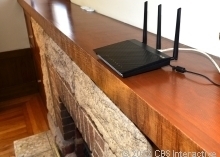
Location: A wireless router (from here on in this post, it will be addressed as "router" for short) broadcasts Wi-Fi signals away from it in all directions. Think of the signal coverage as a globe with the router being right in the center. Outside of this globe, clients won't get a signal. This globe, however, is not exactly spherical; one of the reasons is because the signals are generally turned to go out more horizontally than vertically, and like all radio signals, they tend to spread laterally and downward the farther they are from the broadcaster. That said, the best place to place your wireless router or access point is in the center of your home and elevated.
|
|
Scooped by
David Anders
September 4, 2012 10:44 AM
|
Delete duplicate files, ensure linked tracks play in sequence, join tracks when you rip a CD, change the playback volume of a single track, sync to fill your iPod, and use playback-control shortcuts. About the time my iTunes music library reached 5,000 tracks I knew it was time for a cleanup. While I was at it, I adjusted the volume on some tracks that I had converted from audio cassettes, made sure joined tracks play in sequence, set iTunes to fill my iPod automatically, and learned some handy playback-control keyboard shortcuts.
|
|
Scooped by
David Anders
September 4, 2012 10:41 AM
|
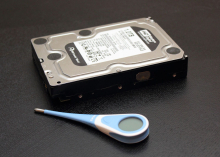
Hard drives can fail at any time, but clues can help you avoid data loss. DiskCheckup for Windows monitors hard-drive health to help you predict failures. In order to use DiskCheckup, you have to have at least one drive that supports S.M.A.R.T technology. Most internal drives purchased within the last 15 years or so should support S.M.A.R.T. Also, most recent external drives are supported by DiskCheckup, but SCSI and hardware RAID are not.
|
|
Scooped by
David Anders
September 4, 2012 10:28 AM
|
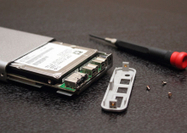
Building your own external hard drive is easy to do, can save you some cash, and offers more custom options than buying prebuilt ones. Off-the-shelf external hard drives often contain mystery drives inside and the enclosures aren't meant to be reused. Building your own external hard drive can sometimes be a cheaper, more flexible solution. And if you already have an old internal hard drive lying around, you can turn it into a cool external drive, for as little as $10.
|
|
Scooped by
David Anders
September 3, 2012 9:43 AM
|
Learn how to get the most from your Mac notebook's battery life. Your battery's condition may help you determine if the battery needs a replacement: If the condition is “Normal”, the battery is functioning normally. If the condition is “Replace Soon”, it is still working but may be starting to lose its ability to hold a charge. If the condition is “Replace Now” or “Service Battery”, the battery likely needs to be replaced. If you plan to visit an Apple Retail store, you should make a reservation at the Genius Bar using http://www.apple.com/retail/geniusbar/ (available in some countries only).
|
|
Scooped by
David Anders
September 3, 2012 9:27 AM
|
Several settings and system features govern the sleep mode in OS X and can prevent normal system sleep if either in use or used incorrectly. Read this blog post by Topher Kessler on MacFixIt. System sleep in OS X is a convenient feature that saves power while preserving your work flow. This option has been available in Macs and other PC systems for years, and is especially useful for laptops where you might wish to conserve battery power. While computer sleep is nothing new, there are some details of how it is implemented in OS X that may help you troubleshoot situations where sleep does not behave as it should.
|
|
|
Scooped by
David Anders
September 6, 2012 9:43 AM
|
Save those pesky Gmail attachments directly to Google Drive from the attachment list itself with a newly added Save To Drive link.
|
|
Scooped by
David Anders
September 6, 2012 9:39 AM
|
If you've always wanted to use a custom photo as your Gmail background, you now can. Themes in Gmail are a good way to quickly differentiate between multiple Gmail accounts, as well as adding a little flair to your account. Until now, you were limited to the selection of themes provided by Google. Within the next few days, Google will have completed rolling out the capability to create custom Gmail themes, using your own background photos. Related stories How to create and share custom Chrome themesHow to use Gmail with keyboard shortcutsNine tips for avoiding e-mail snafus To check if the new themes have been pushed out to your account, go to your Gmail settings and select themes. If the feature's been pushed to your account, you'll see the Light and Dark themes in a new section called Custom Themes.
|
|
Scooped by
David Anders
September 6, 2012 9:35 AM
|
The company will maintain and even update its e-mail client but will no longer focus on innovating or enhancing the application. Reports of the death of Mozilla's Thunderbird may have been greatly exaggerated. But the e-mail program is no longer on the company's priority list. Responding to news items that his company was dumping Thunderbird, JB Piacentino, managing director of Thunderbird, tried to clarify the future of the software in a Mozilla blog. Thunderbird users can look forward to upgrades down the road, with versions 14, 15, 16, and 17 on the horizon. Mozilla also plans to support the application at least until the second half of 2013, according to Piacentino, and is trying to determine how to support it beyond next year. The company will still devote paid staffers to handle the support of Thunderbird, though they may only spend part of their time working on the project.
|
|
Scooped by
David Anders
September 5, 2012 2:03 PM
|
Alsoft’s DiskWarrior 4.1, an application that prevents and resolves hard-disk directory damage, just saved my bacon again. I had a big writing assignment with a deadline fast approaching, but when I turned on my Mac this morning it wouldn’t start up. I performed all my usual tricks: disconnecting all peripherals, clearing the PRAM, checking cables, booting from a different hard disk and so on. I had no trouble booting from an external hard disk, which led me to believe something bad had happened to my internal startup disk but that my Mac itself was fine.
|
|
Scooped by
David Anders
September 5, 2012 9:47 AM
|
AirPrint-enabled applications can print to an AirPrint-enabled printer—and you don't need to install a driver or configure the printer queue. Tap print, select a AirPrint-enabled printer, and print. It's that simple How to print. AirPrint requirements To use AirPrint, you need one of the following devices with the latest version of iOS: iPad (all models)iPhone (3GS or later)iPod touch (3rd generation or later) You also need an AirPrint-enabled printer listed in this article. Printers not listed in this article are not supported by AirPrint. Tip: Many AirPrint printers are available from the Apple Online Store. Important: Some printers listed in this article will require a firmware update out of the box to become AirPrint-enabled. See the manufacture's documentation or website for details. The AirPrint-enabled printer must be connected to the same home Wi-Fi network as the iOS device. This is the default configuration in most home Wi-Fi networks. Tip: To search for an AirPrint-enabled printer model, click the printer manufacturer's name or Expand All Sections below and then use the browser's Find command: Command-F (⌘-F). .
|
|
Scooped by
David Anders
September 5, 2012 9:44 AM
|
This article contains information about the Firmware Restoration CD included with Intel-based Macs. The Firmware Restoration CD can restore the firmware of an Intel-based Macintosh computer. Note: Restoring your firmware will reset some of your computer's preferences to defaults. You can only use this to restore the firmware after an interrupted or unsuccessful update. If your computer is already in this state, you'll need to download the software and create the CD on another Macintosh computer, or you can take your computer to an Apple Store or Apple Authorized Service Provider to restore your firmware. This CD can be created on either a PowerPC- or Intel-based Mac, but only works with Intel-based Macs. Note: This CD cannot be used to return an Intel-based Macintosh computer's firmware to a previous version if a successful update has already been performed. Download the correct Firmware Restoration CD image You can download the software for the Firmware Restoration CD from Apple Downloads. Different computers use different versions of the Restoration CD. A table on each download page identifies which model is appropriate for which Restoration CD image. To see your Mac's model information (Model Identifier), follow these steps on the computer you will be using the CD with: From the Apple menu, choose About this Mac.Click the "More Info" button. This opens System Profiler.The Model Identifier is located in the Hardware Overview, which is the first window you should see. It looks something like this: "MacBookPro 2,1".Compare the model information to the list on the download page in order to choose the correct Restoration CD image to download for your computer. Restoring firmware with a Firmware Restoration CD To restore your computer's firmware, you must first create a CD using the disk image named "FirmwareRestorationCD.dmg" by following these steps: Open Disk Utility (located at /Applications/Utilities).Click the Burn icon or select the "Burn..." menu item from the Images menu.Navigate to where FirmwareRestorationCD.dmg is located, and click the Burn button.Insert a blank recordable CDClick the Burn button to create the Firmware Restoration CD. The files are burned to the disc. Next, use the Firmware Restoration CD to restore your Firmware:Make sure that the computer you are trying to restore is plugged into an AC outlet.Turn on the computer and continue holding the Power button. The sleep LED will blink rapidly, then slowly, then rapidly (3 quick blinks, 3 slow blinks, 3 quick blinks). On Macs that don't have a sleep LED, tones are used instead. Hold down the power button until you hear 3 long tones, then 3 short tones, then 3 long tones. On Macs that use a tray-load optical drive, the tray will open to allow the Restoration CD to be inserted.Insert the Firmware Restoration CD while the lights are blinking or tones sounding, then release the Power button. A long tone is played once the recovery process has started. A progress bar appears beneath an Apple logo on a gray screen. The progress bar indicates the firmware is being updated. Do not disconnect power, shut down, or restart the computer during the update or you will need to start the restoration process again beginning with step 6. The computer will restart automatically after the firmware is updated.
|
|
Scooped by
David Anders
September 4, 2012 10:48 AM
|
When troubleshooting network and Web connectivity, in addition to tackling browser caches and configurations, you might also consider refreshing your DNS cache. The Domain Name System (DNS) is a hierarchical network that resolves text-based URLs such as "www.cnet.com" to the servers' IP addresses that your computer uses for communication. While loading a single Web page or other Web-based resource, your computer may contact numerous URLs to load different components (a Web page, images on it, an application hosted on it, scripts, etc.), so a robust DNS service is a vital part of having a smooth Internet connection.
|
|
Scooped by
David Anders
September 4, 2012 10:45 AM
|
In Mountain Lion, Apple has added an option to support multiple disks and multiple locations with its Time Machine backups. Having a full system backup solution for any PC is a highly recommended setup, but a preferred setup is to have redundant backups either in the same location or better yet, in multiple locations. While Apple has offered its Time Machine service as a fairly robust backup solution for OS X users, the service has been limited to a single backup drive and did not support any redundancy options. In Mountain Lion this has changed and you can now use multiple drives with Time Machine for the same system.
|
|
Scooped by
David Anders
September 4, 2012 10:42 AM
|
E-mailing files is a convenient sharing option, and there are several ways to do it in OS X. One common method of sharing files is to e-mail them as attachments. This can be done in OS X Mail by clicking the Attach toolbar button (or by pressing Shift-Command-A) in a new message and then selecting the files to attach. However, as OS X has developed, Apple has added options that have made this far more convenient, though each has its benefits and drawbacks.
|
|
Scooped by
David Anders
September 4, 2012 10:30 AM
|
Submit your iPhone or iPad to a cleansing with this free Windows app and you can keep your apps and media content while freeing up valuable disk space. PhoneClean is available only for Windows, so Mac users looking to give it a whirl will need to find a friend's PC. I sync my iPad with iTunes on a MacBook Pro, but I was able to use PhoneClean on a Windows 7 laptop I have in house for another assignment without needing to sign into iTunes. (You need iTunes installed, however.) After connecting my iPad and launching PhoneClean, I was presented with a simple three-step process: connect, scan, clean.
|
|
Scooped by
David Anders
September 3, 2012 9:46 AM
|
Learn how to add a printer that has built-in wireless capabilities to your AirPort (Wi-Fi) network in Mac OS X v10.6. Overview Configuring a wireless printer is a two step process: First the printer must be configured to join the Wi-Fi network; second, you need to add the printer to Mac OS X. See this article for information about how to add a printer. Note: If your printer isn't wireless-capable by itself, but supports USB, you may be able to share it on your Wi-Fi network via the USB port of a Time Capsule, AirPort Extreme, or AirPort Express base station. See Uses for the USB port of Time Capsule, AirPort Extreme, AirPort Express and Using a USB printer on your AirPort network.
|
|
Scooped by
David Anders
September 3, 2012 9:40 AM
|
If your Mac does not sound the boot chimes and load OS X when powered on, then there is likely a hardware fault at play. Read this blog post by Topher Kessler on MacFixIt Most troubleshooting for Mac systems revolves around software-based problems, be it bugs in the system software or a faulty OS configuration or installation; however, sometimes errors can extend beyond the operating system to the hardware itself, and when this happens, you may see no activity when starting up your system. However, even though the system may appear dead, it might have some indications of the problem at hand..
|