


5 robust screen-recording apps reviewed by David Andrade. Excellent collection that should be useful to many educators. -JL
Via Timo Ilomäki

 Your new post is loading...
 Scoop.it! 5 robust screen-recording apps reviewed by David Andrade. Excellent collection that should be useful to many educators. -JL Via Timo Ilomäki No comment yet.
Sign up to comment
Scoop.it!

From the website:
"Vibop is powered by NewBlue, Inc., where we believe a creative artist lies within everyone just waiting to come out with the right technology. For years, NewBlue’s effects have helped professional artists and videographers make stunning videos with a lot less effort.
"Professional effects in your phone Now, anyone can take advantage of those same professional-quality effects right on their phone. Within minutes, you can transform your home videos into Hollywood-like productions with just a few touches.
"Video editing without the editing Vibop is video editing without the editing. You can shoot a video, add a comprehensive movie production theme to it – like Super 8, Silent Film, and Comic Book – and then share it with friends and family." Via Ana Cristina Pratas, Timo Ilomäki
Scoop.it!

By Denise Graveline
"There are new worlds to conquer when it comes to conference calls. Today, in addition to speaking on a speakerphone or using videoconferencing, you might be using Skype or Google+ hangouts to communicate with far-flung colleagues. And let's face it: Most of us do our "public speaking" in these kinds of meetings. To keep your skills sharp, I've collected these tools and resources." Via Timo Ilomäki
Scoop.it!
By Marina Kostina, Ph. D.
Thoughtful ideas from someone who clearly cares and thinks deeply about this topic. -JL
Scoop.it!

By Rob Van Nood
"After creating accounts for the students [learn more about how to get set up in the Portfolio Forum discussion] capturing and organizing information became insanely easy.
"Here is how we are using Evernote in the classroom: When our school first decided to use Evernote, we set up demos with the students to show them how to use Evernote. At their age, students familiarize themselves with technology really quickly and naturally. A few picked it up immediately and started teaching their fellow classmates. Getting everyone up to speed didn’t take a lot of time.
Before setting students up with Evernote accounts, I created a set of guidelines for the students so they knew what kind of things to put into Evernote. We also discussed the kinds of tags that they should be using, so we’d all be on the same page.
Students started asking, ‘How can I put this into Evernote?’ I set my classroom up with a Lexmark Pro scanner so students are able to immediately capture their work and send it to their Evernote portfolio. They can also capture using any number of mobile devices where they have Evernote installed. They’re even able to access their work on their iPod Touch in class."
More good ideas on the website. -JL
Scoop.it!

- Discover new tools
Via Ana Cristina Pratas, Gust MEES
Scoop.it!
Robin Good: Course Hero is a platform which allows the creation and delivery of online video courses curated from the best existing published content on that topic.
There are already ready-made courses to access or you can submit a topic that you would like to video-curate into a course.
"You can learn just about anything from YouTube...if you're willing to dig through millions of videos."
From Techcrunch: "Luckily, Course Hero has done the work for you, offering coherent classes by hosting collections of the best educational YouTube videos and other content.
The newly launched courses section of the eduTech startup’s site now has classes in entrepreneurship, business plan development, and programming in a variety of languages. ... By drawing from YouTube and other openly available education, Course Hero plans to set up courses for anything it, or you, can think of. ... Each course breaks down into roughly 6 chapters of 6 concept YouTube videos, Justin.tv videos, articles, and more. Unlike Udemy‘s one-teacher-per-class approach, Course Hero courses are compiled from content by many teachers.
Rather than put you at the mercy of long-winded professors, Course Hero trims videos and articles down to their most important teachings.
Along the way you’ll answer quiz questions, take tests to complete chapters, and face a final exam to finish a course and earn proficiency badges..."
Full article: http://techcrunch.com/2012/04/12/course-hero/ ;
Courses: http://www.coursehero.com/courses/ ;
More info: http://www.coursehero.com/ ; Via Robin Good, Let's Learn IT, Heiko Idensen, Gust MEES
Scoop.it!

"There were several 21st century instructional moments where Marc could have helped these young people learn personal development life skills. He’s an English teacher! His first example was a student reacting to an emotionally tough Facebook message on her smartphone. A 21st century teacher would have taken this teachable moment to ask the young person to write about her emotions, how she felt. What are the actionable options she has and could take against her boyfriend’s former girlfriend? What would be consequences of each action she takes? Write a digital message of no more that 300 words – using her smartphone – it has the power of a PC. If she needed help, the teacher would direct her to digital resources available on her phone via the Internet that can assist her with ideas, grammar and definitions. When she has composed the writing, she would share and explain it to the teacher and/or the entire class."
Scoop.it!
From the website:
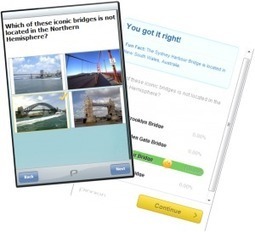
"Would you like to challenge your students with an online quiz or trivia game? Get Started with Pinnion to create quizzes, surveys, trivia games, or polls with unlimited questions and unlimited responses for free. Then, collect responses through any of the following: Smartphones Individual computers Shared or classroom computers, using Pinnion in kiosk mode
"All of these responses are fed back into your Pinnion account, where real-time results are available for instant viewing using presentation mode." Via Gust MEES
Scoop.it!

If you want to watch videos on your iPad or other tablet from afar, without headphones, its speaker is pretty worthless. This trick can boost the sound significantly with almost no work at all.
Scoop.it!

By Aran Lavasseur
"Think of sitting quietly in a spartan room. There are no TVs, computers, smartphones, books, magazines or music. If you’re like most people, this probably sounds like a recipe for boredom. In our culture, we avoid moments of “not-doing” because we don’t associate boredom with having any value. And our aversion to boredom and not-doing have been amplified in our hyper-connected age...
"Recent brain imaging studies reveal that sections of our brains are highly active during down time. This has led scientists to imply that moments of not-doing are critical for connecting and synthesizing new information, ideas and experiences. Dr. Michael Rich, a professor at Harvard Medical School put it this way in a 2010 New York Times article: “Downtime is to the brain what sleep is to the body.”
Scoop.it!

Part 1 of a 2-part webinar on how to plan for an implement the flipped learning model in your classroom. Presenters are Johnathan Bermann and Aaron Sams, originators of the Flipped Classroom model in Colorado in 2007. The webinar lasts for an hour. Free registration is required on the site in order to view it. The presenters move quickly through the fundamentals for teachers. -JL
Scoop.it!

The best news and content discovery tools available as selected and listed by Robin Good - updated monthly; arrayed in a mindmeister map with links to the tools. Approximately 45 tools are listed this month. 
Ken Morrison's comment,
September 11, 2012 7:56 AM
Thank you for the rescoop and congratulations on the 91 scoop.it score. That is one of the highest that I have seen. I am happy that you found your niche! Best of luck to you!
Ken 
Frédéric DEBAILLEUL's comment,
September 11, 2012 8:03 AM
Thank you very much for your comment Ken Morrison...
|
Scoop.it!

Free and easy screensharing. Looks terrific. Informative review by Scott Danielson.-JL Via Timo Ilomäki
Scoop.it!

This is a really simple flash-based audio recorder. Just press record, listen and download or share the link. http://ictmagic.wikispaces.com/Music%2C+Sound+%26+Podcasts Via Timo Ilomäki
Scoop.it!

By Jeffrey Thomas
8 useful guides for teachers on how to use Dropbox. -JL Via Lee Webster, Timo Ilomäki
Scoop.it!

By Erika Osváth
"I have been inspired to write this post after I won the scholarship announced by Russell Stannard winning USD 600 to help me attend the IATEFL Glasgow conference. The task was to send in details of a lesson in which Jing is used.
When I saw the requirements of the scholarship I felt my hands tied as wasn't sure which idea to send in as I had been using Jing for so many different purposes. So in this post I will list some of the ways I have been using this wonderful tool, including the idea that I won the scholarship with."
Numerous good ideas. -JL
Scoop.it!

I believe this is the best, most complete and accurate list of valuable Twitter applications available on the internet right now. Via Gust MEES
Scoop.it!

You’re going to want to print out this infographic and, at the very least, share it with your fellow teachers and even students. It’s all about the history of education technology and could be used to educate just about anyone on how far we’ve come in a short period of time. We did a more in-depth look at the history of education technology about a year ago but this infographic is a lot more… fun.
Anyway, the below infographic from CTU can be viewed below or downloaded as a PDF here (so you can fire up that color printer). Enjoy the walk down memory lane!
Via Gust MEES 
François Arnal's curator insight,
April 11, 2013 2:32 AM
De l'ardoise à la tablette, du projecteur de diapositive au vidéoprojecteur interactif...
Scoop.it!

"If we assume that smart phones and tablets will continue to progress at their present pace, we will see more of these devices being purchased in individual households. These privately owned devices would allow schools to focus on their instructional environment rather than continuing to worry about funding the new technology for all students to use. This means that the school district will only provide mobile learning devices for those students who are financially disadvantaged."
Via Evolving Classroom
Scoop.it!

I am from the UK, but I live and work in Curitiba in the south of Brazil. I have found that students are often very interested in how things are done in different countries...
This means that cultural awareness was a part of my teaching long before the current obsession with doing everything with technology. I am a firm believer in using technolgoy when it offers something different and there is a strong pedagogigcal case for doing so. All too often people use the latest high-tech gizmo just for the sake of using it.
However, technology has opened up certain ways of raising cultural awareness that perhaps weren't there before."
Using YouTube, Twitter, and WebQuests -JL
Via Gust MEES
Scoop.it!

By Kimberly Fornek
"In an iPad-created presentation to the New Trier School Board Monday evening, teachers of a variety of classes from modern and classical languages to social studies spoke enthusiastically about what iPads can do, that textbooks and computers cannot. Students, too, described how they used their iPads for note-taking, research and studying and praised its portability."
Scoop.it!

Part 2 of the 2-partr webinar on this topic. Date: Thursday, May 3, 2012 Time: 3:00pm ET / 12:00 noon PT Duration: 1 hour. Free registration is required to view the webinar live or to access the archived verson a few days later. Presenters are Johnathan Bergmann and Aaron Sams, originator of the Flipped Classroom strategy.
From the website:
"The Flipped-Mastery Classroom Sign up for this free webinar to learn more about Flipped Learning and how to reach all of your students in every class every day. Whether you attended Part I or not, this webinar will discuss the Flipped-Mastery Classroom. Flipped Learning is when educators actively transfer the responsibility and ownership of learning to their students...
"Mastery learning occurs when students learn a series of objectives at their own pace instead of all students working on the same topic at the same time.
"The flipped-mastery classroom marries that with modern technology to make a sustainable, reproducible, and manageable environment for learning."
Scoop.it!

Michelle Pacansky-Brock is a prolific practitioner of social media in higher education and this is the homepage for her website. Pacansky's favorite tools appear to be VoiceThread and video. Her video library includes teaching examples, tips, tutorials, and interviews with other educators featuring their terrific teaching ideas! She is very concerned with using web 2.0 tools to make learning in higher ed settings engaging, creative, well-assessed, and visible. Her many online presentations offer excellent content as well as serve as rich examples of how to utilize the media effectively. This is a must-see site for higher ed educators. -JL |






