Information and digital literacy in education via the digital path
81.8K views | +3 today
Information and digital literacy in education via the digital path
Literacy in a digital education world and peripheral issues.
Your new post is loading...

Popular Tags

Current selected tag: 'resource bank'. Clear
Scooped by Elizabeth E Charles
January 16, 2020 3:50 PM
Scoop.it!

A Great Update to Screencastify | Free Technology for Teachers

A Great Update to Screencastify | Free Technology for Teachers | Information and digital literacy in education via the digital path | Scoop.it

Screencastify is a tremendously popular screencast recording tool. A large part of its popularity comes from being easy to use on Chromebooks. In fact, last fall I helped eighth grade students use Screencastify in conjunction with Brush Ninja on their Chromebooks to make simple animated videos. As great as it was Screencastify wasn't without limitations.

No comment yet.
Rescooped by Elizabeth E Charles from Tools for Teachers & Learners
January 13, 2020 3:33 PM
Scoop.it!

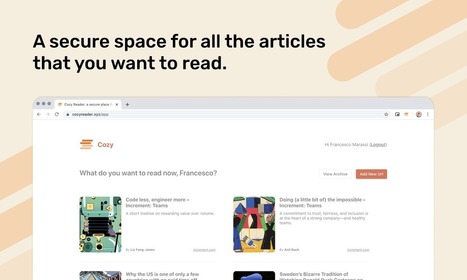
Cozy Reader: a secure place for your articles

Cozy Reader: a secure place for your articles | Information and digital literacy in education via the digital path | Scoop.it

Cozy uses BlockStack to (forever!) save all the articles you want to read.
Which means that yes, even if the website goes down or the original articles are deleted, you will have access to the articles!


Via Nik Peachey
Nik Peachey's curator insight, January 13, 2020 12:51 AM

This looks like a useful tool for students to store reading and research articles.

Scooped by Elizabeth E Charles
January 11, 2020 11:00 AM
Scoop.it!

Classroom Instruction Resources Of The Week

Classroom Instruction Resources Of The Week | Information and digital literacy in education via the digital path | Scoop.it

Each week, I publish a post or two containing three or four particularly useful resources on classroom instruction, and you can see them all here.

You might also be interested in THE BEST RESOURCES ON CLASSROOM INSTRUCTION IN 2019 – PART TWO.

Here are this week’s picks:

No comment yet.
Scooped by Elizabeth E Charles
January 9, 2020 1:30 PM
Scoop.it!

Integrating information Literacy | Information Literacy Weblog

Integrating information Literacy | Information Literacy Weblog | Information and digital literacy in education via the digital path | Scoop.it
In case you are interested, I came across it whilst searching for articles from this other PhD study of IL integration in New Zealand higher education
No comment yet.
Rescooped by Elizabeth E Charles from Daily Magazine
January 5, 2020 11:07 AM
Scoop.it!

Notejoy – Collaborative notes for you and your team

Notejoy – Collaborative notes for you and your team | Information and digital literacy in education via the digital path | Scoop.it
Drowning in email & Slack? Notejoy's fast and focused workspace is the perfect solution.

Via THE OFFICIAL ANDREASCY
No comment yet.
Rescooped by Elizabeth E Charles from Learning & Technology News
December 30, 2019 3:38 PM
Scoop.it!

Six Strategies for Effective Learning: A Summary for Teachers —

Six Strategies for Effective Learning: A Summary for Teachers — | Information and digital literacy in education via the digital path | Scoop.it

Cognitive psychologists have identified six key strategies that promote learning in many situations, and this research can be implemented to promote long-term durable learning. These six strategies have been heavily investigated for decades, and there is a lot of evidence to suggest their effectiveness in a variety of situations.


Via Nik Peachey
Nik Peachey's curator insight, December 27, 2019 4:52 AM

A useful summary with links to more information.

Mark A J Ellis's curator insight, January 4, 2020 4:10 AM
Useful reading
Scooped by Elizabeth E Charles
December 23, 2019 8:35 AM
Scoop.it!

9 Basic Digital Skills for the 21st Century Teacher

9 Basic Digital Skills for the 21st Century Teacher | Information and digital literacy in education via the digital path | Scoop.it
In a digitally focused world, education is getting more and more digitized pushing us, teachers and educators, to re-conceptualize what it really means to be a teacher in the 21st century. Whether you are a technological determinist or an instrumentalist, technology has become an essential force shaping much of our teaching and pedagogical practices.
No comment yet.
Scooped by Elizabeth E Charles
December 17, 2019 9:25 AM
Scoop.it!

How to Create Interactive Images With Classtools | Free Technology for Teachers

How to Create Interactive Images With Classtools | Free Technology for Teachers | Information and digital literacy in education via the digital path | Scoop.it

A couple of days ago I wrote about a new tool from Classtools called Image Annotator. It does exactly what it says on the tin. 

No comment yet.
Scooped by Elizabeth E Charles
December 17, 2019 8:49 AM
Scoop.it!

Technology Can Help Adult Learners Get the Most Out of Higher Ed | EdTech Magazine

Technology Can Help Adult Learners Get the Most Out of Higher Ed | EdTech Magazine | Information and digital literacy in education via the digital path | Scoop.it
A variety of technologies can help adult learners reap the same benefits as their younger counterparts.
 

As many as 35 percent of students in college today are 25 or older. That translates to some 6.6 million students out of around 19 million in college currently, and their numbers are set to increase over the next several years. 

No comment yet.
Scooped by Elizabeth E Charles
December 13, 2019 2:47 PM
Scoop.it!

Lifelong Learning with Social Bookmarking Tools and Apps – Teacher Reboot Camp

Lifelong Learning with Social Bookmarking Tools and Apps – Teacher Reboot Camp | Information and digital literacy in education via the digital path | Scoop.it
One way to inspire students to be lifelong learners is to teach them how to collect, categorize, curate, and tag resources with a social bookmarking tool or app. I have listed some of my favorites for students and teachers below. Social bookmarking makes research fun, engaging, and collaborative. Social bookmarking helps students visualize and personalize their learning in boards, magazines, or walls! 
No comment yet.
Scooped by Elizabeth E Charles
December 6, 2019 3:23 PM
Scoop.it!

Important EdTech Resources for Teachers and Students

Important EdTech Resources for Teachers and Students | Information and digital literacy in education via the digital path | Scoop.it

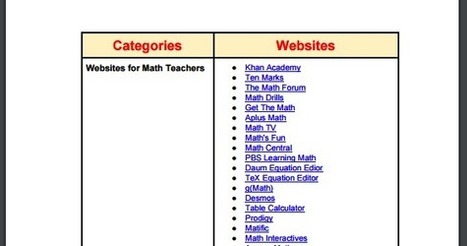
Below is a chart we have been working on during the last few weeks. It features a number of key websites and online resources arranged into different categories.  We did not cover all school subjects but we will be adding more resources to the list in the future.  Our purpose is to provide teachers and educators (and students) with a repository of EdTech websites that can potentially help them with the teaching of their content areas. The great thing about this work is that it is curated by teachers for teachers. 

No comment yet.
Scooped by Elizabeth E Charles
November 28, 2019 3:07 PM
Scoop.it!

Twelve Good Tools for Creating Mind Maps & Flowcharts - Updated | Free Technology for Teachers

Twelve Good Tools for Creating Mind Maps & Flowcharts - Updated | Free Technology for Teachers | Information and digital literacy in education via the digital path | Scoop.it
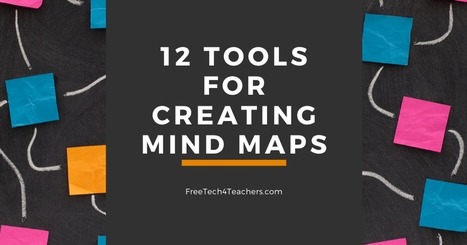
Earlier this week I published a video about a neat new service called Transo that lets you turn your notes into a mind map with just one click. Creating that video and writing the corresponding blog post got me to revisit a list of mind mapping tools that I published a couple of months ago. Here's my updated list of mind mapping and flowchart creation tools.
No comment yet.
Scooped by Elizabeth E Charles
November 28, 2019 2:47 PM
Scoop.it!

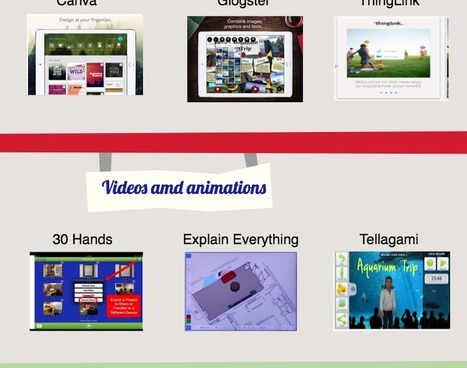
Apps to Help Students Showcase Their Learning

Apps to Help Students Showcase Their Learning | Information and digital literacy in education via the digital path | Scoop.it
Students are always excited to showcase their learning but when coupled with using the technology they love this excitement is even greater. In today’s post we are sharing with you a collection of some educational iPad apps to use in your class with students to enable them to demonstrate what they have learned.
No comment yet.
Scooped by Elizabeth E Charles
January 16, 2020 3:34 PM
Scoop.it!

Another Excellent Resource to Help Students with Their Writing

Another Excellent Resource to Help Students with Their Writing | Information and digital literacy in education via the digital path | Scoop.it

The Purdue Online Writing Lab (OWL) is an educational website that offers tons of excellent free writing resources for students and writers. OWL,  which belongs to Purdue University, has a huge online library that features a wide variety of materials covering different writing-related topics such as grammar and mechanics, professional writing,

Terry D Harris's curator insight, September 12, 2020 5:17 PM
This is the "go to" site for advice on writing topics such as coherence, documentation, research tips, conventions, unity, structure, and developing thesis statements. Extremely useful reference site for all levels of writers -- high school undergraduate, graduate, and professional. 
Scooped by Elizabeth E Charles
January 12, 2020 11:55 AM
Scoop.it!

29 tools to help with your content writing

29 tools to help with your content writing | Information and digital literacy in education via the digital path | Scoop.it
29 tools to help with your content writing Use a selection of these tools to boost the quality of the content you write Writing relevant and user-friendly content is harder than it seems. You need.


Writing relevant and user-friendly content is harder than it seems. You need to ensure that your text reads clearly and with no mistakes in order to maximize the impact of your message. It’s a real balancing act, which is why a range of content writing tools have been developed to ease your writing journey. Here are 29 of the best online content writing tools to help with all manner of different writing challenges, such as grammar, spelling, writing for SEO and copy editing.

No comment yet.
Scooped by Elizabeth E Charles
January 9, 2020 1:31 PM
Scoop.it!

Touch Typing for Kids: An Essential 21st Century Skill

Touch Typing for Kids: An Essential 21st Century Skill | Information and digital literacy in education via the digital path | Scoop.it

Students are now engaging with the world through their keyboards more than ever before, recording notes, completing homework assignments, and even taking standardised tests. For today’s kids, learning to type from an early age should be alongside learning to write, read, and perform arithmetic. Here are some of the secrets to teaching touch typing to your student or child as part of their early childhood education.

No comment yet.
Scooped by Elizabeth E Charles
January 9, 2020 1:25 PM
Scoop.it!

How to Combine Multiple Google Forms Into One | Free Technology for Teachers

How to Combine Multiple Google Forms Into One | Free Technology for Teachers | Information and digital literacy in education via the digital path | Scoop.it

Import questions is one of the many useful, yet often overlooked functions in Google Forms. The import questions function lets you draw questions from your existing forms to use in a new form. In the following video I demonstrate how you can use the import questions function to combine questions from multiple Google Forms to create one new one.

No comment yet.
Scooped by Elizabeth E Charles
January 2, 2020 3:26 PM
Scoop.it!

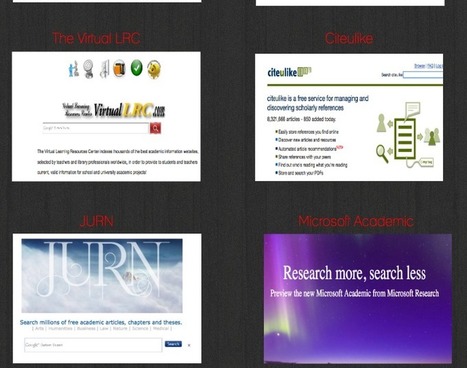
Academic Search Engines for Research Students

Academic Search Engines for Research Students | Information and digital literacy in education via the digital path | Scoop.it
Below is a collection of some handy academic search engines teachers and educators can use to search for and find a wide variety of academic articles, journals, documents and theses. Some of these search engines are subject focused and others are generic.
No comment yet.
Scooped by Elizabeth E Charles
December 23, 2019 8:39 AM
Scoop.it!

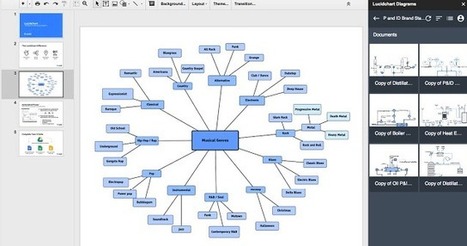
Enhance Your Presentations with These Google Slides Add-ons

Enhance Your Presentations with These Google Slides Add-ons | Information and digital literacy in education via the digital path | Scoop.it

As we have seen in yesterday’s post, Slides has recently introduced a number of interesting new features. For instance users are now able to embed and sync slides across multiple presentations. They can also integrate Google Keep notes into Slides presentations with a single click. But the most important new feature is add-ons. After Docs and sheets, Slides now support add-ons bringing thus more capabilities and functionalities to your presentations.


No comment yet.
Rescooped by Elizabeth E Charles from Digital Delights for Learners
December 20, 2019 6:30 AM
Scoop.it!

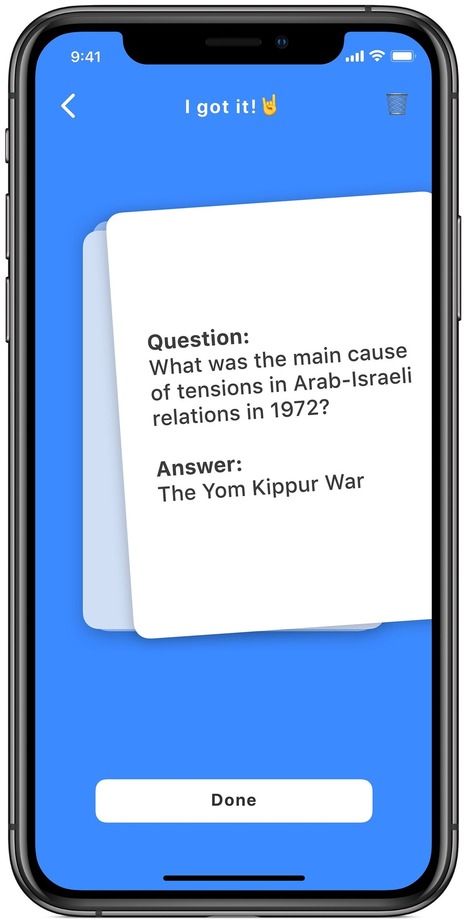
Questo AI - The Best Study Assistant App

Questo AI - The Best Study Assistant App | Information and digital literacy in education via the digital path | Scoop.it
Questo is the world's smartest quizzing app. Snap a photo of your textbook to test yourself - it's the easiet way to learn.

Via Ana Cristina Pratas
No comment yet.
Scooped by Elizabeth E Charles
December 17, 2019 8:52 AM
Scoop.it!

Helpful Tools for Research Students

Helpful Tools for Research Students | Information and digital literacy in education via the digital path | Scoop.it

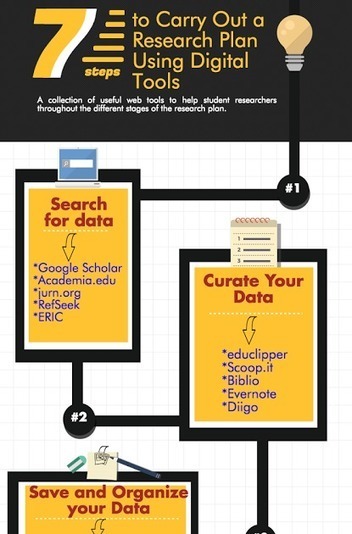
For those of you who haven't seen it yet, below is one of our popular infographics we published last year featuring important web tools and apps to help you in each of the 7 steps of the research process. As we have stated elsewhere, this is only 'a tentative sketch of what we think are the seven important steps of a research plan. For each of these stages we featured a short collection of web tools to help you carry it out. '  '

No comment yet.
Scooped by Elizabeth E Charles
December 16, 2019 2:09 PM
Scoop.it!

The Chrome Browser Settings You Should Tweak Right Now | WIRED

The Chrome Browser Settings You Should Tweak Right Now | WIRED | Information and digital literacy in education via the digital path | Scoop.it
Chances are you spend a lot of your computing time inside a browser window, and quite possibly inside a Chrome tab; Google's browser has come from nowhere in 2008 to dominate the browser landscape on desktop and mobile.
No comment yet.
Scooped by Elizabeth E Charles
December 6, 2019 3:25 PM
Scoop.it!

Some Helpful Resources for Librarians

Some Helpful Resources for Librarians | Information and digital literacy in education via the digital path | Scoop.it

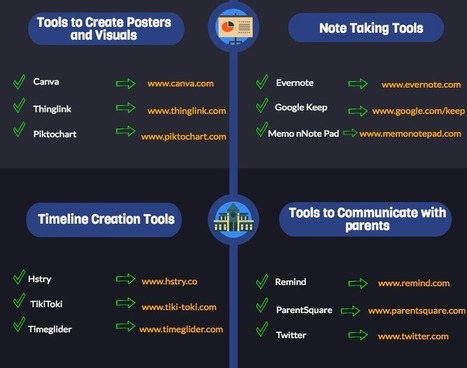
After posting about  iPad apps for librarians, we are featuring another equally important visual comprising some of the best web tools to help librarians in their everyday work. We have arranged these tools into 10 main categories: Database portals, research tools, curation tools, animated video tools, poster creation tools, note taking tools, timeline creation tools, tools communicate with parents, presentation tools and reference tools. 

No comment yet.
Scooped by Elizabeth E Charles
December 3, 2019 4:03 PM
Scoop.it!

How to Add QR Codes to Posters - Easy EdTech Podcast 041

How to Add QR Codes to Posters - Easy EdTech Podcast 041 | Information and digital literacy in education via the digital path | Scoop.it
In this episode I’ll share tips on how to create QR codes and how to add QR codes to posters. You’ll also hear about some free resources you can use right away to create and share your QR codes with posters!
No comment yet.
Scooped by Elizabeth E Charles
November 28, 2019 2:49 PM
Scoop.it!

Some important Google Search Tips for Teachers and Students

Some important Google Search Tips for Teachers and Students | Information and digital literacy in education via the digital path | Scoop.it
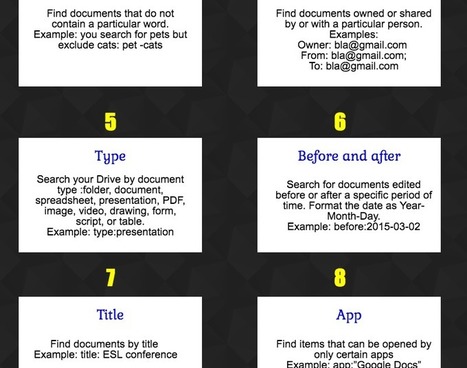
For those of you who haven’t seen it yet, here is a handy visual featuring 8 important Google Drive search tips for teachers. More specifically, you will get to learn how to: search for a document that contains a specific phrase, search for files that contain at least one of the words, find documents that do not contain a particular word, find documents owned or shared by or with a particular person, search your Drive by document type, search for documents edited before or after a specific period of time, find documents by title, and finally find items that can be opened by only certain apps.
No comment yet.