
Fujifilm X Series APS C sensor camera
3.1M views |
+14 today


Suggestions are welcome (or twitter @hpchavaz) - Scooping does not imply support or otherwise. Some info on my blog https://tinyurl.com/yblxkdal
Curated by
hpc

 Your new post is loading...
 Your new post is loading...
Your new post is loading...
 Scoop.it!
hpc's insight:
In the video, the creator tests the Fuji Film X-H2s camera and explains how it has the potential to replicate the film-look that digital sensors lack. They explore the camera's various features such as the autofocus, dynamic range, and image stabilization while filming scenic shots on a hike and staying at a hotel. They also showcase how the camera can be used with a gimbal and highlight the convenience of the camera's bottom plate that is compatible with the Peak Design shoulder strap backpack.  Scoop.it!
First time here? Hi, I'm Omar Gonzalez, a professional portrait and event photographer in the NYC/NJ area. On this channel, we talk about cameras, lenses, tech, and techniques to improve our photography.
hpc's insight:
In the video, Omar Gonzalez talks about his use of Fujifilm film simulations in his photography. However, he emphasizes that the subject and the shapes, patterns, and lighting in his photographs are more important than the palette of colors or the film simulation used. He advises beginners to think about why they like a photograph, whether it's due to the film simulation or because of a compelling subject or shape. He also mentions that film simulations and recipes are popular because taking good photographs is difficult, and they can help improve otherwise bland photos. Finally, he encourages photographers to embrace Fujifilm's Provia film simulation and to look for true colors, such as true greens and reds, in their photographs.
Scoop.it!
hpc's insight:
Andrew has never been tempted to abandon Fuji despite trying every camera brand. He discusses the differences between profiles, recipes, and presets, and focuses on profiles and recipes in the Fuji camera. Profiles are the Fuji-sanctioned color profiles that mimic film or give the user a nostalgic feeling of shooting with film. Recipes are built off of profiles, where the user can tweak the white balance, grain, sharpness, contrast, etc. to tailor the profile to their needs. Andrew has a blind test, where he shows the in-camera profiles that Fuji provides and some of Richie Roche's most popular recipes from his website. Andrew does not have an x-trans 4 device to show the latest profile, so the blind test is slightly incomplete.
Scoop.it!

Film Simulation Recipes are a great way to achieve consistent results when shooting with Fujifilm cameras. These recipes allow you to replicate the look and feel of various film stocks by applying specific settings to your camera. For a certain photo series or project, you…
hpc's insight:
Ritchie discuss the use of Fujifilm Film Simulation Recipes for achieving consistent results when shooting with Fujifilm cameras. The article explains that Film Simulation Recipes allow you to replicate the look and feel of various film stocks by applying specific settings to your camera. Ritchie advises to experiment with various recipes to find the one that best suits your style and subject matter, to stick with the same recipe for all of the shots in a given series or project, to setup your camera properly, and to consider the lighting conditions when using Film Simulation Recipes. The article concludes that Film Simulation Recipes are just one aspect of achieving consistent results, but by following the tips outlined in the article, it can be a good start on the path towards achieving consistent results with your Fujifilm camera. Regenerate response
Scoop.it!
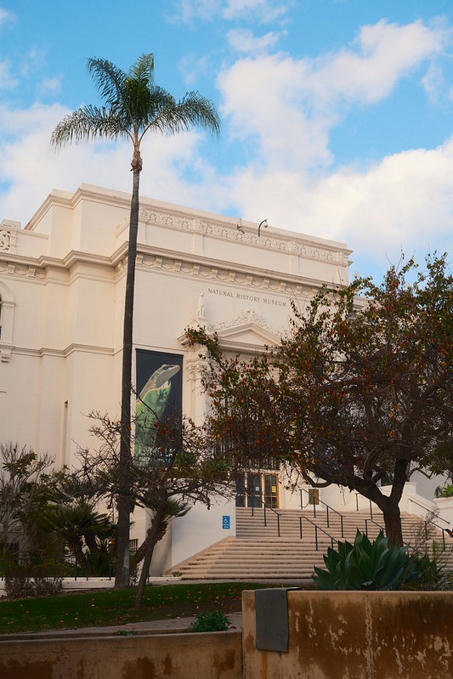
Many Fujifilm photographers use Film Simulation Recipes, which are JPEG camera settings that produce a specific look (often based on classic film stocks) straight-out-of-camera, no editing required. I have published over 250 Film Simulation Recipes on this website, which can also be found on the Fuji X Weekly App for easy access on the go. Using recipes on Fujifilm cameras is a great way to streamline your workflow while still getting great results that appear as though you post-processed or perhaps even shot with film.
Scoop.it!
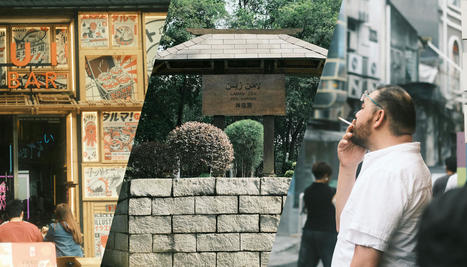
Here are of the best Japanese film-look recipes for Fujifilm cameras. All these film recipes are suitable for landscapes, streets and travel sightseeing.
hpc's insight:
Ivan has created several Japanese film-look recipes for Fujifilm cameras, all of which have a greenish tone and are suitable for different types of photography, such as portraits, landscapes, and travel. These recipes are based on various 35mm films, including Fujifilm Superia, Carbon Obscura, Tokyo Dream, Natura Classic, Fujicolor C200 Expired, and Cira 800, and are fine-tuned to work well in different lighting conditions. The author also provides sample photos and additional information for each recipe.
Scoop.it!

Colorful Flags - Buckeye, AZ - Fujifilm X-T30 - "Classic Kodak" As I was beginning to put together my recent article, Which Film Simulation Recipes, When? — Part 2 (X-T3 & X-T30), I realized that I didn't have a lot of Film Simulation Recipes that use the Shade White Balance. Cameras that are older than the…
Scoop.it!
Scoop.it!

Ocean Kayaks - Lake Pleasant, AZ - Fujifilm X70 - "Kodak Portra 160" You should always have a camera with you. The Fujifilm X70 is so small that it fits into my pants pocket, making it convenient for carrying literally everywhere. When I head out the door, no matter where I'm going, I shove the…
Scoop.it!
Scoop.it!
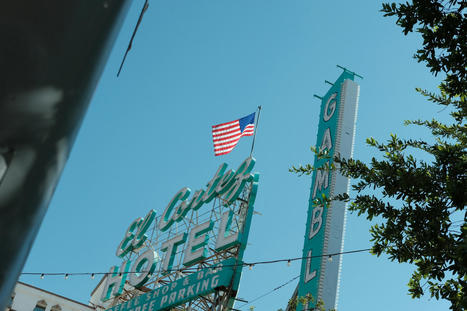
The camera experimentation continues. A few months ago I picked up an X-T3, which I still have (I need to blog about that one and make a video too soon) along with my X-H1 & X-T4. And last week I picked up a Fujifilm X-Pro2. I only plan on keeping 2 of these by years…
Scoop.it!
|
Scoop.it!

Can you use Artificial Intelligence to create Film Simulation Recipes for Fujifilm cameras? Does AI even know what that is? If so, would those Recipes be any good? Those questions and more have been rattling around inside my head for the last few months.
hpc's insight:
Ritchie discusses the use of AchatGPT and GPT-4 to create Film Simulation Recipes for Fujifilm cameras. He tests Open AI’s Chat GPT to see if it can differentiate a Film Simulation Recipe from a Film Simulation. The author finds that the new-and-improved GPT-4 can create a Film Simulation Recipe and provide reasons why it chose the settings it did. The AI gathers information from websites Ritchie concludes that AI is about 60% of the way there to being a useful tool for creating Film Simulation Recipes. The article also includes a recipe created by Chat GPT called Urban Dreams that is compatible with most X-Trans IV cameras.
Scoop.it!
hpc's insight:
A recipe for the old X100
Scoop.it!
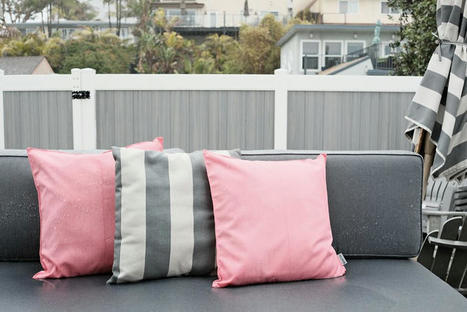
Green Hills - Goodyear, AZ - Fujifilm X-T5 - Kodachrome 25 Recipe This Film Simulation Recipe is intended to mimic Kodachrome 25 color transparency film, which was introduced in 1974, replacing the similar Kodachrome II emulsion. I was fortunate to shoot a few rolls of Kodachrome 25. It was a beautiful film, and probably the sharpest color…
Scoop.it!

The Fujifilm X-T5 was released just last November, and it's already a big hit. Perhaps you just purchased one, or maybe you own an X-H2 or X-H2S (the other X-Trans V models), and you're not sure which Film Simulation Recipes to try. While so far I've only published 15 Recipes that are specifically compatible with…
Scoop.it!

Film suddenly became expensive, and it might get worse before it gets better. If you shoot with a Fujifilm X camera, like the popular X100V or brand-new X-T5, you are fortunate, because you can emulate your favorite film stocks with Film…
hpc's insight:
Ritchie discussi the use of Fujifilm Film Simulation Recipes to emulate favorite film stocks. He explains that Film Simulation Recipes are JPEG camera settings that produce a specific look, often based on classic film stocks, straight-out-of-camera, and no editing is required. Ritchie has published over 250 Film Simulation Recipes on their website and on the Fuji X Weekly App for easy access on the go. The article states that using Film Simulation Recipes on Fujifilm cameras is an excellent way to streamline workflow, achieve a desired aesthetic with little or no editing, achieve a film-like quality that doesn’t appear heavily manipulated, have consistency in a single recipe over a series of pictures, and save time by not editing pictures. The article concludes that Film Simulation Recipes are a close facsimile to actual film stocks using Fujifilm X cameras.
Scoop.it!
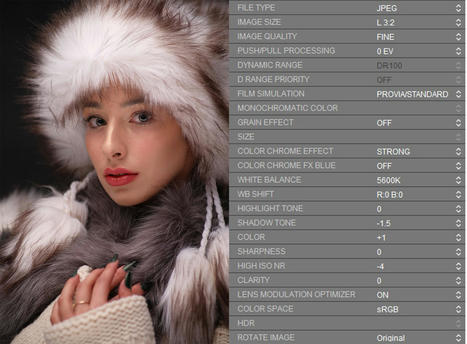
••••5 custom settings for portrait•••• X Trans IV From time to time I keep seeing posts asking what simulation/recipe for certain occassion/weather/photography style. I am a portrait photographer and I do use simulations too. I shoot both Raw/Jpeg and always edit Raws for that kind of photography but simulations come handy when I want to…
Scoop.it!

Raindrops on a Branch – Farmington, UT – Fujifilm X100V – "Elite Chrome 200" In my series, Which Film Simulation Recipes, When?, I'm trying to help out those who are unsure what Film Simulation Recipe to use in a given situation (after all, there are more than 250 to choose from). One of those situation is…
Scoop.it!

Captured with a Fujifilm X-E4 using the Kodak Portra 400 Film Simulation Recipe. I get asked all of the time when to use which Film Simulation Recipe. With over 250 on the Fuji X Weekly App to choose from, it can be difficult to know when each recipe should be chosen. Besides, you only have…
Scoop.it!
What are Fujifilm Film Simulations?
Scoop.it!
Fujifilm X-E4 + Vintage Agfacolor recipe In the last episode of SOOC, Nathalie Boucry and myself finished our discussion of the Vintage Agfacolor Film Simulation Recipe. As you know, while we encourage you to use the recipes that we feature, we also use them ourselves. I hope that you find it to be just as enjoyable of an…
Scoop.it!
In todays video I cover my 5 favourite Fujifilm JPEG recipes that often stop me from using RAW in less than 5mins. None of these recipes have been created by myself! below is a list of the recipes along with their socials! if you enjoy the recipes then make sure you go and check them out! ***ZERO HOUR - BY IMMANUEL SANDER*** ***DOWNTOWN BLOOM - BY IVAN CHEAM*** ***MGA LEICA LIKE V2 - BY MARK G ADAMS*** ***NEW AMERICA - BY ØYVIND NORDHAGEN*** ***THE DUDE - BY THE BIG NEGATIVE***
Scoop.it!

Cotton On - Farmington, UT - Fujifilm X100V - "Fujicolor Analog" I was asked to recreate the look of a certain photographer, and I noticed that a lot of their photographs had a Classic Negative aesthetic, so I thought it would be easy to mimic. It turns out that this person shoots a lot of…
|





