


Today I’m going to share some valuable lessons learned about developing highly concurrent software. These are real life lessons that come straight from the development of the Mule ESB.

 Your new post is loading...
 Scoop.it! Today I’m going to share some valuable lessons learned about developing highly concurrent software. These are real life lessons that come straight from the development of the Mule ESB. 
No comment yet.
Sign up to comment
Scoop.it!

Every website should have a robots.txt file. Some bots hit sites so often that they slow down performance, other bots simply aren’t desirable. robots.txt files can also be used to communicate sitemap location and limit request rate.
Scoop.it!

Offline.js est une bibliothèque Javascript permettant de détecter et avertir vos visiteurs d'une éventuelle déconnexion réseau lorsqu'ils visitent vos pages web.
Scoop.it!
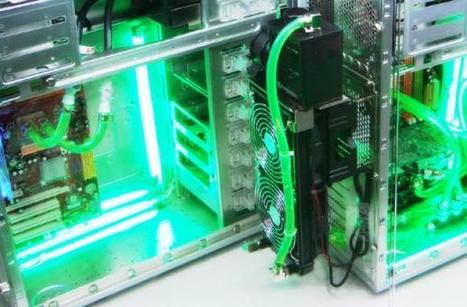
Shaï Mamou : "En France, des entrepreneurs proposent des solutions innovantes pour basculer vers la Green IT, une informatique éco-responsable. On le sait, l’utilisation de l'informatique n'est pas neutre pour l’humanité et son environnement. Une consommation énergétique vorace et coûteuse, l’émission importante de CO2 […], la construction d’appareils compliqués voire impossibles à recycler…
Via Serge Meunier
Scoop.it!

To access this option from the UI, go to Overview | Events, select an event from the list and click on the event's ID number to view the Event details page. This procedure describes how to profile an event from inside Zend Server. Profiling from inside an event provides an additional diagnostics layer in order to investigate why a specific event was triggered by analyzing code execution performance with Zend Studio.
Scoop.it!
The performance improvement gained by letting the Optimizer+ run out-of-the-box can be further enhanced with fine-tuning. These are advanced settings that need to be evaluated based on your environments usage specifications and performance requirements.
Mickael Ruau's insight:
ote: These are only recommendations, in most cases, such fine-tuning should not be necessary. Disabling Code Change Auto-DetectionIn the User Interface, to view the specific directives for Optimizer+, go to Configurations | Zend Components and select the Optimizer+ component from the Components list. In the Directives list, look for the "zend_optimizerplus.validate_timestamps" directive and set the value to Off. When to change: If your PHP code is rarely updated/changed or if you are capable of manually restarting your PHP on every code update. When not to change: If you are in development and you are frequently changing code, or if you do not have control over the code update process. Decreasing Code Validation FrequencyIn the User Interface, to view the specific directives for Optimizer+, go to Configurations | Zend Components and select the Optimizer+ component from the Components list. In the Directives list, look for the "zend_optimizerplus.revalidate_freq" directive, and set the value to 30 (seconds). Zend Server is now set to check PHP file changes every 30 seconds. When to change: If you do not change PHP files often and some delay between file update and site update is acceptable, you may set it even higher. When not to change: If you have frequently changing files and you need the changes to take effect immediately.
Scoop.it!

The Zend Server components are designed to encompass several different requirements. However, there is no point in adding or using certain components when they are not needed. This primarily happens when you install a component that you do not use. For example, if you do not need to call Java objects from your PHP code, there is no need to have the Java Bridge running. In addition, it would be better not to install this optional component at all, especially as you will be prompted to install a Java Runtime Environment that is not required if you are only running PHP.
Mickael Ruau's insight:
Component Description Turn Off Comment Debugger A remote debugging tool for developers working with Zend Studio. Not recommended to turn off, as it is great for development environments. In production when not debugging code. If you are not going to debug your code with the Debugger, for example in a production environment, disabling this component may provide a slight performance gain. Optimizer+ Speeds up PHP execution through opcode caching and optimization. Disabling has a negative impact on performance.
Guard Loader Loads and runs encoded PHP scripts (Encoded with Zend Guard) Required only if you are running PHP code that was encoded with Zend Guard. If you are not a Zend Guard user either remove this component or do not install it (it is an optional component). Data Cache Cache data items or output If you are not using the Data Cache API in your code for partial content caching.
Java Bridge Calls Java classes and code from PHP Required only If you call Java code or objects from your PHP. If you are not a Java user either remove this component or do not install (optional component). Monitor Identifies performance issues Turn off temporarily, only for performance testing reasons. Not recommended to remove this component however it is best to configure accordingly see " Working with Monitoring"
Page Cache A URL based HTML output cache for PHP scripts Always. If you are not using URL based Caching. If you decide not to use this component.
Scoop.it!

Profiling is a feature that seems to be similar to trace logging at first sight.
Mickael Ruau's insight:
Optimizing Your Code Based on Profiling Data
Always profile your application before you start optimizing. You might be tempted to start optimizing
Scoop.it!
Memory size exhausted Understanding (PHP) memory
Scoop.it!
Help, I'm leaking memory in PHP. SymfonyLive 2013
Scoop.it!
But I don’t know C!1. compiled2. strictly typed3. php internals do “hard” stuff4. copy and paste!5. cairo, pecl_http, date, imagick, dio
|
Scoop.it!

Le premier concours international inter-écoles qui vous plonge 48h au cœur de l’écoconception des logiciels !
Scoop.it!

Les fabricants de matériel ne veulent décidément plus que vous répariez vos appareils. iFixit, le site spécialiste de la question, vient d'attribuer la bien pauvre note de 1/10 à la tablette Surface Pro 2.
Scoop.it!

Réuni en séance plénière, le Comité Economique et Social Européena voté, ce jeudi 17 octobre, un avis relatif à la lutte contre l'obsolescence programmée.
Mickael Ruau's insight:
> Téléchargez le texte officiel présentant l'avis du Comité Economique et Social Européen relatif à la lutte contre l'obsolescence programmée > Note de synthèse. Lutte contre l'obsolescence programmée : le sujet avance, 02/09/13 > Note de synthèse. Obsolescence programmée : il est temps d'agir, 09/09/13
Scoop.it!
The Zend Optimizer+ component speeds up PHP execution through opcode caching and optimization. The Zend Optimizer+ improves PHP performance by storing pre-compiled script bytecode in the shared memory. This eliminates the stages of reading code from the disk and compiling it on future access. For further performance improvement, the stored bytecode is optimized for faster execution. This component works out-of-the-box and therefore does not require any configuration or changes to your code. The Zend Optimizer+ speeds up PHP execution and increases server performance, resulting in better Web application performance.
Mickael Ruau's insight:
This component is intended for PHP developers who run complex PHP applications and can benefit from bytecode caching (which is especially helpful for working with Zend Framework).
Notes: Zend Optimizer+ works exclusively with Apache or FastCGI environments (no CLI or CGI support). Zend Optimizer+ is disabled when running PHP in CLI mode.
Scoop.it!
Zend Server Apache servers handle requests with a FastCGI wrapper called Zend Enabler. This topic explains how to tune the PHP process pool under the FastCGI wrapper to match normal activity of the server and tolerate higher loads. By default, Zend Server runs with a maximum of ten concurrent PHP instances. For high load Web servers, it is recommended to increase this value, based on your performance requirements and other hardware/software limitations (such as memory, CPU, etc.).
Mickael Ruau's insight:
Note: These default settings are defined when you install Zend Server.
To control the maximum amount of concurrent PHP instances: Locate the ZendEnablerConf.xml file at : C:\Program Files (x86)\Zend\ZendServer\etc\ZendEnablerConf.xml.Locate the following text:<ProcessCount start="2" extra="8"/> This will enable Zend Server to run up to 10 PHP instances. For higher loads, increase this value.
To control the amount of requests handled by a single PHP instance before recycling: Go to C:\Program Files (x86)\Zend\ZendServer\etc\ZendEnablerConf.xml.Locate the following text:<Variable name="PHP_FCGI_MAX_REQUESTS" value="10000" /> This will allow a single PHP instance to handle 10000 requests before it is recycled by the Zend Enabler.
Scoop.it!
You may be able to add an additional performance boost to your PHP applications by properly configuring your PHP runtime environment settings. You can edit the directives below from the User Interface by going toConfigurations | PHP. Important: Changing some of these settings may cause certain PHP applications to stop functioning. Therefore, use discretion when you disable them and test your environment: It is important that you fully understand the purpose of each directive before you modify it.
Mickael Ruau's insight:
Optimal php.ini configurations and settings for maximum performance optimization: Name Recommended Value Zend ServerDefault Description realpath_cache_size 256K 256K Determines the size of the realpath cache to be used by PHP. This value should be increased on systems where PHP opens many files, to reflect the quantity of the file operations performed. realpath_cache_ttl 120 120 Duration (in seconds) for which to cache realpath information for a given file or directory. For systems with rarely changing files, consider increasing the value. error_reporting E_ALL & ~E_NOTICE E_ALL The error_reporting() function sets the error_reporting directive at runtime. PHP has many levels of errors: Using this function sets the error level for the duration (runtime) of your script. register_long_arrays Off Off Tells PHP whether or not to register the deprecated long $HTTP_*_VARS type predefined variables. When On (default), long predefined PHP variables (like $HTTP_GET_VARS) are defined. If you are not using them, it's recommended to turn them off for performance reasons. Instead, use the superglobal arrays (like $_GET). This directive became available in PHP 5.0.0 and was dropped in PHP 6.0.0. register_argc_argv Off Off Tells PHP whether to declare the argv and argc variables (that contain the GET information). magic_quotes_gpc The default is: Off This feature is deprecated as of PHP 6.0.0. Sets the magic_quotes state for GPC (Get/Post/Cookie) operations. When magic_quotes are On, all ' (single-quote), " (double quote), \ (backslash) and NULLs are escaped with a backslash automatically. include_path As short as possible, depending on the application's needs ".;/path/to/php/pear" Specifies a list of directories where the require(), include(), fopen(), file(), readfile() and file_get_contents() functions look for files. The format is like the system's PATH environment variable: A list of directories separated with a colon in Unix or semicolon in Windows. max_execution_time 30 30 This sets the maximum time (in seconds) that a script is allowed to run before it is terminated by PHP. This helps prevent poorly written scripts from tying up the server. The default setting is 30 s. When running PHP from the command line, the default setting is 0 s. The maximum execution time is not affected by system calls, stream operations, etc. See the set_time_limit() function for more details. You cannot change this setting with ini_set() when running in safe mode. The only workaround is to turn off safe mode or to change the time limit in the php.ini. Your Web server may have other timeout configurations that can also interrupt PHP execution. Apache has a Timeout directive and IIS has a CGI timeout function. Both default to 300 seconds. See your Web server documentation for specific details. memory_limit 128M 128M Sets the maximum amount of memory (in bytes) that a script can allocate. This helps prevent poorly written scripts from consuming all the available memory on a server. This setting can also be fine-tuned during development to reach an optimal setting. When an integer is used, the value is measured in bytes. Note: To have no memory limit, set this directive to -1. output_buffering 4096 4096 Allows you to buffer the PHP output instead of having it sent directly as soon as it is generated.
Scoop.it!
{ Anatomie, fonctionnement et performances de PHP
Scoop.it!
Ever been interested by contributing to the PHP core team? In this workshop you will not only learn how (easy it is) to create your own PHP extension from scrat
Scoop.it!
Premiers pas dans les extensions PHP Pierrick Charron, Confoo, Mars 2011 pierrick@php.net
Scoop.it!
My slides from "Inside PHP", a talk about how to change the syntax of the PHP programming language. Modified PHP 5.4.4 source code (with the "until" keyword add
|





