


HTML code for Flickr images
Follow, research and publish the best content
Get Started for FREE
Sign up with Facebook Sign up with X
I don't have a Facebook or a X account
Already have an account: Login

Digital Delights - Images & Design
476.2K views |
+0 today
Free tools to edit images, some cool photography & design
Curated by
Ana Cristina Pratas
 Your new post is loading...
 Your new post is loading...
Your new post is loading...
|
|

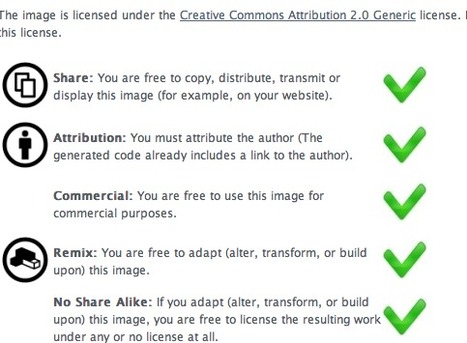






Flickr currently hosts more than 200 million images that are licensed under a Creative Commons license. Depending on the license, you may use the images on your private or commercial webpage, or make changes to it.
Often, you are in a great need for some pictures to freshen up your webpage and would like to include one of these images. If you want to do this, there are quite a lot of steps necessary:
- Make sure you understood the license correctly
- Get the correct HTML code for the IMG tag
- Link the image back to the Flickr photo page
- Give the author of the image proper credits (Attribution)
- Link to the Flickr profile of the author
- Link to the license the image is licensed under
The solutionWith ImageCodr.org, there is no need to do all this manually, you simply enter in the URL of the picture page (as seen in your browser) you are interested in and ImageCodr.org will generate the ready to use HTML code. It will also display a brief and easy license summary, so you don't get in legal trouble because you missed something.