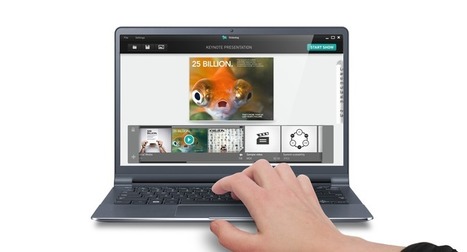
SlideDog is a powerful presentation tool that seamlessly switches between multimedia presentation files and makes it easy to present like a professional.
TalkPoint offers powerful yet simple to use Webcast Editing Software, for creating Webcasts accessible through any internet browser. Visit our site today.
Video tutorial on using Loom. Loom is a free screen capture technology. You can add the plug-in into Chrome and then use it to create screen capture videos
Academically advanced plagiarism checker. Check for plagiarism, view citations and references, integrate Unicheck with Canvas, Moodle, Google Classroom and more.
If you are looking to create only Multiple Choice format questions, then AIKEN format is the best option for you. It is easy to use and you needn't learn anything special to make use of it. All you need is to write your questions and answers using a clear human-readable format in a text file.
YouTube video essays have a unique style and narrative structure. Quality video essays can be great teaching tools for the classroom, according to Tanner Higgin
The application that stood out to me the most in the article, was called "Discovery ER". This application stood out to me personally because I could use it to teach social studies. I could take students out on virtual field trips to observe and learn about different countries.
Are you looking for the 12 best Free Online Bibliography And Citation Tools? Check the 12 best Free Online Bibliography And Citation Tools! 2017 Update!
This video tutorial shows you how to take Edmodo to another level. Learn how to add video content to your Edmodo site. Learn how to make the videos directl
SnagIt-Five great ideas for using the technology is a quick video that shows you this excellent teacher technology. See why it is such a good teacher tech tool
Give your students fast, high quality feedback on their work. Record voice comments to convey emotion, embed videos to explain complex concepts, and track skills.
Effective feedback is a very important aspect of teaching a foreign language since it allows to improve students’ performance. In my personal opinion, I never thought there was an interactive way to provide feedback through the use of technology and that's why I found the Kaizena program exceptionally interesting and helpful for my professional development as a future language teacher. Kaizena is a gratuitous online tool that supports the language learning process by means of dynamic feedback. As far as I understood, this tool permits the teacher to provide multiple forms of feedback, including comments, voice recording, attaching files, and rating students’ skills. In addition, feedback can be turned into an online conversation between the student and the teacher. What a great initiative! I am sure that when I became an English teacher, I will use this interactive and dynamic tool.
A video tutorial that takes you through the difference between Edmood and Moodle. If you are a teacher and you want to know about the differences betwee
To get content containing either thought or leadership enter:
To get content containing both thought and leadership enter:
To get content containing the expression thought leadership enter:
You can enter several keywords and you can refine them whenever you want. Our suggestion engine uses more signals but entering a few keywords here will rapidly give you great content to curate.


 Your new post is loading...