Your new post is loading...

|
Scooped by
Ana Cristina Pratas
September 7, 2012 1:07 PM
|
This list of 9/11 teaching resources and lessons will help teachers commemorate and instruct on the September 11th terrorist attacks in their classrooms.
|
|
Scooped by
Ana Cristina Pratas
September 7, 2012 12:36 PM
|
How do you know your body? Organ Transplant 2 is an educational game, which you can learn all human organs. First you will learn the location and functions of the organs in the game, then you play the game.
|
|
Scooped by
Ana Cristina Pratas
September 7, 2012 10:11 AM
|
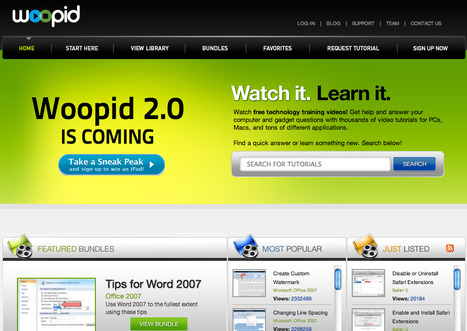
Woopid provides thousands of video tutorials for all computer questions, including Windows Vista, Mac OS X Leopard, Microsoft Office, iLife, cool gadgets and more.
|
|
Scooped by
Ana Cristina Pratas
September 7, 2012 5:48 AM
|
Find easy-to-use Interactive Whiteboard teaching tips and make the most of Language Arts Online Activities on your Interactive Whiteboard.
|
|
Scooped by
Ana Cristina Pratas
September 7, 2012 1:46 AM
|
|
|
Scooped by
Ana Cristina Pratas
September 6, 2012 5:29 AM
|
|
|
Scooped by
Ana Cristina Pratas
September 5, 2012 7:17 AM
|
Get CamScanner Free on the App Store. See screenshots and ratings, and read customer reviews.
|
|
Scooped by
Ana Cristina Pratas
September 5, 2012 7:09 AM
|
Allmyapps is your personal app manager. Discover, download, install, update and restore your apps with Allmyapps. The best apps and software are available for free.
|
|
Scooped by
Ana Cristina Pratas
September 5, 2012 7:04 AM
|
Shakespeare™ is a free app with the complete works of Shakespeare (41 plays, 154 sonnets and 6 poems, including doubtful works) and a searchable concordance to find the exact word or phrase you’re looking for (with “relaxed” searching to find words close to your search term).
If you’re looking for line numbers, the integrated Shakespeare’s Words glossary, a gallery of Shakespeare portraits, random quote generator, Shakespeare facts, auto-and scrolling, check out Shakespeare Pro for these and other great features. If you’re a student, professor, actor, or just plain love the Bard, this must-have app ensures you have the complete works at your fingertips.
|
|
Scooped by
Ana Cristina Pratas
September 5, 2012 3:07 AM
|
Get Schedule Pro on the App Store. See screenshots and ratings, and read customer reviews.
|
|
Scooped by
Ana Cristina Pratas
September 4, 2012 10:46 AM
|
Atomic Learning's FREE Video StoryBoard Pro is designed to give teachers, students, and home movie makers a tool to plan ahead when creating video projects.
|
|
Scooped by
Ana Cristina Pratas
September 4, 2012 10:04 AM
|
Do is the easiest way to get work done with anyone.
|
|
Scooped by
Ana Cristina Pratas
September 4, 2012 9:58 AM
|
A simple timer for everyday use,...
|
|
|
Scooped by
Ana Cristina Pratas
September 7, 2012 12:56 PM
|
Podio is the collaborative work platform where you can build your own work apps - based on your own processes and workflows - and use them instantly on your iPhone or iPad.
• Manage any work on the go, from projects to sales leads.
• Don’t just talk about work, get it done from anywhere.
• Work smarter together – less emails, less spreadsheets.
Key Features:
• Workspaces - bring the perfect team together and collaborate with anyone from anywhere.
• Podio Apps - hundreds of free work apps for handling: projects, sales leads, product development, job candidates and more.
• Tasks - the next level of task management. Podio adds business context to every task, saving you time.
• Files & Documents - access and share content with integrations of every major file-sharing service.
• Social Activity Streams - more than just talk: get progress updates on everything in your work, in real-time. Share statuses, files and links in one place.
• Smart Inbox & Contacts - stay in the loop with push notifications and private messaging, integrated with your phonebook.
• Universal Search - find anything in seconds.
|
|
Scooped by
Ana Cristina Pratas
September 7, 2012 10:20 AM
|
|
|
Scooped by
Ana Cristina Pratas
September 7, 2012 8:17 AM
|
USE CASE
XDisplay turns an iPad into a wireless second display for your computer to enhance productivity. Using the iPad as a screen extender can serve many purposes. For instance:
•Reduce desktop clutter by filling your iPad screen with widgets, folder shortcuts, IM buddy list, Skype, Twitter, Photoshop palettes, and other utility apps
•View spreadsheets across monitors so that all columns can be seen without scrolling
•Park background entertainment windows such as Netflix, Hulu, or social games (FarmVille) on the iPad while working
•Edit an HTML page on one monitor while viewing the rendered web page on the iPad
•Collaborate with others by showing them additional content on the extended iPad screen
•Play Flash movies and videos on your iPad in bed or on the couch and avoid the hassle of transferring or converting
|
|
Scooped by
Ana Cristina Pratas
September 7, 2012 1:47 AM
|
PresentationTube Recorder uses a simple and straight forward technique to capture your own PowerPoint presentations from the comfort of your home or office, and without the need to have Internet connection while recording.
|
|
Scooped by
Ana Cristina Pratas
September 6, 2012 8:22 AM
|
Protect the files you share, allowing you to decide and track at any moment who, how and when their content is accessed...
|
|
Scooped by
Ana Cristina Pratas
September 5, 2012 7:20 AM
|
DecryptLinks.com analyse shortened URLs to tell you where you are going and ensuring your safety while you browse the Internet...
|
|
Scooped by
Ana Cristina Pratas
September 5, 2012 7:12 AM
|
myHomework is a site where students can manage everything about their school life. From classes and homework to before and after school activities, MyHomework helps students stay organized on the web and on the go.
|
|
Scooped by
Ana Cristina Pratas
September 5, 2012 7:07 AM
|
Creating a Cartoon with Toontastic is as Easy as…
1. Select a scene on the Story Arc: A Setup, Conflict, Challenge, Climax, or Resolution.
2. Draw your own Setting and Characters, or custom color a Character from our collection of pirates, princesses, swashbucklers, and more.
3. Press the Start Animation button and move your characters around onscreen, telling your story through play. Toontastic will record and play back your animations and your voice as an animated cartoon.
4. Choose the music for your scene by adjusting the scene’s Emotional Energy level and plotting out the perfect Story Arc.
5. Title your cartoon and upload it to ToonTube for friends and family to see all around the world!
|
|
Scooped by
Ana Cristina Pratas
September 5, 2012 7:02 AM
|
NEW VERSION 2.4! The most advanced and full-featured professional teleprompter for the iPad! Now with improved remote communications and script grouping and sorting!
Teleprompt+ is a simple yet powerful professional teleprompter for the iPad. Perfect for presenters, lecturers, students, teachers, broadcasters, podcasters, filmmakers, musicians, business professionals, or anyone who would benefit from having a powerful visual aid while engaged in a public speaking activity.
STANDARD FEATURES:
* Write your speaking scripts directly in Teleprompt+ using the built in text editor, or by copying/pasting from Mail, Pages, or any other iPad app
* Track your progress using the integrated timer display (estimate, actual, and remaining time)
* Pause, play, and adjust playback speed during prompting
* Scroll text during prompting using normal swipe gestures
* Customize the following appearance and playback settings per script: scrolling speed, start countdown, timer display, font type, font size, text and background color
|
|
Scooped by
Ana Cristina Pratas
September 4, 2012 10:51 AM
|
|
|
Scooped by
Ana Cristina Pratas
September 4, 2012 10:42 AM
|
|
|
Scooped by
Ana Cristina Pratas
September 4, 2012 10:01 AM
|
Tinder is a social collaboration platform for your team or organization. We help you get work done by enabling you to discuss and share content with your colleagues.
|


 Scoop.it!