Being digital from the Open University, is a collection of short, easy to follow learning activities.

 Your new post is loading...
 Scoop.it! Being digital from the Open University, is a collection of short, easy to follow learning activities. No comment yet.
Sign up to comment
Scoop.it!
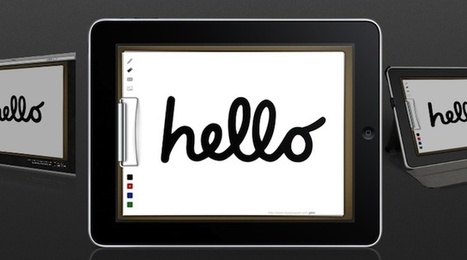
iPads are terrifc for apps and reading, but here's a few simple ways to use your iPad as a digital whiteboard with ease!
Scoop.it!

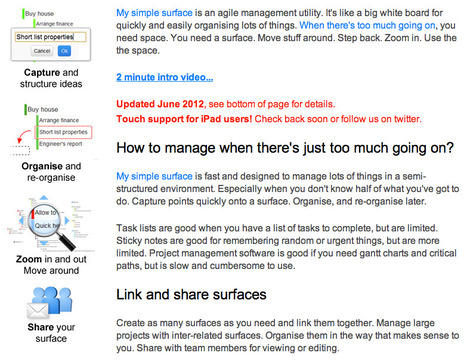
Exobrain is a web-based mind mapping tool designed to help creative people visualize, organize, and generate ideas.
Scoop.it!

David Bennett's curator insight,
February 10, 2013 10:36 AM
I can see this being used for more than just invitations - for anything ongoing as well. 
Bloom Learning NZ's comment,
February 14, 2013 8:35 PM
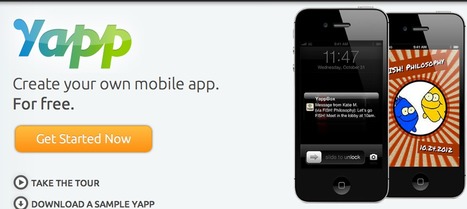
So I created one for the elearning showcase in Wellington on the 21st February. It was pretty easy and look forward to sharing on twitter and taking and sharing photos during the event. Only draw back is the Americanisation of the date. I like the fact I can have all of my events on the app and can share via social media during them. It's a great tool and really easy to use. Here's the one for the elearning showcase http://my.yapp.us/J9Y49R.

Blake Turnbull's curator insight,
May 15, 2013 11:21 PM
Very interesting! Could be even more interesting is used as a class project (project-based learning?).
Scoop.it!

The quickest way to get things done! Symphonical is an easy and fun app made of whiteboards and sticky notes. 
Hindie Becker Dershowitz's curator insight,
January 25, 2013 10:56 AM
collaborate with others or create your own wall. they have templates that you can use to create your wall and then you can place your sticky notes. it is free 
Tracy Hanson's curator insight,
January 27, 2013 8:59 AM
I'm going to give it a try. Could be a useful tool for those of us who lack organizational skills.
Scoop.it!

Language learning with Memory Techniques to Learn Spanish, French, German, Welsh. Build your vocab - practise with sentences. Innovative, interactive, a fun.& effective way to learn.
Scoop.it!

5 engaging and fun online games to help students learn about important skills and topics across a variety of classroom subjects.
Scoop.it!

ipadio takes any phone call and streams it live on the web, makes phonecasts and phlogs simple and immediate
Scoop.it!
Selected 10 annotation and bookmarking tools 
Vance Stevens's curator insight,
January 25, 2013 4:13 AM
In this 2012 Scribd pamphlet, Web 2.0 Annotation & Bookmarking Tools: A Quick Guide, Mohamed Amin Embi (of the Centre for Academic Advancement Universiti Kebangsaan Malaysia) describes and compares Diigo, Delicious, Scoop.it, Pinterest, Scrible, iCyte, Crocodoc, Webnotes, Markup, and Webklipper

Randy Rebman's curator insight,
January 26, 2013 2:12 AM
This resource provides a good overview of the different types of bookmarking and content curation tools on the web.
Scoop.it!

Get Cloud Outliner - Cross-platform outlining and brainstorming tool with Evernote integration on the Mac App Store. See screenshots and ratings, and read customer reviews. |
Scoop.it!

Free Cyber-Citizenship Thematic information rich unit-topic and resources 
Donna Johnson's curator insight,
January 28, 2013 10:35 PM
Providing a webinar for Delaware educators on 2/6, will be sharing many if these resources
Scoop.it!

Students are curious. Without this curiosity, I don’t believe a Digital Leader programme would be so successful. Show them something they are interested in and they want to know more. If they...
Scoop.it!

Visnos interactive html5 fraction wall, use on an interactive white board to explore fraction decimals & percentages. Useful to learn equivalent fractions. 
Todd Parker's curator insight,
December 19, 2013 4:21 PM
This is an interactive fraction whiteboard which allows quick manipulation of fractions. It also allows you to move into different modes such as decimals and percentages and incorporates LCM's and other features as well. As an instructor, this would be a wonderful tool. My fifth graders are very slow at using physical math manipulatives. While it is good to have them physically touching the manipulatives, there are times that you will be lecturing and want to keep the pace up while giving a full and thorough visual of what you are doing. This allows you to give the manipilative experience at a quick and clean pace and allows you to incorporate decimals and percentages just as quickly if you are teaching the relationships between these concepts. This is an excellent teacher tool. It's simple to use and has just about everything you need. There are tiumes for students to break out the manipulatives and there are times for this tool as well.
Scoop.it!
This video will show you how to start iBook Author with a template. First double click on the iBook Author icon on your desktop or in your applications folde...
Scoop.it!

From
lumi

Lumi makes it easy way to find things that interest you. It allows you to anonymously record the web pages you visit and makes relevant suggestions for you.
Scoop.it!

Ben Rimes | Multimedia, Social Studies 
Matthew Rowland's curator insight,
April 18, 2013 12:33 AM
Awesome activity. Maybe I could create one for my content area.
Scoop.it!

I Education Apps Review believes devices like ITouch / IPhone / IPod have a place in education.
Scoop.it!

New to ProfessorWord? This guide shows you how to save and use our free bookmarklet to improve your vocabulary while you surf the web! |