* Distraction free writing in portrait or landscape mode * Pick your font and font size just like you do in iBooks * Make your text lighter or darker with a tap * Adjust the date of your entries by tapping the date * Add photos from your library and slide them where you want * Pinch to resize photos. Use two fingers to rotate. * Customize your journal by picking your own background color * Calendar view makes viewing entries across months easy * Fast search that provides context around keywords * A couple options for displaying and appending timestamps * Optimized scrolling; scroll back a whole year in a few seconds * Photo browser lets you view and zoom photos by tapping them * Option to password protect your journal entries * Export single entries via email, with photos embedded * Export the text of your journal by email * Export your journal as a website for browsing on your computer (save via iTunes sync) * Export your journal’s text to Google Docs online * Create a PDF version of your writing - your font choice is used for the exported copy too * Tag each entry with a badge icon to indicate moods, events, themes * Quickly navigate to other entries with the up/down buttons, like in Mail * Resume fast; Chronicle remembers the last entry you were on. * Arrange your photos by dragging them; rotate with two fingers * Autosaving
Unbound is a short film that reveals the nature of authoring and shows how stories can transcend time and space. Writing removes boundaries and allows us to ...
calibre is a free and open source e-book library management application developed by users of e-books for users of e-books. It has a cornucopia of features divided into the following main categories:
Library Management
E-book conversion
Syncing to e-book reader devices
Downloading news from the web and converting it into e-book form
Comprehensive e-book viewer
Content server for online access to your book collection
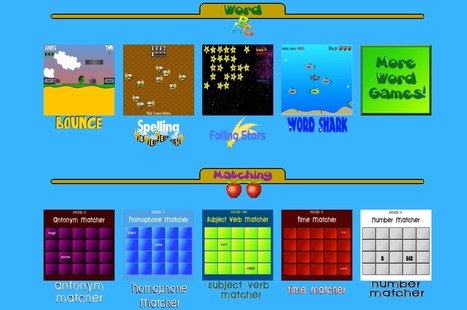
Free educational online games for children. Our games reinforce the skills that are vital to elementary students. We offer many math and reading games.
Geared for elementary students, there's a few flash type games that can help students with spelling, writing, and math. For review purposes, I tried Shot Clock. I just so happen to love basketball. It offers addition, subraction, multiplication, or division problems. After the question is displayed, you must use the answer to know which basket to shoot at. Not to toot my own horn or anything but I had today's highest score with 41 points. Can you beat it? Pics or it didn't happen...
For educators looking to integrate iPads, iPods and other mobile devices, here are eight must-have apps that will make life easier to do things like move files, capture lectures, read PDFs, and much more.
Your weekly dose of fun and interesting science. Created by: Mitchell Moffit (@mitchellmoffit) Gregory Brown (@whalewatchmeplz) CONTACT asapscience[at]gmail[...
Very easy to use, nice digital voice quality and visual interface. I have uploaded several of my powerpoints with great success. I can see an application for PPT books that students utilize for UDL or accommodation - easy way to add audio!
What is Google Drive? A complete guide how to use it. Cloud (storage), Creation, Collaboration, Communication How to access Google Drive, including from Goog...
Fun for students to email their learning aims at the beginning of a semster/term and then by mid-semester/term checking if they achieved them or not, and what they need to do to achieve success.
FEATURE: * Collaborative, with easy-to-use drawing interface.
* Collaboratively Sign & Annotate Documents in real-time.
* Import & Share documents from Dropbox, GDocs, Email, iTunes and Evernote.
* Facebook integration for easy collaboration with friends.
* Cloud services for collaborating, sharing, storing, viewing with both drawing and chat.
* A variety of drawing tools and built-in stencils.
* Instant snapshots, storing and retrieval any stage of your drawing, all on-demand.
* Push to Talk.
* Publish and share your ongoing or previous BaiBoard sessions via Email, Facebook, Twitter, Evernote and Tumblr.
* View Canvas and PDF from any computer or device on same network using web browser.
* All data (diagrams, chat history, voice, snapshots) of meeting session are persistently stored. Your meetings can be stopped and restarted at any time.
Ed20Work Web20Tools Skype 1 Join the Ed2.0Work SIGs at http://sigs.ed20work.eu/home On: • Learning and training pedagogies • Web2.0 and Internet resources • ...
"Leafsnap is the first in a series of electronic field guides being developed by researchers from Columbia University, theUniversity of Maryland, and the Smithsonian Institution. This free mobile app uses visual recognition software to help identify tree species from photographs of their leaves.
Leafsnap contains beautiful high-resolution images of leaves, flowers, fruit, petiole, seeds, and bark. Leafsnap currently includes the trees of the Northeast and will soon grow to include the trees of the entire continental United States.
This website shows the tree species included in Leafsnap, the collections of its users, and the team of research volunteers working to produce it."
To get content containing either thought or leadership enter:
To get content containing both thought and leadership enter:
To get content containing the expression thought leadership enter:
You can enter several keywords and you can refine them whenever you want. Our suggestion engine uses more signals but entering a few keywords here will rapidly give you great content to curate.


 Your new post is loading...


 Scoop.it!












THINGS YOU CAN DO
* Distraction free writing in portrait or landscape mode
* Pick your font and font size just like you do in iBooks
* Make your text lighter or darker with a tap
* Adjust the date of your entries by tapping the date
* Add photos from your library and slide them where you want
* Pinch to resize photos. Use two fingers to rotate.
* Customize your journal by picking your own background color
* Calendar view makes viewing entries across months easy
* Fast search that provides context around keywords
* A couple options for displaying and appending timestamps
* Optimized scrolling; scroll back a whole year in a few seconds
* Photo browser lets you view and zoom photos by tapping them
* Option to password protect your journal entries
* Export single entries via email, with photos embedded
* Export the text of your journal by email
* Export your journal as a website for browsing on your computer (save via iTunes sync)
* Export your journal’s text to Google Docs online
* Create a PDF version of your writing - your font choice is used for the exported copy too
* Tag each entry with a badge icon to indicate moods, events, themes
* Quickly navigate to other entries with the up/down buttons, like in Mail
* Resume fast; Chronicle remembers the last entry you were on.
* Arrange your photos by dragging them; rotate with two fingers
* Autosaving