Your new post is loading...
Ana Cristina Pratas's insight:
"Unhangout is an open source platform for running large scale online un-conferences. We use Google Hangouts to create as many small sessions as needed, and help users find others with shared interests. Think of it as a classroom with an infinite number of breakout sessions. Each event has a landing page, which we call the lobby. When participants arrive, they can see who else is there and chat with each other. The hosts can do a video welcome and introduction that gets streamed into the lobby. Participants then break out into smaller sessions (up to 10 people per session) for in-depth conversations, peer-to-peer learning, and collaboration on projects. UnHangouts are community-based learning instead of top-down information transfer."
Free online Survey Monkey tutorial for teachers and students. TeacherTrainingVideos.com provides free step by step camtasia screencasts that take you through a whole range of ict and web2.0 tools
Lookout4Dogs's comment,
February 19, 2014 6:49 AM
BTW I looked for you under 'Ana Cristina Pratas' on Pinterest but it's someone else.
Ana Cristina Pratas's comment,
February 19, 2014 8:36 AM
@Lookout4Dogs I have an account but haven't used it; if someone else is using my name, please let me know. Thanks again!
Gary Harwell's curator insight,
February 19, 2014 11:15 PM
Using Survey Monkey with your students could prove to be an interesting way to get them involved.
Ness Crouch's curator insight,
February 23, 2014 6:27 PM
I've used most of these apps but there are a few I wouldn't mind checking out!
Character Minutes's curator insight,
March 3, 2014 9:43 PM
Check out visual section for use with character
Jovi Buendia's curator insight,
March 7, 2014 1:29 PM
Great resources for differentiated instruction.
We have over 47,940 free practice questions from trusted sources like Kaplan Test Prep. You can author questions, create question sets and see how you perform.
The Resources in This Playlist Contain Hundreds of Tips, Insights, and Suggestions for Getting up to Speed and off to a Good Start Teaching With the iPad. A
Present.me - the video presentation platform. Spread your ideas, not just your PowerPoint, Prezi, Keynote or PDF. No software to install, all you need is your slides, a webcam and YOU!
Ana Cristina Pratas's insight:
A game that integrates real world film footage of Darfur into gameplay to involve players as they learn basic reporting skills.
appear.in is an easy to use video meeting system in your browser
Ana Cristina Pratas's insight:
"No login or downloads appear.in aims to make it super-easy to start talking over video. Therefore, we do not require you to register an account or download anything. The link to your room is all you need to connect to those you want to talk to. All you need is yourself, someone to talk to and a supported browser. Easy to invite anyone You can create a room whenever you want to, and use any room name. In fact, you don't even have to visit our front page, you can just type in 'appear.in/roomname' in the address bar in your browser, and you'll enter directly into the room! Anyone who enters the same room link as you, will come into your room. Peer-to-peer appear.in uses peer-to-peer communication, meaning that the video streams are sent directly between you and the people you are talking to. Nothing is stored on our server and all the communication is encrypted over SSL."
A free online Talking English Pronunciation Dictionary - simply mouse over your entry to hear it pronounced. American and British spellings, with alternative pronunciations. Sounds are fast, clear and completely natural, pre-recorded by native speakers. Answers the question "How do you say...?".
Luís Cálix's curator insight,
February 6, 2014 3:30 PM
Muito útil e fácil de usar: basta passar o rato em cima da palavra. resposta rápida, clara e natural. Opções de pronúncia para inglês britânico e americano.
Ana Cristina Pratas's insight:
Not exactly for learners but definitely for teachers or anyone who needs to create schedules.
Lauren A. Bonanno's curator insight,
February 7, 2014 8:19 AM
Great for any type of schedule - home, school, parents, teachers, administrators, etc.
Kerri Schaub's curator insight,
February 2, 2014 7:47 AM
Fabulous apps to engage ALL readers! #mersd #reading #orton-gillingham
Anita Vance's curator insight,
February 2, 2014 10:33 AM
this article gives great insight into apps that will help with developing or expanding explanations adding visual and contextual focus.
Kelly Blair's curator insight,
February 2, 2014 7:58 PM
My students really enjoy the simplicity and effectiveness of the Show Me app. I have a teacher account and share our class student created lesson on our edmodo site for review whenever the student needs it.
Alenka Andrin's curator insight,
March 17, 2014 3:45 PM
Examples of Using Google Forms in education.
Ressources pour les cours d'anglais's curator insight,
February 7, 2015 1:22 PM
Différentes façons d'utiliser google form : des idées très intéressantes à utiliser.
Anabela Luís's curator insight,
February 10, 2015 6:02 AM
Muito bom para quem usa formulários do Google ou quer aprender a usar. |
Ana Cristina Pratas's insight:
Resources for teachers and K12
Ana Cristina Pratas's insight:
"This innovative language learning video game will complement students’ classroom English language instruction through interactive 3-D multimedia learning adventures. Trace Effects is geared for players aged 12-16. Gamers interact and solve puzzles in a virtual world filled with diverse English-speaking characters. In the game, students take a dynamic journey through the United States, traveling to cultural locations like Kansas, New Orleans, the Grand Canyon, New York City, San Francisco, and Washington, D.C."
Create a map from location list, crowd source, spreadsheets, etc. Publish, share your interactive maps. Highlight radius and other regions. Get map images.
Pamela D Lloyd's curator insight,
February 18, 2014 3:57 PM
This tool will be of interest to teachers, scholars, genealogists, historians, and just about anyone with a need to share information about multiple locations. Best of all, the Basic plan is free and provides access to the functionality most individual users are likely to need.
Bernard Gagnon's curator insight,
March 26, 2014 9:32 AM
Créer vos propres cartes géographiques avec possibilité d'insérer des vidéos, photos ou fichiers audio. Et encore plus...
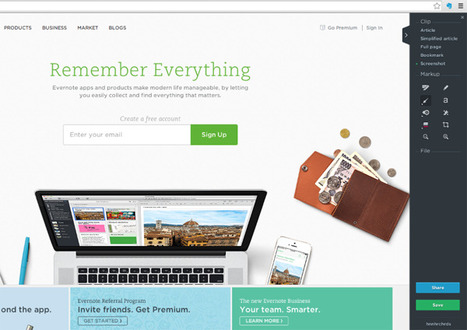
Evernote's an amazingly powerful notebook app. But it can also be rather overwhelming at first. Here's everything you need to get started with Evernote and get your info saved into notes, organized with notebooks and tags. You'll even learn how to clip anything you find online into your notebook, and search like a pro. | Difficulty: Beginner; Length: Medium; Tags: App Training, Productivity, Evernote
Tracy Hanson's curator insight,
February 15, 2014 1:01 PM
I am certainly going to learn how to use my Evernote more effectively. I don't remember Anything!
Richard Whiteside's curator insight,
March 28, 2014 6:39 AM
If you've ever thought of getting into using Evernote, but weren't sure where to start, this would be a good place. Teachers can use Evernote to organise all sorts and share with students. It's a great tool, I'd recommend giving it a go.
From
elgg
Elgg is a leading open source social networking engine which can be used to power your social network.
Michèle Drechsler's curator insight,
February 24, 2014 10:31 AM
Dompter ELGG un logiciel libre pour créer un réseau social en ligne.
You can bundle your favorite Wikipedia articles in a nicely formatted ebook and read it offline on any mobile phone, ebook reader or Tablet.
Progressive training's curator insight,
February 9, 2014 12:57 PM
How to Create an eBook from Wikipedia Articles
Visit http://www.progressivetraining.ie/ for all your training needs
Smith_Lin's curator insight,
February 20, 2014 5:29 AM
If this works would have to be useful. Need time to digest
Gary Harwell's curator insight,
February 8, 2014 11:26 PM
Getting the students to work through the plan is not hard. It's getting the teachers to produce one or getting the teachers to have the students produce on is the problem. It's much easier but way less effective to do CELTA on PowerPoint.
The Mad Video is a quick and easy to use online tool to make your online videos interactive. Make your video blogs, online advertisements interactive and empower your videos.
Viljenka Savli (http://www2.arnes.si/~sopvsavl/)'s curator insight,
February 9, 2014 8:18 AM
Nova funkcija povezana z videom.
Kahoot! is a classroom response system which creates an engaging learning space, through a game-based digital pedagogy. Kahoot! is an easy-to-use blended learning platform which works on any device, making the classroom interactive, encouraging both educators and learners to ask great questions.
Channylt's curator insight,
March 31, 2014 10:09 AM
Kahoot! is a game-based pedagogy delivered online via mobile technologies to make learning at any level interactive and engaging for both the learner and educators. This is of interest to my work as we are always looking for technology that engages students in their learning in an interesting and easily accessible way.
BI Media Specialists's curator insight,
October 27, 2014 10:15 AM
On recommendation from Mrs. Akin, we have tried this app and love it! You can create custom quizzes and download class data, much like you can with a CPS system. Check it out and see how you like it! There are quizzes already created by other teachers that you can try or you can create your own.
Green Screen by Do Ink is a creative and fun video app to engage and excite children about documenting what they are learning and all about the world around them.
Ana Cristina Pratas's insight:
With thanks to Jim George (@oyajimbo) for suggestion.
It's no secret that I am a passionate advocate for using video in the classroom. When used well, videos can help students make connections to people and ideas beyond their usual frame of reference. Th
Amélie Silvert's curator insight,
February 2, 2014 2:05 AM
always great to learn about new video tools to be used in class
Vera Dujakovic's curator insight,
February 17, 2014 3:03 AM
Kako napraviti i upotrebiti VIDEO u nastavi. Osam odličnih alata! |
Your new post is loading...
"Unhangout is an open source platform for running large scale online un-conferences. We use Google Hangouts to create as many small sessions as needed, and help users find others with shared interests.
Think of it as a classroom with an infinite number of breakout sessions. Each event has a landing page, which we call the lobby. When participants arrive, they can see who else is there and chat with each other. The hosts can do a video welcome and introduction that gets streamed into the lobby. Participants then break out into smaller sessions (up to 10 people per session) for in-depth conversations, peer-to-peer learning, and collaboration on projects. UnHangouts are community-based learning instead of top-down information transfer."