
Just received an iPad cart for the art room which now opens up hundreds and hundreds of possibilities !

 Your new post is loading...
 Your new post is loading...
Your new post is loading...
 Scoop.it!
Just received an iPad cart for the art room which now opens up hundreds and hundreds of possibilities ! 
No comment yet.
Sign up to comment
Scoop.it!

Learning through play. Self-directed learning. Flipped learning. Mobile learning. Collaborative learning. Social learning. It’s all here. Alone, none offer the turn-key approach to education that textbooks have traditionally turned to, but that’s part of the strength. As education technology grows, we can adapt to new learning models that take advantage of the fragmented but enormous potential of self-directed, creative, collaborative, and almost entirely mobile learning.
Scoop.it!

The iPad is a great tool for coding. Particularly for developing the
Scoop.it!
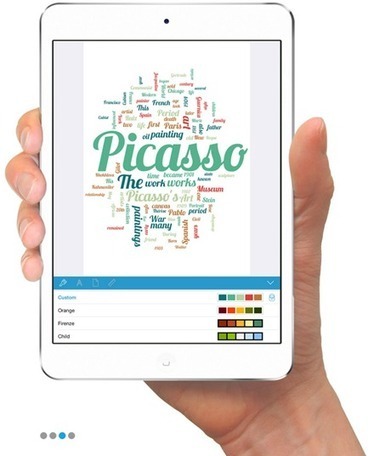
Wordsalad – makes it easy and fun to create word clouds on the iPad
Scoop.it!
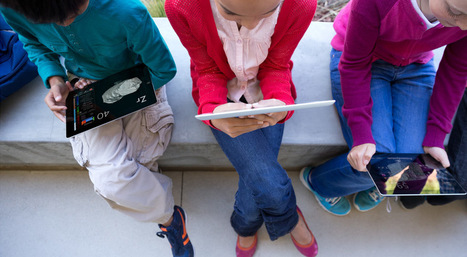
Apple will be making significant changes to iPad deployment for education during the upcoming school year that should eliminate some of the hurdles that school districts face when adopting iPads for use in the classroom.
Scoop.it!
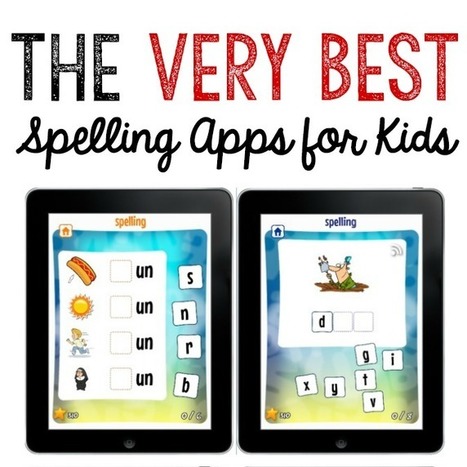
Looking for the best spelling apps for your beginning speller? Check these out! They're great for kids in kindergarten through third grade. Meet This Reading Mama’s Word Study Apps. Designed by a reading specialist, they were created using the principles of word study, a research-based approach to teaching spelling. So far, the series includes two awesome apps: the Short Vowel Word Study App and the Long Vowel Word Study App.
Scoop.it!
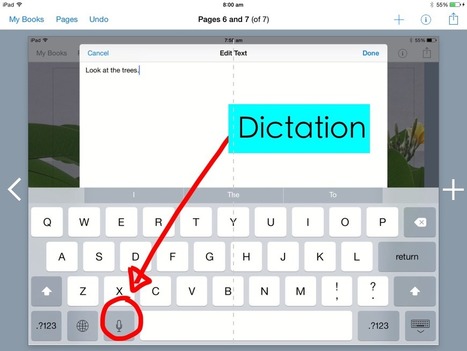
When working with young students, typing can be quite a difficult thing for them to do. Why not make use of the iPad's dictation tool instead?
Scoop.it!
Andrea Zeitz's insight:
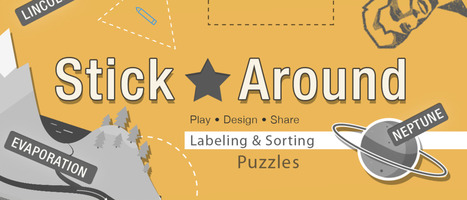
Play, design, and share labeling and sorting puzzles! Stick Around comes with an assortment of puzzles, including ordering decimals and classifying rocks. It's the player's job to drag the stickers from the tray to their correct spots on the background before time runs out.
Scoop.it!

Inspired by the last #1to1iPadChat , the term App Smash was coined by the great Greg Kulowiec (@gregkulowiec) from EdTech Teacher fame. It is a hot topic in EdTech and obviously has its own Hashtag – #AppSmash. What is an App Smash? Content created in one app transferred to and enhanced by a second app and sometimes third. Preferably the final product is then published to the web – remember, digital presence is the new résumé (CV).
Scoop.it!
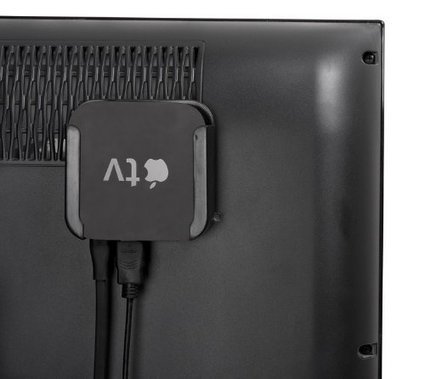
If you are using iPads in your classroom without the Apple TV Unit you are really only getting half the experience.
|
Scoop.it!
Little Bird Tales: Capture the Voice of Childhood. A fun,unique way to create,record and share stories online. Kids can make drawings,upload photos or artwork and record their voice online,creating a slideshow format book,then share it with family and friends. Environmentally friendly and great for schools,too.
Scoop.it!

Word Swag allows you to design beautiful graphics and create amazing text layouts. You can easily stylize your images by adding text, background and different colour fonts. Word Swag is great for creating poster quotes to share with students in class. You can also use it to create educational flyers and announcements or to simply caption your memories.
Scoop.it!

This is a new must-have for all classrooms! Finding interesting ways to evaluate, reflect and report on work and projects can be tricky. Many students struggle to engage with the reflection properly as it is often a dry, unentertaining end to any unit or project. But that’s where the Green Screen App can help.
Scoop.it!
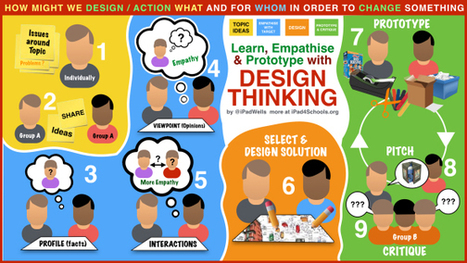
Design thinking is a powerful tool to really get your students thinking about and tackling a problem or topic at a much deeper level. It is a structured task that focuses on giving considerable time to thinking about and empathising with the people within the situation, designing and prototyping a possible solution that is immediately challenged in order to improve it.
Scoop.it!
This is a quick introduction to the SAMR Model, developed by Dr. Ruben Puentedura. It is not meant to be an in-depth view of the model. For more information, visit http://hippasus.com/.
Scoop.it!
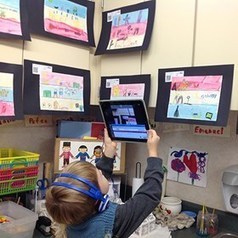
Anyone who has spent time with kindergarteners knows that these enthusiastic young students love to share what they’ve learned. This is great because reflection is an important part of discovery at any age. Using a few digital tools, students can create artifacts, record their thoughts about their work and share with the class. They can also review their classmates’ work and give feedback.
Scoop.it!
Here is a set of good iPad apps that you can use with students to enhance their mathematical thinking. These apps are meant for young learners and are specifically useful when introducing kids to those rudimentary notions of mathematical computations. The purpose of teaching kids to think mathematically, as detailed in Kaye Stacey's paper, is three folds: First, it will allow kids to conduct mathematical investigations by themselves. Second, it will help them acquire other thinking skills particularly problem-solving and as mathematician Paul Halmos (1980) stated, 'problem solving is the heart of mathematics'. Third, it helps kids get a deeper appreciation of mathematics and use it in their daily and working lives.
Scoop.it!

Stick Around is one of the best new apps we've seen lately It offers users the ability to create, share and play their own labelling puzzles. The design of the app is very user friendly but broad enough to include some brilliant little touches too.
Scoop.it!

A roundup of educational articles, apps and tutorials for educators looking to integrate technology into the classroom, updated for 2014.
Scoop.it!

Completing this app smash at the start of the school year gives me the chance to teach the basics of some apps that students will frequently use throughout the rest of the school year.
Scoop.it!
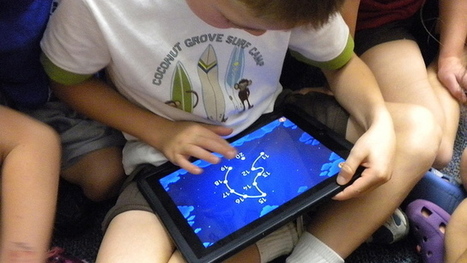
Managing tablets as learning tools in the classroom is not easy, especially when many kids use them largely as toys outside of school, if they have access to a tablet in their home environment. Here are some ideas on how to develop smart habits for class.
|